
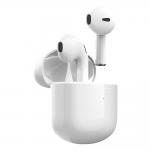
Reviews
HERE IF YOU NEED HELP GETTING BOTH EARBUDS TO CONNECT
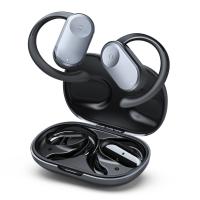
FOLLOW THESE INSTRUCTIONS THEY HAVE ON THE STORE PAGE EXACTLY:1)Delete the “T19” in the Bluetooth list and turn off the phone Bluetooth.2)Long press both MFB for 8 seconds to power off the earbuds and then long-press the two MFB for 10 seconds until orange lights are flashing for 1 second and power off automatically.3)Put the earbuds back into the charging case to activate again, the two LED indicators will flash orange and white.4)Turn on the Bluetooth on the phone and search “T19” to connect.I believe I accidentally messed up their pairing by connecting to the non-dominant earbud first, and so both earbuds were trying to connect on their own, and so my phone could only read one or the other. Doing this reset though, allowed them to go back to exactly how they are supposed to operate. After you take the headphones out, only one earbud should have a blinking orange/white indicator (when the pairing was messed up, both were blinking). After connecting to T19 on my phone, they were functioning properly. Hope this helps!!!!
16/03/2021
Related products




NEW
Arrival
NEW
Arrival
TOP
Best

Products You May Like

HOT
Seller

$174.99 $139.99

Related articles
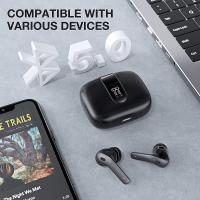
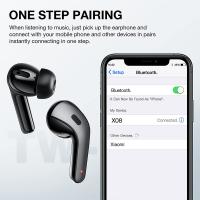




Blog You May Like




Popular products
headset for motorcycle helmet
best camping rechargeable lantern
nd filter for dji osmo action
nd filter for dji action 5 pro
baby monitor with screen and app
baby smart wireless monitor
best baby monitor with screen and app
motorcycle helmet intercom system
Camera Glasses With Wifi
true wireless earbuds with noise cancelling
Related searches
Smart Watch Connect To Iphone
Retro Game Console Connect To Tv
Camera Tripod That Follows You
Camera Connect With Wifi
Getting A Broken Filter Of Lens
Amber Coated Lens Need Yellow Filter
Cheap Security Cameras That Connect To Your Phone
Tripod For Both Phone And Camera
Headphones With Both Bluetooth And Wired
Good Camera For Both Pictures And Video
Related Scenes
Best Camera For Both Pictures And Video
Best Earbuds For Music And Calls
Best Camera To Video Sports
Best Camera To Capture Wildlife
Best Tripod To Travel With
Best Video Camera To Record Sports
Best Easy To Use Compact Digital Camera
The Best Easy To Use Digital Camera
Best Camera For Wildlife
Best Full Hd Camera For Video