kfconcept

KENTFAITH
K&F Concept    Blog >

Enjoy Your Selected Digital Life

Recently Viewed
  • Recently Viewed
  • Recently Viewed list is empty.

Compare (0) 0
  • Compare
  • You have not chosen any products to compare.

  • Compare
Currency: USD
  • Currency
Shop by Scene Shop by Rank

Log Into Your Account

Account

Order History

Wish List

Login

Forgotten Password?

Or connect with

Register Account

Already have an Account?Log In

  • Shopping Cart
  • Your shopping cart is empty!

  • Register/Login to purchase, earn points
  • Favorite
  • Your wish list is empty.

  • Register/Login to like, earn points
  • Activities
  • Guide
    • Filter Guide
    • Lens Adapter
    • Product Review
  • News & Reviews
    • Camera Reviews
    • Sample Gallery
    • News
  • Tutorials
    • Solar eclipse photography
    • Photography Basics
    • Landscape Photography
  • Inspiration
    • Travel
    • Travel Stories
  • Home
  • Blog
  • How To Set Up Wireless Surveillance Camera?

How To Set Up Wireless Surveillance Camera?

Kentfaith 2024-08-07 01:01:57 0 Comments

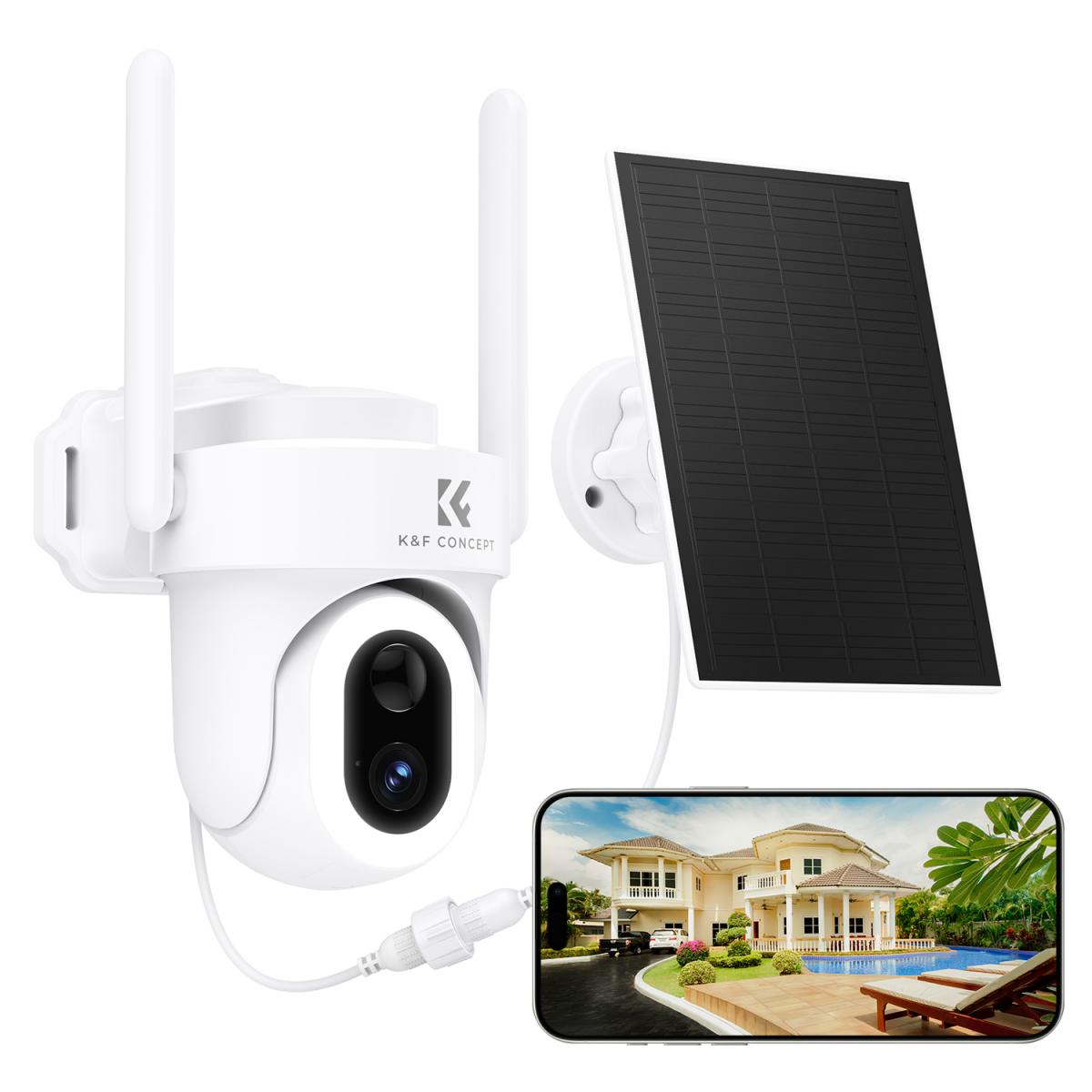
Setting up a wireless surveillance camera can seem daunting, but with the right guidance, it can be a straightforward process. This article will walk you through the essential steps to set up your wireless surveillance camera, ensuring you have a secure and reliable system in place to monitor your property. Whether you're a homeowner looking to enhance security or a business owner aiming to protect your assets, this guide will provide you with the knowledge you need.

Understanding Wireless Surveillance Cameras

Before diving into the setup process, it's important to understand what a wireless surveillance camera is and how it works. Unlike traditional wired cameras, wireless surveillance cameras transmit video and audio signals through a wireless network. This eliminates the need for extensive cabling, making installation easier and more flexible.

Step-by-Step Guide to Setting Up a Wireless Surveillance Camera

1. Choose the Right Camera

The first step in setting up a wireless surveillance camera is selecting the right one for your needs. Consider the following factors:

- Resolution: Higher resolution cameras provide clearer images. Look for cameras with at least 1080p resolution.

- Field of View: Determine the area you want to monitor and choose a camera with an appropriate field of view.

- Night Vision: If you need to monitor areas in low light or darkness, ensure the camera has night vision capabilities.

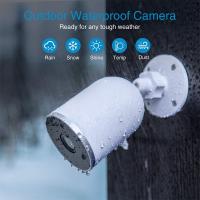
- Weather Resistance: For outdoor cameras, check for weatherproof ratings to ensure they can withstand the elements.

- Power Source: Decide whether you want a battery-powered camera or one that requires a power outlet.

2. Select the Installation Location

Choosing the right location for your camera is crucial for effective surveillance. Consider the following tips:

- Height: Install the camera at a height that provides a clear view of the area without being easily tampered with.

- Coverage: Ensure the camera covers the desired area without obstructions.

- Wi-Fi Signal: Make sure the camera is within range of your Wi-Fi network for a stable connection.

- Power Source: If your camera requires a power outlet, ensure one is nearby.

3. Mount the Camera

Once you've selected the location, it's time to mount the camera. Follow these steps:

- Mark the Drill Points: Use the camera's mounting bracket to mark the drill points on the wall or ceiling.

- Drill Holes: Drill holes at the marked points and insert wall anchors if needed.

- Attach the Bracket: Secure the mounting bracket to the wall or ceiling using screws.

- Mount the Camera: Attach the camera to the bracket and adjust its angle for optimal coverage.

4. Connect the Camera to Wi-Fi

Connecting your camera to your Wi-Fi network is a critical step. Here's how to do it:

- Power On the Camera: Plug in the camera or insert the batteries to power it on.

- Download the App: Most wireless cameras come with a companion app. Download and install the app on your smartphone or tablet.

- Create an Account: Open the app and create an account if you don't already have one.

- Add the Camera: Follow the app's instructions to add the camera to your account. This usually involves scanning a QR code on the camera or entering its serial number.

- Connect to Wi-Fi: Select your Wi-Fi network from the list and enter the password. The camera should connect to the network.

5. Configure Camera Settings

After connecting the camera to Wi-Fi, you'll need to configure its settings. This can usually be done through the app. Key settings to consider include:

- Motion Detection: Enable motion detection and adjust the sensitivity to avoid false alarms.

- Notifications: Set up notifications to receive alerts on your smartphone when motion is detected.

- Recording: Choose whether to record continuously or only when motion is detected. Some cameras offer cloud storage options, while others use local storage like a microSD card.

- Privacy Zones: Define areas within the camera's field of view that should not trigger motion alerts, such as public sidewalks or neighbor's property.

6. Test the Camera

Before finalizing the installation, test the camera to ensure it's working correctly:

- Live View: Use the app to view the live feed from the camera and check the image quality.

- Motion Detection: Walk through the camera's field of view to test motion detection and ensure you receive notifications.

- Night Vision: If your camera has night vision, test it in low light conditions to ensure it provides clear images.

7. Secure Your Camera

Security is paramount when it comes to surveillance cameras. Take the following steps to secure your camera:

- Change Default Passwords: If your camera has a default password, change it to a strong, unique password.

- Firmware Updates: Regularly check for and install firmware updates to ensure your camera has the latest security patches.

- Network Security: Ensure your Wi-Fi network is secure by using a strong password and enabling WPA3 encryption if available.

Troubleshooting Common Issues

Even with careful setup, you may encounter some issues with your wireless surveillance camera. Here are common problems and their solutions:

- Weak Wi-Fi Signal: If the camera's connection is unstable, consider moving it closer to the router or using a Wi-Fi extender.

- Interference: Other wireless devices can interfere with the camera's signal. Try changing the Wi-Fi channel on your router.

- Power Issues: If the camera is not powering on, check the power source and connections. For battery-powered cameras, ensure the batteries are charged.

- App Issues: If the app is not working correctly, try restarting your smartphone or reinstalling the app.

Setting up a wireless surveillance camera involves several steps, from choosing the right camera to configuring its settings and ensuring its security. By following this guide, you can establish a reliable surveillance system that enhances the security of your property. Remember to regularly check and maintain your camera to ensure it continues to function effectively. With the right setup, a wireless surveillance camera can provide peace of mind and help protect your home or business.
Leave your comment
Cancel reply
Note: HTML is not translated!
Related products
11 in 1 Step Up Ring Set
56
$37.99 $19.99
18 Pieces Filter Ring Adapter Set, Camera Lens Filter Metal Stepping Rings Kit (Includes 9pcs Step Up Ring Set + 9pcs Step Down Ring Set)
2
$43.99 $22.99
4G Surveillance Camera Dedicated Tri-network Compatible Data SIM Card - US Standard
$10.90
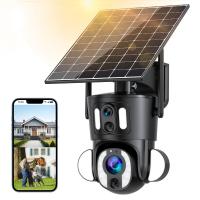
Dual-Lens Security Camera Solar Outdoor Surveillance 10X Optical Zoom 2.4G WiFi
12
$274.99 $230.99
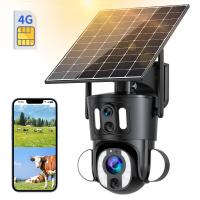
Dual-Lens 4G LTE Security Camera Solar Outdoor Surveillance 10X Optical Zoom
$344.99 $241.99
4G 3 Lens Solar Security Camera Wireless Outdoor, 6MP Full HD Video, 360° View Pan/Tilt Home Security Camera with Color Night Vision, Easy to Install, PIR Alarm, Kentfaith
15
$187.49 $149.99
WiFi 3 Lens Solar Security Camera Wireless Outdoor, 6MP Full HD Video, 360° View Pan/Tilt Home Security Camera with Color Night Vision, Easy to Install, PIR Alarm, Kentfaith
15
$156.24 $124.99
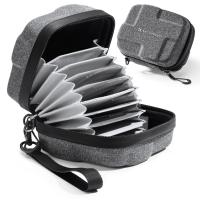
 10 Pockets Hard Shell Lens Filter Bag Up to 95mm, Waterproof, Durable, Portable, Camera Filter Pouch Carrying Case for Travel and Photography, Size L
10 Pockets Hard Shell Lens Filter Bag Up to 95mm, Waterproof, Durable, Portable, Camera Filter Pouch Carrying Case for Travel and Photography, Size L
73
$28.99 $25.99
 10 Pockets Hard Shell Lens Filter Bag Up to 82mm, Waterproof, Durable, Portable, Camera Filter Pouch Carrying Case for Travel and Photography, Size S
10 Pockets Hard Shell Lens Filter Bag Up to 82mm, Waterproof, Durable, Portable, Camera Filter Pouch Carrying Case for Travel and Photography, Size S
74
$24.99 $22.99
4G 3 Lens Solar Security Camera Wireless Outdoor, 6MP Full HD Video, 360° View Pan/Tilt Home Security Camera with Color Night Vision, Easy to Install, PIR Alarm, 2pcs, Kentfaith
$362.49 $289.99
Products You May Like
Lens Mount Adapter Compatible with Nikon AI AI-S F Lens to Sony DSLR Camera Camera Body
147
$53.99 $32.99
3.3m 100% Stainless Steel Heavy Duty C Stand with Boom Arm, Stand with 126cm Holding Arm, 2 Sandbags for Studio Monolight, Softbox, Reflector
$124.99 $119.99
Beta Camera Backpack 20L DSLR/SLR Camera Bag Fits 15.6" Laptop, Tripod, Waterproof for Men/Women Outdoor Photography/Hiking/Travel  - Backpack 20L Urban Wander 01 (Dark brown)
Beta Camera Backpack 20L DSLR/SLR Camera Bag Fits 15.6" Laptop, Tripod, Waterproof for Men/Women Outdoor Photography/Hiking/Travel - Backpack 20L Urban Wander 01 (Dark brown)
105
$128.99 $89.99
SNDWAY SW-TG100 laser rangefinder 330ft/100M, portable handle digital measuring tool rangefinder supports area measurement volume measurement 30 groups of data storage 2 horizontal bubbles IP54 waterproof
$43.99
SanDisk Ultra 32GB SDHC UHS-I Card, C10 Up to 80MB/s SDSDUNC-032G-ZN6IN
278
$19.99
52mm CPL+MCUV+ND1000+Lens Cap Circular Polarizing Filter MCUV Protection Neutral Density Lens Filters Kit with 24 Layer Coatings Nano-Dazzle Series
36
$49.99 $39.99
10Pcs Double-Headed Cleaning Stick Set, CMOS APS-C Frame Cleaning Stick 16mm Cleaning Cloth Sticks Set
1
$34.99 $17.99
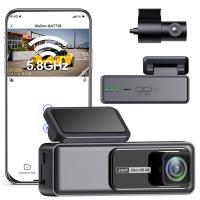
4K Dash Cam Front and Rear with WiFi 170° Wide Angle G-Senosr Kentfaith
13
$124.99 $99.99
K&F Concept Premium Microfiber Cleaning Cloths, Lens Cleaning Cloth for Camera Lenses, Eyeglasses, Screens, Cameras, Tablets -Washable, 12 Pack, 6 x 7 inches (15 x 18 cm)
$12.99
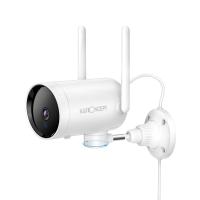
WiFi Outdoor Security Camera 1080P HD with Infrared Night Vision Two-way Audio IP66 Waterproof Surveillance Camera
4
$159.99 $36.99
Related articles
How To Set Up Surveillance Camera Online?
How To Set Up Wireless Camera Security System?
How To Set Up Action Camera?
How To Set Up Earbuds?
How To Set Up Garden Camera Wildlife?
How To Set Up Mini Wifi Camera?
How To Set Up Home Security Camera?
Trail Camera How Set Up New?
How To Set Up A Telescope?
What Type Of Video Camera Should I Buy?
Blog You May Like
How To Repair Mobile Camera Lens?
What Is A Good Video Camera For Vlogging?
How To Pair Wireless Lavalier Microphone?
How Does The Camera Lens Work?
How Do You Make A Voice Recording?
Which Telescope For Astrophotography?
How To Use Mini Camera Hd Video Recorder?
Can I Use Earphones As Mic On Pc?
How To Use Microphone With Camera Windows 10?
What Noise Does An Old Camera Flash Make?
Related categories
step up lens filter adapter rings 4G surveillance camera streaming video camera camera lens adapter C mount lens adapter camera filter kit Floodlight Camera Wireless
Popular products
outdoor home security camera system wireless security camera system for home outdoor surveillance camera solar powered wifi outdoor camera wireless Solar Powered Outdoor Security Camera outdoor surveillance trail camera waterproof trail surveillance camera night vision binoculars with camera cell phone camera stand tripod Camera Lens Filter Step Down Ring Adapter
Related searches
Wireless Surveillance Camera Solar Power Wireless Surveillance Camera With Recording Outdoor Wireless Wifi Surveillance Camera Wireless Camera Surveillance For Home Wireless 2 Way Audio Surveillance Camera Long Range Wireless Surveillance Cameras Outdoor Tech Up True Wireless Earbuds Best Video Surveillance Camera Long Distance Surveillance Camera Car Vandalism Camera Surveillance
Related Scenes
Best Outdoor Surveillance Camera Wireless The Best Wireless Surveillance Camera Best Camera To Video Sports Best Camera To Capture Wildlife Best Video Camera To Record Sports Best Wireless Home Camera Best Battery Wireless Camera Best Wireless Battery Security Camera Best Wireless Solar Security Camera Best Wireless Wifi Security Camera
Blog Category
  • Activities
  • Guide
    • Filter Guide
    • Lens Adapter
    • Product Review
  • News & Reviews
    • Camera Reviews
    • Sample Gallery
    • News
  • Tutorials
    • Solar eclipse photography
    • Photography Basics
    • Landscape Photography
  • Inspiration
    • Travel
    • Travel Stories
Search Article
Latest from the Blog
How Fast Is A Camera Flash?
Which Ring Camera Is Wireless?
Which Ring Light Is Best?
Can A Tripod Fit Any Camera?
How To Put More Bass In Your Headphones?
Can Trail Cameras Be Used For Home Security?
How To Setup A Tripod?
Which Night Vision Monocular Is Best?
Which Memory Card For Dash Cam?
how to clean microfiber cloth?
  • Easy Payment Multilple Payment Options

  • Free Shipping Global WareHouse Shipment

  • No Risk 30-Day No Reason Return

  • Limited Deals Buy More, Save More

  • Tax Free No any surcharges or tax fee

Information
  • About us
  • Contact Us
  • Site Map
  • Blog
  • Video
  • Gallery
  • VIP Membership Rewards
Service
  • Privacy Policy
  • Terms & Conditions
  • Shipping & Delivery
  • Payment Info
  • Warranty, Return & Refund
  • Intellectual Property Rights
  • Ambassador
  • Affiliates
  • Wholesale
Support
  • My account
  • Order History
  • FAQs
  • Extend Warranty
  • Logistics Tracking
Follow us
NewsLetter

Get the latest product, K&F Concept respects your privacy.
Powered By KENTFAITH © 2026