How To Set Up Home Security Camera?
How to Set Up Your Home Security Camera: A Comprehensive Guide
Home security cameras have become an essential part of safeguarding your home. They offer peace of mind by providing a visual overview of your property when you're away, deterring potential intruders, and storing video evidence in case of incidents. With the rising trend of smart homes and the wide availability of security camera options, it has never been more practical to set up a home surveillance system yourself. However, the process can seem daunting if you're new to it. In this article, we’ll walk you through the essential steps needed to set up your home security cameras properly and effectively.
Step 1: Determine Your Security Needs

Before purchasing a security camera system, you need to assess your home security requirements. Ask yourself:
- What areas of your property need monitoring? Common locations include front entrances, driveways, backyards, and shared spaces inside the home.
- Are you looking for indoor cameras, outdoor cameras, or both?
- Do you require certain features like night vision, motion detection, two-way audio, or high-definition video recording?
- Do you need a wired or wireless system? Wireless systems are easier to install but depend on a stable Wi-Fi network, while wired systems may provide more consistent performance.
- How much storage do you need? Consider whether you'd prefer local storage (on an SD card) or cloud storage and for how long you'd like footage saved.
Taking the time to think through these considerations ensures that you choose a system that fits your specific needs.
Step 2: Choose the Right Security Cameras
Once you’ve outlined your security requirements, selecting the right type of security cameras becomes easier. Here’s an overview of the main types available:
1. Indoor Cameras: Ideal for monitoring rooms inside the house. These are usually smaller and more discreet.
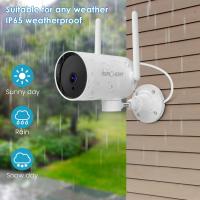
2. Outdoor Cameras: Designed to weather the elements, outdoor cameras are more robust, often featuring high durability and night vision.
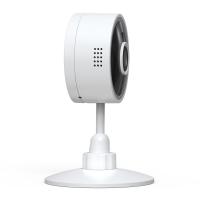
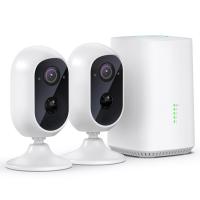
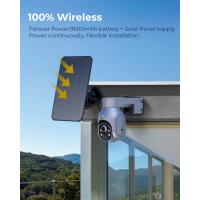
3. Wireless Cameras: Convenient and flexible, they can be installed anywhere with a power source and a Wi-Fi connection. However, make sure your Wi-Fi signal is strong in the areas where they'll be installed.
4. Wired Cameras: These cameras require physical connections to both power and a recording device (like a DVR). They are usually more reliable for long-term use but harder to install.
5. Doorbell Cameras: Ideal for keeping an eye on who’s at your front door. Many models now offer two-way audio and motion detection.
6. Pan-Tilt-Zoom (PTZ) Cameras: These versatile cameras allow you to remotely adjust the viewing angle and zoom in on specific areas.
When shopping, also pay attention to the video resolution (1080p is ideal for most users), field of view, and whether the device supports motion detection or scheduled recording.
Step 3: Plan Your Camera Placement

Camera placement is crucial. Poor positioning may result in blind spots or inadequate coverage of critical areas. Follow these guidelines to optimize your camera setup:
1. Identify Key Areas to Monitor:
- Main entrances and exits.
- Windows that are not visible from the street but can provide access points for potential intruders.
- Driveways, backyards, or areas with valuables such as cars or outdoor tools.
- Shared interior spaces like living rooms and hallways.
2. Position Cameras Strategically:
- Install outdoor cameras at a height of 8-10 feet to ensure they’re out of reach but still provide clear footage.
- Angle cameras slightly downward to capture a full view of the area without exposure to too much sky, which can wash out the image.
- Avoid positioning cameras directly towards bright light sources like the sun or windows, which can cause glare or overexposure.
- For doorbell cameras, ensure the camera is angled to capture the visitor’s face, not just the top of their head.
3. Consider Privacy Concerns:
- Avoid infringing on neighbors' privacy by ensuring that cameras are angled to capture only your property.
Step 4: Install the Cameras

Once you’ve chosen the ideal cameras and mapped out their placement locations, it’s time to install them. Depending on whether you have wired or wireless cameras, the installation process will vary.
Installing Wireless Cameras
Wireless cameras are generally easier to install, as they don’t require a physical connection to a DVR or network. Here’s what you need to do:
1. Mount the camera: Most wireless cameras come with mounting kits. Use the provided screws and brackets to affix the camera to the surface (e.g., walls, ceilings).
2. Power the camera: Plug the camera into a nearby outlet, or set up batteries if it’s battery-powered.
3. Connect to Wi-Fi: Follow the instructions in the camera’s manual to connect it to your home Wi-Fi network. This usually involves downloading the manufacturer’s app and following step-by-step prompts.
4. Test the connection: Ensure that the camera’s video feed is accessible, and check that the footage is clear.
Installing Wired Cameras
Wired cameras require a bit more effort due to the additional wiring:
1. Run the cables: If necessary, drill holes or tuck cables along walls to minimize clutter. You’ll need to connect the cameras to a power source and a recording device, like a DVR or NVR.
2. Mount the camera: Similar to wireless cameras, use the provided mounting hardware to secure the camera.
3. Connect to the recording device: Plug in the cables to the appropriate ports on your DVR/NVR.
4. Check the feed: Ensure the video feed from each wired camera is reaching the DVR/NVR and displaying correctly.
Step 5: Configure Your Camera Settings
After mounting, take time to configure the settings of your security cameras. Most systems allow you to customize the following options through their companion app or desktop software:
1. Motion Detection Settings:
- Enable motion detection and adjust sensitivity to avoid false alarms triggered by pets or passing cars.
- Use motion zones to limit detection to specific areas, like doorways or paths leading up to your home.
2. Video Quality and Storage:
- If your camera supports high-definition recording, ensure that it’s enabled.
- Decide whether to save footage locally or rely on cloud storage, and adjust recording schedules accordingly.
3. Notifications and Alerts:
- Turn on notifications for specific events, like motion alerts or doorbell presses.
- Ensure your phone or email is linked to receive real-time alerts when incidents are detected.
4. Security Controls:
- Update the firmware regularly to safeguard against vulnerabilities.
- Protect your camera feeds with strong, unique passwords, and enable two-factor authentication if available.
Step 6: Test and Monitor the System
Once everything is set up, test the system to make sure it's working as intended:
- Check each camera’s feed to confirm clarity and proper position.
- Trigger motion detectors to ensure they activate and send alerts as expected.
- Verify that recorded footage is accessible for playback.
After testing, monitor the system periodically to ensure performance remains optimal. Replace batteries in wireless cameras as needed and adjust camera positions if circumstances, such as landscaping or home renovations, change over time.
Step 7: Maintain Your Security Cameras
To ensure long-term functionality, regular maintenance is essential:
1. Keep lenses clean: Dirt or water spots can blur the footage. Wipe lenses gently with a microfiber cloth when needed.
2. Inspect mounts and brackets: Over time, vibrations or weather may cause brackets to loosen—re-tighten them to keep cameras stable.
3. Update firmware: Security vulnerabilities are often patched through firmware updates, so keep your cameras updated.
4. Check connections: For wired setups, ensure no cables are damaged or disconnected. For wireless systems, monitor Wi-Fi strength and reposition routers or install extenders if necessary.
Final Thoughts
Setting up a home security camera system may initially seem overwhelming, but with careful planning and the right tools, it’s a task that can easily be accomplished by most homeowners. By following the steps outlined above, you can create a surveillance system tailored to your specific needs, ensuring better security for your home and loved ones.
Investing the time and effort into understanding your system will not only maximize its effectiveness but provide the peace of mind that your property