kfconcept

KENTFAITH
K&F Concept    Blog >

Enjoy Your Selected Digital Life

Recently Viewed
  • Recently Viewed
  • 58mm ND2-ND400 (9 Stops) Variable ND Filter Neutral Density Adjustable Filter for Canon Nikon DSLR Cameras + Lens Cleaning Cloth
    58mm ND2-ND400 (9 Stops) Variable ND Filter Neutral Density Adjustable Filter for Canon Nikon DSLR Cameras + Lens Cleaning Cloth
    $39.99 $31.99
Compare (0) 0
  • Compare
  • You have not chosen any products to compare.

  • Compare
Currency: USD
  • Currency
Shop by Scene Shop by Rank

Log Into Your Account

Account

Order History

Wish List

Login

Forgotten Password?

Or connect with

Register Account

Already have an Account?Log In

  • Shopping Cart
  • Your shopping cart is empty!

  • Register/Login to purchase, earn points
  • Favorite
  • Your wish list is empty.

  • Register/Login to like, earn points
  • Activities
  • Guide
    • Filter Guide
    • Lens Adapter
    • Product Review
  • News & Reviews
    • Camera Reviews
    • Sample Gallery
    • News
  • Tutorials
    • Solar eclipse photography
    • Photography Basics
    • Landscape Photography
  • Inspiration
    • Travel
    • Travel Stories
  • Home
  • Blog
  • How To Connect Bluetooth Tripod?

How To Connect Bluetooth Tripod?

Kentfaith 2024-10-10 02:45:29 0 Comments

In today's digital age, capturing perfect photos and videos has never been easier, thanks to the advent of advanced technology such as Bluetooth tripods. These handy gadgets allow you to take effortless selfies, group photos, or professional video recordings without the need for a complicated setup. If you are wondering how to connect a Bluetooth tripod to your smartphone or camera, this article aims to provide you with a detailed guide on connecting, using, and troubleshooting your Bluetooth tripod.

Understanding Bluetooth Tripods

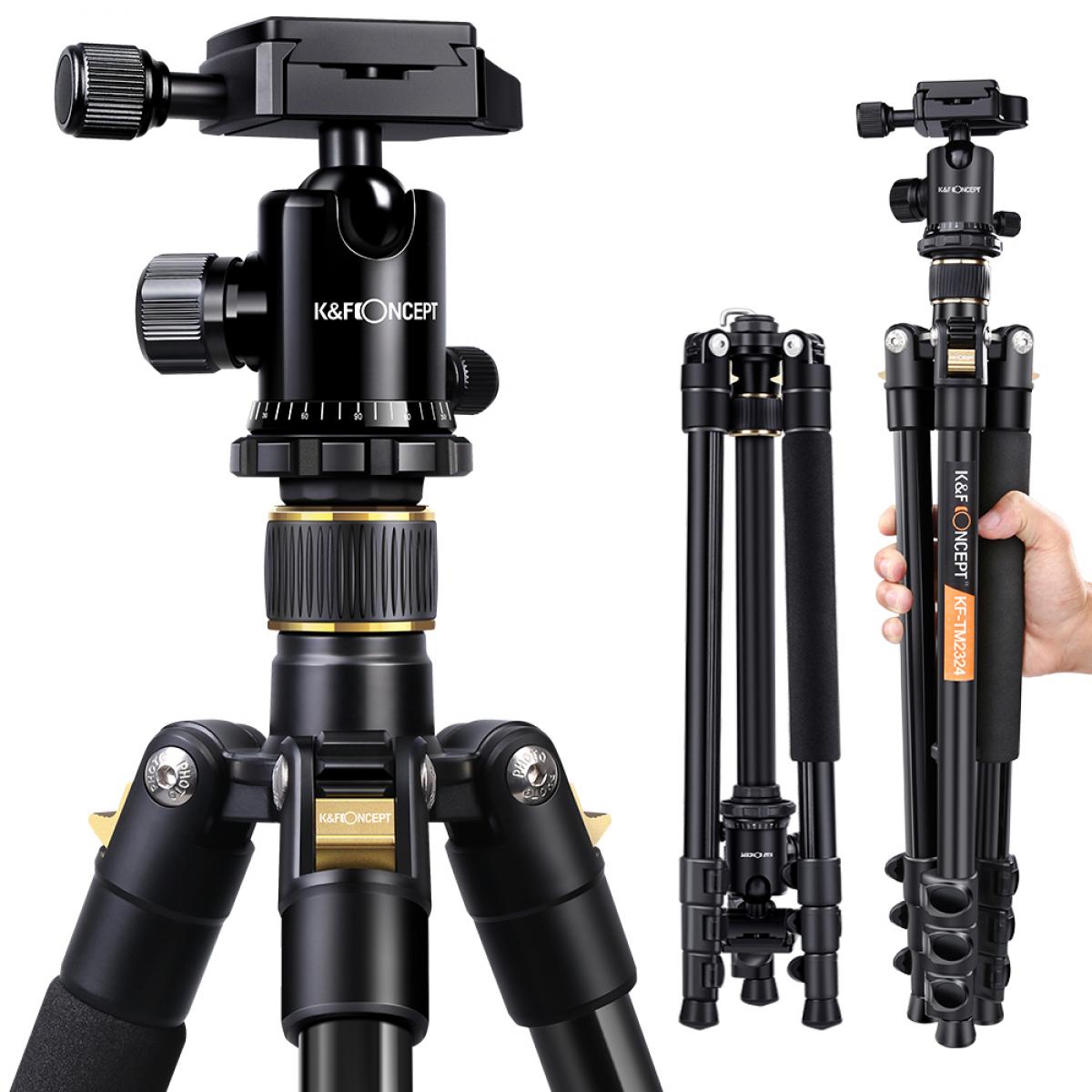
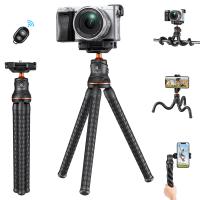
A Bluetooth tripod is essentially a tripod stand equipped with Bluetooth technology, enabling wireless control of your smartphone or camera's functions, such as taking a picture or recording a video. These tripods usually come with a Bluetooth remote or have built-in buttons to control your device remotely, making them perfect for solo travelers, vloggers, or anyone who needs stable, hands-free photo or video capturing.

Step-by-Step Guide to Connect a Bluetooth Tripod

1. Charge Your Bluetooth Tripod

Ensure that your Bluetooth tripod is fully charged. Most tripods come with an indicator light that shows when the battery is low. A fully charged tripod ensures that you won't face power issues while trying to connect it to your device.

2. Turn On the Bluetooth on Your Device

Go to the settings menu on your smartphone or camera and turn on Bluetooth. This step is crucial for finding and pairing your tripod with your device.

3. Pairing Your Tripod

Turn on your Bluetooth tripod. Typically, a long press on the power button will switch it on, and you might see a flashing light indicating that it is in pairing mode. On your device, scan for available Bluetooth devices. Look for the name of your Bluetooth tripod and select it to pair. If a password is required, refer to the user manual; common default passwords are often "0000" or "1234".

4. Confirm Connection

Once the pairing is successful, you will receive a confirmation on your device. The flashing light on your tripod may also turn solid to indicate a successful connection.

Using Your Bluetooth Tripod

Now that your tripod is connected, here are some tips on how to make the most out of it.

1. Position Your Tripod

Set up the tripod at a stable location and adjust the height and angle according to your framing requirements. Make sure the tripod is level to avoid skewed photos or videos.

2. Mount Your Device

Secure your smartphone or camera onto the tripod's mount. Double-check that the mount is tight enough to hold the device steady but not so tight that it damages your device.

3. Use the Bluetooth Remote

If your tripod comes with a Bluetooth remote, use it to take photos or start recording videos. This is particularly useful for wide group shots or solo recordings.

4. Built-in Controls

Some advanced tripods have built-in controls for zooming in and out, switching between camera modes, or even adjusting exposure settings. Familiarize yourself with these features to enhance the quality of your photography or videography.

Troubleshooting Common Issues

Even the most reliable gadgets can sometimes run into issues. Here are some common problems you might encounter and their solutions.

Issue: Tripod Not Pairing with Device

- Solution: Ensure that both devices are in pairing mode. Restart both the tripod and your smartphone or camera to refresh the connection.

Issue: Intermittent Connection

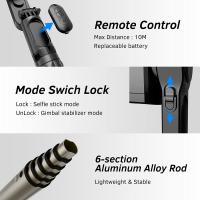
- Solution: Make sure the tripod and device are within the effective Bluetooth range, usually about 10 meters. Remove any potential interference sources like walls or other electronic devices.

Issue: Remote Not Working

- Solution: Check the battery of the remote. If it's replaceable, try inserting a fresh battery. If the battery is built-in, ensure it is charged.

Advanced Tips for Optimal Use

1. Use a Dedicated Camera App

There are several third-party camera apps available that offer enhanced functionality compared to stock camera apps. Apps like Filmic Pro or Camera+ allow more advanced settings which can be controlled via Bluetooth.

2. Regular Maintenance

Keep your tripods clean and dust-free, especially the mount and the controls. This helps maintain the tripod’s longevity and ensures a reliable connection.

3. Firmware Updates

Some Bluetooth tripods might come with firmware that can be updated. Ensure that you are running the latest firmware to benefit from improved performance and new features.

4. Experiment with Angles

A tripod allows for more flexibility in shooting angles compared to handheld shooting. Experiment with low angles, high angles, or even unconventional positions to add variety to your shots.

Connecting a Bluetooth tripod to your smartphone or camera is a straightforward process that offers incredible versatility in capturing photos and videos. By following the steps outlined above, you can ensure a seamless connection and make the most out of your tripod’s features. Whether you're a professional photographer, vlogger, or just someone who loves taking photos, a Bluetooth tripod is an invaluable tool for improving the quality and ease of your work. Remember to keep your devices charged, familiarize yourself with the controls, and practice various shooting angles to unlock the full potential of your Bluetooth tripod.
Leave your comment
Cancel reply
Note: HTML is not translated!
Related products
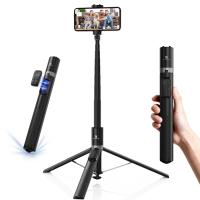
K&F Concept Camera Tripod Versatile Mini Flexible Phone Stand Phone Tripod Bluetooth Remote Control
143
$39.99 $26.99
8K Ultra-HD Camcorder, 64MP Video Camera with SONY CMOS Sensor & Built-in Fill Light, WiFi Connect & Transfer, Tripod, Microphones, 2 Batteries, Remote Control, 64GB Card, Kentfaith
$349.99 $279.99
Camera Sunglasses, HD 1080P, EIS Stabilization, WiFi Connect, Translation, 4H Playtime, Kentfaith
16
$119.99 $95.99
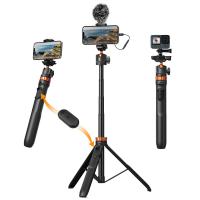
MS04 62''/1.58m Tripod Phone Selfie Stick, Black And Orange With Bluetooth Remote Control + Gopro Adapter
99
$49.99 $29.99
Smart Camera Glasses, HD 1080P, EIS Stabilization, WiFi Connect, Translation, 4H Playtime, Kentfaith
16
$119.99 $95.99
Handheld Microcsope, 500X Zoom, 1080P Videos,  PC Connect, with Large 5X Magnifier, Autofocus, Kentfaith
Handheld Microcsope, 500X Zoom, 1080P Videos, PC Connect, with Large 5X Magnifier, Autofocus, Kentfaith
15
$87.49 $69.99
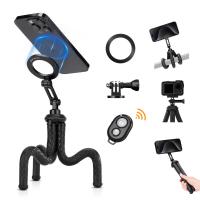
Octopus Magnetic Phone Holder Tripod Comes with Magnetic Guide, Bluetooth Remote Control, Mobile Phone Lanyard, GoPro Adapter MS36
34
$29.99
K&F Concept Selfie Stick, Auto Open & Close Phone Tripod Stand, 360° Rotatable Selfie Stick with 9 Button Bluetooth Remote, Extendable Automatic Tripod for Cell Phone(Black)
9
$35.99
4K Video Camera, 64MP Photos, WiFi Connect, 28X Zoom, Wireless Mic, Full Color NV, Kentfaith
18
$212.49 $169.99
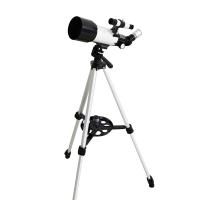
Children Solar Eclipse & Astronomical Telescope 70mm Aperture 300mm Focal Length, Portable Telescope with Tripod, Phone Holder & Bluetooth Remote Control
90
$203.99 $73.99
Products You May Like
SNDWAY SW-1000B 1000m Golf Rangefinder with LCD Touch Screen, Height / Speed / Area Measurement, Color Screen Touch, Automatic Data Storage
61
$473.99 $204.99
Retro Camera Shoulder Straps, Adjustable Neck Strap Suitable for All Slr Cameras (Nikon Canon Sony Pentax) Classic Brown Woven
2
$12.99
GoPro Handy Case for Hero 11/10/9/8, Hero7 Black, 6, 5, 4, 3+, 3, Hero (2018) Carabiner Bag for Action Camera and GoPro Accessories
$27.99 $17.99
55mm Solar Filter ND100000,16.6-Stop Solid Neutral Density Filter for DSLR Camera Nano-Xcel Series
102
$37.99 $29.99
72mm Snap-On Center Pinch Lens Cap 5 in 1 with Anti-Loss Keeper Leash Compatible with Nikon, Canon, Sony, Fujifilm Camera Lenses
$17.99 $8.99
95mm Black Soft 1/4&CPL Optical Glass HD Coated with Waterproof Anti-Scratch Anti-Reflection Green Film Nano-Xcel Pro-Series
20
$96.99 $76.99
Leica M39 50mm/75mm Lenses to Leica M Lens Mount Adapter K&F Concept M19151 Lens Adapter Non-SLR port M39
31
$37.99 $19.99
K&F Concept CPL Filter Compatible with Insta360 Go Ultra Action Camera Accessories, Anti-Glare Remove Reflection HD Optical Glass with 28 Multi-Coated Filter
4
$19.99
Motorcycle Bluetooth Headset Connect to 2 Devices Hands-Free Call/Music
11
$119.99 $83.99
78"/2m Overhead Aluminum DSLR Tripod Compact Portable Vlog Tripod Monopod 22lbs/10kg Load with Rotatable 360° Center Column K234A7+BH-28L (S210)
65
$219.99 $119.99
Related articles
Can Bluetooth Headphones Connect To Xbox?
How To Connect Hisense Tv To Bluetooth Headphones ?
Can You Connect Bluetooth Headphones To The Switch?
Can You Connect Bluetooth Earbuds To A Tv?
How To Connect 2 Bluetooth Headphones To Laptop Windows 10 ?
How Can I Connect A Microphone To A Bluetooth Speaker ?
How To Adjust Tripod?
How To Setup A Tripod?
What Tripod To Buy?
What Tripod To Buy?
Can You Save Facebook Videos To Camera Roll?
Blog You May Like
How To Turn Off Earphone Mic?
Which Camera Is Best For Action Shots?
How To Look Through A Telescope?
How To Record Video With Selfie Stick?
What Size Filter For 50Mm Lens?
What Is 4g Camera?
What Is 4g Camera?
How To Search Wifi For Hidden Camera?
How Do You Clear A Sd Memory Card?
Which Lens Filter To Use?
What Are The Different Types Of Lighting Photography?
Related categories
tripod legs mini camera tripod C mount lens adapter camera tripod parts Tripods neutral density filter kit
Popular products
Bluetooth mesh intercom flexi phone tripod camcorder with memory card baby monitor with screen and app baby monitor 2 cameras best baby monitor with screen and app mirrorless selfie stick Camera Glasses With Wifi 500x portable handheld digital microscope phone tripod selfie stick
Related searches
Smart Watch Connect To Iphone Retro Game Console Connect To Tv Camera Connect With Wifi Tripod Bluetooth Remote Cheap Security Cameras That Connect To Your Phone Wireless Bluetooth Selfie Stick Tripod Phone Tripod With Bluetooth Remote Bluetooth Microphone To Speaker Cell Phone Tripod With Bluetooth Remote Phone Tripod Stand With Bluetooth Remote
Popular searches
Nikon 1 J4 Lens Mount Fujifilm Gfx Nikon Adapter Ipad Pro Microphone 77mm Diffusion Filter 55mm Sony E Mount K&f Cpl Nd Filter Monitor With Video Camera And Microphone Kiron To Canon Adapter Gimbal Mount For Telephoto Lens Fuji X100 56mm Lens Filter Adapter
Blog Category
  • Activities
  • Guide
    • Filter Guide
    • Lens Adapter
    • Product Review
  • News & Reviews
    • Camera Reviews
    • Sample Gallery
    • News
  • Tutorials
    • Solar eclipse photography
    • Photography Basics
    • Landscape Photography
  • Inspiration
    • Travel
    • Travel Stories
Search Article
Latest from the Blog
Dash Cam That Can Connect To Phone?
Pressure In Ear When Wearing Headphones?
How To Keep Earbuds In Your Ear?
How Do Cellular Trail Cameras Work? – The Complete Guide for Hunters and Wildlife Enthusiasts
What Is The Best Camera To Record Videos?
Can A Tripod Fit Any Camera?
What Are The Uses Of A Compound Microscope?
How Does a WiFi Trail Camera Work?
What Is A Good Quality Dash Cam?
What Is A Good Video Camera For Vlogging?
  • Easy Payment Multilple Payment Options

  • Free Shipping Global WareHouse Shipment

  • No Risk 30-Day No Reason Return

  • Limited Deals Buy More, Save More

  • Tax Free No any surcharges or tax fee

Information
  • About us
  • Contact Us
  • Site Map
  • Blog
  • Video
  • Gallery
  • VIP Membership Rewards
Service
  • Privacy Policy
  • Terms & Conditions
  • Shipping & Delivery
  • Payment Info
  • Warranty, Return & Refund
  • Intellectual Property Rights
  • Ambassador
  • Affiliates
  • Wholesale
Support
  • My account
  • Order History
  • FAQs
  • Extend Warranty
  • Logistics Tracking
Follow us
NewsLetter

Get the latest product, K&F Concept respects your privacy.
Powered By KENTFAITH © 2026