kfconcept

KENTFAITH
K&F Concept    Blog >

Enjoy Your Selected Digital Life

Recently Viewed
  • Recently Viewed
  • Recently Viewed list is empty.

Compare (0) 0
  • Compare
  • You have not chosen any products to compare.

  • Compare
Currency: USD
  • Currency
Shop by Scene Shop by Rank

Log Into Your Account

Account

Order History

Wish List

Login

Forgotten Password?

Or connect with

Register Account

Already have an Account?Log In

  • Shopping Cart
  • Your shopping cart is empty!

  • Register/Login to purchase, earn points
  • Favorite
  • Your wish list is empty.

  • Register/Login to like, earn points
  • Activities
  • Guide
    • Filter Guide
    • Lens Adapter
    • Product Review
  • News & Reviews
    • Camera Reviews
    • Sample Gallery
    • News
  • Tutorials
    • Solar eclipse photography
    • Photography Basics
    • Landscape Photography
  • Inspiration
    • Travel
    • Travel Stories
  • Home
  • Blog
  • Can You Use A Camcorder For Skype?

Can You Use A Camcorder For Skype?

Kentfaith 2024-08-13 02:50:14 0 Comments

In today's digital age, video communication has become an integral part of both personal and professional interactions. Platforms like Skype have revolutionized the way we connect with others, making it possible to have face-to-face conversations regardless of geographical barriers. While most people use built-in webcams or external USB webcams for their video calls, there is a growing interest in using camcorders for Skype. This article will explore the feasibility, benefits, and steps involved in using a camcorder for Skype, providing a comprehensive guide for those looking to enhance their video communication experience.

Why Use a Camcorder for Skype?
can you use a camcorder for skype 1

Before diving into the technicalities, it's essential to understand why someone might want to use a camcorder instead of a standard webcam. Here are some compelling reasons:

1. Superior Video Quality: Camcorders are designed to capture high-definition video, often surpassing the quality of most built-in or external webcams. This can be particularly beneficial for professional meetings, online presentations, or content creation.

2. Advanced Features: Camcorders come with a range of features such as optical zoom, image stabilization, and better low-light performance. These features can significantly enhance the overall video quality and user experience.

3. Flexibility and Control: Using a camcorder allows for greater flexibility in terms of camera placement and control over settings like focus, exposure, and white balance. This can be particularly useful for creating a more professional setup.

4. Multi-Purpose Use: If you already own a camcorder, using it for Skype can be a cost-effective solution. It allows you to leverage an existing device for multiple purposes, from recording videos to live streaming and video conferencing.

Technical Requirements
can you use a camcorder for skype 2

To use a camcorder for Skype, you'll need to ensure that you have the necessary equipment and software. Here’s a checklist of what you’ll need:

1. Camcorder: Ensure that your camcorder has an HDMI output. Most modern camcorders come with this feature, but it's always good to double-check.

2. Capture Card: An HDMI capture card is essential for converting the camcorder's HDMI output into a format that your computer can recognize. Popular options include the Elgato Cam Link, AVerMedia Live Gamer, and Blackmagic Design capture cards.

3. Cables: You'll need an HDMI cable to connect your camcorder to the capture card. Additionally, ensure you have the necessary USB cables to connect the capture card to your computer.

4. Software: While Skype can recognize most capture cards as video input devices, you may need additional software to fine-tune the settings. OBS Studio is a popular choice for this purpose.

5. Power Supply: Ensure that your camcorder is connected to a power source, especially for long video calls. Some camcorders can be powered via USB, while others may require an AC adapter.

Step-by-Step Guide
can you use a camcorder for skype 3

Now that you have all the necessary equipment, let's walk through the steps to set up your camcorder for Skype.

Step 1: Connect the Camcorder to the Capture Card
can you use a camcorder for skype 4

1. Turn off your camcorder and connect one end of the HDMI cable to the camcorder's HDMI output port.

2. Connect the other end of the HDMI cable to the HDMI input port on the capture card.

Step 2: Connect the Capture Card to Your Computer

1. Use the USB cable to connect the capture card to your computer. Most capture cards are plug-and-play, meaning they should be automatically recognized by your computer.

2. Install any necessary drivers or software that came with the capture card. This step is crucial for ensuring compatibility and optimal performance.

Step 3: Configure the Camcorder Settings

1. Turn on your camcorder and set it to video mode. Ensure that the HDMI output is enabled.

2. Adjust the camcorder settings for optimal video quality. This may include setting the resolution, frame rate, and focus.

Step 4: Configure Skype

1. Open Skype and navigate to the settings menu.

2. Go to the "Audio & Video" section and select your capture card as the video input device. The name of the capture card should appear in the list of available cameras.

3. Adjust the video settings within Skype to match the resolution and frame rate of your camcorder.

Step 5: Test the Setup

1. Make a test call to ensure that everything is working correctly. Check the video quality and make any necessary adjustments to the camcorder or Skype settings.

2. If you encounter any issues, refer to the troubleshooting section below.

Troubleshooting Common Issues

While setting up a camcorder for Skype is relatively straightforward, you may encounter some common issues. Here are a few troubleshooting tips:

1. No Video Signal: Ensure that all cables are securely connected and that the camcorder is set to the correct mode. Check the capture card settings and make sure it is recognized by your computer.

2. Poor Video Quality: Adjust the camcorder settings for better video quality. Ensure that the resolution and frame rate are set correctly. Also, check the lighting in your environment and make adjustments as needed.

3. Audio Issues: If you're using the camcorder's built-in microphone, ensure that it is selected as the audio input device in Skype. Alternatively, consider using an external microphone for better audio quality.

4. Lag or Delay: Video lag can be caused by various factors, including computer performance and internet speed. Close any unnecessary applications and ensure that your internet connection is stable.

Using a camcorder for Skype can significantly enhance your video communication experience, providing superior video quality and greater control over your setup. While the initial setup may require some additional equipment and configuration, the benefits are well worth the effort. Whether you're a professional looking to improve your online presentations or a content creator seeking better video quality, a camcorder can be a valuable addition to your video conferencing toolkit.

By following the steps outlined in this guide, you can seamlessly integrate your camcorder with Skype and enjoy a more professional and polished video calling experience. As technology continues to evolve, the possibilities for enhancing our digital interactions are endless, and using a camcorder for Skype is just one example of how we can leverage existing devices to achieve better results.


Leave your comment
Cancel reply
Note: HTML is not translated!
Related products
Gift Certificate: $200 Value - Can Use with Any Discounts
$200.00 $190.00
Gift Certificate: $300 Value  - Can Use with Any Discounts
Gift Certificate: $300 Value - Can Use with Any Discounts
$300.00 $285.00
Gift Certificate: $1000 Value  - Can Use with Any Discounts
Gift Certificate: $1000 Value - Can Use with Any Discounts
$1,000.00 $950.00
Gift Certificate: $500 Value  -Can Use with Any Discounts
Gift Certificate: $500 Value -Can Use with Any Discounts
$500.00 $475.00
Gift Certificate: $800 Value - Can Use with Any Discounts
$800.00 $760.00
A Camping Lantern That Dances with You, Rechargeable, Telescoping & Compact with Bluetooth Speaker, Emergency Power Bank 14000mAh Battery Kentfaith
116
$199.99 $94.99
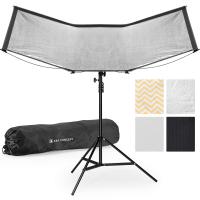
K&F CONCEPT Quick-Open U-Shaped Reflector, 47"x25"/120x65cm, with 4-in-1 reflective fabric, available in black, gold, white, and silver, includes a 1.5m stand and a storage bag. Suitable for photography studio use.

$79.99
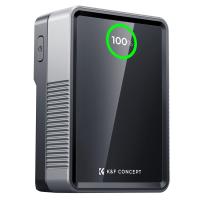
V Mount Battery 50Wh 3400mAh Mini V-Mount Battery with 65W Output and TFT Screen, 2H Full Charge, DC, D-Tap, USB-C, USB-A for Camera Camcorder Video Light Monitor
NEW Arrival
V Mount Battery 50Wh 3400mAh Mini V-Mount Battery with 65W Output and TFT Screen, 2H Full Charge, DC, D-Tap, USB-C, USB-A for Camera Camcorder Video Light Monitor
14
$99.99 $79.99
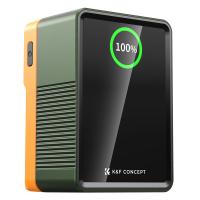
K&F Concept V Mount Battery 99Wh (14.8V/6700mAh) PD100W Mini V-Mount Battery with DC/D-Tap/Dual USB-C/USB-A/TFT Display for Camera Camcorder Video Light Monitor V99 Pro
NEW Arrival
K&F Concept V Mount Battery 99Wh (14.8V/6700mAh) PD100W Mini V-Mount Battery with DC/D-Tap/Dual USB-C/USB-A/TFT Display for Camera Camcorder Video Light Monitor V99 Pro
57
$137.99 $119.99
5K Digital Video Camera Camcorder WIFI IR Night Vision for Vlogging Youtube
95
$269.99 $189.99
Products You May Like
M9 Wireless Microphone Metal Shell Support SLR Cameras, Digital Cameras, Receivers, for iPhone 14 pro Android, Laptops, DV
2
$84.99
Link Micro Trail Camera
10
$162.99 $106.99
49mm Variable ND2-32 (1-5 Stops) & Circular Polarizing Filter CPL & Black Mist 1/4 3 in 1 HD Lens Filter with 28 Multi-Coated for Camera Lenses Nano-Xcel Series
NEW Arrival
49mm Variable ND2-32 (1-5 Stops) & Circular Polarizing Filter CPL & Black Mist 1/4 3 in 1 HD Lens Filter with 28 Multi-Coated for Camera Lenses Nano-Xcel Series
33
$99.99 $79.99
43mm Black Mist 1/4 & CPL Filter 2 in 1 Black Diffusion Circular Polarizing Effect Filter with 18 Multi-Layer Coatings Nano-Klear Series
25
$28.99 $22.99
43mm Variable ND2-32 (1-5 Stops) & Circular Polarizing Filter CPL & Black Mist 1/4 3 in 1 HD Lens Filter with 28 Multi-Coated for Camera Lenses Nano-Xcel Series
NEW Arrival
43mm Variable ND2-32 (1-5 Stops) & Circular Polarizing Filter CPL & Black Mist 1/4 3 in 1 HD Lens Filter with 28 Multi-Coated for Camera Lenses Nano-Xcel Series
33
$99.99 $79.99
T-post Trail Camera Holder
10
$162.99 $106.99
K&F Concept Backpack Rain Cover with Reflective Strip Waterproof Rucksack Rain Cover for Hiking, Camping, Traveling, Biking
$9.99
OM to Micro 4/3 Adapter, Manual Lens Mount Adapter Olympus Zuiko OM Mount Lens to Micro Four Thirds MFT M4/3 Mount Cameras K&F Concept Lens Adapter
120
$53.99 $27.99
72mm ND2-32 (1-5 Stop) Variable ND Filter and CPL Circular Polarizing Filter 2 in 1 for Camera Lens No X Spot Weather Sealed Nano-Xcel
66
$101.99 $89.99
60"/1.5m Carbon Fiber Camera Tripod Lightweight Travel Tripod 17.6lbs Load 360° Ball Head for Vlog,Travel & Work DSLR, A225C0+BH-25L
81
$189.99 $119.99
Related articles
Can You Use A Monocular For Astronomy?
Can You Use A Camera Tripod For Binoculars?
Can You Use A Lavalier Microphone For Music?
Can You Use Microphone Cable For Speakers?
Can You Use Golf Rangefinder For Hunting?
Skype Can T Find Video Camera?
Can You Use Go Pro For Dash Cam?
Can You Use Multiple Sd Cards For Switch?
Can You Use A Variable Nd Filter?
Can Earphones Be Used As A Microphone?
Blog You May Like
Which Program To Record My Computer Sound?
How To Record Wireless Security Camera Without Cloud?
How To Write Protect An Sd Card?
Home Security Where To Put Outdoor Cameras?
How To Use Wifi Endoscope?
Camera Strap Can Hold?
How To Mirror A Video On Iphone Camera?
How To Do Studio Lighting On Iphone?
How To Create Your Own Ring Light?
How To Use A Sandisk Sd Card?
Related categories
A Mount Lens Adapter Sony A Mount Lens Adapters minolta a mount lenses Lens Filters for DJI Osmo Pocket 4/3 light pollution filter for astrophotography phone camera lens
Popular products
best camping rechargeable lantern mini web camera wifi uhf wireless microphone system 99wh V Mount Battery​ Hd Digital Video Camera digital microscope with usb hd camera video camera webcam for video recording external webcam for laptop video lavalier microphone
Related searches
Camera Tripod That Follows You High Tripod For Camcorder External Microphone For Digital Camcorder Memory Card For Sony Camcorder Sd Card For Sony Camcorder Universal Camcorder Tripod Camera Action Camcorder Cameras That Can Adapt Canon Fd Lens Wireless Microphone For Outdoor Use Movie Projector For Outdoor Use
Popular searches
Camera Strap Adapter Leica Cine Lenses Ef Mount Fuji X100f Lens Adapter K&f Concept Multi Functional Camera Travel Backpack Filter For Macro Lens Sunglasses For Men Uv Protection Black Soft Filter Digital Camera 20x Optical Zoom Canon Lp-e6 Aa Adapter 3.5 Mm Microphone To Usb C
Blog Category
  • Activities
  • Guide
    • Filter Guide
    • Lens Adapter
    • Product Review
  • News & Reviews
    • Camera Reviews
    • Sample Gallery
    • News
  • Tutorials
    • Solar eclipse photography
    • Photography Basics
    • Landscape Photography
  • Inspiration
    • Travel
    • Travel Stories
Search Article
Latest from the Blog
What Does A Uv Camera Filter Do?
Kentfaith x ANACONDA: Capturing the Wild, Frame by Frame
How To Make Your Eyes Flash On Camera?
How Does a WiFi Trail Camera Work?
How Many Stops Is An Nd 8 Filter?
Can I Charge Camera Battery With Power Bank?
Is the Sony A7M5 worth buying?
How Do Cellular Trail Cameras Work? – The Complete Guide for Hunters and Wildlife Enthusiasts
What Does Tripod?
How To Find A Good Digital Camera?
  • Easy Payment Multilple Payment Options

  • Free Shipping Global WareHouse Shipment

  • No Risk 30-Day No Reason Return

  • Limited Deals Buy More, Save More

  • Tax Free No any surcharges or tax fee

Information
  • About us
  • Contact Us
  • Site Map
  • Blog
  • Video
  • Gallery
  • VIP Membership Rewards
Service
  • Privacy Policy
  • Terms & Conditions
  • Shipping & Delivery
  • Payment Info
  • Warranty, Return & Refund
  • Intellectual Property Rights
  • Ambassador
  • Affiliates
  • Wholesale
Support
  • My account
  • Order History
  • FAQs
  • Extend Warranty
  • Logistics Tracking
Follow us
NewsLetter

Get the latest product, K&F Concept respects your privacy.

Powered By KENTFAITH © 2026