kfconcept

KENTFAITH
K&F Concept    Blog >

Enjoy Your Selected Digital Life

Recently Viewed
  • Recently Viewed
  • Recently Viewed list is empty.

Compare (0) 0
  • Compare
  • You have not chosen any products to compare.

  • Compare
Currency: USD
  • Currency
Shop by Scene Shop by Rank

Log Into Your Account

Account

Order History

Wish List

Login

Forgotten Password?

Or connect with

Register Account

Already have an Account?Log In

  • Shopping Cart
  • Your shopping cart is empty!

  • Register/Login to purchase, earn points
  • Favorite
  • Your wish list is empty.

  • Register/Login to like, earn points
  • Activities
  • Guide
    • Filter Guide
    • Lens Adapter
    • Product Review
  • News & Reviews
    • Camera Reviews
    • Sample Gallery
    • News
  • Tutorials
    • Solar eclipse photography
    • Photography Basics
    • Landscape Photography
  • Inspiration
    • Travel
    • Travel Stories
  • Home
  • Blog
  • No Lens Attached?--After Attaching an Lens Mount Adapter

No Lens Attached?--After Attaching an Lens Mount Adapter

Kentfaith 2024-08-21 08:26:21

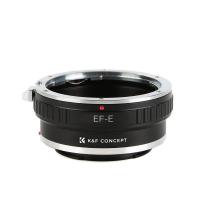
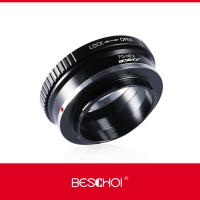
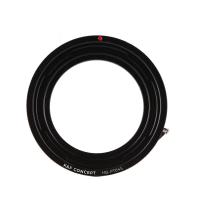
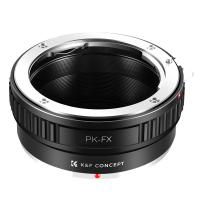
In photography and videography, a lens adapter is a device that enables the use of camera and lens combinations from otherwise incompatible systems. 
The most simple lens adapter designs, passive lens adapters provide a secure physical connection between the camera and the lens. 
some settings need to be done by manual, please check following guides: 


NO LENS ATTACHED--SONY E NEX MOUNT CAMERAS:

The camera needs to be set to function without an E-Mount lens attached. You can do this by changing the following camera setting:
NEX-3, NEX-3N, NEX-C3, NEX-F3, NEX-5, NEX-5N, NEX-5R, NEX-5T, NEX-6, NEX-7,a3000:Menu -> Setup -> Release w/o Lens -> Enable
a3500:Menu -> Shooting Settings -> Release w/o Lens -> Enable
a5000, a5100, a6000, a6300,a7, a7R, a7S, a7 II, a7R II, a7S II: Menu -> Custom Settings -> Release w/o Lens -> Enable
a6400, a6500, a7 III, a7R III, a9: Menu -> Camera Settings 2 -> Release w/o Lens -> Enable


NO LENS ATTACHED--SONY A MOUNT CAMERAS:

a33, a35, a37, a57, a58, a65, a68, a77, a77 ii, a99, a99 ii a560, a580, a700: “MENU → (Custom Settings) → [Release w/o Lens] → Enable”₁
a100:“MENU → (Custom Settings) → Shutter lock → Off; no lens”₁
a200, a230, a290, a300, a330, a350, a380, a390, a450, a500, a550, a850, a900: Set the mode dial to manual exposure mode (M)₁


NO LENS ATTACHED--MFT M4/3 MOUNT CAMERAS:

For Panasonic Lumix: The camera needs to be set to function without a MFT-Mount lens attached. You can do this by changing the following camera setting: 'Menu' -> 'Custom Menu 5' -> 'Shoot W/O Lens' -> 'On' (Exact naming and location of this option may change depending on camera model)


On the Olympus cameras: the lens locking pin needs to be in the lens locking hole. and needs to be extended all the way, 

if the pin does not extend all the way you will get a black screen. If the lens hole is not deep enough it will not work either, and you will get a black screen.


NO LENS ATTACHED--FFJIFILM X FX MOUNT CAMERAS:

The camera needs to be set to function without a FX-Mount lens attached. You can do this by changing the following camera setting:
X-A1, X-A2, X-A3, X-A5, X-A10, X-A20, X-E1, X-E2, X-E2s, X-M1, X-Pro1, X-T1, X-T10, X-T100, X-Pro3: Menu -> Shooting Menu -> Shoot Without Lens -> On
X-E3, X-H1, X-Pro2, X-T2, X-T20, X-T3, X-T30: Menu -> Setup Menu -> Button/Dial Settings -> Shoot Without Lens -> On


NO LENS ATTACHED--FFJIFILM GFX MOUNT CAMERAS:

The camera needs to be set to function without a GFX-Mount lens attached. You can do this by changing the following camera setting:
  'MENU' -> 'SETUP' -> 'BUTTON/DIAL SETTING' -> 'SHOOT WITHOUT LENS' -> 'ON'   (Exact naming and location of this option may change depending on camera model)
   Choose ON to enable the shutter release when no lens is attached.


NO LENS ATTACHED--NIKON F AI MOUNT CAMERAS
:

For those who do not have access to their user manual and have difficulties finding an online version, you can look for your camera in the lists below to allow the use of lens mount adapters with your camera.

D40, D40X, D50, D60, D70, D70s, D80, D90, D100, D3000, D3100, D3200, D3300, D3400, D3500, D5000, D5100, D5200, D5300, D5500, D5600,D7500:
For these cameras to work with adapters this camera has to be in a manual mode (M). Electronic features like the camera exposure meter will not be available.

D1, D1H, D1X, D2X, D2Xs, D2H, D2Hs, D3, D3s, D3X, D4, D4S, D5, Df, D200, D300, D300S, D500, D600, D610, D700, D750, D800, D800E, D850, D7000, D7100, D7200:
For these cameras to work with adapters, they must be be set to either manual exposure mode (M) or aperture priority mode (A).


NO LENS ATTACHED--NIKON 1 MOUNT MIRRORLESS CAMERAS
:

‘Check lens. Pictures can only be taken when a lens is attached’ – Warning Message Appears:
With a Nikon 1 Series camera (such as the AW1, V1, V2, V3 J1,J2, J3, J4, J5, S1, S2), you will need to make sure the camera is in ‘Manual’ exposure or shooting mode and the focus selection is also set to manual. 
When in any other mode the camera tries to take control of the lens which is not possible as the adapter does not have any contact with the camera circuitry, 
so you get the lens check warning as the camera does not think there is a lens attached.


NO LENS ATTACHED--KONICA MINOLTA
:

For Konica Minolta and "No Lens Attached" 
Custom Menu 3
First item "Shutter Lock"
Set it to "Off: no lens"
(Depending on camera model "Shutter Lock" May be in different menu location)


NO LENS ATTACHED--CANON EOS M MIRRORLESS CAMERAS
:

The camera needs to be set to function without a EF-M Mount lens attached. If you do not have access to your physical manual and cannot find one online, you can refer to the guide below: 

EOS M, EOS M2: 
1) In the fourth Set-up menu, select “Custom Functions (C.Fn)”
2) In the Custom Function Setting IV (C.Fn IV: Operations/Others) category, navigate to “Release shutter w/o lens” and select it
3) Select “1: Enable”

EOS M50:
1) In the fifth Set-up menu, select “Custom Functions (C.Fn)”
2) Navigate to “Release shutter w/o lens” and select it
3) Select “1: Enable”

EOS M3, EOS M5, EOS M6, EOS M10:
1) In the Custom Functions menu, select “C.Fn III: Others”
2) Navigate to “Release shutter w/o lens” and select it
3) Select “1: Enable”

EOS M100:
1) In the Custom Functions menu, select “C.Fn II: Others”
2) Navigate to Release shutter w/o lens” and select it
3) Select: “1: Enable”


NO LENS ATTACHED--CANON EOS R MIRRORLESS CAMERAS
:

1) In the Custom Functions menu, navigate to “C.Fn5: Others”
2) Select “Release shutter w/o lens”
3) Select “[On]”


NO LENS ATTACHED--SAMSUNG NX CAMERAS
:

'Samsung NX 'No lens.' - Warning Message Appears:

The adapter is designed to trigger a sensor inside the camera body itself so no setting needs to be changed. If the error message is coming up with one of our adapters attached, then it is possible that the adapter is not hitting that sensor the way that it should. Usually rotating the adapter slightly in the mount, or un-mounting and remounting the adapter clears the problem with no further action needed.

If that doesn't solve the problem, then the best course of action would be to swap out the adapter you have with a replacement. 

Related products
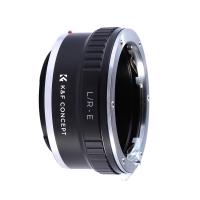
Lens Mount Adapter Compatible for Leica R Mount Lens to Sony E-Mount NEX Body Adapter
151
$43.99 $23.99
PL-RF Mount Lens Adapter, Compatible with PL Mount Lens Converter to RF Mount Cameras Adapter
$89.99
NIK Mount Lens to Fujifilm FX Mount Camera Adapter for Fujifilm FX Mount Camera K&F Concept Lens Mount Adapter
38
$45.99 $28.99
Canon EF Mount Lens to Nikon Z6 Z7 Camera K&F Concept Lens Mount Adapter Lens Adapter
25
$55.99 $31.99
C Mount Lenses to Fuji X Lens Mount Adapter K&F Concept M25111 Lens Adapter
$36.99 $18.99
Minolta MD Mount Lens to Micro 4/3 Mount Camera Lens Mount Adapter
107
$53.99 $27.99
Canon FD Lens to Fujifilm FX Mount Mirrorless Camera Adapter K&F Concept Lens Mount Adapter
17
$43.99 $27.99
Pentax PK Mount Lens to L/M Lens Camera Body Lens Mount Adapter
31
$58.99 $32.99
OM to Micro 4/3 Adapter, Manual Lens Mount Adapter Olympus Zuiko OM Mount Lens to Micro Four Thirds MFT M4/3 Mount Cameras K&F Concept Lens Adapter
120
$53.99 $27.99
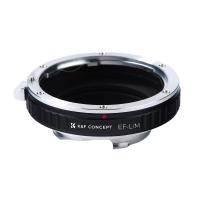
Canon EOS EF Mount Lens to Leica M Lens Camera Body Lens Mount Adapter
31
$45.99 $35.99
Products You May Like
Cordless Engraving Pen with 3 Speeds, 30 Bits, 16 Stencils, for Rocks, Wood, Glass, etc. Kentfaith

$53.74 $42.99
WiFi Security Camera with 4K Clarity, 180° Panoramic View with Dual Lens, Solar Powered, 360° Live View, Color Night Vision, 2 Packs, Kentfaith
$537.49 $429.99
67mm Black Mist Filter 1/4 + 3pcs Cleaning Cloth with 18 Multi-Layer Coatings Nano-Klear Series
213
$37.99 $29.99
HC-810A 2.7K 24MP HD Trail Camera Hunting Camera Scouting Trail Camera Wildview
24
$70.99
R6 Digital Night Vision Binoculars 1080p Full HD Photo & Video Infrared Goggles for Day & Night Observation / Hunting / Camping / Surveillance
23
$167.99 $94.99
NIK(G)-L Manual Focus Compatible with Nikon F (G-Type) Lens to L Mount Camera Body Lens Mount Adapter
82
$53.99 $29.99
wildlife trail camera
10
$135.99 $74.99
DJI Osmo Action 3 ND4 Filter with Single-sided Anti-reflection Green Film
21
$29.99 $16.99
Head mounted magnifier with 2 LED lights, with 4 removable lenses 1.5X, 2.5X, 3.5X, 5X, USB rechargeable hands-free magnifying glass for reading, jewelry, crafts, electronic maintenance
$27.99
K&F Concept LP-E6NH Charger 18W Fast Dual Portable Battery Charger for Canon R7, R6, R5, R, 6D Mark II, 5D Mark IV, 5D Mark III, 5DS, 5DS R, 5D Mark II, 80D, 90D, 6D, 7D, 7D Mark II
NEW Arrival
K&F Concept LP-E6NH Charger 18W Fast Dual Portable Battery Charger for Canon R7, R6, R5, R, 6D Mark II, 5D Mark IV, 5D Mark III, 5DS, 5DS R, 5D Mark II, 80D, 90D, 6D, 7D, 7D Mark II
$39.99
Related articles
What's the Best EF to E-mount Lens Adapter?
unsure your lens mount?
What Is Canon Rf Lens Mount?
What Are The Pentax Lens Mount?
What Lens Mount Is My Camera?
Which Lens Mount Do 35mm Take?
What Is An Adapter Ring For Cameras?
What Lens Mount Is The Sony A7iii?
What Type Of Lens Mount Nikon D3300?
How To Find A Camera In Your Home?
Blog You May Like
What Are Smart Watches Made Of?
Which Memory Card For Dash Cam?
How Bright Are Speed Camera Flashes?
How To Spot A Fake Surveillance Camera?
How Much Is A Dash Cam Camera?
What Is The Best Camera To Record Videos?
What Is The Best Binoculars?
How To Reset Your Smart Watch?
How Long Can Studio Lights Be On?
What Does Uv Filter Do For Dslr?
Related categories
camera lens adapter fujifilm x lens adapter A Mount Lens Adapter Fujifilm G Mount Adapter Leica mount adaptor nikon lens adapter Leica lens adapter C mount lens adapter Nikon Z mount adapter C Mount Lens Adapters
Popular products
polarizing filter for fuji lenses uv filter for flash Leica R Lens to Sony E Mount Adapter Canon EF M Mount Adapter fujifilm nikon mount Lens Adapter c mount adapter infinity focus pentax mount lenses minolta md mft adapter Praktica Mount Adapter
Related searches
Canon 70-210 Lens Adapter Not Attaching Uv Lens Water Filter Before And After Variable Nd Filter Before Or After Lens Microphone For An Ipad Elgeet No 400 Interchangable Lens Adapter Jcpenney No 783780 Camera Lens Adapter Samsung Nx Adapter No Lens Error Vivitar 28mm 2.5 No 22323470 Lens Mount Smart Watch For An Android Phone Canon Adapter No Infinity Focus
Popular searches
Dynamic Microphone For Recording Vocals Dslr Lens Mount On Mirrorless Camera 77mm Star Filter Ir Vision Binoculars Video Camera For Training Videos Tamron 28 75 Canon Mount Ulata Lens Mount Adapter Finepix S2000hd Manual Lens Adapter Adapt Sigma For Nikon Lens To Sony Gopro Helmet Video Camera
Blog Category
  • Activities
  • Guide
    • Filter Guide
    • Lens Adapter
    • Product Review
  • News & Reviews
    • Camera Reviews
    • Sample Gallery
    • News
  • Tutorials
    • Solar eclipse photography
    • Photography Basics
    • Landscape Photography
  • Inspiration
    • Travel
    • Travel Stories
Search Article
Latest from the Blog
Kentfaith x ANACONDA: Capturing the Wild, Frame by Frame
Can Security Cameras Detect Motion Through Glass?
How To Remove Memory Card From Nikon Camera?
What Tripod To Buy?
How Do Night Vision Goggles Work?
Dash Cam That Can Connect To Phone?
How Does a WiFi Trail Camera Work?
What Is Surveillance Camera Control System?
Camera That Can Wifi Photos To Phone?
Is the Sony A7M5 worth buying?
  • Easy Payment Multilple Payment Options

  • Free Shipping Global WareHouse Shipment

  • No Risk 30-Day No Reason Return

  • Limited Deals Buy More, Save More

  • Tax Free No any surcharges or tax fee

Information
  • About us
  • Contact Us
  • Site Map
  • Blog
  • Video
  • Gallery
  • VIP Membership Rewards
Service
  • Privacy Policy
  • Terms & Conditions
  • Shipping & Delivery
  • Payment Info
  • Warranty, Return & Refund
  • Intellectual Property Rights
  • Ambassador
  • Affiliates
  • Wholesale
Support
  • My account
  • Order History
  • FAQs
  • Extend Warranty
  • Logistics Tracking
Follow us
NewsLetter

Get the latest product, K&F Concept respects your privacy.

Powered By KENTFAITH © 2026