kfconcept

KENTFAITH
K&F Concept    Blog >

Enjoy Your Selected Digital Life

Recently Viewed
  • Recently Viewed
  • K&F Concept MCN1 46mm Lens Filter Kit ND1000 CPL with Multiple Layer Nano Coated
    K&F Concept MCN1 46mm Lens Filter Kit ND1000 CPL with Multiple Layer Nano Coated
    $29.99
Compare (0) 0
  • Compare
  • You have not chosen any products to compare.

  • Compare
Currency: USD
  • Currency
Shop by Scene Shop by Rank

Log Into Your Account

Account

Order History

Wish List

Login

Forgotten Password?

Or connect with

Register Account

Already have an Account?Log In

  • Shopping Cart
  • Your shopping cart is empty!

  • Register/Login to purchase, earn points
  • Favorite
  • Your wish list is empty.

  • Register/Login to like, earn points
  • Activities
  • Guide
    • Filter Guide
    • Lens Adapter
    • Product Review
  • News & Reviews
    • Camera Reviews
    • Sample Gallery
    • News
  • Tutorials
    • Solar eclipse photography
    • Photography Basics
    • Landscape Photography
  • Inspiration
    • Travel
    • Travel Stories
  • Home
  • Blog
  • Can You Use Ps5 Camera As Webcam ?

Can You Use Ps5 Camera As Webcam ?

Kentfaith 2023-09-28 09:02:45 0 Comments

With the popularity of telecommuting and online communication, more and more people are looking for ways to improve the quality and convenience of their video calls. If you already own a PS5 webcam, you may be wondering if it can be used as a regular webcam. As an expertise blogger, I will explore this question in detail and provide you with specific setup methods and practical advice.

1. PS5 webcam hardware compatibility

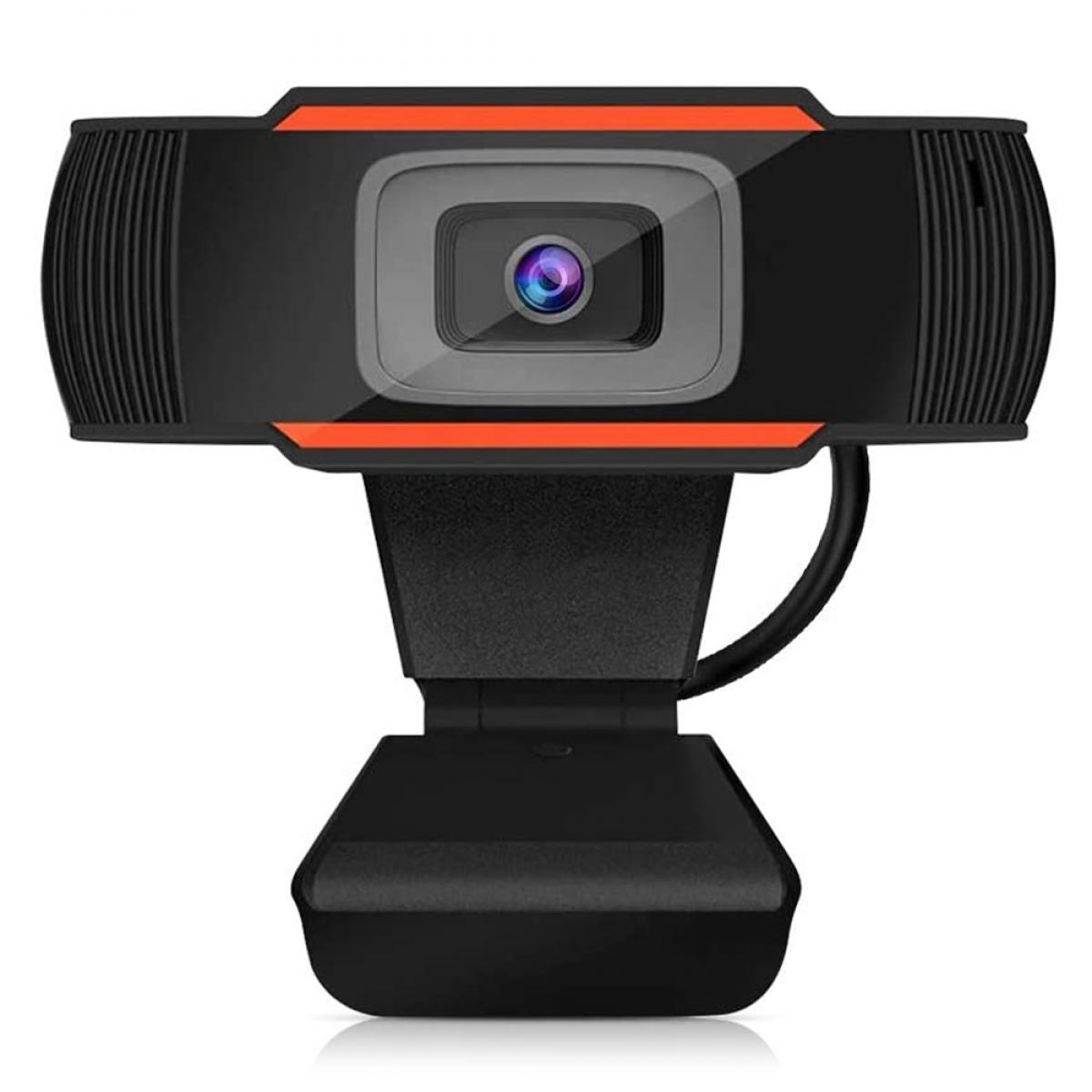
First of all, we need to understand the hardware compatibility of the PS5 webcam.The PS5 webcam is designed for the PlayStation 5 gaming console and comes with 1080p HD resolution and dual wide-angle lenses. However, it's not plug-and-play like traditional USB cameras, which makes using it as a webcam on a PC or Mac require some extra steps.

The PS5 camera uses a special connection port that is not compatible with the standard USB port on most computers. Therefore, plugging a PS5 webcam directly into a computer is usually not recognized and used.


2. Software and Driver Support

Since the PS5 webcam is not designed for computers, the lack of official driver support is a major obstacle. Most traditional webcams can be plug-and-play by installing drivers and software, but the PS5 webcam has no officially supported software for PC or Mac.

Some third-party software and drivers may claim to allow the PS5 webcam to run on a computer, but these are often unstable and can be a security risk. Therefore, make sure you understand and accept the potential risks before attempting to use such software.


3. Setup and configuration steps

Despite the lack of official support for the PS5 webcam, there are ways to try to use it as a webcam. Here are some of the possible methods:

Video capture card: Use a video capture card to connect the PS5 webcam to your computer. A video capture card converts the signal from the PS5 webcam into a format that your computer can recognize. You will need to purchase a compatible video capture card and follow the instructions to set it up.

Third-party software: Try using third-party software such as OBS (Open Broadcaster Software), which captures video signals from a video capture card or other input source and uses them as webcam input.

Note that these methods may require some technical knowledge and debugging time, and do not guarantee stability and compatibility.


4. Functionality and performance

Assuming that you have successfully connected the PS5 webcam to your computer and gotten it to work, the next question is its functionality and performance. Since the PS5 webcam was originally designed to provide video capture for gaming consoles, it may not perform as well as a specially designed webcam for video conferencing or web calls.

The PS5 camera's strengths are its HD resolution and wide-angle lens, which provides a clear and wide field of view. However, its lack of autofocus and optimized microphone may affect the quality of video calls. In addition, since it is not fully compatible with PC or Mac, you may encounter software compatibility issues and performance limitations.


5. Frequently Asked Questions and Solutions

In the process of trying to use PS5 camera as a webcam, users may encounter some common problems. Here are some solutions:

Webcam not recognized: Make sure the video capture card and third-party software are properly installed and configured. Check if the connection is solid and try to reboot the device.

Stuttering or delayed picture: Check your computer's performance and network connection to make sure no other high load applications are running. Try adjusting video settings to reduce resolution or frame rate.

Audio issues: Consider using a separate microphone to improve audio quality, as the microphone built into the PS5 camera may not provide optimal results.


6. Security and privacy

Please pay attention to security and privacy protection when using third-party software and video capture cards. Ensure that the software you download and install is from a trusted source and is regularly updated to prevent security breaches. Avoid using software from unknown sources to protect your privacy and data security.


7. Customer support and technical services

Since using PS5 camera as a webcam is not an officially supported feature, users may have difficulty in obtaining official support when encountering problems. Users are advised to check relevant forums and communities for other users' experiences and suggestions before trying. If technical support is needed, the manufacturer of the video capture card or the developer of the third-party software can be contacted.


In summary, even though the PS5 webcam is not a webcam designed for computers, it is still possible to accomplish this with a video capture card and third-party software. However, users need to have some technical knowledge and be prepared to face potential compatibility and performance issues. Hopefully, the guide in this article will help you better understand and try out ways to use your PS5 webcam as a webcam for more efficient telecommuting and online communication.



Leave your comment
Cancel reply
Note: HTML is not translated!
Related products
Gift Certificate: $200 Value - Can Use with Any Discounts
$200.00 $190.00
Gift Certificate: $300 Value  - Can Use with Any Discounts
Gift Certificate: $300 Value - Can Use with Any Discounts
$300.00 $285.00
Gift Certificate: $1000 Value  - Can Use with Any Discounts
Gift Certificate: $1000 Value - Can Use with Any Discounts
$1,000.00 $950.00
Gift Certificate: $500 Value  -Can Use with Any Discounts
Gift Certificate: $500 Value -Can Use with Any Discounts
$500.00 $475.00
Gift Certificate: $800 Value - Can Use with Any Discounts
$800.00 $760.00
A Camping Lantern That Dances with You, Rechargeable, Telescoping & Compact with Bluetooth Speaker, Emergency Power Bank 14000mAh Battery Kentfaith
116
$199.99 $94.99
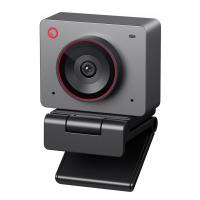
OBSBOT Tiny 2 Webcam 4K Voice Control PTZ, AI Tracking Multi-Mode & Auto Focus, Web Camera with 1/1.5" Sensor, Gesture Control, 60 FPS, HDR Light Correction, Webcam for PC, Streaming, Meeting
$374.99 $299.99
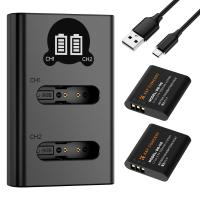
K&F Concept Premium is compatible with the Ricoh cameras GR III, GR III HDF, GR IIIx HDF, GR IIIX, WG-6 with DB-110 batteries as well as with the Olympus cameras TG7/6/5/4 with Li-90B/Li-92B batteries.
7
$29.99
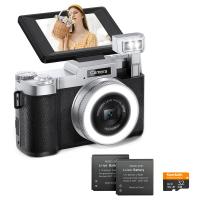
4K 64MP Digital Camera for Photography, Flash + Lens Fill Light, Auto Focus, Webcam, 180° Flip Screen, for Vlogging, Youtube, Traveling, Kentfaith
15
$112.49 $89.99
OBSBOT 4K 60 FPS Webcam for PC with 1/2" Sensor AI Framing & Autofocus Dual Mics Beauty Mode
$174.99 $139.99
Products You May Like
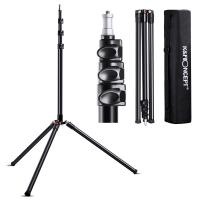
K&F Concept 86.6 inch/2.2m Light Stand with Storage Bag, Aluminium Photography Tripod for Reflectors, Softboxes, Flash, Strobe Lights, Umbrellas, Compact Lightweight Light Tripod
64
$99.99 $79.99
82mm MCUV Lens Protection Filter with Lens Cap Optical Glass Ultra Slim 18 Multi-Layer Coatings Nano-Klear Series
110
$26.99 $13.99
Multi-Functional Super Clamp with Ballhead Magic Arm Ms13
32
$36.99 $24.99
55mm Circular Polarizer Filter with Lens Cap Optical Glass Ultra Slim 18 Multi-Layer Coatings Polarizing Filter for Camera Lens Nano-Klear Series
43
$26.99 $13.99
70” Best Travel Camera Tripod 33lbs Load 15kg/33.07lbs Load With Twist Lock And Monopod
65
$304.99 $179.99
T2-EOS R Manual Focus Compatible with T-Mount (T/T-2) Screw Mount SLR Lens to Canon EOS R Mount Camera Body Lens Mount Adapter
49
$66.99 $36.99
62mm Solar Filter ND100000,16.6-Stop Solid Neutral Density Filter for DSLR Camera Nano-Xcel Series
104
$44.99 $35.99
52mm Lens Filter Kit Neutral Density ND8+ND64+CPL Circular Polarizer for Professional Camera Lens with Multiple Layer Nano Coated
14
$66.99 $43.99
Square ND2000 Filter 100*100*2mm Neutral Density Filters 28 Multi-Coated Glass Waterproof Gray ND
132
$87.99 $69.99
52mm Black Diffusion Pro-Mist 1/4 + 1/8 Filter Kit Cinematic Effect Filter for Vlog/Video/Portrait Image with 28 Multi-Layer Coated-Nano-X
42
$87.99 $69.99
Related articles
Can You Use Any Webcam On Ps5 ?
Can You Use Iphone As Microphone?
Can You Use Iphone As Baby Monitor?
How To Use Phone As Webcam For Pc?
How To Use Your Mobile Camera As PC Webcam Discord?
Can I Use Gopro As Security Camera?
How To Setup Dslr As Webcam?
Can I Use Indoor Camera As Baby Monitor?
Can I Use Alexa As A Microphone?
How To Save Games On Sd Card Android?
Blog You May Like
Can I Use Uv Camera Filter Eclipse?
How To Use Camera Hand Straps?
Does This Lens Fit My Camera?
How Do I Find My Camera?
What Is 16 Stop Filter In Nd?
How To Hide Gold From Metal Detectors?
What Cameras Support Nikon F Mount?
How To Zoom In On A Microscope?
How To Take Video On Mac Camera?
How To Enable Dell Monitor Speakers ?
Related categories
Camera Parts | Studio Camera Accessories streaming video camera digital camera for beginner Solar Cellular Trail Camera Non Cellular Trail Camera camera shoulder bag digital camera cases detachable camera flash Cannon camera battery
Popular products
mini web camera wifi webcam for video recording live streaming video webcam webcam with microphone for pc best camping rechargeable lantern usb webcam and microphone external webcam for laptop usb webcam for streaming uhf wireless microphone system webcam with built in microphone
Related searches
Sony Ps5 Vr Adapter Outdoor Use Camera Webcam Security Camera Outdoor Webcam Camera Best Webcam Camera Multi Use Camera Backpack Outdoor Use Wireless Security Camera Easy To Use Video Camera Outdoor Use Security Camera System Mylar As Solar Filter
Popular searches
Spotlight Camera Battery Microphone For Vlogging Camera Laptop Ring Light Amedeo Contax Leica Adapter Opteka Fisheye Adapter Nikon Tripod Weight Bag Standard Tripod Thread Compatable Wireless Adapter For Sony Bx37 67mm Protect Filter Trail Camera
Blog Category
  • Activities
  • Guide
    • Filter Guide
    • Lens Adapter
    • Product Review
  • News & Reviews
    • Camera Reviews
    • Sample Gallery
    • News
  • Tutorials
    • Solar eclipse photography
    • Photography Basics
    • Landscape Photography
  • Inspiration
    • Travel
    • Travel Stories
Search Article
Latest from the Blog
How Much Storage For Security Camera?
Which Bluetooth Earphones?
How To Remove Memory Card From Nikon Camera?
How Do Metal Detectors Work? A Complete Guide for Beginners and Pros
ND Filter: The Complete Guide to Neutral Density Filters for Photography and Video
Can I Charge Camera Battery With Power Bank?
How To Fix The Straps On A Camera?
How Do Trail Cameras Work? The Ultimate Guide to Trail Cameras
How To Place Cameras Around Your House?
Can You Zoom In With Binoculars?
  • Easy Payment Multilple Payment Options

  • Free Shipping Global WareHouse Shipment

  • No Risk 30-Day No Reason Return

  • Limited Deals Buy More, Save More

  • Tax Free No any surcharges or tax fee

Information
  • About us
  • Contact Us
  • Site Map
  • Blog
  • Video
  • Gallery
  • VIP Membership Rewards
Service
  • Privacy Policy
  • Terms & Conditions
  • Shipping & Delivery
  • Payment Info
  • Warranty, Return & Refund
  • Intellectual Property Rights
  • Ambassador
  • Affiliates
  • Wholesale
Support
  • My account
  • Order History
  • FAQs
  • Extend Warranty
  • Logistics Tracking
Follow us
NewsLetter

Get the latest product, K&F Concept respects your privacy.

Powered By KENTFAITH © 2025