kfconcept

KENTFAITH
K&F Concept    Blog >

Enjoy Your Selected Digital Life

Recently Viewed
  • Recently Viewed
  • Recently Viewed list is empty.

Compare (0) 0
  • Compare
  • You have not chosen any products to compare.

  • Compare
Currency: USD
  • Currency
Shop by Scene Shop by Rank

Log Into Your Account

Account

Order History

Wish List

Login

Forgotten Password?

Or connect with

Register Account

Already have an Account?Log In

  • Shopping Cart
  • Your shopping cart is empty!

  • Register/Login to purchase, earn points
  • Favorite
  • Your wish list is empty.

  • Register/Login to like, earn points
  • Activities
  • Guide
    • Filter Guide
    • Lens Adapter
    • Product Review
  • News & Reviews
    • Camera Reviews
    • Sample Gallery
    • News
  • Tutorials
    • Solar eclipse photography
    • Photography Basics
    • Landscape Photography
  • Inspiration
    • Travel
    • Travel Stories
  • Home
  • Blog
  • Can You Save Facebook Videos To Camera Roll?

Can You Save Facebook Videos To Camera Roll?

Kentfaith 2025-11-01 02:57:34 0 Comments

How to Save Facebook Videos to Your Camera Roll: A Comprehensive Guide

In our modern digital age, Facebook has become one of the most popular platforms for sharing videos. Whether it’s about personal videos, funny clips, inspirational content, or vital information, countless people turn to Facebook daily to consume and share videos. But, one frequent question users ask is: "Can you save Facebook videos to your camera roll?". The answer is yes, and in this guide, I'll take you through the process step by step while addressing practical issues you might encounter.

The process may vary depending on your device, the video type, and privacy settings. This article aims to provide comprehensive solutions for saving Facebook videos to your camera roll, whether you're using an iPhone, Android device, or PC.

Why Save Facebook Videos to Your Camera Roll?
can you save facebook videos to camera roll 1

Before diving into how to save these videos, let’s understand why users want this feature.

1. Convenience: Offline access makes it easier to view videos, even without an internet connection.

2. Sharing: Saving videos allows users to share them outside Facebook, perhaps via messaging apps or even upload them on other social platforms.

3. For Preservation: Videos may get deleted from Facebook or become unavailable over time. Saving them protects your access to the content.

4. Educational or Entertainment Purposes: Certain videos may serve instructional, entertaining, or motivational purposes that users want readily available.

Challenges in Saving Facebook Videos
can you save facebook videos to camera roll 2

Saving Facebook videos isn’t always straightforward due to privacy constraints and Facebook’s settings. These are some typical challenges:

Inaccessible Privacy Settings: If a video is shared privately or with selective audiences, you cannot download it.

No Built-In Download Option: Facebook doesn’t offer a direct way to download videos to your device.

Low Resolution: Video downloads from third-party apps or websites may reduce quality.

Legal Concerns: Some videos may be copyrighted or restricted, so downloading or redistributing them could infringe on rights.

Official Options to Save Facebook Videos for Offline Viewing

can you save facebook videos to camera roll 3

Facebook lets users save videos within the app, but not to your device's camera roll directly. Instead, you can save videos internally for easy access on the platform itself. To do so:

1. Tap the "Save Video" Feature

- Locate the video you wish to save.

- Click on the three vertical dots or ellipsis menu that appears on the top right corner of the post.

- Select the “Save Video” option.

2. View Saved Videos

- On Facebook, navigate to your profile or home page.

- Click the "Saved" tab to access your saved content.

This only saves the video on your Facebook account; it cannot be accessed offline outside the app. If you need the file on your device directly, extra steps are required.

How to Save Facebook Videos to Camera Roll Using External Methods

can you save facebook videos to camera roll 4

To save a Facebook video directly to your camera roll, you’ll usually need to rely on third-party tools or use simple workarounds. Let’s explore how users on both iOS and Android can achieve this.

1. Saving Facebook Videos on an iPhone

Saving a video from Facebook on an iPhone requires using trusted third-party apps or shortcuts.

Option A: Using a Screen Recording Tool

One of the simplest ways to save a Facebook video is by screen recording it:

Steps:

- Open "Settings" and add the “Screen Recording” button to the Control Center if not already included.

- Play the desired Facebook video until it loads fully.

- Swipe down to open Control Center and tap “Screen Record.”

- Allow the video to finish playing and stop the recording when done.

- The video will be saved to your camera roll once the recording ends.

Option B: Using a Third-Party App

Social media saver apps can help save videos directly to your phone’s storage. One reliable app for iOS is “MyMedia”:

Steps:

- Download and install the MyMedia app from your App Store.

- Copy the Facebook video link:

- Click the “Share” button on the Facebook video and tap “Copy Link.”

- Open MyMedia, paste the URL, and start the download process. Follow the prompts to save the video to your camera roll.

2. Saving Facebook Videos on Android

If you're an Android user, you have slightly more options, thanks to the platform's flexibility.

Option A: Using a Screen Recording Tool

Similar to iOS, Android devices also have screen recording features.

Steps:

- Swipe down on the notification bar to find the Screen Recording option (or install apps like AZ Screen Recorder).

- Play the Facebook video in full resolution.

- Use your screen recorder to capture the video. The recording will be saved automatically to your camera roll/gallery.

Option B: Utilizing a Video Downloader App

Android devices offer various apps for downloading videos from different social platforms. Video Downloaders like “Video Downloader for Facebook” work effectively:

Steps:

- Download the app from the Google Play Store.

- Copy the Facebook video link:

- Click on “Share” under the video and select “Copy Link.”

- Paste the link into the app and download the video file.

3. Using Online Websites to Download Facebook Videos

If you prefer not to install apps, you can use online tools available on your PC or phone’s browser. Websites like SaveFrom.net or Getfvid allow you to paste Facebook video links and download files directly.

Steps:

- Open Facebook and copy the video link from the “Share” button.

- Open your browser and navigate to an online downloader like SaveFrom.net.

- Paste the link into the provided input box.

- Choose the desired resolution and press “Download.”

- Once downloaded, transfer the video to your camera roll if needed.

Tips for Secure Video Saving

Before downloading, be mindful of these precautions:

1. Verify Permissions: Ensure the video’s privacy settings allow you to download or share. Respect copyright laws.

2. Use Trusted Sources: Only download third-party apps from verified app stores to avoid security risks.

3. Avoid Malicious Links: Some online video downloader websites may host malware. Be sure to do research or verify reviews beforehand.

4. High Resolution: Opt for the maximum resolution available to avoid downloading poor-quality videos.

Final Thoughts

Saving Facebook videos to your camera roll is entirely possible, but it may require extra effort depending on your device and the tools you use. While Facebook does not provide direct download options, workarounds like screen recording, third-party apps, or online downloader websites can help achieve your goal.

It’s crucial to remember that copyrighted materials should not be distributed without permission from the content creator. If a video has privacy restrictions and the original uploader hasn’t made it public, you won’t be able to save or share that video. Abiding by these rules ensures that you respect the privacy and ownership rights of others while still enjoying your favorite videos offline.

Take the time to understand which method works best for you. Whether you are using an iPhone, Android, or a PC, your favorite content can be saved and stored in your camera roll with just a few steps. By utilizing these tools smartly and safely, you'll gain the freedom to access brilliant videos anytime, anywhere! Happy saving!
Leave your comment
Cancel reply
Note: HTML is not translated!
Related products
12 Rolls Kids Camera Paper Roll Refill, Color Printing, BPA and BPS Free
$18.74 $14.99
Quick Release Clamp Mount, Bike Motorcycle Handlebar Roll Bar Tube Clip Holder Attach Accessories K&F CONCEPT
$45.99 $36.99
A Camping Lantern That Dances with You, Rechargeable, Telescoping & Compact with Bluetooth Speaker, Emergency Power Bank 14000mAh Battery Kentfaith
116
$199.99 $94.99
Gift Certificate: $200 Value - Can Use with Any Discounts
$200.00 $190.00
Gift Certificate: $300 Value  - Can Use with Any Discounts
Gift Certificate: $300 Value - Can Use with Any Discounts
$300.00 $285.00
Gift Certificate: $1000 Value  - Can Use with Any Discounts
Gift Certificate: $1000 Value - Can Use with Any Discounts
$1,000.00 $950.00
Gift Certificate: $500 Value  -Can Use with Any Discounts
Gift Certificate: $500 Value -Can Use with Any Discounts
$500.00 $475.00
Gift Certificate: $800 Value - Can Use with Any Discounts
$800.00 $760.00
Pocket Action Camera 4K 30FPS Videos EIS Stabilization 210min Battery Life 64GB
15
$149.99 $125.99
Microscope Eyepiece Camera 2.8" Screen WiFi Connection 1080P Photos Videos for Telescopes Kentfaith
12
$99.99 $79.99
Products You May Like
77mm Magnetic Black Mist Filter 1/8 Special Effects Filter HD Multi-layer Coated, Waterproof/Scratch-Resistant/ Anti-Reflection Nano-Xcel Series
4
$178.99 $93.99
Gift Certificate: $300 Value  - Can Use with Any Discounts
Gift Certificate: $300 Value - Can Use with Any Discounts
$300.00 $270.00
Minolta MD Mount Lens to Micro 4/3 Mount Camera Lens Mount Adapter
107
$53.99 $27.99
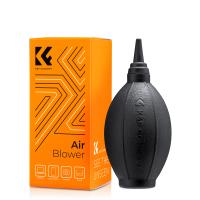
K&F Concept Air Blower, Dust Blower, Lens Blower for Digital, DSLR, SLR Cameras, Camera Lenses and Sensitive Electronics, Clean Duster, Lens Cleaner, Rubber Bulb Air Pump Dust Blower
53
$22.99 $15.99
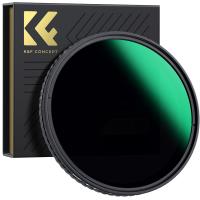
49mm Variable ND Filter ND32-512 (5-9 Stops) Neutral Density Lens Filter with 28 Multi-Layer Coatings Hydrophobic/Scratch Resistant Nano-Xcel
51
$53.99 $42.99
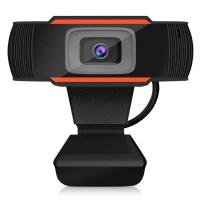
C30 720p 2 million webcam,HD Webcam with Microphone
3
$29.99
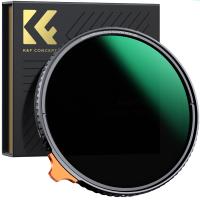
49mm Black Mist 1/4 + ND8-128 Variable ND Filter with Double-sided 28-layer Anti-reflection Green Film and Lever Nano-Xcel Series
13
$103.99 $74.99
1080P 20MP Trail Camera with Night Vision 0.2S Trigger Motion Activated IP66 Waterproof
TOP Best
1080P 20MP Trail Camera with Night Vision 0.2S Trigger Motion Activated IP66 Waterproof
77
$119.99 $55.99
Underwater Camera for Kids 4K 48MP, 10FT/3M Waterproof, Dual Screen, for Snorkeling Swimming Kentfaith
$199.99 $143.99
82mm Star Filter 4-8 Points Variable Starburst Filter Cross Screen, 18 Layer Coating Ultra Slim Optical Glass, with 3 Pcs Cleaning Cloths Nano-Klear
46
$39.99 $31.99
Related articles
How To Save Videos In Camera Roll?
Can You Record Facebook Messenger Voice Calls?
Can You Save Apps On An Sd Card?
Can Digital Camera Record Videos?
Can Selfie Sticks Take Videos?
How To Record Facebook Audio Calls?
How To Loop A Video In Camera Roll?
How To Find Camera Roll On Iphone 5s?
How Do I Make A Facebook Camera Filter?
Can I Get A Security Camera Without Wifi?
Blog You May Like
How To Fix Sd Card Is Write Protected?
How Smart Lock Works?
How To Put Camera On Ring Light?
How To Take Flash Off Polaroid Camera?
Smart Life Camera How To Change Wifi Network?
Hood For Camera Lens How To Use?
Which Sd Card For Dash Cam?
How To Use Video Camera On Laptop?
How To Use Earphone Microphone On Laptop?
How To Use Camera Selfie Stick?
Related categories
C mount lens adapter m4/3 adapter Camera Parts | Studio Camera Accessories streaming video camera digital camera for beginner Solar Cellular Trail Camera Non Cellular Trail Camera camera shoulder bag digital camera cases
Popular products
uhf wireless microphone system Bluetooth mesh intercom best camping rechargeable lantern iphone wireless microphone for video mini web camera wifi bluetooth microphone for camera drone carrying case camera digital 4k youtube voice recorder in mp3 format wireless microphone for video
Related searches
Cheap Camera To Record Videos Camera Tripod That Follows You Video Camera For Facebook Live Best Camera For Hunting Videos Recording Camera For Music Videos Video Camera For Family Videos Video Camera For Training Videos Best Camera For Recording Videos Best Camera For Youtube Videos Roll Cage Gopro Mount
Popular searches
Canon Bags For Cameras Nikon Z Mount Vs Canon Rf Mount Point And Shoot Camera Bag Panasonic Lumix G Lens Adapter Sony Pcm D50 Xlr Adapter Kipon Adapter Fuji Canon Simple Security Camera Without Wifi Camera For Car Recording Front And Back Canon Eos R8 Mount 4 Inch Lens Mount
Blog Category
  • Activities
  • Guide
    • Filter Guide
    • Lens Adapter
    • Product Review
  • News & Reviews
    • Camera Reviews
    • Sample Gallery
    • News
  • Tutorials
    • Solar eclipse photography
    • Photography Basics
    • Landscape Photography
  • Inspiration
    • Travel
    • Travel Stories
Search Article
Latest from the Blog
Kentfaith x ANACONDA: Capturing the Wild, Frame by Frame
How Do Cellular Trail Cameras Work? – The Complete Guide for Hunters and Wildlife Enthusiasts
What Is The Best Wireless Outdoor Security Camera?
How Much Storage For Security Camera?
What Is The Best Camera To Record Videos?
Neutral Density Filter: The Ultimate Guide for Photographers and Videographers
Dash Cam That Can Connect To Phone?
Can Security Cameras Detect Motion Through Glass?
Can I Charge Camera Battery With Power Bank?
How To Stream Live From Surveillance Camera?
  • Easy Payment Multilple Payment Options

  • Free Shipping Global WareHouse Shipment

  • No Risk 30-Day No Reason Return

  • Limited Deals Buy More, Save More

  • Tax Free No any surcharges or tax fee

Information
  • About us
  • Contact Us
  • Site Map
  • Blog
  • Video
  • Gallery
  • VIP Membership Rewards
Service
  • Privacy Policy
  • Terms & Conditions
  • Shipping & Delivery
  • Payment Info
  • Warranty, Return & Refund
  • Intellectual Property Rights
  • Ambassador
  • Affiliates
  • Wholesale
Support
  • My account
  • Order History
  • FAQs
  • Extend Warranty
  • Logistics Tracking
Follow us
NewsLetter

Get the latest product, K&F Concept respects your privacy.

Powered By KENTFAITH © 2026