kfconcept

KENTFAITH
K&F Concept    Blog >

Enjoy Your Selected Digital Life

Recently Viewed
  • Recently Viewed
  • Macro Lens for iPhone / Android, 100X Microscope with Fill Light / CPL Handheld Pocket Mobile Phone Microscope
    Macro Lens for iPhone / Android, 100X Microscope with Fill Light / CPL Handheld Pocket Mobile Phone Microscope
    $67.49 $47.99
Compare (0) 0
  • Compare
  • You have not chosen any products to compare.

  • Compare
Currency: USD
  • Currency
Shop by Scene Shop by Rank

Log Into Your Account

Account

Order History

Wish List

Login

Forgotten Password?

Or connect with

Register Account

Already have an Account?Log In

  • Shopping Cart
  • Your shopping cart is empty!

  • Register/Login to purchase, earn points
  • Favorite
  • Your wish list is empty.

  • Register/Login to like, earn points
  • Activities
  • Guide
    • Filter Guide
    • Lens Adapter
    • Product Review
  • News & Reviews
    • Camera Reviews
    • Sample Gallery
    • News
  • Tutorials
    • Solar eclipse photography
    • Photography Basics
    • Landscape Photography
  • Inspiration
    • Travel
    • Travel Stories
  • Home
  • Blog
  • How To Use Video Camera On Laptop?

How To Use Video Camera On Laptop?

Kentfaith 2024-06-06 10:04:27 0 Comments

In today's digital age, the ability to use a video camera on a laptop is essential for various activities, including virtual meetings, online classes, content creation, and social interactions. Whether you're a professional looking to enhance your video conferencing setup or a content creator aiming to produce high-quality videos, understanding how to effectively use a video camera on your laptop can significantly improve your experience. This article will guide you through the process, covering everything from basic setup to advanced tips for optimizing video quality.

1. Understanding Your Laptop's Built-in Camera
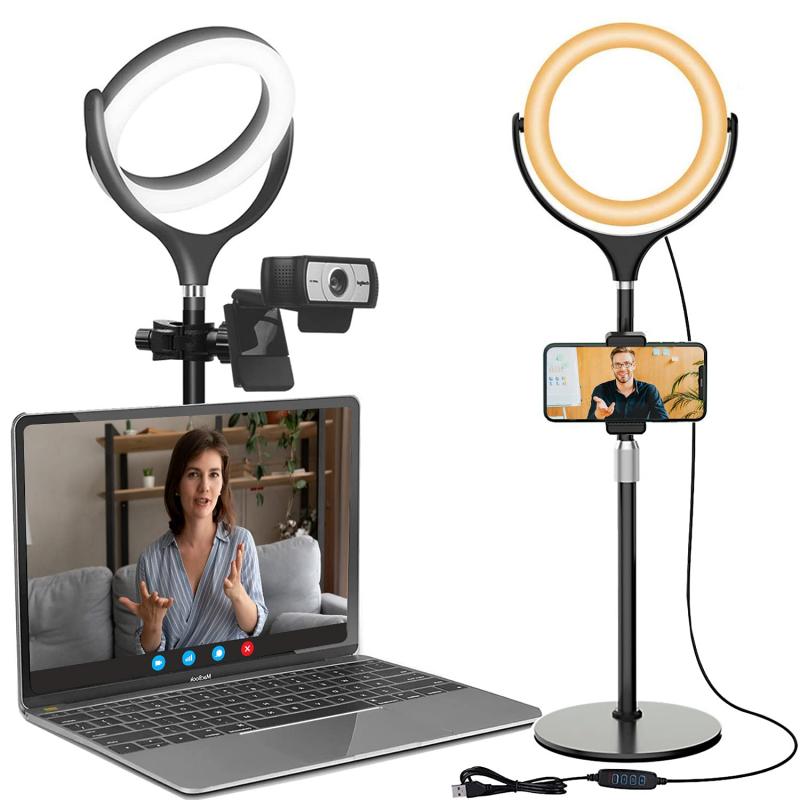

Most modern laptops come equipped with a built-in webcam, which is sufficient for basic video calls and meetings. To use your laptop's built-in camera, follow these steps:

1. Check Camera Availability: Ensure your laptop has a built-in camera. Look for a small lens at the top of your screen.

2. Open Camera App: On Windows, you can open the Camera app by searching for "Camera" in the Start menu. On macOS, use the "Photo Booth" app.

3. Test the Camera: Open the app and check if the camera is working. You should see a live feed from the camera.

2. Using an External Webcam

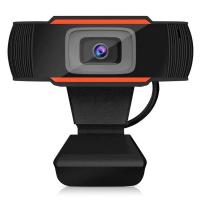
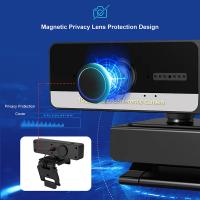
While built-in cameras are convenient, they often lack the quality and flexibility of external webcams. Here's how to set up and use an external webcam:

1. Choose the Right Webcam: Select a webcam that suits your needs. Popular options include Logitech C920, Razer Kiyo, and Microsoft LifeCam.

2. Connect the Webcam: Plug the webcam into a USB port on your laptop. Most webcams are plug-and-play, meaning they don't require additional software.

3. Install Drivers (if necessary): Some webcams may require you to install drivers. Follow the manufacturer's instructions to complete the installation.

4. Select the Webcam in Your Application: Open the application you want to use (e.g., Zoom, Skype, OBS Studio) and select the external webcam as the video source.

3. Optimizing Video Quality

To ensure you get the best video quality from your camera, consider the following tips:

1. Lighting: Good lighting is crucial for high-quality video. Use natural light or invest in a ring light or softbox to illuminate your face evenly.

2. Background: Choose a clean, uncluttered background. Virtual backgrounds can also be used in applications like Zoom.

3. Camera Position: Position the camera at eye level to create a natural and flattering angle. Use a tripod or stack books to achieve the right height.

4. Resolution and Frame Rate: Adjust the camera settings to the highest resolution and frame rate supported by your webcam and application.

4. Using Video Cameras for Content Creation

If you're a content creator, you might want to use a DSLR or mirrorless camera for superior video quality. Here's how to set it up:

1. Choose the Right Camera: Popular choices include Canon EOS M50, Sony A6400, and Panasonic Lumix G7.

2. Connect the Camera: Use an HDMI cable to connect the camera to a capture card (e.g., Elgato Cam Link 4K), then plug the capture card into your laptop's USB port.

3. Configure the Camera: Set your camera to video mode and adjust settings like resolution, frame rate, and focus.

4. Select the Camera in Your Application: Open your video recording or streaming software (e.g., OBS Studio, Streamlabs) and select the capture card as the video source.

5. Troubleshooting Common Issues

Even with the best setup, you might encounter issues. Here are some common problems and solutions:

1. Camera Not Detected: Ensure the camera is properly connected and drivers are installed. Try using a different USB port or restarting your laptop.

2. Poor Video Quality: Check your lighting and camera settings. Ensure your internet connection is stable if you're streaming or video calling.

3. Audio Sync Issues: Use an external microphone for better audio quality and sync. Adjust audio settings in your application if necessary.

4. Software Conflicts: Close other applications that might be using the camera. Restart the application you're using to refresh the camera feed.

6. Advanced Tips for Professional Use

For those looking to take their video setup to the next level, consider these advanced tips:

1. Green Screen: Use a green screen for professional virtual backgrounds. Ensure even lighting to avoid shadows.

2. Multiple Cameras: Set up multiple cameras for different angles. Use software like OBS Studio to switch between camera feeds.

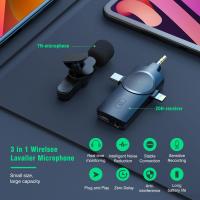
3. External Microphone: Invest in a high-quality external microphone for clear audio. Popular options include Blue Yeti, Rode NT-USB, and Audio-Technica AT2020.

4. Video Editing Software: Use video editing software like Adobe Premiere Pro, Final Cut Pro, or DaVinci Resolve to enhance your videos post-production.

Using a video camera on your laptop can significantly enhance your virtual interactions and content creation. Whether you're using a built-in webcam, an external webcam, or a high-end DSLR, understanding the setup process and optimizing your video quality is crucial. By following the steps and tips outlined in this article, you'll be well on your way to achieving professional-grade video on your laptop. Remember, the key to great video is a combination of good lighting, proper camera positioning, and high-quality audio. Happy filming!


Leave your comment
Cancel reply
Note: HTML is not translated!
Related products
67mm Clip-on CPL Phone Camera Lens Filter Kit Applicable to All Mobile Phone Models
24
$18.99
67mm Clip-on ND2-32 Phone Camera Lens Filter Kit Applicable to All Mobile Phone Models
24
$37.99
67mm Clip-on Black Mist 1/4 Phone Camera Lens Filter Kit Applicable to All Mobile Phone Models
24
$29.99
52mm Clip-on CPL Phone Camera Lens Filter Kit, Circular Polarizer Polarizing Filter Applicable to All Mobile Phone Models
24
$16.99
4K Video Camera Professional 60FPS UHD for Filmmaking, Movie & Photography, Video Recorder Camera with 18X Zoom, Digital Camera for Video Recording, 4.0" Flip Touchscreen, 64GB Card, Up To 6 Hours Work Time
508
$404.99 $239.99
Gift Certificate: $200 Value - Can Use with Any Discounts
$200.00 $190.00
Gift Certificate: $300 Value  - Can Use with Any Discounts
Gift Certificate: $300 Value - Can Use with Any Discounts
$300.00 $285.00
Gift Certificate: $1000 Value  - Can Use with Any Discounts
Gift Certificate: $1000 Value - Can Use with Any Discounts
$1,000.00 $950.00
Gift Certificate: $500 Value  -Can Use with Any Discounts
Gift Certificate: $500 Value -Can Use with Any Discounts
$500.00 $475.00
Gift Certificate: $800 Value - Can Use with Any Discounts
$800.00 $760.00
Products You May Like
EOS-L Manual Focus Compatible with Canon (EF/EF-S) Lens to L Mount Camera Body Lens Mount Adapter
80
$53.99 $29.99
Cleaning cloth set needle a dust-free cleaning cloth dry cloth white 15*15cm CPE with 3 pieces
6
$15.99 $9.99
55mm Circular Polarizing Filter Ultra-Thin Trapezoidal Frame  Blue-Coated Film with a Piece of Vacuum Cleaning Cloth CPL Filter Nano-Klear Series
55mm Circular Polarizing Filter Ultra-Thin Trapezoidal Frame Blue-Coated Film with a Piece of Vacuum Cleaning Cloth CPL Filter Nano-Klear Series
62
$19.99 $15.99
Underwater Camera for Kids 4K 48MP, 3M Waterproof, Dual Screen, for Snorkeling Swimming, Includes EVA Storage Case, Tripod, Kentfaith
$131.24 $104.99
62mm Filter Kit MCUV + CPL Circular Polarizer Filter & MCUV Protection Filter HD Ultra-thin with 18 Multi Layer Coatings Nano-Klear Series
45
$36.99 $28.99
72mm MCUV+CPL+ND2-400 (1-9 Stops) Lens Filter Kit - 18-Layer Coated Optical Glass with Pouch & Cleaning Cloth - Nano-Klear Series
$51.99 $32.93
58mm Filter Set (UV, CPL, FLD, Graduated Blue, Orange, Grey, Red, Green, Brown)
33
$40.99 $19.99
70"/1.77m Video Camera Tripod for Phone and DSLR Camera 4kg/8.8lbs Load Capacity with Phone Mount, 3-Way Pan Head & Detachable Monopod TM2624L 【Ship to the US Only】
4
$130.99 $44.99
52mm CPL Filter True Color Circular Polarizers Filter with 28 Multi-Layer Coatings for Camera Lens Nano-Xcel Series
46
$49.99 $39.99
M42-L Manual Focus M42 Lens to Leica SL T Sigma FP Panasonic L-mount digital camera Mount Adapter
82
$53.99 $29.99
Related articles
How To Change Video Camera On Laptop?
How To Use Earphone Microphone On Laptop?
How To Record Video Using Laptop Camera?
How To Record With Sound On Laptop Camera?
How To Find Camera On Laptop Windows 7?
How To Turn On Microphone And Camera On Hp Laptop ?
How To Turn On Camera And Microphone On Dell Laptop ?
How To Run Sd Card On Laptop?
How To Take Video On Mac Camera?
Can I Use Uv Camera Filter Eclipse?
Blog You May Like
Can You Use A Lavalier Microphone For Music?
Kentfaith And Sony: Karate Kid Legends, Photography Innovation
When Did The Digital Camera Start Being Used?
How Do Cellular Trail Cameras Work? – The Complete Guide for Hunters and Wildlife Enthusiasts
How To Make Your Own Bluetooth Earphones?
What Are Stereo Headphones?
Can I Install Games On Sd Card Android?
How Much Is Bluetooth Earphones?
When Do School Cameras Flash At Traffic Lights?
Does The Ring Camera Still Record Without Wifi ?
Related categories
On-Dash Camera streaming video camera C mount lens adapter digital camera for beginner Video Shooting Tripods lightweight video tripod
Popular products
light with power bank Polarize Filter For Mobile Phone professional camera backpacks camera laptop backpacks clip on phone camera lens quadcopter drone with camera high quality condenser microphone smart ai battery camera wireless microphone transmitter receiver camera backpack with tripod strap
Related searches
Easy To Use Video Camera Adapter To Use Nikon Lens On Canon Adapter To Use Other Lens On Pentax Use Other Lens Mounts On M42 Camera Video Camera On Tripod On Camera Video Monitor On Camera Light For Video Outdoor Use Camera Camera Laptop Bag Use Canon Mount Lens On Nikon D810
Popular searches
X Mount Adapter Canon Lens Mount Repair Sigma 30mm F 1.4 E-mount Lens Sony Sa D100 Adapter Leica Sl Hasselblad Adapter 2x Adapter For Canon Sl1 Quality Camera Tripod Sony A7 Lens Mount Adapter 112mm Cpl Filter Canon G7x Lens Adapter
Blog Category
  • Activities
  • Guide
    • Filter Guide
    • Lens Adapter
    • Product Review
  • News & Reviews
    • Camera Reviews
    • Sample Gallery
    • News
  • Tutorials
    • Solar eclipse photography
    • Photography Basics
    • Landscape Photography
  • Inspiration
    • Travel
    • Travel Stories
Search Article
Latest from the Blog
How To Remove Memory Card From Nikon Camera?
What Does A Uv Camera Filter Do?
Neutral Density Filter: The Ultimate Guide for Photographers and Videographers
How To Place Cameras Around Your House?
What Is The Difference Between Binoculars And Telescope?
What Does Tripod?
What Is The Best Camera To Record Videos?
Camera Use Which Lens?
How To Fix The Straps On A Camera?
What Is A Good Quality Dash Cam?
  • Easy Payment Multilple Payment Options

  • Free Shipping Global WareHouse Shipment

  • No Risk 30-Day No Reason Return

  • Limited Deals Buy More, Save More

  • Tax Free No any surcharges or tax fee

Information
  • About us
  • Contact Us
  • Site Map
  • Blog
  • Video
  • Gallery
  • VIP Membership Rewards
Service
  • Privacy Policy
  • Terms & Conditions
  • Shipping & Delivery
  • Payment Info
  • Warranty, Return & Refund
  • Intellectual Property Rights
  • Ambassador
  • Affiliates
  • Wholesale
Support
  • My account
  • Order History
  • FAQs
  • Extend Warranty
  • Logistics Tracking
Follow us
NewsLetter

Get the latest product, K&F Concept respects your privacy.

Powered By KENTFAITH © 2025