kfconcept

KENTFAITH
K&F Concept    Blog >

Enjoy Your Selected Digital Life

Recently Viewed
  • Recently Viewed
  • Recently Viewed list is empty.

Compare (0) 0
  • Compare
  • You have not chosen any products to compare.

  • Compare
Currency: USD
  • Currency
Shop by Scene Shop by Rank

Log Into Your Account

Account

Order History

Wish List

Login

Forgotten Password?

Or connect with

Register Account

Already have an Account?Log In

  • Shopping Cart
  • Your shopping cart is empty!

  • Register/Login to purchase, earn points
  • Favorite
  • Your wish list is empty.

  • Register/Login to like, earn points
  • Activities
  • Guide
    • Filter Guide
    • Lens Adapter
    • Product Review
  • News & Reviews
    • Camera Reviews
    • Sample Gallery
    • News
  • Tutorials
    • Solar eclipse photography
    • Photography Basics
    • Landscape Photography
  • Inspiration
    • Travel
    • Travel Stories
  • Home
  • Blog
  • How To Save Videos In Camera Roll?

How To Save Videos In Camera Roll?

Kentfaith 2024-06-19 02:31:24 0 Comments

In today's digital age, capturing and saving videos on our devices has become second nature. Whether it's a memorable family gathering, a breathtaking landscape, or a funny moment with friends, we often find ourselves wanting to save these videos to our camera roll for easy access and sharing. However, the process of saving videos to the camera roll can sometimes be confusing, especially with the myriad of devices and applications available. This article aims to provide a comprehensive guide on how to save videos to your camera roll, addressing various scenarios and devices.

Saving Videos from Social Media Platforms

1. Instagram

Instagram is one of the most popular social media platforms, and users often want to save videos from their feed or stories. Here’s how you can do it:

- From Stories:

- Open the Instagram app and navigate to the story you want to save.

- Tap on the three dots at the bottom right corner of the story.

- Select "Save Video" or "Save Story" to download it to your camera roll.

- From Feed:

- Unfortunately, Instagram does not provide a direct way to save videos from the feed. However, you can use third-party apps or websites like "InstaSave" or "DownloadGram" to download videos. Simply copy the video link and paste it into the app or website to download.

2. Facebook

Facebook is another platform where users frequently share videos. To save a video from Facebook:

- Using the Facebook App:

- Find the video you want to save.

- Tap on the three dots in the top right corner of the video post.

- Select "Save Video" to save it to your saved items within Facebook.

- To download it to your camera roll, you may need to use a third-party app or website like "FBDown.net."

3. TikTok

TikTok has made it relatively easy to save videos directly to your camera roll:

- Open the TikTok app and find the video you want to save.

- Tap on the "Share" icon (an arrow pointing right).

- Select "Save Video" from the options. The video will be downloaded to your camera roll.

Saving Videos from Messaging Apps

1. WhatsApp

WhatsApp allows users to save videos received in chats directly to their camera roll:

- Open the chat containing the video you want to save.

- Tap on the video to open it.

- Tap on the "Share" icon and select "Save" or "Save to Camera Roll."

2. Messenger

Facebook Messenger also provides an easy way to save videos:

- Open the conversation containing the video.

- Tap and hold the video until a menu appears.

- Select "Save" to download the video to your camera roll.

Saving Videos from Cloud Storage

1. Google Drive

If you have videos stored in Google Drive, you can easily save them to your camera roll:

- Open the Google Drive app and locate the video you want to save.

- Tap on the three dots next to the video file.

- Select "Download" to save the video to your device.

2. Dropbox

Similarly, Dropbox users can save videos to their camera roll by following these steps:

- Open the Dropbox app and find the video you want to save.

- Tap on the three dots next to the video file.

- Select "Export" and then "Save Video" to download it to your camera roll.

Saving Videos from Websites

Sometimes, you may come across videos on websites that you want to save. Here’s how you can do it:

1. Using Browser Extensions

There are several browser extensions available that allow you to download videos from websites. Some popular ones include "Video DownloadHelper" for Firefox and Chrome. Once installed, these extensions will provide a download option whenever a video is detected on a webpage.

2. Using Online Downloaders

Websites like "SaveFrom.net" and "KeepVid" allow you to download videos by simply pasting the video URL into their search bar. Follow these steps:

- Copy the URL of the video you want to download.

- Go to the online downloader website.

- Paste the URL into the search bar and click "Download."

- Follow the prompts to save the video to your camera roll.

Saving Videos from Email Attachments

If you receive a video as an email attachment, you can save it to your camera roll by following these steps:

- Open the email containing the video attachment.

- Tap on the attachment to open it.

- Tap on the "Share" icon and select "Save Video" or "Save to Camera Roll."

Saving Videos on Different Devices

1. iPhone/iPad

For iOS users, saving videos to the camera roll is usually straightforward. Most apps provide a "Save" or "Download" option that directly saves the video to the Photos app. If you encounter any issues, ensure that you have granted the necessary permissions to the app to access your Photos.

2. Android

Android users can also save videos to their camera roll with ease. Similar to iOS, most apps will have a "Save" or "Download" option. If you face any difficulties, check the app permissions and ensure that it has access to your device's storage.

Troubleshooting Common Issues

1. Insufficient Storage

One common issue users face is insufficient storage space on their device. If you encounter this problem, try the following:

- Delete unnecessary files or apps to free up space.

- Move some of your existing videos or photos to cloud storage.

2. App Permissions

If you are unable to save videos, it might be due to app permissions. Ensure that the app has the necessary permissions to access your device's storage or Photos app.

3. Unsupported Formats

Sometimes, the video format may not be supported by your device. In such cases, you can use video converter apps or websites to convert the video to a compatible format before saving it to your camera roll.

Saving videos to your camera roll is a valuable skill that allows you to keep your favorite moments easily accessible and shareable. Whether you're saving videos from social media, messaging apps, cloud storage, websites, or email attachments, the steps outlined in this guide should help you navigate the process with ease. By understanding the various methods and troubleshooting common issues, you can ensure that your cherished videos are always at your fingertips.

Leave your comment
Cancel reply
Note: HTML is not translated!
Related products
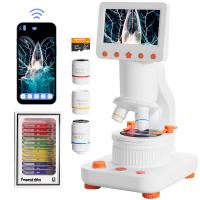
Digital Handheld Microscope with 4.5 in IPS Screen, Detachable Base, 1000X Magnification, Captures 12MP Photos, 1080P Videos, Kentfaith
$112.49 $89.99
Pocket Action Camera 4K 30FPS Videos EIS Stabilization 210min Battery Life 64GB
15
$149.99 $125.99
Microscope Eyepiece Camera 2.8" Screen WiFi Connection 1080P Photos Videos for Telescopes Kentfaith
12
$99.99 $79.99
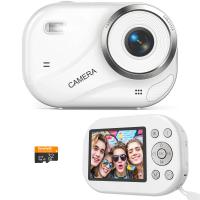
Digital Camera for Teens, 4K Videos 48MP Photos, Auto Focus, WiFi Transfer, 32GB Card, Kentfaith
16
$96.24 $76.99
Camera Light LED Video Light Panel for Camera Camcorder Lighting in Studio or Outdoors 3200K to 5500K Variable Color Temperature (Only ship to us)
26
$44.99 $39.99
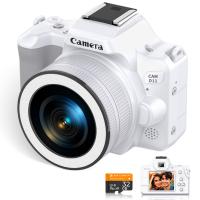
Compact Digital Camera, 2K Videos 48MP Photos, 1/1.6" CMOS, DSLR-like Bokeh, 16X Zoom, EIS Stabilization, Kentfaith
12
$106.24 $84.99
Video Camera with 5K Videos, 10X Optical Zoom, Dual Batteries, WiFi Transfer, Remote Control, 6-axis Stabilization, Kentfaith
15
$287.49 $199.99
6mm Inspection Camera, with 180° 2-way Articulating, HDMI Output, 7-inch Screen, 8000mAh Battery, 1080P Videos & Photos, Kentfaith
$562.49 $449.99
3mm Inspection Camera, with 180° 2-way Articulating, HDMI Output, 7-inch Screen, 8000mAh Battery, 1080P Videos & Photos, Kentfaith
$1,312.49 $1,049.99
Action Camera Waterproof Set 21 in 1 for GOPRO Hero 9/10/11/12 (Only Ship to US)
104
$37.99 $22.99
Products You May Like
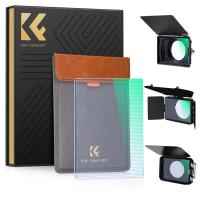
67mm Shimmer Diffusion 1 Filter Optical Glass Glimmer Effect Filter for Camera Lens Nano-Xcel Series
34
$62.99 $49.99
small trail camera
small trail camera
10
$135.99 $106.99
52mm MCUV Lens Protection Filter with Lens Cap Optical Glass Ultra Slim 18 Multi-Layer Coatings Nano-Klear Series
55
$18.99 $9.99
49mm Filter Set (UV, CPL, FLD)
5
$6.99 $3.99
Beschoi Canon FD FL Lens to Canon EOS EF Mount Camera Body with Glass K&F Concept Lens Mount Adapter
$32.99
DJI Osmo Action 5 Pro & Osmo Action 4 UV Lens Filter HD Protective Filter Multi-Coated / Optical Glass / Aluminum Alloy Frame
37
$19.99
72mm Kaleidoscope Filter Special Effects Filter with 3pcs Vacuum Cleaning Cloths Nano B Series
49
$37.99 $26.99
77mm True Color Variable ND2-32 (1-5 Stops) ND Lens Filter, Adjustable Neutral Density Filter with 28 Multi-Layer Coatings Nano-Xcel Series
88
$137.99 $98.99
67mm Clip-on ND2-32 Phone Camera Lens Filter Kit Applicable to All Mobile Phone Models
24
$37.99
77mm Filter Kit MCUV + CPL Circular Polarizer Filter & MCUV Protection Filter HD Ultra-thin with 18 Multi Layer Coatings Nano-Klear Series
45
$41.99 $32.99
Related articles
Can You Save Facebook Videos To Camera Roll?
How To Loop A Video In Camera Roll?
How To Find Camera Roll On Iphone 5s?
Android Phone How To Play Camera Videos?
How To Change Sound Recorder Save Settings?
How To Upload Youtube Videos From Digital Camera?
How To Wifi Transfer Videos From Camera Canon?
Can Digital Camera Record Videos?
How To Record Videos Without Sound?
How To Format Sd Card In Windows?
Blog You May Like
How Wireless Camera Works?
Can You Use Microphone Cable For Speakers?
What Is Inverted Filter On Camera?
How To Fix The Sd Card?
How To Soften Flash On Camera?
How To Make Your Own Smart Watch?
Backpacks That Can Be Used With Camera?
How Do You Focus A Telescope?
How Telescopes Work?
How To Built An Wifi Camera?
Related categories
C mount lens adapter 2 in 1 Filter Screw-In Filter m4/3 adapter Camera Parts | Studio Camera Accessories streaming video camera digital camera for beginner Solar Cellular Trail Camera
Popular products
handheld digital microscope with screen camera digital 4k youtube dslr camera and video video camera for filming digital electronic video microscope camera 500x hd video camera with hdmi output waterproof camera with zoom lens camera with detachable lens camera with video output glasses with a camera
Related searches
Good Camera To Make Videos Camera For Videos Camera For Taking Videos Camera For Making Videos Camera For Recording Videos Roll Cage Gopro Mount Best Camera For Hunting Videos Video Camera For Home Videos Best Camera For Recording Videos Best Camera For Youtube Videos
Popular searches
Wild Snap Trail Camera Iphone Camera Lens Adapter C Mount Lens On Full Frame Canon Lens Mount Compatibility Olympus Om Mount Lens To Canon Eos Best Nd Filter For Ultra Wide Lens Nikon F To Sony E See In The Dark Camera Canon R Adaptor Dji Mavic 3 Pro Polarizer
Blog Category
  • Activities
  • Guide
    • Filter Guide
    • Lens Adapter
    • Product Review
  • News & Reviews
    • Camera Reviews
    • Sample Gallery
    • News
  • Tutorials
    • Solar eclipse photography
    • Photography Basics
    • Landscape Photography
  • Inspiration
    • Travel
    • Travel Stories
Search Article
Latest from the Blog
Which Camera Is Best For Low Light Photography?
How To Find Camera Roll On Iphone 5s?
How To Put Sd Card In Camera?
How To Buy A Security Camera System?
Can You Save Facebook Videos To Camera Roll?
Which Binoculars To Buy?
UV Filter: Everything You Need to Know About UV Protection Lens Filters
What is A Variable ND Filter? The Complete Guide to Mastering Exposure Control
What Does Tripod?
Best Metal Detector for Kids in 2025
  • Easy Payment Multilple Payment Options

  • Free Shipping Global WareHouse Shipment

  • No Risk 30-Day No Reason Return

  • Limited Deals Buy More, Save More

  • Tax Free No any surcharges or tax fee

Information
  • About us
  • Contact Us
  • Site Map
  • Blog
  • Video
  • Gallery
  • VIP Membership Rewards
Service
  • Privacy Policy
  • Terms & Conditions
  • Shipping & Delivery
  • Payment Info
  • Warranty, Return & Refund
  • Intellectual Property Rights
  • Ambassador
  • Affiliates
  • Wholesale
Support
  • My account
  • Order History
  • FAQs
  • Extend Warranty
  • Logistics Tracking
Follow us
NewsLetter

Get the latest product, K&F Concept respects your privacy.

Powered By KENTFAITH © 2025