kfconcept

KENTFAITH
K&F Concept    Blog >

Enjoy Your Selected Digital Life

Recently Viewed
  • Recently Viewed
  • Recently Viewed list is empty.

Compare (0) 0
  • Compare
  • You have not chosen any products to compare.

  • Compare
Currency: USD
  • Currency
Shop by Scene Shop by Rank

Log Into Your Account

Account

Order History

Wish List

Login

Forgotten Password?

Or connect with

Register Account

Already have an Account?Log In

  • Shopping Cart
  • Your shopping cart is empty!

  • Register/Login to purchase, earn points
  • Favorite
  • Your wish list is empty.

  • Register/Login to like, earn points
  • Activities
  • Guide
    • Filter Guide
    • Lens Adapter
    • Product Review
  • News & Reviews
    • Camera Reviews
    • Sample Gallery
    • News
  • Tutorials
    • Solar eclipse photography
    • Photography Basics
    • Landscape Photography
  • Inspiration
    • Travel
    • Travel Stories
  • Home
  • Blog
  • How To Find Camera Wifi Password ?

How To Find Camera Wifi Password ?

Kentfaith 2023-06-02 09:46:30 0 Comments

Finding the WiFi password for your camera can be a crucial step in setting up your device for remote access, transferring files, or simply ensuring that your camera is connected to your network. Whether you have a security camera, a DSLR with WiFi capabilities, or an action camera, the process can vary slightly depending on the brand and model. In this article, we will explore various methods to find your camera's WiFi password, troubleshoot common issues, and provide tips for securing your camera's connection.

Understanding the Basics

Before diving into the specifics, it's important to understand that most cameras with WiFi capabilities will have a default password set by the manufacturer. This password can often be found in the user manual, on a sticker on the camera, or within the camera's settings menu. If you have changed the default password and forgotten it, you may need to reset the camera to its factory settings to regain access.

Method 1: Check the User Manual

The first and simplest method to find your camera's WiFi password is to check the user manual. Manufacturers typically include the default WiFi password in the manual, along with other important setup information. If you have misplaced the manual, you can often find a digital copy on the manufacturer's website.

Method 2: Look for a Sticker on the Camera

Many cameras come with a sticker that includes the default WiFi password. This sticker is usually located on the bottom or back of the camera. If you find a sticker with a series of numbers and letters, this is likely your WiFi password.

Method 3: Access the Camera's Settings Menu

If you cannot find the password in the manual or on a sticker, the next step is to access the camera's settings menu. The process for doing this will vary depending on the camera model, but generally, you will need to:

1. Turn on the camera.

2. Navigate to the settings menu (often represented by a gear icon).

3. Look for a section labeled "WiFi," "Network," or "Wireless Settings."

4. Within this section, you should find the WiFi password.

Method 4: Use the Camera's Companion App

Many modern cameras come with a companion app that you can download to your smartphone or tablet. These apps often provide an easy way to access and manage your camera's settings, including the WiFi password. To use this method:

1. Download the companion app from the App Store or Google Play Store.

2. Open the app and connect it to your camera (you may need to follow specific pairing instructions provided by the manufacturer).

3. Navigate to the WiFi settings within the app to find the password.

Method 5: Reset the Camera to Factory Settings

If you have changed the default password and cannot remember it, you may need to reset the camera to its factory settings. This will erase all custom settings, including the WiFi password, and restore the default password. The process for resetting the camera will vary by model, but generally involves:

1. Turning off the camera.

2. Holding down a specific button or combination of buttons (refer to the user manual for instructions).

3. Waiting for the camera to reset and restart.

Troubleshooting Common Issues

If you are still having trouble finding or using your camera's WiFi password, consider the following troubleshooting tips:

- Ensure the Camera is in WiFi Mode: Some cameras have a specific mode that must be enabled to use WiFi. Check the user manual for instructions on how to enable this mode.

- Check for Firmware Updates: Outdated firmware can sometimes cause connectivity issues. Visit the manufacturer's website to see if there are any available updates for your camera.

- Verify Network Compatibility: Ensure that your camera is compatible with your WiFi network. Some cameras only support 2.4 GHz networks, while others may support both 2.4 GHz and 5 GHz.

- Restart Your Devices: Sometimes, simply restarting your camera, router, and smartphone can resolve connectivity issues.

Securing Your Camera's WiFi Connection
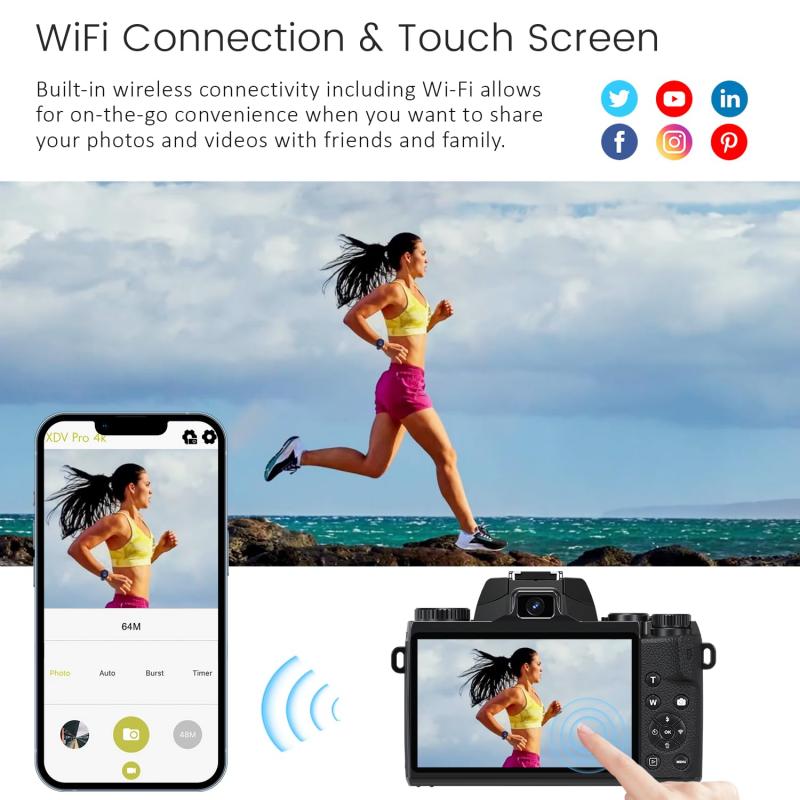

Once you have successfully connected your camera to your WiFi network, it's important to take steps to secure the connection. Here are some tips to help you do that:

- Change the Default Password: If you are still using the default WiFi password, change it to something more secure. Use a combination of letters, numbers, and special characters.

- Enable Encryption: Ensure that your WiFi network is using WPA2 or WPA3 encryption. This will help protect your data from unauthorized access.

- Disable Remote Access: If you do not need to access your camera remotely, consider disabling this feature to reduce the risk of hacking.

- Regularly Update Firmware: Keep your camera's firmware up to date to ensure that you have the latest security patches and features.

Finding your camera's WiFi password is a straightforward process that can be accomplished through several methods, including checking the user manual, looking for a sticker on the camera, accessing the settings menu, using a companion app, or resetting the camera to factory settings. By following these steps and taking measures to secure your connection, you can ensure that your camera is properly connected to your WiFi network and protected from potential security threats.

Remember, the specific steps may vary depending on the make and model of your camera, so always refer to the user manual or the manufacturer's website for detailed instructions. With a little patience and attention to detail, you can easily find and manage your camera's WiFi password, allowing you to take full advantage of its wireless capabilities.

Leave your comment
Cancel reply
Note: HTML is not translated!
Related products
Anti-Spy Detector Scan & Disconnect for 24/7 Protection Find Bugs Hidden Cams
15
$89.99 $59.99
Metal Detectors for Adults and Kids, Gold Detector Kit with LCD Display & IP68 Waterproof Search Coil for Find Valuables
NEW Arrival
Metal Detectors for Adults and Kids, Gold Detector Kit with LCD Display & IP68 Waterproof Search Coil for Find Valuables
285
$215.99 $151.99
WiFi 3 Lens Solar Security Camera Wireless Outdoor, 6MP Full HD Video, 360° View Pan/Tilt Home Security Camera with Color Night Vision, Easy to Install, PIR Alarm, Kentfaith
15
$156.24 $124.99
WiFi 3 Lens Solar Security Camera Wireless Outdoor, 6MP Full HD Video, 360° View Pan/Tilt Home Security Camera with Color Night Vision, Easy to Install, PIR Alarm, 2pcs, Kentfaith
$281.24 $224.99
WiFi 3 Lens Solar Security Camera Wireless Outdoor, 6MP Full HD Video, 360° View Pan/Tilt Home Security Camera with Color Night Vision, Easy to Install, PIR Alarm, 3pcs, Kentfaith
$412.49 $329.99
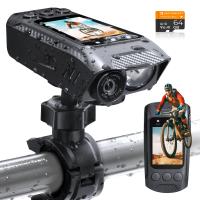
4K Bike Camera 2" Display 1000LM Bicycle Light IP67 Waterproof WIFI Connection
30
$149.99 $125.99
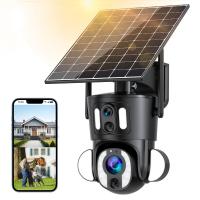
Dual-Lens Security Camera Solar Outdoor Surveillance 10X Optical Zoom 2.4G WiFi
12
$274.99 $230.99
5K Digital Video Camera Camcorder WIFI IR Night Vision for Vlogging Youtube
95
$269.99 $189.99
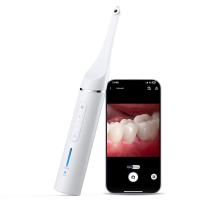
Dental Intraoral Camera WiFi 2MP Photo & Video 8 LEDs for Home Kentfaith
11
$99.99 $79.99
Camera Sunglasses, HD 1080P, EIS Stabilization, WiFi Connect, Translation, 4H Playtime, Kentfaith
16
$119.99 $95.99
Products You May Like
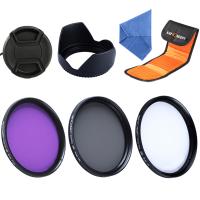
62mm Filter Set (UV, CPL, FLD)
2
$32.99 $17.99
Microscope Camera 4K 30fps Clarity HDMI + Type C Output Sony 1/1.8" Color CMOS Kentfaith
$212.49 $169.99
EOS-L Manual Focus Compatible with Canon (EF/EF-S) Lens to L Mount Camera Body Lens Mount Adapter
80
$53.99 $29.99
58mm Circular Polarizer Lens Filter with Filter Cap Optical Glass Ultra Slim Polarizing CPL Filter with 24 Multi-Layer Coatings for Camera Lenses Nano-Dazzle Series
25
$37.99 $27.99
E39 Interface 50W High-Power LED Corn Lamp Bulbs AC85-265V Wide Voltage 3300LM -  Warm White
E39 Interface 50W High-Power LED Corn Lamp Bulbs AC85-265V Wide Voltage 3300LM - Warm White
$29.99
43mm Variable ND2-32 (1-5 Stops) & Circular Polarizing Filter CPL & Black Mist 1/4 3 in 1 HD Lens Filter with 28 Multi-Coated for Camera Lenses Nano-Xcel Series
NEW Arrival
43mm Variable ND2-32 (1-5 Stops) & Circular Polarizing Filter CPL & Black Mist 1/4 3 in 1 HD Lens Filter with 28 Multi-Coated for Camera Lenses Nano-Xcel Series
33
$99.99 $79.99
K&F Concept Push in Fit ND16 (4 Stop) Lens Filter for DJI Osmo Action 5 Pro/Osmo Action 4/Osmo Action 3, 28 Multi-Coated Neutral Density Light Reduction Filter, Optical Glass/Aluminum Alloy Frame
50
$19.99
72mm Spiral Halo Camera Lens Filter Premium Optical Glass Halo Swirl Special Effect Filter Nano-B Series
13
$36.99 $28.99
Infrared Night Vision Binoculars 4x Digital Zoom 3W 850NM Infrared Binoculars for Reconnaissance Surveillance Camping Night Hunting Sailing & Fishing
250
$299.99 $150.99
Insta360 GO3 ND8+ND16+ND32+ND64 Filter Set,Optical Glass with 28 Multi-Coated Filter Action Camera Accessories
3
$59.99 $36.99
Related articles
How To Find Out Your Canon Camera Wifi Password ?
How To Find Camera Password?
How To Change Canon Camera Wifi Password?
Can You Access A Camera With Wifi Password?
How To Find Wifi Camera Port Number?
How Do I Find A Wifi Camera Ip Address ?
How To Password Protect A Memory Card?
How To Protect Nikon Wifi Camera?
How To Record Wifi Security Camera?
Where To Buy Nd Filter?
Blog You May Like
How Much Are Tripods For Cameras?
How To Connect A Microphone To A Smart Tv ?
Can Film Cameras Work Without Batteries?
Photography Camera Bag What Colour?
How To Save Games On Sd Card Android?
How To Add Adapter On Sony A6000?
What Types Of Memory Cards Are There?
How To Turn Off Earphone Mic?
Can Security Cameras Record Audio?
How Do I Charge Up My Digital Camera?
Related categories
Outdoor Security Camera Wifi C mount lens adapter Wifi Trail Cameras Baby Movement Monitor m4/3 adapter Camera Parts | Studio Camera Accessories streaming video camera digital camera for beginner Solar Cellular Trail Camera
Popular products
no spy hidden camera detector smart lock office black keyless door lock Gold Detector Kit smart lock keyless home entry fingerprint door lock remote wildlife camera wifi wifi trail camera trail camera night wifi wifi trail video camera
Related searches
Metal Detector Find Bag Metal Detectors That Find Gold And Silver Wifi Inspection Camera Wifi Trail Camera Budget Wifi Camera Portable Wifi Camera Wifi Hunting Camera Wildlife Camera Wifi Charger Camera Wifi Wifi Solar Camera
Popular searches
Solar Powered Wireless Game Camera Olympus Om-d E-m5 Mark Ii Lens Adapter Buy Camera Lens Filter Green Polycarbonate Filter Lens Shade 10 K&f Concept Black Mist Small Portable Projector Wireless Camera For Car Security Waterproof Camera Bags Lens Polarizer Vs Uv Filter 5.0 Ir Filter Lens Benefit
Blog Category
  • Activities
  • Guide
    • Filter Guide
    • Lens Adapter
    • Product Review
  • News & Reviews
    • Camera Reviews
    • Sample Gallery
    • News
  • Tutorials
    • Solar eclipse photography
    • Photography Basics
    • Landscape Photography
  • Inspiration
    • Travel
    • Travel Stories
Search Article
Latest from the Blog
How To Make A Camera Flash After Effects?
How Much Storage For Security Camera?
How To Find Camera Roll On Iphone 5s?
How To Buy A Security Camera System?
Which Camera Is Best For Low Light Photography?
What Is The Best Wireless Outdoor Security Camera?
Is the Sony A7M5 worth buying?
What Is The Best Camera To Record Videos?
What Power Binoculars For Long Distance Viewing?
What Is A Good Quality Dash Cam?
  • Easy Payment Multilple Payment Options

  • Free Shipping Global WareHouse Shipment

  • No Risk 30-Day No Reason Return

  • Limited Deals Buy More, Save More

  • Tax Free No any surcharges or tax fee

Information
  • About us
  • Contact Us
  • Site Map
  • Blog
  • Video
  • Gallery
  • VIP Membership Rewards
Service
  • Privacy Policy
  • Terms & Conditions
  • Shipping & Delivery
  • Payment Info
  • Warranty, Return & Refund
  • Intellectual Property Rights
  • Ambassador
  • Affiliates
  • Wholesale
Support
  • My account
  • Order History
  • FAQs
  • Extend Warranty
  • Logistics Tracking
Follow us
NewsLetter

Get the latest product, K&F Concept respects your privacy.

Powered By KENTFAITH © 2026