kfconcept

KENTFAITH
K&F Concept    Blog >

Enjoy Your Selected Digital Life

Recently Viewed
  • Recently Viewed
  • Recently Viewed list is empty.

Compare (0) 0
  • Compare
  • You have not chosen any products to compare.

  • Compare
Currency: USD
  • Currency
Shop by Scene Shop by Rank

Log Into Your Account

Account

Order History

Wish List

Login

Forgotten Password?

Or connect with

Register Account

Already have an Account?Log In

  • Shopping Cart
  • Your shopping cart is empty!

  • Register/Login to purchase, earn points
  • Favorite
  • Your wish list is empty.

  • Register/Login to like, earn points
  • Activities
  • Guide
    • Filter Guide
    • Lens Adapter
    • Product Review
  • News & Reviews
    • Camera Reviews
    • Sample Gallery
    • News
  • Tutorials
    • Solar eclipse photography
    • Photography Basics
    • Landscape Photography
  • Inspiration
    • Travel
    • Travel Stories
  • Home
  • Blog
  • How To Find Camera Plugged Into Mac?

How To Find Camera Plugged Into Mac?

Kentfaith 2024-06-21 01:16:45 0 Comments

Finding a camera plugged into a Mac can be a straightforward process, but it can also present some challenges depending on the type of camera and the connection method used. Whether you are using a built-in camera, an external webcam, or a DSLR, knowing how to locate and troubleshoot your camera can save you time and frustration. In this article, we will explore various methods to find and troubleshoot a camera plugged into a Mac, ensuring that you can get your device up and running smoothly.

Understanding the Types of Cameras
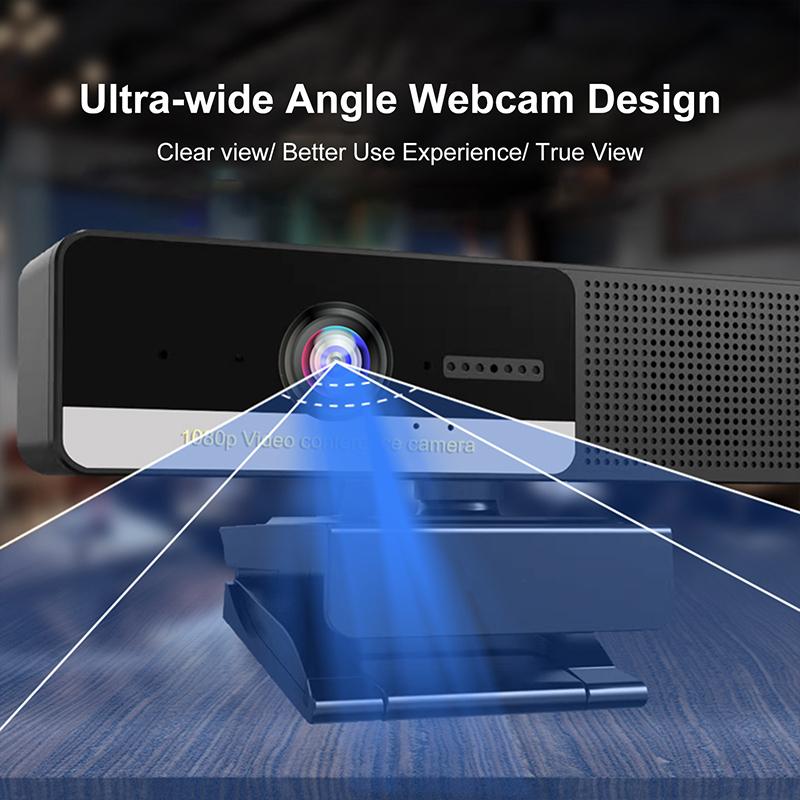
how to find camera plugged into mac 1

Before diving into the steps, it’s essential to understand the different types of cameras you might be dealing with:

1. Built-in Camera: Most modern Macs come with a built-in camera, commonly referred to as the FaceTime HD camera.

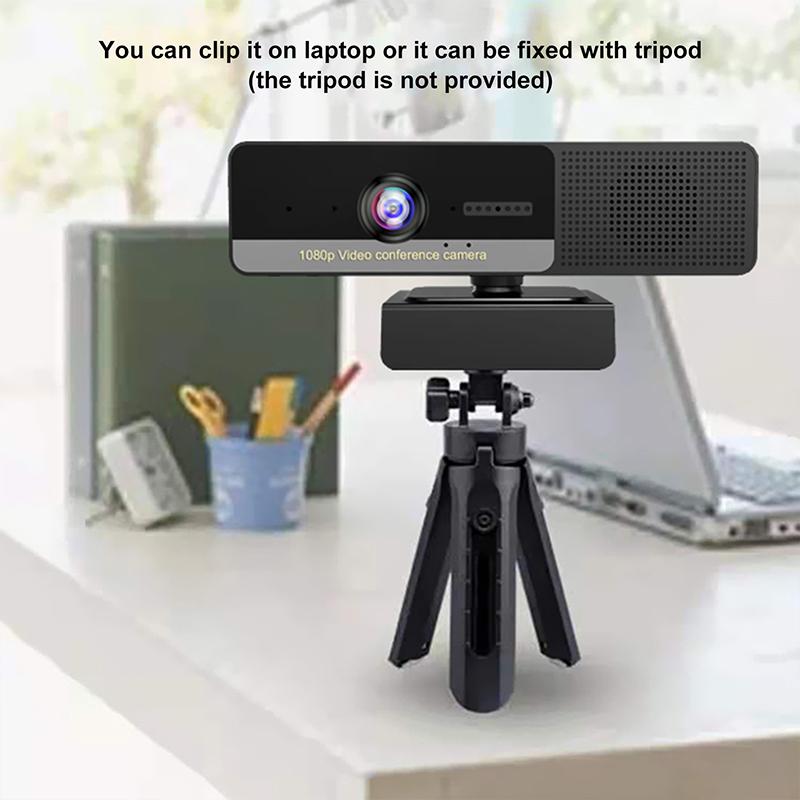
2. External Webcam: These are USB-connected cameras that you can attach to your Mac.

3. DSLR or Mirrorless Cameras: These cameras can be connected via USB or HDMI, often requiring additional software or adapters.

Checking for Built-in Camera
how to find camera plugged into mac 2

If you are using a Mac with a built-in camera, the process is relatively simple:

1. Open an Application: Open an application that uses the camera, such as FaceTime, Photo Booth, or Skype.

2. Check the Indicator Light: When the camera is active, a green indicator light should appear next to it.

3. System Preferences: Go to System Preferences > Security & Privacy > Camera to ensure that the application has permission to use the camera.

Finding an External Webcam

how to find camera plugged into mac 3

For external webcams, the process involves a few more steps:

1. Physical Connection: Ensure that the webcam is properly connected to a USB port on your Mac.

2. System Information: Go to the Apple menu > About This Mac > System Report. Under the "USB" section, you should see your webcam listed.

3. Application Access: Similar to the built-in camera, go to System Preferences > Security & Privacy > Camera to grant access to the application you are using.

Connecting a DSLR or Mirrorless Camera
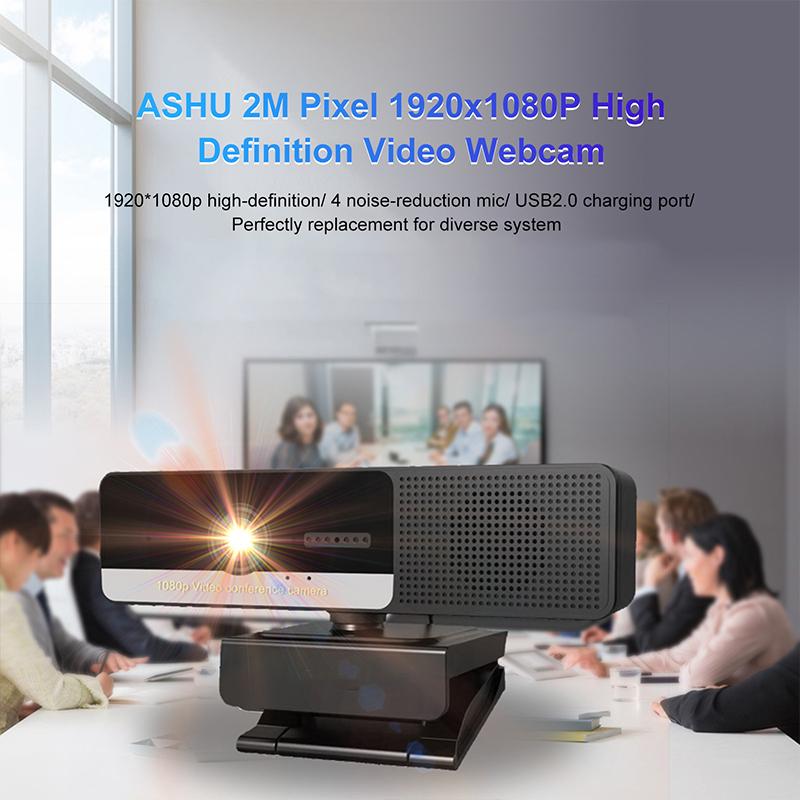
how to find camera plugged into mac 4

Connecting a DSLR or mirrorless camera can be more complex, often requiring additional software or hardware:

1. USB or HDMI Connection: Connect your camera to your Mac using a USB cable or an HDMI capture device.

2. Camera Settings: Ensure that your camera is set to the correct mode for external use, often referred to as "PC Remote" or "Live View" mode.

3. Software: Install any necessary software, such as Canon EOS Utility, Sony Imaging Edge, or third-party applications like OBS Studio.

4. System Information: Check the System Report as mentioned earlier to ensure your Mac recognizes the camera.

Troubleshooting Common Issues

Even with the correct setup, you might encounter issues. Here are some common problems and their solutions:

1. Camera Not Recognized: If your camera is not recognized, try using a different USB port or cable. Restart your Mac and check for software updates.

2. Application Not Detecting Camera: Ensure that the application has the necessary permissions in System Preferences > Security & Privacy > Camera.

3. No Video Feed: Check the camera settings and ensure it is in the correct mode. For DSLRs, make sure the lens cap is removed and the camera is set to video mode.

4. Software Conflicts: Close any other applications that might be using the camera, as multiple applications cannot use the camera simultaneously.

Advanced Tips and Tricks

For those who need more advanced solutions, here are some additional tips:

1. Using Terminal: You can use Terminal commands to check for connected devices. Open Terminal and type `system_profiler SPCameraDataType` to get detailed information about connected cameras.

2. Third-Party Applications: Applications like iGlasses or ManyCam can provide additional functionality and troubleshooting options.

3. Firmware Updates: Ensure that your camera’s firmware is up to date, as manufacturers often release updates to improve compatibility and performance.

Finding and troubleshooting a camera plugged into a Mac can be a straightforward process if you follow the right steps. Whether you are using a built-in camera, an external webcam, or a DSLR, understanding the connection methods and potential issues can save you time and frustration. By following the guidelines outlined in this article, you can ensure that your camera is recognized and functioning correctly, allowing you to focus on your work or creative projects without unnecessary interruptions.

Leave your comment
Cancel reply
Note: HTML is not translated!
Related products
Anti-Spy Detector Scan & Disconnect for 24/7 Protection Find Bugs Hidden Cams
15
$89.99 $59.99
Metal Detectors for Adults and Kids, Gold Detector Kit with LCD Display & IP68 Waterproof Search Coil for Find Valuables
NEW Arrival
Metal Detectors for Adults and Kids, Gold Detector Kit with LCD Display & IP68 Waterproof Search Coil for Find Valuables
285
$215.99 $151.99
Digital Camera for Microscopes 5 Megapixel Color CMOS for Windows Mac OS Android Phones Kentfaith
12
$99.99 $79.99
DM9 7" LCD Digital Microscope 10X-1200X, 1080P Coin Microscope with 12MP Camera Sensor Work with Windows/Mac OS
HOT Seller
DM9 7" LCD Digital Microscope 10X-1200X, 1080P Coin Microscope with 12MP Camera Sensor Work with Windows/Mac OS
118
$149.99 $121.99
Digital Microscope with 9" LCD Screen, 1000X Magnification Coin Microscope with 12MP Camera for Adults, Work with Windows/Mac OS
HOT Seller
Digital Microscope with 9" LCD Screen, 1000X Magnification Coin Microscope with 12MP Camera for Adults, Work with Windows/Mac OS
45
$215.99 $167.99
4.3" LCD Screen Digital Coin Microscope, 50X-1000X Magnification, Work with Windows/Mac iOS
24
$107.99 $88.99
Wireless WiFi Microscope with Foldable Stand, 50X-1000X Magnification, Work with iPhone, iPad, Android, Mac, Windows
11
$47.99
SD Card Reader for iPhone/iPad/Android/Mac/Computer/Camera, 4 in 1 Micro SD Card Reader Tracking Camera Viewer, Portable Memory Card Reader SD Card Adapter Compatible with SD and Micro SD Card/TF Card ( black)
$14.99
Camera Light LED Video Light Panel for Camera Camcorder Lighting in Studio or Outdoors 3200K to 5500K Variable Color Temperature (Only ship to us)
26
$44.99 $39.99
K&F Concept M42 to FX Lens Mount Adapter M42 Lens to Fujifilm X-Series Mirrorless Camera Adapter
6
$56.99 $31.99
Products You May Like
72mm Blue Streak Filter (2mm) Optical Glass Ultra-clear Waterproof Anti-Scratch Anti-Reflection Green Film Nano-X Series
$68.99 $41.99
52mm Colorful Streak Filter Starlight Dreamy Creative Special Effects Optical Glass Lens Filters Nano-B Series
16
$28.99 $22.99
82mm Magnetic Black Mist Filter 1/8 Special Effects Filter HD Multi-layer Coated, Waterproof/Scratch-Resistant/ Anti-Reflection Nano-Xcel Series
4
$197.99 $103.99
K&F Concept 99Wh V-Mount Battery with PD100W USB-C Fast Charging and Multi-Output Ports, TFT Digital Screen & Emergency Light for Camera, photography light, smartphone, laptop etc.
56
$137.99 $119.99
Trinocular Compound Microscope with 7in Screen 40X- 2500X Magnification Mechanical Stage
27
$704.99 $493.99
58mm ND64 (6 Stop) Lens Filter Fixed Neutral Density Filter, Waterproof, Scratch-Resistant, Anti-reflective and Translucent Green Film Nano-Xcel
16
$41.99 $32.99
58mm CPL Filter 28 Layer Super Slim Circular Polarizing Filter Multi-coated Polarized MRC Filter NANO-X Series
$49.99 $37.99
72mm MC UV Protection Filter with 24 Multi-Layer Green Coatings HD/Hydrophobic/Scratch Resistant Ultra-Slim UV Filter Nano-Dazzle
78
$29.99 $23.40
52mm HD Soft GND8 Lens Filter 3 Stop (0.9) Soft Graduated Neutral Density Filter K&F Concept Nano-Xcel Series
41
$56.99 $49.99
100*150*2mm Reverse GND16 Square Filter HD Optical Glass Waterproof ND Filter Nano-Xcel Pro Series
20
$137.99 $109.99
Related articles
How To Find Camera In Mac?
How To Find My Canon Camera On Mac?
How To Find Camera Sd Card On Mac?
How To Find Mac Address On Ring Camera?
How To Insert Sd Card Into Akaso Camera?
How To Put Camera Sd Card Into Computer?
How To Insert Sd Card Into Security Camera?
How To Take Video On Mac Camera?
How To Connect Canon Camera To Mac Through Wifi ?
How To Put Sd Card In Iphone 14?
Blog You May Like
Best Bluetooth Game Cameras 2024
Can I Record My Voice On This Phone?
Camera Lens Filter Buying Guide (For Reference Only)
How To Screen Record Including Sound?
How To Change Your Voice On Screen Recording?
How To Connect Selfie Stick Shutter?
What Is A Memory Card Reader For Cameras?
How To Set Up A Telescope?
How To Center A Microscope Stage?
How To Set Sound Recorder On Computer?
Related categories
C mount lens adapter m4/3 adapter Camera Parts | Studio Camera Accessories streaming video camera digital camera for beginner Solar Cellular Trail Camera Non Cellular Trail Camera camera shoulder bag digital camera cases
Popular products
no spy hidden camera detector Gold Detector Kit digital microscope for students trinocular microscope digital camera soldering microscope with camera and led digital microscope for coins LCD Digital Microscope digital coin microscope best digital coin microscope Digital Wifi Microscope
Related searches
Metal Detector Find Bag Mini Microphone Plug Into Phone Mac Compatible Microscope Mac Compatible Webcam Digital Microscope Mac Eclipse Sunglasses Into Lens Filter Nd Microphone For Mac Mini External Webcam For Mac Metal Detectors That Find Gold And Silver Best Digital Microscope For Mac
Popular searches
Micro Usb Memory Card Reader Carl Zeiss Jena Lens Mft Mount Note 5 Camera Glass Lens Kipon Baveyes Adapter For Pentax 67 Use Nikon F Mount With Panasonic Gh5 Sony Np F970 Leica M Mount Vs M42 Mft To L Mount Adapter Digital Camera For Sports Photography M42 Adapter Nikon 1
Blog Category
  • Activities
  • Guide
    • Filter Guide
    • Lens Adapter
    • Product Review
  • News & Reviews
    • Camera Reviews
    • Sample Gallery
    • News
  • Tutorials
    • Solar eclipse photography
    • Photography Basics
    • Landscape Photography
  • Inspiration
    • Travel
    • Travel Stories
Search Article
Latest from the Blog
Which Camera Is Best For Low Light Photography?
What Is Nd Filter On Video Camera?
Best Metal Detector for Kids in 2025
How To Find A Good Digital Camera?
What Does A Uv Camera Filter Do?
How Does a WiFi Trail Camera Work?
What Is The Difference Between Binoculars And Telescope?
Dash Cam That Can Connect To Phone?
How To Make Your Eyes Flash On Camera?
How Do Cellular Trail Cameras Work? – The Complete Guide for Hunters and Wildlife Enthusiasts
  • Easy Payment Multilple Payment Options

  • Free Shipping Global WareHouse Shipment

  • No Risk 30-Day No Reason Return

  • Limited Deals Buy More, Save More

  • Tax Free No any surcharges or tax fee

Information
  • About us
  • Contact Us
  • Site Map
  • Blog
  • Video
  • Gallery
  • VIP Membership Rewards
Service
  • Privacy Policy
  • Terms & Conditions
  • Shipping & Delivery
  • Payment Info
  • Warranty, Return & Refund
  • Intellectual Property Rights
  • Ambassador
  • Affiliates
  • Wholesale
Support
  • My account
  • Order History
  • FAQs
  • Extend Warranty
  • Logistics Tracking
Follow us
NewsLetter

Get the latest product, K&F Concept respects your privacy.

Powered By KENTFAITH © 2026