kfconcept

KENTFAITH
K&F Concept    Blog >

Enjoy Your Selected Digital Life

Recently Viewed
  • Recently Viewed
  • Recently Viewed list is empty.

Compare (0) 0
  • Compare
  • You have not chosen any products to compare.

  • Compare
Currency: USD
  • Currency
Shop by Scene Shop by Rank

Log Into Your Account

Account

Order History

Wish List

Login

Forgotten Password?

Or connect with

Register Account

Already have an Account?Log In

  • Shopping Cart
  • Your shopping cart is empty!

  • Register/Login to purchase, earn points
  • Favorite
  • Your wish list is empty.

  • Register/Login to like, earn points
  • Activities
  • Guide
    • Filter Guide
    • Lens Adapter
    • Product Review
  • News & Reviews
    • Camera Reviews
    • Sample Gallery
    • News
  • Tutorials
    • Solar eclipse photography
    • Photography Basics
    • Landscape Photography
  • Inspiration
    • Travel
    • Travel Stories
  • Home
  • Blog
  • Can You Turn Your Iphone Into A Projector?

Can You Turn Your Iphone Into A Projector?

Kentfaith 2024-11-08 01:41:51 0 Comments

In today’s digital age, we are often looking for ways to enhance and expand the functionality of our devices. One popular question that many iPhone users ask is whether it’s possible to turn their phone into a projector. The simple answer is yes, but it requires some additional equipment and steps. This article will guide you through the process, explain the options available, discuss the pros and cons, and provide practical tips to improve your experience.

Understanding the Basics: How Can an iPhone Become a Projector?
can you turn your iphone into a projector 1

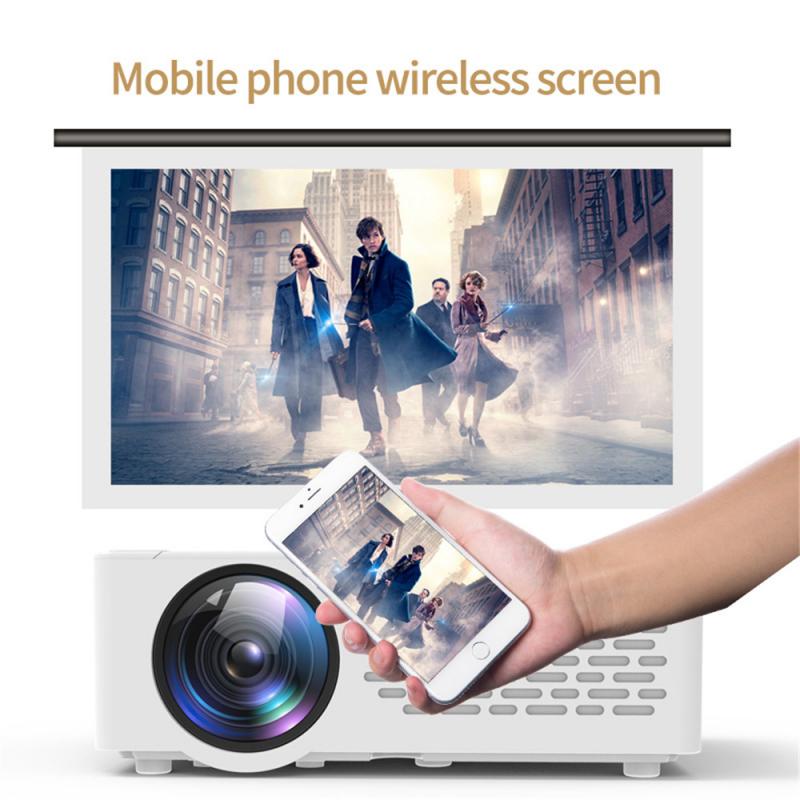
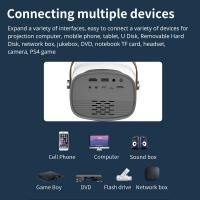
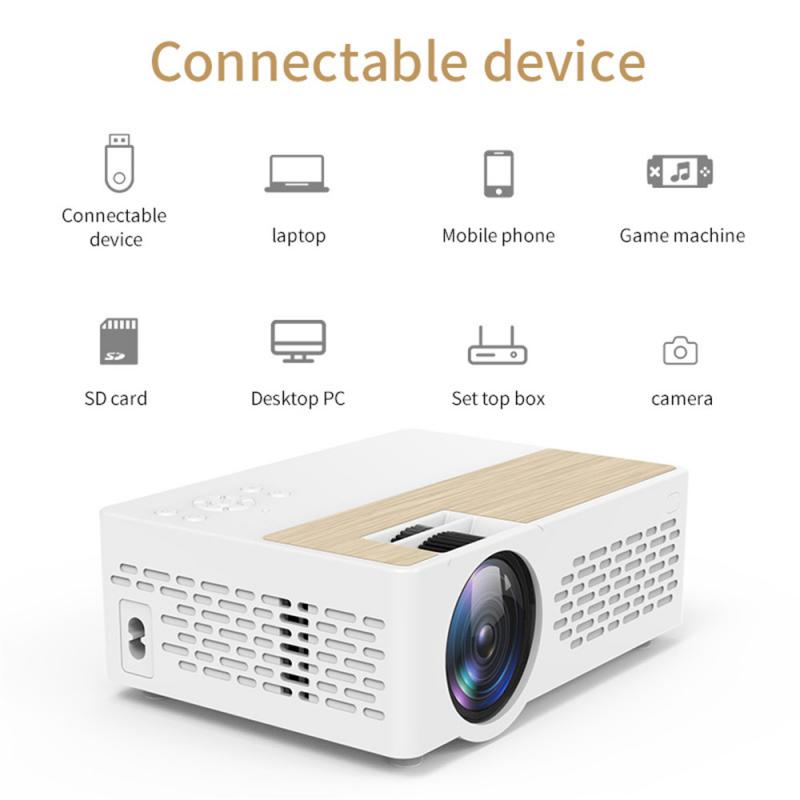
An iPhone, by itself, lacks the built-in hardware to project images or videos onto a larger surface. However, with the right accessories, you can achieve this functionality. The most common way to turn your iPhone into a projector involves using a portable mini projector that can be connected to your device. These mini projectors are equipped with lenses and lighting systems capable of casting an image from your phone onto a wall or screen.

Types of Projectors Compatible with iPhones
can you turn your iphone into a projector 2

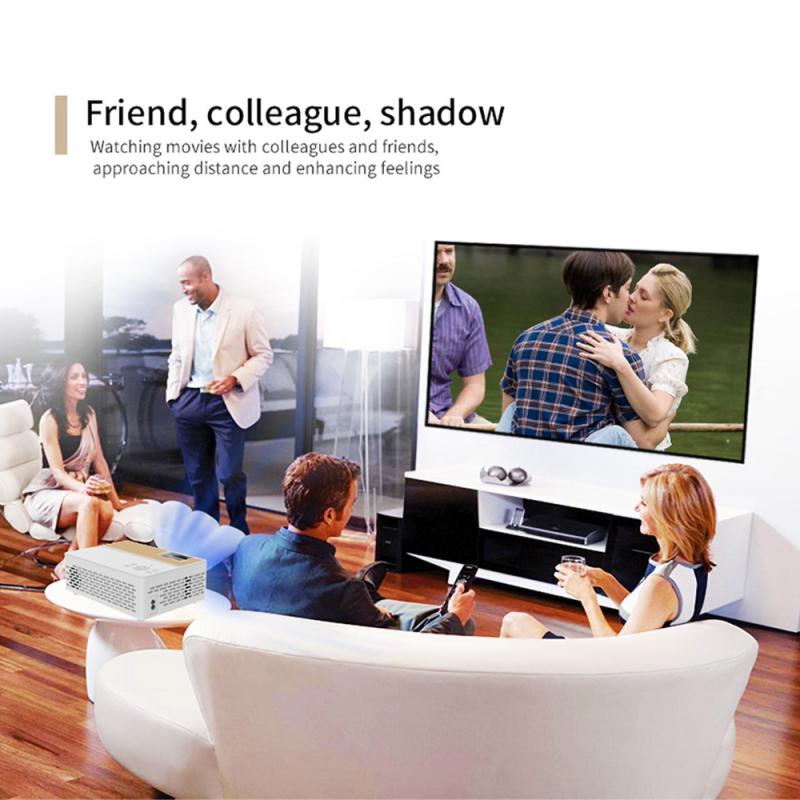
When considering an iPhone-compatible projector, there are a few essential factors to consider:

1. Portable Pico Projectors: These small, lightweight projectors are easily portable and typically connect to iPhones via HDMI or wirelessly. They are convenient for on-the-go presentations or impromptu movie nights.

2. Dedicated iPhone Projectors: These are designed specifically to work seamlessly with iPhones. Often, they come with built-in docks or connectors for easy setup.

3. Standard Mini Projectors: Although they are larger than pico projectors, mini projectors are still quite portable and offer higher brightness and resolution. They can be connected to an iPhone but may require additional adapters.

Step-by-Step Guide: Turning Your iPhone into a Projector
can you turn your iphone into a projector 3

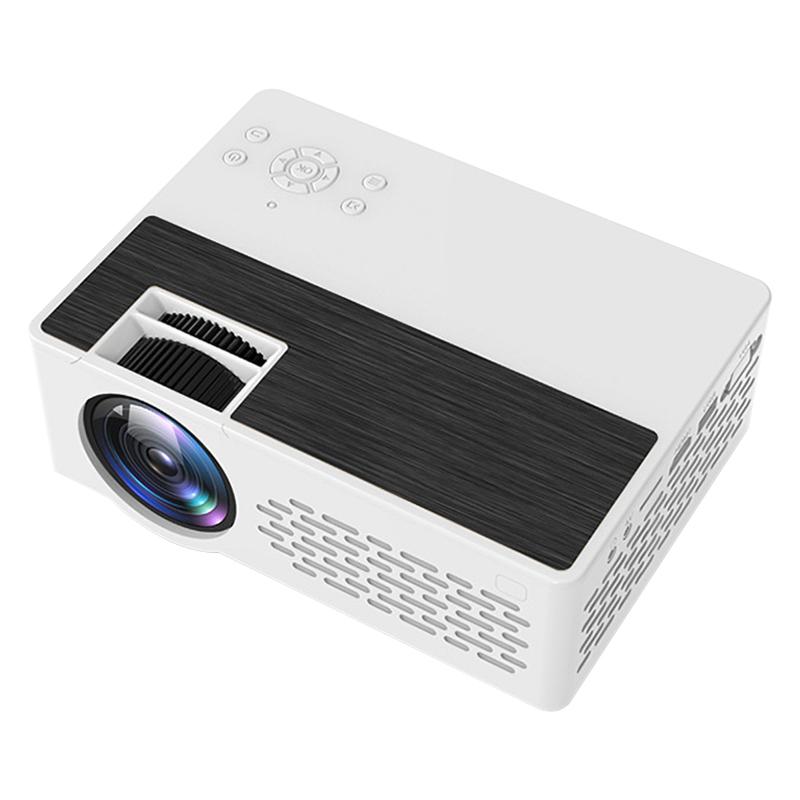
Step 1: Choose the Right Projector

can you turn your iphone into a projector 4

First, decide on the type of projector based on your needs. For instance, if you need something ultra-portable, opt for a pico projector. If you prioritize image quality and have more space, a standard mini projector might be more suitable.

Step 2: Gather Necessary Accessories

Most projectors will require an HDMI connection, so you’ll need an HDMI to Lightning adapter for your iPhone. Some projectors may also work via Wi-Fi, so ensure your projector supports this if you prefer a wireless setup.

Step 3: Connect Your iPhone to the Projector

- For wired connections, plug the HDMI adapter into your iPhone and connect the other end to your projector.

- For wireless connections, follow the projector’s instructions to connect to your iPhone. This often involves using an app or setting up a Wi-Fi connection.

Step 4: Set Up the Projection Area

Set up a blank wall or a projection screen in a darkened room for the best image quality. Adjust the distance and height of the projector to get the desired screen size and focus the image.

Step 5: Start Projecting

Once everything is set up, play your desired content on your iPhone. This could be a movie, a presentation, or photos. The projector should mirror your iPhone’s screen, allowing you to share your content on a larger surface.

Practical Tips for Optimal Experience

1. Brightness: Ensure your projector has adequate brightness (measured in lumens) to produce clear images, especially in less-than-ideal lighting conditions.

2. Resolution: The projector's resolution should ideally match or exceed that of your iPhone for sharp, detailed images.

3. Sound: Most mini projectors have built-in speakers, but they may not be very powerful. Consider using a Bluetooth speaker or connecting the projector to an external sound system for better audio quality.

4. Battery Life: If you plan to use the projector for extended periods, ensure it has a long-lasting battery or be prepared to keep it plugged into a power source.

5. Portability: If you frequently travel, choose a compact and lightweight projector that fits easily into your bag.

Pros and Cons of Using Your iPhone as a Projector

Pros:

- Portability: Mini projectors are compact and easy to transport, making them ideal for business trips, vacations, or family gatherings.

- Convenience: Connecting and using a projector with your iPhone is relatively straightforward, allowing for quick setup and immediate projection.

- Versatility: Projectors are versatile devices that can be used for a variety of applications, from watching movies to delivering presentations.

Cons:

- Image Quality: Portable projectors generally do not offer the same image quality as larger, dedicated home theater projectors.

- Brightness: Inadequate brightness can be an issue, especially in rooms with ambient light. Darkening the room is often necessary for the best experience.

- Audio Quality: Built-in speakers on mini projectors may not provide satisfactory sound quality, necessitating the use of external speakers.

Turning your iPhone into a projector is a practical and innovative way to make the most out of your device. With the right equipment and proper setup, you can enjoy a big-screen experience wherever you go. While there are some trade-offs in terms of image and audio quality, the convenience and portability of mini projectors make them a worthwhile investment for many users.

Whether you are a business professional looking to enhance your presentations or a movie enthusiast wanting to watch films on a larger screen, a projector can significantly enhance your iPhone’s capabilities. By following the steps outlined in this article and considering the practical tips provided, you can optimize your projection experience and enjoy the benefits of a more versatile and powerful iPhone setup.

Leave your comment
Cancel reply
Note: HTML is not translated!
Related products
A Camping Lantern That Dances with You, Rechargeable, Telescoping & Compact with Bluetooth Speaker, Emergency Power Bank 14000mAh Battery Kentfaith
116
$199.99 $94.99
Gift Certificate: $200 Value - Can Use with Any Discounts
$200.00 $190.00
Gift Certificate: $300 Value  - Can Use with Any Discounts
Gift Certificate: $300 Value - Can Use with Any Discounts
$300.00 $285.00
Gift Certificate: $1000 Value  - Can Use with Any Discounts
Gift Certificate: $1000 Value - Can Use with Any Discounts
$1,000.00 $950.00
Gift Certificate: $500 Value  -Can Use with Any Discounts
Gift Certificate: $500 Value -Can Use with Any Discounts
$500.00 $475.00
Gift Certificate: $800 Value - Can Use with Any Discounts
$800.00 $760.00
K&F Concept Mini Desk Tripod for Camera, 25'' Aluminum Tabletop Cellphone Video Tripods with Remote Control, Portable Travel Tripod for DSLR Cameras Camcorder Phone Projector Spotting Scope S233A0
18
$32.99
Necklace Strap for Osmo Pocket 3, Multi-functional Hanging Rope for Smartphones, Triple Protection, Adjustable Length, Tool-Free Installation, Compatible with Smartphones and Action Cameras, Frees Up Your Hands and Gets Shooting Quickly, Black
$21.99
Necklace Strap for Osmo Pocket 3, Multi-functional Hanging Rope for Smartphones, Triple Protection, Adjustable Length, Tool-Free Installation, Compatible with Smartphones and Action Cameras, Frees Up Your Hands and Gets Shooting Quickly, Blue
$29.99 $21.99
63'' Magnetic Iphone Tripod Phone Selfie Stick Tripod, Lightweight Cellphone Holder And Camera Stand With Wireless Remote, Compatible With Iphone 15/14/13/12 Magsafe Series Ms19
94
$53.99 $29.99
Products You May Like
62mm MC UV Protection Filter Slim Frame with Multi-Resistant Coating for Camera Lens Nano-Klear
250
$16.99 $13.49
Linking Trail Cameras
10
$162.99 $106.99
SanDisk Ultra 64GB SDXC UHS-I Card, C10 Up to 80MB/s SDSDUNC-064G-ZN6IN
239
$29.99
67mm CPL Circular Polarizer Magnetic Lens Filter HD Waterproof Scratch-Resistant Anti-Reflection Nano-Xcel Series
71
$68.99 $62.99
Outdoor Security Camera 1080P HD Motion Detection Wireless Surveillance Camera with Rechargeable Battery 2-Way Audio
108
$74.39 $65.99
58mm MCUV Lens Protection Filter with Filter Cap Ultra-Slim 24-Layer Coatings Waterproof for Camera Lens Nano-Dazzle Series
26
$43.99 $22.99
67mm 4-Point Fine-Line Star Effect Filter, Cine & Dreamlike Special Filter 18-Layer Coated Optical Glass with 3 Vacuum Cleaning Cloths - Nano-Klear Series
18
$37.99 $23.37
72mm MCUV Filter Ultra-Thin Trapezoid Patterned Frame Coating with a Vacuum Cleaning Cloth Nano-Klear Series
145
$14.99 $11.89
82mm CPL+MCUV+ND1000+Lens Cap Circular Polarizing Filter MCUV Protection Neutral Density Lens Filters Kit with 24 Layer Coatings Nano-Dazzle Series
72
$78.99 $62.99
4-In-1 Carbon Monoxide & Gas Detector Plug In, with Temperature & Humidity Monitor, Kentfaith
12
$74.99 $59.99
Related articles
Can You Turn The Microphone Off On Iphone?
Can You Watch Cable On A Projector?
Can You Use A Projector On The Ceiling?
Can You Put A Projector Behind The Screen?
Can I Connect Iphone To Projector With Usb?
Can You Use A Microphone With An Iphone?
How To Record Sounds And Turn Into Mp3?
Can You Have A Camera Outside Your House?
Can You Turn Off Ring Blue Light?
How Do I Access Sd Card On Laptop?
Blog You May Like
How To Record Phone Calls With Voice Recorder?
How To Pack Your Camera Bag?
How To Use Wifi Endoscope?
How To Install Camera Inside The House?
How To Watch Recorded Security Camera Footage?
What Does A Dash Camera Look Like?
How Smart Watches Measure Blood Pressure?
What's A Good Lighting Budget Video?
How To Install Security Camera System?
How To Turn On Flip Video Camera?
Related categories
A Mount Lens Adapter Sony A Mount Lens Adapters minolta a mount lenses phone camera lens iphone lens filter cell phone tripods camera lens adapter GPS monitor detector Leica M Mount Lens Adapters lens filter cap​
Popular products
best camping rechargeable lantern one for all remote control mini web camera wifi uhf wireless microphone system hand strap for camera movie projector and screen small projector and screen small projector for mobile home movie theater projector outdoor projector and screen
Related searches
Camera Lens For Your Iphone Turn I Kit Iphone Lens Adapter A Solar Filter For Your Lens Projector For A Computer Speakers For A Projector Projector For A Laptop Best Mini Iphone Projector Projector Adapter For Iphone Small Projector For Iphone Projector Compatible With Iphone
Popular searches
C Mount Lens 17mm Kipon Lens L Mount Full Color Night Vision Goggles Best Fisheye Adapter For Canon Nikon Lens To Sony A Mount Adapter Small Ip Camera Wifi Camera Lens For Phones 62mm Nikon Lens Cap Battery Cctv Camera Wifi Gimbal Sony Camera Adapter
Blog Category
  • Activities
  • Guide
    • Filter Guide
    • Lens Adapter
    • Product Review
  • News & Reviews
    • Camera Reviews
    • Sample Gallery
    • News
  • Tutorials
    • Solar eclipse photography
    • Photography Basics
    • Landscape Photography
  • Inspiration
    • Travel
    • Travel Stories
Search Article
Latest from the Blog
Neutral Density Filter: The Ultimate Guide for Photographers and Videographers
What Is The Difference Between Binoculars And Telescope?
How Do Trail Cameras Work? The Ultimate Guide to Trail Cameras
What Is A Good Quality Dash Cam?
What Tripod To Buy?
Which Bluetooth Earphones?
UV Filter: Everything You Need to Know About UV Protection Lens Filters
How To Wear Monocular?
Can I Charge Camera Battery With Power Bank?
Dash Cam That Can Connect To Phone?
  • Easy Payment Multilple Payment Options

  • Free Shipping Global WareHouse Shipment

  • No Risk 30-Day No Reason Return

  • Limited Deals Buy More, Save More

  • Tax Free No any surcharges or tax fee

Information
  • About us
  • Contact Us
  • Site Map
  • Blog
  • Video
  • Gallery
  • VIP Membership Rewards
Service
  • Privacy Policy
  • Terms & Conditions
  • Shipping & Delivery
  • Payment Info
  • Warranty, Return & Refund
  • Intellectual Property Rights
  • Ambassador
  • Affiliates
  • Wholesale
Support
  • My account
  • Order History
  • FAQs
  • Extend Warranty
  • Logistics Tracking
Follow us
NewsLetter

Get the latest product, K&F Concept respects your privacy.

Powered By KENTFAITH © 2025