kfconcept

KENTFAITH
K&F Concept    Blog >

Enjoy Your Selected Digital Life

Recently Viewed
  • Recently Viewed
  • KIT-06LM Vlogging kit for YouTube, with fill light, microphone and light mobile phone holder tripod, compatible with iPhone/smartphone/camera
    KIT-06LM Vlogging kit for YouTube, with fill light, microphone and light mobile phone holder tripod, compatible with iPhone/smartphone/camera
    $45.69
Compare (0) 0
  • Compare
  • You have not chosen any products to compare.

  • Compare
Currency: USD
  • Currency
Shop by Scene Shop by Rank

Log Into Your Account

Account

Order History

Wish List

Login

Forgotten Password?

Or connect with

Register Account

Already have an Account?Log In

  • Shopping Cart
  • Your shopping cart is empty!

  • Register/Login to purchase, earn points
  • Favorite
  • Your wish list is empty.

  • Register/Login to like, earn points
  • Activities
  • Guide
    • Filter Guide
    • Lens Adapter
    • Product Review
  • News & Reviews
    • Camera Reviews
    • Sample Gallery
    • News
  • Tutorials
    • Solar eclipse photography
    • Photography Basics
    • Landscape Photography
  • Inspiration
    • Travel
    • Travel Stories
  • Home
  • Blog
  • Can You Attach A Microphone To Headphones?

Can You Attach A Microphone To Headphones?

Kentfaith 2024-08-12 01:06:34 0 Comments

In the ever-evolving world of audio technology, the question of whether you can attach a microphone to headphones is a common one. This query often arises from gamers, podcasters, remote workers, and audiophiles who seek to enhance their audio experience without investing in separate, often expensive, equipment. The short answer is yes, you can attach a microphone to headphones, and there are several methods to achieve this. This article will delve into the various ways to attach a microphone to headphones, the benefits and drawbacks of each method, and practical tips to ensure optimal performance.

Understanding the Basics
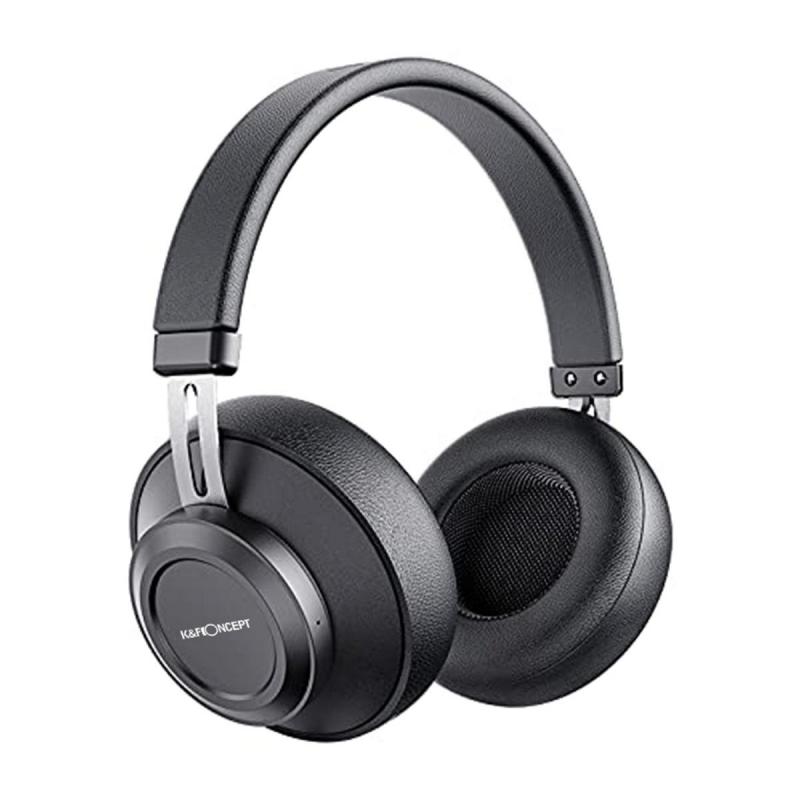
can you attach a microphone to headphones 1

Before diving into the methods, it's essential to understand the basic components involved. Headphones are designed primarily for audio output, while microphones are designed for audio input. Combining these two functionalities can be achieved through different approaches, each with its own set of tools and techniques.

Method 1: Using a Boom Microphone

One of the most popular methods to attach a microphone to headphones is by using a boom microphone. Boom microphones are designed to be attached to the side of your headphones, positioning the mic close to your mouth for clear audio capture.

Steps to Attach a Boom Microphone:

1. Choose the Right Boom Microphone: Look for a boom microphone that is compatible with your headphones. Some popular options include the Antlion Audio ModMic and the V-MODA BoomPro.

2. Attach the Microphone: Most boom microphones come with a magnetic or adhesive base that can be attached to the side of your headphones. Follow the manufacturer's instructions for secure attachment.

3. Connect to Your Device: Plug the microphone into your device's audio input jack. Some boom microphones come with a Y-splitter to combine the headphone and microphone jacks into a single 3.5mm plug.

Benefits:

- High-Quality Audio: Boom microphones are known for their superior audio quality, making them ideal for gaming, podcasting, and professional calls.

- Adjustability: The boom arm allows you to position the microphone optimally for the best sound capture.

Drawbacks:

- Cost: High-quality boom microphones can be expensive.

- Bulkiness: The additional hardware can make your headphones bulkier and less portable.

Method 2: Using an Inline Microphone

Another method is to use an inline microphone, which is integrated into the headphone cable. This method is less intrusive and more portable than using a boom microphone.

Steps to Attach an Inline Microphone:

1. Purchase an Inline Microphone Cable: Look for a replacement headphone cable that includes an inline microphone. Some popular options include cables from brands like V-MODA and Shure.

2. Replace the Existing Cable: Detach the existing cable from your headphones and replace it with the new inline microphone cable.

3. Connect to Your Device: Plug the new cable into your device's audio jack.

Benefits:

- Portability: Inline microphones are less bulky and more portable than boom microphones.

- Cost-Effective: Generally, inline microphone cables are more affordable than boom microphones.

Drawbacks:

- Audio Quality: Inline microphones may not offer the same level of audio quality as boom microphones.

- Fixed Position: The microphone's position is fixed, which may not be ideal for all users.

Method 3: Using a Clip-On Microphone

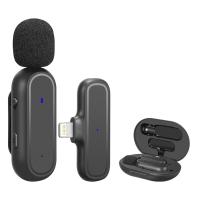
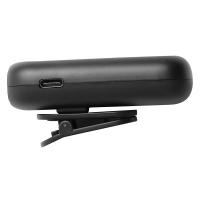
Clip-on microphones, also known as lavalier microphones, can be clipped onto your headphone cable or your clothing. This method offers flexibility and is often used in professional settings.

Steps to Attach a Clip-On Microphone:

1. Choose a Clip-On Microphone: Select a clip-on microphone that suits your needs. Popular options include the Rode SmartLav+ and the Audio-Technica ATR3350.

2. Clip the Microphone: Attach the microphone to your headphone cable or your clothing, positioning it close to your mouth.

3. Connect to Your Device: Plug the microphone into your device's audio input jack.

Benefits:

- Flexibility: Clip-on microphones can be positioned in various ways, offering flexibility.

- Discreet: These microphones are small and less noticeable.

Drawbacks:

- Audio Quality: While better than inline microphones, clip-on microphones may not match the audio quality of boom microphones.

- Cable Management: Additional cables can be cumbersome and require careful management.

Method 4: Using a USB Microphone

For those who prioritize audio quality and are less concerned about portability, using a USB microphone in conjunction with your headphones is an excellent option. This method is particularly popular among podcasters and streamers.

Steps to Use a USB Microphone:

1. Choose a USB Microphone: Select a high-quality USB microphone. Popular options include the Blue Yeti and the Audio-Technica AT2020USB+.

2. Set Up the Microphone: Place the microphone on a stand or boom arm and position it close to your mouth.

3. Connect to Your Device: Plug the USB microphone into your computer or other device.

Benefits:

- Superior Audio Quality: USB microphones offer excellent audio quality, making them ideal for professional use.

- Ease of Use: USB microphones are plug-and-play, requiring minimal setup.

Drawbacks:

- Portability: USB microphones are not portable and are best suited for stationary setups.

- Cost: High-quality USB microphones can be expensive.

Practical Tips for Optimal Performance

Regardless of the method you choose, here are some practical tips to ensure optimal performance:

1. Test Your Setup: Before using your microphone in a live setting, test your setup to ensure everything is working correctly.

2. Adjust Settings: Use your device's audio settings to adjust the microphone sensitivity and volume for the best sound quality.

3. Minimize Background Noise: Choose a quiet environment and use noise-canceling features if available to minimize background noise.

4. Regular Maintenance: Keep your equipment clean and perform regular maintenance to ensure longevity and performance.

Attaching a microphone to headphones is a practical solution for enhancing your audio experience without investing in separate equipment. Whether you choose a boom microphone, an inline microphone, a clip-on microphone, or a USB microphone, each method offers unique benefits and drawbacks. By understanding these options and following practical tips, you can achieve high-quality audio for gaming, podcasting, remote work, and more.


Leave your comment
Cancel reply
Note: HTML is not translated!
Related products
Wireless Earbuds Bluetooth Headphones TWS Waterproof with Microphone
66
$31.99
Cell Phone Bluetooth Headphones Bluetooth V5.1 Headphones with Charging Case Hands-Free Single Ear Headphones with CVC8.0 Noise Cancelling Microphone for Office/Driving Compatible with Android/iPhone/Laptop
57
$26.99
A Camping Lantern That Dances with You, Rechargeable, Telescoping & Compact with Bluetooth Speaker, Emergency Power Bank 14000mAh Battery Kentfaith
116
$199.99 $94.99
Gift Certificate: $200 Value - Can Use with Any Discounts
$200.00 $190.00
Gift Certificate: $300 Value  - Can Use with Any Discounts
Gift Certificate: $300 Value - Can Use with Any Discounts
$300.00 $285.00
Gift Certificate: $1000 Value  - Can Use with Any Discounts
Gift Certificate: $1000 Value - Can Use with Any Discounts
$1,000.00 $950.00
Gift Certificate: $500 Value  -Can Use with Any Discounts
Gift Certificate: $500 Value -Can Use with Any Discounts
$500.00 $475.00
Gift Certificate: $800 Value - Can Use with Any Discounts
$800.00 $760.00
Air Conduction Headphones Open-ear Comfort Bluetooth 5.4, 42H Playtime Kentfaith
60
$55.49 $38.99
Minolta A / Sony A Lenses to Leica M Lens Mount Adapter K&F Concept M47151 Lens Adapter
31
$75.99 $39.99
Products You May Like
Hd Digital Trail Camera
10
$162.99 $106.99
DJI MINI 3 PRO Dedicated High-Definition Tempered Film Explosion-Proof Screen Remote Control Protective Film (2 Pieces)
$24.99 $12.99
58mm ND3-ND1000 Filter (1.5-10 Stops) with 24 Multi-Layer Coatings for Camera Lens Nano-Dazzle
48
$63.99 $50.99
24MP*1296P night vision, 120° wide-angle 0.2S trigger 2-inch screen tracking camera maple leaf color*2 sets
$151.99
40.5mm UV Filter Ultra Low Reflection Tempered Glass Protection Lens Filter, Slim Lens HD Optical Glass Scratch-resistant, Ultraviolet Filters for DSLR Cameras Nano-X Series
19
$79.99 $50.99
62mm True Color Ultra-Low Reflectivity CPL Filter Polarizer Lens Filter Circular Polarizing for Camera Lenses with 28 Multi-Coated Nano-Xcel Series
36
$81.99 $58.49
Matte Box Kit+ND8 Square Filter Compatible with Two 4x5.65" Square Filters Includes 67/72/77/82/95mm Adapter Rings Nano-Xcel Series
42
$124.99 $99.99
49mm CPL Filter Circular Polarizers Filter Super Slim with 36 Multi-Layer Coatings, K&F Concept Nano-Xcel Pro Series
50
$97.99 $77.99
46mm True Color Ultra-Low Reflectivity CPL Filter Polarizer Lens Filter Circular Polarizing for Camera Lenses with 28 Multi-Coated Nano-Xcel Series
36
$68.99 $49.49
ND64&PL Filter Compatible with DJI Mini 4 Pro, Neutral Density and Polarizing 2-in-1 Filter, Multi-Function HD Optical Glass Filter
$34.99
Related articles
Can I Add A Microphone To My Headphones?
Can You Connect A Microphone To An Ipad?
How Can You Fix Your Headphones?
Can You Use A Lavalier Microphone For Music?
Can You Use A Microphone With An Iphone?
Can You Connect Bluetooth Headphones To The Switch?
How To Attach A Camera Lens?
Can You Use Iphone As Microphone?
Camera That Can Attach To Your Backpack?
What Does A Pro Mist Filter Do?
Blog You May Like
What Does Uv Filter Do For Dslr?
How To Make A Baby Monitor With Iphone?
How To Get Ring Light In Eyes?
How To Find The Depth Of Water?
Where To Set Up Ring Light?
How To Find If Smart Tv Has Camera Or Microphone ?
How Do I Know Camera Filter Size?
What Are Good Fishing Video Cameras?
How Long Does A Digital Camera Last?
How To Unlock Memory Card On Nikon Camera?
Related categories
A Mount Lens Adapter Sony A Mount Lens Adapters minolta a mount lenses streaming video camera C mount lens adapter
Popular products
uhf wireless microphone system best camping rechargeable lantern tws earbuds wireless headphones and tv wireless earbuds with charging case bluetooth headphones to tv noise cancelling microphone earbuds bluetooth headphones with mic mini web camera wifi wireless bluetooth earbuds for the right ear
Related searches
Microphone And Headphones A Lapel Microphone A Recording Microphone A Lavalier Microphone A Wireless Microphone A Studio Microphone Best Headphones With Microphone Wireless Headphones And Microphone Bluetooth Wireless Headphones Microphone Computer Headphones With Microphone
Popular searches
Solar Filter For Sony A6000 Video Conference Webcam Pentax Kaf Lens To Nikon F-mount Camera Tripods For Dslr Cameras Small Portable Projector Canon C200 Pl Mount Nikon Ftz Adapter Refurbished Magnetic Projector Screen C To S Mount Adapter Techart Afm Leica M Lens Adapter
Blog Category
  • Activities
  • Guide
    • Filter Guide
    • Lens Adapter
    • Product Review
  • News & Reviews
    • Camera Reviews
    • Sample Gallery
    • News
  • Tutorials
    • Solar eclipse photography
    • Photography Basics
    • Landscape Photography
  • Inspiration
    • Travel
    • Travel Stories
Search Article
Latest from the Blog
How Do Metal Detectors Work? A Complete Guide for Beginners and Pros
How To Place Cameras Around Your House?
How To Buy A Security Camera System?
Which Binoculars To Buy?
What Is Nd Filter On Video Camera?
Where Can I Find Hidden Cameras?
Camera Use Which Lens?
How To Remove Memory Card From Nikon Camera?
Can You Save Facebook Videos To Camera Roll?
What Does A Uv Camera Filter Do?
  • Easy Payment Multilple Payment Options

  • Free Shipping Global WareHouse Shipment

  • No Risk 30-Day No Reason Return

  • Limited Deals Buy More, Save More

  • Tax Free No any surcharges or tax fee

Information
  • About us
  • Contact Us
  • Site Map
  • Blog
  • Video
  • Gallery
  • VIP Membership Rewards
Service
  • Privacy Policy
  • Terms & Conditions
  • Shipping & Delivery
  • Payment Info
  • Warranty, Return & Refund
  • Intellectual Property Rights
  • Ambassador
  • Affiliates
  • Wholesale
Support
  • My account
  • Order History
  • FAQs
  • Extend Warranty
  • Logistics Tracking
Follow us
NewsLetter

Get the latest product, K&F Concept respects your privacy.

Powered By KENTFAITH © 2025