Can Bluetooth Headphones Connect To Xbox?
Bluetooth headphones have become a staple for audio enthusiasts, gamers, and casual users due to their convenience, portability, and the freedom they provide for moving without tangled wires. However, when it comes to using Bluetooth headphones with gaming consoles like the Xbox, it becomes evident that there are technical and compatibility constraints that must be considered. Xbox consoles prioritize specific wireless technologies, and Bluetooth is not among them. This can cause confusion and frustration for users attempting to connect their Bluetooth headphones to their Xbox.
In this article, we’ll delve deep into the reasons behind this limitation, explore potential workarounds, and discuss the best ways to enjoy wireless audio with your Xbox console. If you’ve ever wondered whether your Bluetooth headphones can connect to an Xbox and what alternatives exist, this guide is here to help.
Why Bluetooth Doesn’t Work with Xbox Consoles
The issue with connecting Bluetooth headphones to Xbox consoles primarily lies in the technology ecosystem that Microsoft has designed for Xbox devices. Unlike devices such as smartphones, PCs, and tablets, Xbox doesn’t natively support Bluetooth for audio connectivity. This design choice stems from several technical and performance factors:
1. Proprietary Wireless Protocol: Microsoft uses a proprietary wireless protocol for its Xbox controllers and headsets. This protocol is optimized to provide low-latency, high-bandwidth audio, ensuring that there is no lag between the sound and the gameplay experience. Bluetooth, on the other hand, often struggles with latency issues, especially in gaming scenarios where every millisecond counts.
2. Audio Quality Concerns: While Bluetooth technology has evolved to support higher audio fidelity (such as aptX codecs), it still cannot match the consistent audio quality provided by proprietary protocols. In gaming, where accuracy of sound matters for footsteps, gunfire, and environmental cues, this limitation can diminish the experience.
3. Device Interference: Bluetooth operates in the 2.4 GHz spectrum, which is commonly crowded with multiple devices such as Wi-Fi routers and other wireless gadgets. This could lead to interference and unstable audio connections, further degrading the gaming experience.
Given these considerations, Microsoft opted not to implement standard Bluetooth audio support on Xbox consoles, focusing instead on its own wireless headset technology to ensure optimal performance for gamers.
Connecting Bluetooth Headphones: Workarounds and Alternatives
While Bluetooth headphones don’t work natively with Xbox consoles, there are some workarounds and alternative solutions to enjoy wireless audio while gaming on an Xbox. Below are the most effective methods:
1. Use an Xbox-Compatible Wireless Headset
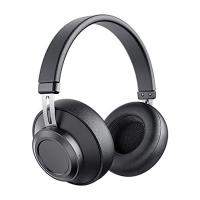
The most straightforward solution is to use headsets specifically designed for Xbox consoles. Microsoft has released a lineup of first-party wireless headsets, such as the Xbox Wireless Headset, which connects directly to the console using the proprietary wireless protocol. Several third-party manufacturers also produce Xbox-compatible headphones that utilize this same protocol, providing seamless connection and optimal audio performance.
These headsets deliver high-quality sound, low latency, and multi-functional compatibility tailored for Xbox gaming. While they may be pricier than traditional Bluetooth headphones, they are fully optimized for Xbox systems.
2. Connect via a Bluetooth Transmitter
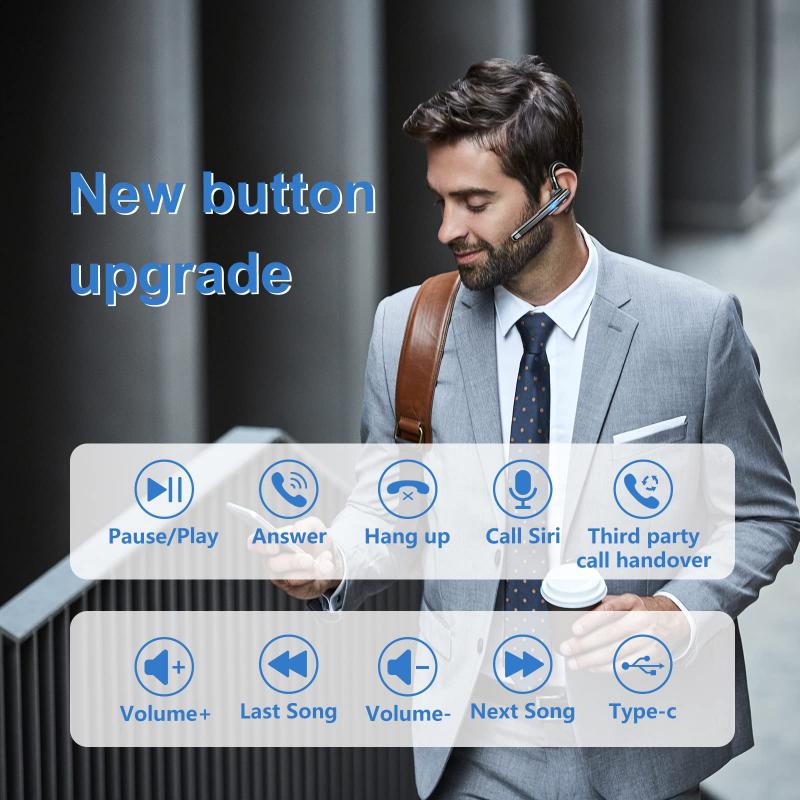
If you already own high-quality Bluetooth headphones and prefer not to spend extra money on Xbox-specific wireless headsets, you can use a Bluetooth transmitter to bridge the gap. A Bluetooth transmitter is a device that can connect to the console’s audio output via a 3.5mm headphone jack (on the controller) or via optical audio if your transmitter supports it.
Here’s how to use a Bluetooth transmitter:
- Plug the transmitter into your Xbox controller's headphone jack or connect it to the console if an optical port is available.
- Turn on your Bluetooth headphones and put them in pairing mode.
- Pair the headphones with the transmitter.
While this method can provide audio output, it may introduce slight latency depending on the quality of the transmitter and its Bluetooth codecs. Ensure you invest in a high-quality transmitter compatible with aptX Low Latency to minimize audio delay.
3. Connect via TV or Monitor
Another workaround leverages the audio capabilities of your television or gaming monitor. If your TV or monitor supports Bluetooth or has an audio-out jack, you can connect your Bluetooth headphones via their built-in connection.
Steps to follow:
- Pair your Bluetooth headphones with your TV or monitor.
- Ensure that your Xbox console sends audio directly to your TV or monitor, which will transmit it to your Bluetooth headphones.
Though this approach is simple, it may result in reduced sound quality or latency, depending on your TV or monitor's audio processing capabilities.
4. Stream Xbox Gameplay to Mobile or PC
Xbox consoles support game streaming to mobile devices (via the Xbox app) or PCs (via the Xbox Console Companion app or Xbox Cloud Gaming). If you stream your gameplay to a smartphone, tablet, or computer, you can connect your Bluetooth headphones to the streaming device instead of the Xbox console.
This method may also introduce minor latency, particularly if you’re playing fast-paced competitive online games. However, for casual gaming, it can be a viable alternative without purchasing additional hardware.
5. Use Wired Connection
If none of the above solutions suit your needs or if latency concerns drastically impact your gaming performance, a wired connection might be the best option. Xbox controllers often feature a 3.5mm headphone jack, which can directly connect wired headphones for instant, high-quality sound without the need for compatibility concerns.
Additional Tips for Optimized Audio on Xbox
While using Bluetooth headphones with Xbox consoles may require alternative solutions, there are ways to improve your overall audio experience in gaming:
Adjust Audio Settings: Check your Xbox’s audio settings to ensure optimal sound output. You can access these settings under "Profile & system > Settings > General > Volume & audio output."
Enable Spatial Sound: Xbox supports technologies like Dolby Atmos and Windows Sonic for Headphones, which enhance spatial sound effects and immersion. Use a headset compatible with these features for a superior gaming experience.
Inspect Controller Compatibility: If you use a Bluetooth transmitter or a wired connection, make sure your controller features the necessary ports (e.g., a 3.5mm jack or USB-C). Older Xbox controllers may lack certain features, prompting the need for accessories like audio adapters.
While Bluetooth headphones have revolutionized wireless audio connectivity, they remain incompatible with Xbox consoles due to the lack of native Bluetooth audio support. Microsoft’s choice to rely on proprietary wireless protocols stems from the desire to offer low-latency, high-quality, interference-free audio for gamers. This decision ensures better performance but leaves users of standard Bluetooth headphones searching for alternatives.
Fortunately, multiple workarounds exist, including using Xbox-specific wireless headsets, Bluetooth transmitters, TV or monitor connections, streaming gameplay to other devices, or simply using a wired connection. Each solution comes with trade-offs in performance, convenience, or cost, so it’s important to evaluate the options based on your priorities.
If gaming audio is an important aspect of your overall experience, investing in an Xbox-compatible headset provides the most seamless and high-performance solution. However, if you already own good-quality Bluetooth headphones and want to avoid additional expenses, alternative methods like Bluetooth transmitters can still help you achieve wireless audio while gaming on an Xbox console.
With this knowledge, you can better understand the limitations of Bluetooth connectivity with Xbox consoles and explore solutions that suit your preferences. In the end, overcoming this challenge ensures an enjoyable gaming experience enriched by immersive soundscapes and clear audio cues.










![[4X Optical Zoom] Recharge power Security Camera PTZ Outdoor for Home Security with Human Detection Auto Tracking-US Standard](https://img.kentfaith.com/cache/catalog/products/us/KF50.0003/KF50.0003-1-200x200.jpg "[4X Optical Zoom] Recharge power Security Camera PTZ Outdoor for Home Security with Human Detection Auto Tracking-US Standard")