How To See Cells In A Microscope?
If you’re trying to see cells through a microscope for the first time, the biggest surprise is usually this: the microscope is rarely the problem. Most beginner trouble comes from the slide being too thick, too dry, poorly lit, or focused too quickly at high power.
You don’t need an expensive lab setup to see real cells. Onion skin, cheek cells, pond water, plant leaves, and even a bit of yogurt can show plenty with a basic compound light microscope. The key is preparing the sample thinly enough for light to pass through it and using the microscope in the right order.
What kind of microscope you need

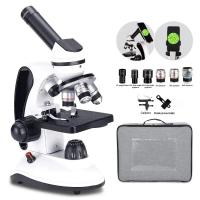
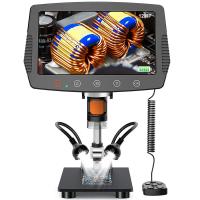
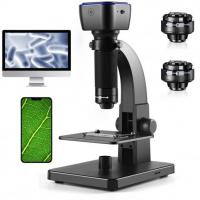
For most cells, you want a compound light microscope, the kind used in school biology labs. It has objective lenses, usually labeled something like:
- 4x scanning objective
- 10x low-power objective
- 40x high-power objective
- sometimes 100x oil immersion
The total magnification is the eyepiece magnification multiplied by the objective magnification. Most eyepieces are 10x, so a 10x objective gives 100x total magnification.
For ordinary classroom cell viewing:
- 40x total magnification is good for finding the specimen.
- 100x total magnification is useful for seeing overall cell shapes.
- 400x total magnification is where many cells start to look interesting.
- 1000x oil immersion is mainly for bacteria and prepared slides, and it takes more care.
A stereo microscope, the type used for looking at insects, coins, or rocks, is not ideal for seeing individual cells. It has lower magnification and is meant for larger objects.
Start with an easy sample

Some samples are much easier than others. If you’re new, don’t start with bacteria or blood. Start with something large and forgiving.
Good beginner samples include:
- Onion epidermis: excellent for seeing plant cell walls.
- Cheek cells: good for seeing animal cells.
- Elodea or thin pond plant leaf: great if you want to see chloroplasts.
- Pond water: good for living microorganisms, though results vary.
- Prepared slides: easiest if you just want to practice focusing.
The easiest homemade slide is onion skin. Peel a very thin transparent layer from the inside of an onion scale. It should look like clear film, not a chunky piece of onion. If the piece is thick, the microscope will show a blurry mess.
Make a simple wet mount slide

For fresh samples, you’ll usually make a wet mount. This keeps the specimen flat and lets light pass through.
You’ll need:
- a clean glass slide
- a coverslip
- a dropper or pipette
- water
- the sample
- optional stain, such as iodine or methylene blue
Put one small drop of water in the center of the slide. Place your sample into the drop. Then lower the coverslip slowly at an angle, letting one edge touch the water first before lowering the rest.
This angled method helps avoid air bubbles. Air bubbles are one of those things beginners often mistake for cells. They usually look like perfect circles with thick dark edges and they drift or squash oddly under the coverslip. Real cells are usually less perfect and more structured.
Don’t use too much water. A swimming pool under the coverslip lets the sample float around, which makes focusing frustrating. If there’s excess water, touch a piece of paper towel to the edge of the coverslip and let it wick some away.
Use stain when cells look too transparent
Many cells are nearly invisible without stain. Cheek cells are a classic example. You can scrape your inner cheek gently with a clean toothpick, swirl it into a drop of water on the slide, add a tiny drop of methylene blue if available, and cover it.
The stain makes the nucleus and cell boundary easier to see. Without stain, cheek cells often look like faint, ghostly patches. People think they’re not seeing anything, but the cells are there — just low contrast.
For onion cells, iodine works well and can make the cell walls and internal material easier to pick out. Use stain sparingly. Too much stain can make everything dark and muddy.
Focus in the right order
The safest and easiest way to focus is to begin on the lowest power.
Place the slide on the stage and secure it with the stage clips. Start with the 4x objective clicked into place. Turn on the light or adjust the mirror if your microscope uses one.
Look from the side, not through the eyepiece, and raise the stage close to the objective using the coarse focus knob. Don’t let the lens touch the slide.
Now look through the eyepiece and slowly lower the stage using the coarse focus until the image comes into view. Move the slide around gently until you find a good area.
Once you’ve found the specimen at low power, switch to the 10x objective. Adjust focus slightly. Then, if needed, switch to 40x and use only the fine focus knob.
This matters. At high power, the lens is very close to the slide. If you crank the coarse focus while using the 40x objective, you can smash the slide into the lens or crack the coverslip.
Adjust the light, not just the focus
If cells are hard to see, beginners often keep turning the focus knob. Sometimes the image is already in focus, but the lighting is washing everything out.
Try adjusting:
- the light brightness
- the diaphragm under the stage
- the condenser height, if your microscope has one
Too much light can make transparent cells disappear. For onion cells and cheek cells, slightly reducing the light often improves contrast. Pond water organisms may show better with a bit less brightness too.
If your microscope has a diaphragm lever or rotating disk under the stage, experiment with it. A smaller opening increases contrast but can make the image dimmer. A wider opening makes the view brighter but can reduce detail.
What you should expect to see
Onion cells usually look like rows of rectangular boxes. The cell walls are the easiest part to spot. If stained, the nucleus may appear as a darker spot in some cells. Don’t expect them to look like colorful textbook diagrams. Real microscope views are flatter, paler, and less dramatic.
Cheek cells look more irregular and rounded, almost like thin fried eggs or flat blobs. With methylene blue, the nucleus often shows as a darker blue dot or oval. You won’t see a hard outer wall because animal cells don’t have cell walls.
Elodea leaf cells are more lively. You can often see many green chloroplasts packed along the cell edges. In a healthy sample, the chloroplasts may slowly stream around the cell. It’s subtle, but once you notice it, it’s one of the more satisfying beginner observations.
Pond water is unpredictable. Sometimes it’s full of moving organisms; sometimes you mostly see debris. A drop taken from near algae, plant roots, or the muddy edge of a pond usually has more life than clear open water.
Common reasons you can’t see cells
If you see only brightness and no detail, your sample may be too transparent, too thick, or not under the lens. Go back to low power and search slowly. At high power, the visible area is tiny, so it’s easy to miss the specimen completely.
If everything looks dark, check that the light is on, the objective is clicked fully into place, and the diaphragm isn’t closed too far. Also make sure the slide is centered over the light hole in the stage.
If you see sharp dust or scratches but not the specimen, the microscope may be focused on dirt on the slide, coverslip, or eyepiece. Rotate the eyepiece gently. If the speck rotates with it, the dirt is on the eyepiece. Clean lenses only with lens paper, not tissues or your shirt.
If the image is blurry at high power, the slide may be too thick. This is common with plant material. You need a very thin layer, almost transparent before it ever goes under the microscope.
If the image moves away when you try to center it, remember that microscopes invert the view. Moving the slide left may make the image appear to move right. It feels awkward at first, but you get used to it quickly.
Don’t rush to maximum magnification
More magnification does not always mean a better view. A weak microscope at 400x with good light and a thin slide can show more useful detail than a cheap microscope claiming 1200x with poor optics.
For most beginner cell work, 100x and 400x are the practical range. The 100x oil objective, if your microscope has one, needs immersion oil and a proper technique. Using it dry gives a poor image, and getting oil on the 40x objective can make a mess.
If you’re using a student microscope, ignore any advertised magnification that goes far beyond what the optics can realistically support. Empty magnification just makes a blurry image bigger.
A simple onion cell method that usually works
Peel a thin inner layer from an onion. Put a drop of water on a slide. Lay the onion film flat in the water. Add a tiny drop of iodine if you have it. Lower the coverslip slowly. Start at 40x total magnification, find the edge or a clear patch of cells, then move to 100x or 400x.
Look for brick-like rows. Once you see the cell walls, fine-focus gently. Adjust the light lower if the cells look washed out.
This is probably the most reliable first cell slide because onion epidermis is naturally thin and the cells are large.
A simple cheek cell method
Place a drop of water on a slide. Gently scrape the inside of your cheek with a clean toothpick or cotton swab. Stir it into the water. Add a very small amount of methylene blue if available. Put on the coverslip.
Start on low power and look for faint, flat shapes. At 400x, stained cheek cells should show irregular cell outlines and darker nuclei. The sample may also contain saliva bubbles and bits of debris, so don’t expect every shape to be a perfect cell.
Wash your hands, don’t share toothpicks, and clean the slide afterward. Basic hygiene matters with anything from the mouth.
How to know you’re actually looking at cells
Cells usually appear in repeated patterns or recognizable shapes. Onion cells form neat sheets. Cheek cells are flat and irregular with a nucleus if stained. Plant leaf cells may contain green chloroplasts. Living pond organisms move in ways that bubbles and dust do not.
Dust tends to be random, sharply dark, and often sits on a different focal plane. Air bubbles are circular with thick borders. Fibers look like long strands. Once you’ve seen a few real cells, these distractions become easier to ignore.
The first good view often takes a little patience. Make the sample thin, start with low power, control the light, and focus slowly. Those four habits solve most beginner microscope problems.