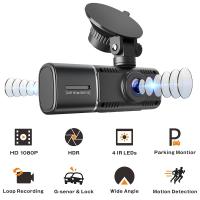
How Long Does Security Camera Footage Last?
When it comes to security camera footage, one of the most common questions people have is, "How long does the footage last?" Understanding the retention period of security camera recordings can be critical for various reasons, including regulatory compliance, incident investigation, and general system management. The answer depends on a variety of factors, including the type of system, storage capacity, recording settings, and specific use cases. In this article, we will explore the key factors that influence the duration of security camera footage, strategies to maximize storage, and tips for tailoring your system to meet your needs effectively.
Factors Influencing How Long Security Camera Footage Lasts

Different surveillance systems operate under varying storage constraints and usage scenarios, which directly affect how long footage is retained. Below are some of the main factors that play a role:
1. Storage Capacity

The most straightforward determinant of how long footage will last is how much storage is available. Security camera systems typically store footage on hard drives, SD cards, or cloud storage services. The larger the storage, the more footage it can retain. For example:
- A system with a 1TB hard drive can hold weeks or even months of footage, depending on the resolution and frame rate of the recordings.
- Conversely, an SD card with a capacity of 32GB might only retain footage for a few days.
2. Resolution and Compression
Higher-resolution recordings require more storage, reducing the retention period. A camera recording in 4K Ultra HD generates significantly more data than one capturing in 720p. Similarly, the type of compression standard used plays a role:
- Modern systems often use H.264 or H.265 compression, which can greatly reduce file sizes while retaining video quality.
- Systems using older or uncompressed formats may require more space and thus record for shorter periods of time.
3. Frame Rate

The number of frames per second (fps) a camera records also affects file sizes. A camera recording at 30 fps will create larger files than a camera recording at 15 fps. Consequently, systems recording at higher frame rates will retain footage for shorter durations when storage capacity is fixed.
4. Recording Mode
Recording modes can also influence how long footage lasts:
Continuous Recording: Cameras that record 24/7 will use up storage more quickly, leading to shorter retention periods.
Motion Detection: Systems set to record only when motion is detected can significantly extend the retention period since they use storage more efficiently.
Scheduled Recording: This mode allows systems to record during specific hours of the day, providing a balanced approach to managing storage and ensuring important periods are covered.
5. Industry Practices and Regulations
In some industries or settings, there are legal requirements for how long footage must be retained. For example:
- Retailers may keep footage for 30–90 days for loss prevention and liability purposes.
- Financial institutions might store security footage for 6 months or more to comply with regulations.
- In residential settings, users typically keep footage for significantly shorter durations, often ranging from a few days to a couple of weeks.
6. Cloud vs. On-Premise Storage
Cloud storage often offers flexible retention options based on subscription plans, ranging from a few days to several months. On-premise systems, such as those using DVR or NVR technology, are typically limited by the physical storage available.
How to Calculate Retention Time
The retention period of footage can often be estimated using the following factors:
Number of Cameras: The more cameras you have, the more storage space will be required for all recordings.
Resolution and Settings: Calculate the average data generated per hour by your system based on your resolution and frame rate.
Total Storage Capacity: Divide the total storage capacity by the average data usage to estimate the total retention period.
For example, let’s say you have:
- Eight cameras recording in 1080p HD at 15 fps using H.265 compression.
- Each camera generates approximately 0.5GB of video per day.
- Your system has a 2TB hard drive.
In this case, your system could store about 20 days' worth of footage before overwriting begins.
Strategies to Maximize Footage Retention
If you need to extend the duration your security camera footage is stored, there are several ways to optimize your system:
1. Optimize Camera Settings
Adjusting your camera's resolution, frame rate, and bit rate can greatly affect retention time without significantly compromising video quality. For example, reducing the frame rate from 30 fps to 15 fps can halve the required storage.
2. Enable Motion-Activated Recording
Motion activation minimizes recording during periods of inactivity, allowing the system to use storage more efficiently. Many modern systems also feature advanced motion detection algorithms that reduce false triggers caused by environmental factors like wind or rain.
3. Upgrade Storage Capacity
Adding more storage is the simplest method for increasing retention periods. Options include upgrading your DVR or NVR hard drive to a larger one or using external storage devices.
4. Use Cloud Storage Wisely
While cloud storage often requires a subscription, it can serve as a supplementary solution to maintain extended retention periods. Choose plans that meet your needs without exceeding your budget.
5. Implement Overwriting or Archiving
Many systems automatically overwrite old footage once storage is full. However, critical footage can be manually archived to an external drive or cloud service before the system overwrites it.
6. Regularly Monitor Your System
Frequent checks ensure your system settings are aligned with your retention needs. This is particularly important for systems that rely on SD cards or smaller storage solutions, which can fill up quickly.
Practical Scenarios and Recommendations
Residential Users
For home security, a retention period of 7–14 days is often sufficient. Residential users typically favor motion-activated recording to maximize storage. If you anticipate being away for extended periods, such as a month-long vacation, consider cloud storage or upgrading your hard drive.
Small Businesses
Small businesses with limited budgets should balance resolution and frame rate settings to maximize storage. A retention period of 30 days is generally adequate for most businesses.
Large Enterprises
Larger organizations often require retention periods of 90 days or more to meet regulatory requirements or internal policies. Range-topping storage capacities and hybrid setups combining on-premise and cloud storage are commonly used.
What Happens When Storage is Full?
When the storage in a security camera system is full, most systems automatically overwrite the oldest footage with new recordings. This ensures the system can continue operating without manual intervention. However, if you need to retain critical footage, it’s vital to back it up as soon as possible before the system overwrites it.
The lifespan of security camera footage depends on several variables, including storage capacity, resolution, frame rate, recording mode, and the specific needs of the user. For some, a week’s worth of recordings may suffice, while others may need months of retention due to legal and business considerations. By carefully assessing your requirements and optimizing your system settings, you can tailor your security camera setup to retain footage for exactly as long as you need.
Understanding how storage works and applying practical strategies for optimization not only ensures you never miss crucial moments but also allows for efficient and cost-effective management of your surveillance system. Whether for personal or professional purposes, a well-maintained system ensures peace of mind, security, and compliance with applicable regulations.