kfconcept

KENTFAITH
K&F Concept    Blog >

Enjoy Your Selected Digital Life

Recently Viewed
  • Recently Viewed
  • Recently Viewed list is empty.

Compare (0) 0
  • Compare
  • You have not chosen any products to compare.

  • Compare
Currency: USD
  • Currency
Shop by Scene Shop by Rank

Log Into Your Account

Account

Order History

Wish List

Login

Forgotten Password?

Or connect with

Register Account

Already have an Account?Log In

  • Shopping Cart
  • Your shopping cart is empty!

  • Register/Login to purchase, earn points
  • Favorite
  • Your wish list is empty.

  • Register/Login to like, earn points
  • Activities
  • Guide
    • Filter Guide
    • Lens Adapter
    • Product Review
  • News & Reviews
    • Camera Reviews
    • Sample Gallery
    • News
  • Tutorials
    • Solar eclipse photography
    • Photography Basics
    • Landscape Photography
  • Inspiration
    • Travel
    • Travel Stories
  • Home
  • Blog
  • How To Draw A Camera Flash?

How To Draw A Camera Flash?

Kentfaith 2024-07-26 01:15:01 0 Comments

Drawing a camera flash can be a fun and rewarding experience, especially for those who are interested in photography or illustration. Whether you are a beginner or an experienced artist, understanding the basic principles and techniques for drawing a camera flash can help you create more realistic and detailed artwork. In this article, we will explore the step-by-step process of drawing a camera flash, discuss the essential tools and materials you will need, and provide tips and tricks to enhance your drawing skills.

Step-by-Step Guide to Drawing a Camera Flash
how to draw a camera flash 1

Step 1: Gather Your Materials

how to draw a camera flash 2

Before you start drawing, it is important to gather all the necessary materials. Here is a list of items you will need:

- Pencils (HB, 2B, 4B)

- Eraser

- Ruler

- Drawing paper

- Fine-tip markers or pens (optional)

- Colored pencils or markers (optional)

Step 2: Understand the Basic Structure
how to draw a camera flash 3

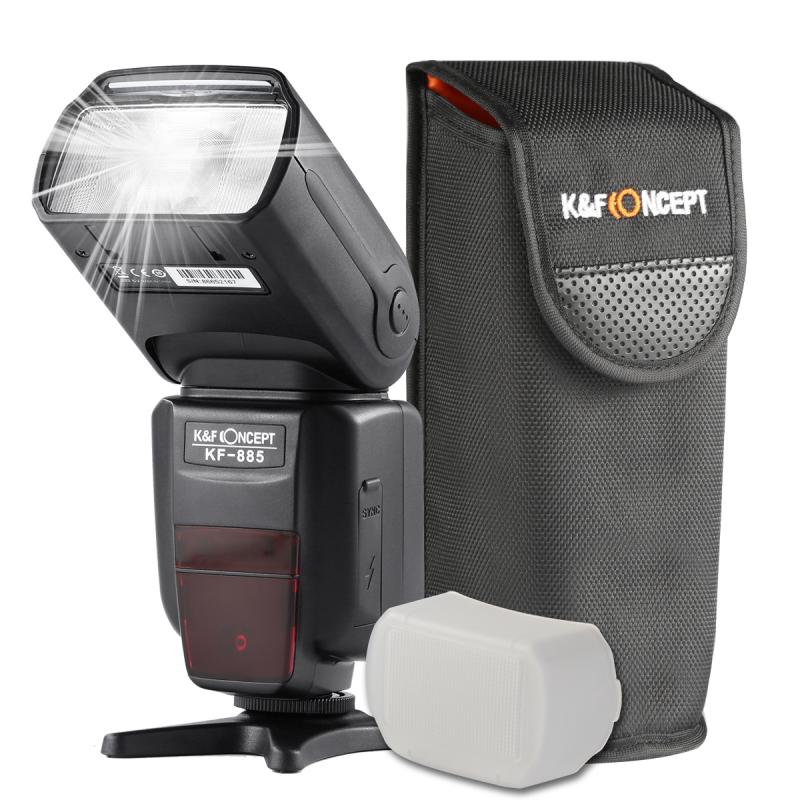
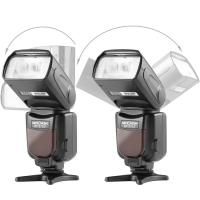
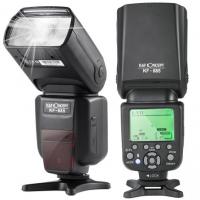
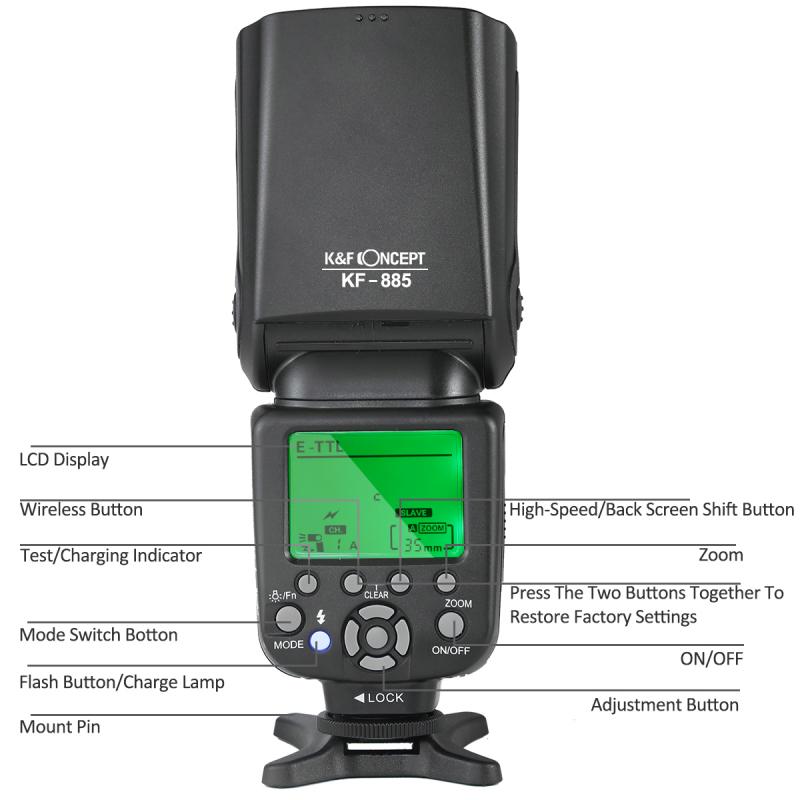
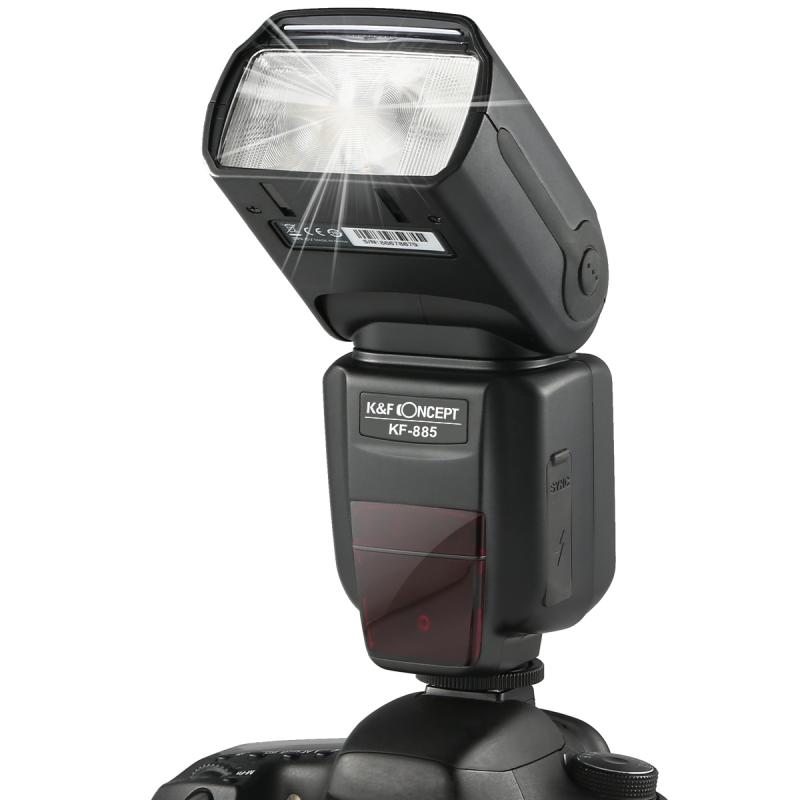
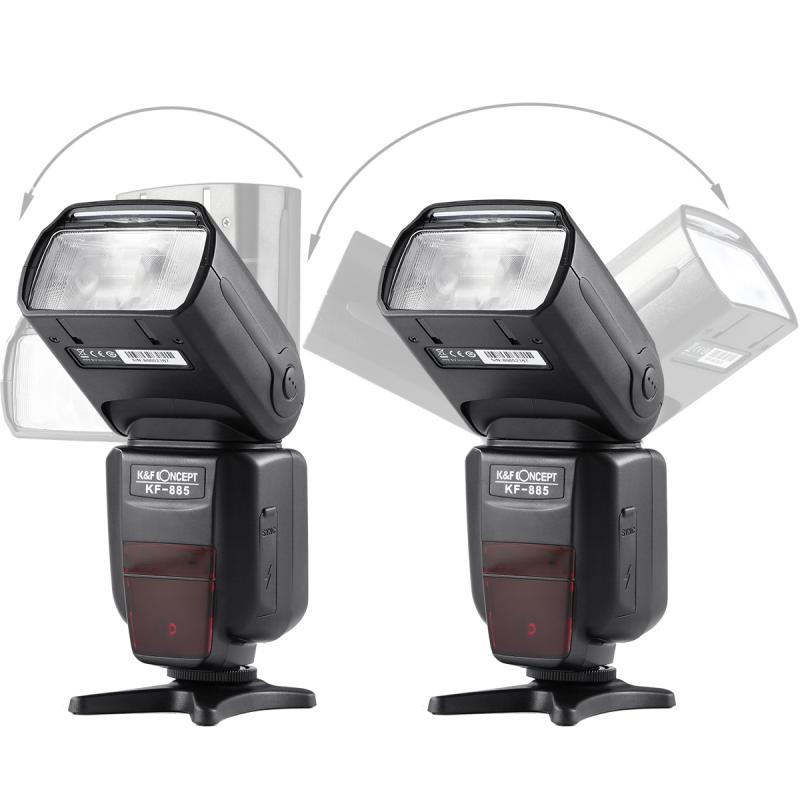
A camera flash typically consists of several key components: the flash head, the body, and the mounting bracket. The flash head is the part that emits the light, the body houses the electronics and controls, and the mounting bracket attaches the flash to the camera. Familiarize yourself with these components by looking at reference images of camera flashes.

Step 3: Sketch the Basic Shapes
how to draw a camera flash 4

Start by sketching the basic shapes of the camera flash. Use a light pencil (HB) to draw simple geometric shapes that represent the different parts of the flash. For example, you can use a rectangle for the flash head, a larger rectangle for the body, and a small rectangle for the mounting bracket. Keep your lines light and loose, as you will refine them later.

Step 4: Add Details to the Flash Head

Once you have the basic shapes in place, start adding details to the flash head. Draw the outline of the flash bulb and the reflector. You can also add lines to indicate the texture of the reflector. If the flash has a diffuser or a bounce card, sketch those elements as well.

Step 5: Refine the Body

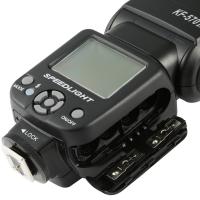
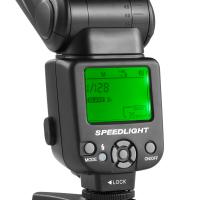
Next, refine the body of the camera flash. Add details such as buttons, dials, and the LCD screen. Use a ruler to ensure that your lines are straight and precise. Pay attention to the proportions and placement of these elements to make your drawing more accurate.

Step 6: Draw the Mounting Bracket

The mounting bracket is an important part of the camera flash, as it attaches the flash to the camera. Draw the bracket and any screws or connectors that are visible. Make sure the bracket is aligned with the body of the flash.

Step 7: Add Shading and Texture

To make your drawing more realistic, add shading and texture to the different parts of the camera flash. Use a softer pencil (2B or 4B) to create shadows and highlights. Pay attention to the light source and how it affects the appearance of the flash. You can also use hatching or cross-hatching techniques to add texture to the body and other components.

Step 8: Outline and Finalize

Once you are satisfied with your sketch, you can outline the drawing with a fine-tip marker or pen. This will make your drawing more defined and polished. Erase any remaining pencil lines and make any final adjustments to the details and shading.

Step 9: Add Color (Optional)

If you want to add color to your drawing, use colored pencils or markers to fill in the different parts of the camera flash. Pay attention to the colors of the flash head, body, and any other components. Use shading and blending techniques to create a more realistic and three-dimensional effect.

Tips and Tricks for Drawing a Camera Flash

1. Use Reference Images: Having reference images of camera flashes can be incredibly helpful. Look at different models and angles to understand the structure and details better.

2. Practice Basic Shapes: Before diving into the detailed drawing, practice sketching basic geometric shapes. This will help you get a better sense of proportions and improve your overall drawing skills.

3. Pay Attention to Proportions: Accurate proportions are key to creating a realistic drawing. Use a ruler and take your time to measure and compare different parts of the flash.

4. Experiment with Shading Techniques: Shading can add depth and dimension to your drawing. Experiment with different shading techniques, such as hatching, cross-hatching, and blending, to find what works best for you.

5. Take Breaks: Drawing can be a time-consuming process, so make sure to take breaks to rest your eyes and hands. This will help you stay focused and avoid mistakes.

6. Seek Feedback: Don’t be afraid to seek feedback from other artists or friends. They can provide valuable insights and suggestions to improve your drawing.

Drawing a camera flash can be a challenging but rewarding experience. By following the step-by-step guide and practicing regularly, you can improve your drawing skills and create more detailed and realistic artwork. Remember to gather the necessary materials, understand the basic structure of the camera flash, and pay attention to proportions and details. With patience and practice, you will be able to master the art of drawing a camera flash and enhance your overall drawing abilities. Happy drawing!

Leave your comment
Cancel reply
Note: HTML is not translated!
Related products
Minolta A / Sony A Lenses to Leica M Lens Mount Adapter K&F Concept M47151 Lens Adapter
31
$75.99 $39.99
Minolta A / Sony A Lenses to Pentax Q Lens Mount Adapter K&F Concept M22161 Lens Adapter
$45.99 $23.99
Sony Alpha Minolta AF A-Type Lens to NEX E-Mount Mirrorless Camera with Matting Varnish Design
146
$64.99 $35.99
Minolta A / Sony A Lenses to Pentax Q Lens Mount Adapter with Tripod Mount K&F Concept M22162 Lens Adapter
$55.99 $28.99
【$49.99 Flash Deal One order per customer】Camera Lens Backpack Beschoi Waterproof 26L for 15" Laptop with Tripod Strap and Rain Cover for DSLR/SLR Camera (Only Ship to US)
146
$69.99
Lens Mount Adapter Compatible with Sony Alpha Minolta AF A-Type Lens to NEX E-Mount Mirrorless Camera Body
155
$53.99 $27.99
Lens Mount Adapter for Pentax K/M/A/FA/DA Mount Lens to Sony NEX E-Mount Camera Body
146
$60.99 $34.99
MAF-L Manual Focus Compatible with Sony A (Minolta AF) Lens to L Mount Camera Body Lens Mount Adapter
80
$62.99 $34.99
Sony A Lenses to M43 MFT Lens Mount Adapter K&F Concept M22121 Lens Adapter
112
$53.99 $29.99
77mm Black Mist 1 Filter Special Effects Filter for Camera Lens Nano-Xcel Series
134
$87.99 $69.99
Products You May Like
Fuji X100 Lens Black Mist 1/4  Filter, Multi Coated HD Optical Glass Scratch-resistant Compatible with Fuji X100, X100F, X100S, X100T, X100V, X100VI Nano-Xcel Series
Fuji X100 Lens Black Mist 1/4 Filter, Multi Coated HD Optical Glass Scratch-resistant Compatible with Fuji X100, X100F, X100S, X100T, X100V, X100VI Nano-Xcel Series
36
$49.99 $39.99
Yagi Antenna Signal Booster for DJI Avata DJI Goggles Antenna Signal Booster
$16.24 $12.99
95mm MCUV Protection Filter Slim Frame with 18-Multi-Layer Coatings for Camera Lens Nano-Klear Series
245
$21.99 $16.99
K&F Concept Canon EW73D bayonet hood, with a vacuum cleaning cloth *1, for RF 24-105mm F4-7.1 is STM,EF-S 18-135mm f/3.5-5.6 IS USM lenses
$8.99
Beschoi USB Car Charger Car Charger Cigar Socket (2 Port Type 2.1A) Super Quick Charge Compatible USB Charger Ultra Small Quick Durability iPhone6s / 6s Plus / 6/6 Plus / iPad / iPod / Android / Galaxy S6 / S6 Edge etc. (Black + Silver)
$6.00
77mm ND2-ND400 (9 Stops) Variable ND Filter Neutral Density Adjustable Filter for Canon Nikon DSLR Cameras + Lens Cleaning Cloth
105
$48.99 $38.99
K&F Concept Bellows Camera Power Bellows Cleaning Equipped with Long Spouts with Soft Silicone Tip of Lens, Camera, Sensor, DSLR, Keyboard, Optics, White
$20.99
Infrared Night Vision Monocular, 10X Digital Zoom, View 800M, 2in Screen, 64GB 2000mAh Battery Kentfaith
15
$99.99 $79.99
Tamron Adaptall ii Lenses to Micro Four Thirds (M4/3) Camera Mount Adapter
2
$24.99
72mm Black Mist 1/8 Filter + Lens Cap, Mist Cinematic Effect Filter with 18 Multi-Layer Coatings for Video, Vlog, Portrait Photography Nano-Klear Series
$53.99 $19.79
Related articles
How To Make A Camera Flash?
How To Fix A Camera Flash?
How To Operate A Camera Mounted Flash?
When To Use A Camera Flash?
How Bright Is A Camera Flash?
How To Make A Camera Flash After Effects?
How To Make A Flash Ring?
How Far Does A Camera Flash Reach?
How Many Lumens Is A Camera Flash?
How To Wifi Transfer Videos From Camera Canon?
Blog You May Like
What Is A Ring Light With Stand?
How To Charge Smart Tracker Watch?
How Far Can A Telescope See?
Polaroid Snap Camera How To Use Flash?
When Screen Recording Does It Record Audio?
How To Use Old Flash With Digital Camera?
Does Mirrorless Camera Need Lens?
How Many Stops Is An Nd 8 Filter?
What Does Earphones Do To Your Ears?
How Much Are Night Vision Goggles?
Related categories
detachable camera flash canon ring flash A Mount Lens Adapter C mount lens adapter Sony A Mount Lens Adapters ring flash nikon flash the camera minolta a mount lenses
Popular products
leica m sony e mount adapter sony minolta adapter black flash infrared trail camera black flash trail camera invisible flash trail camera no flash trail camera white flash trail camera sony a mount to minolta adapter ir trail camera no flash sony alpha a7r mirrorless digital camera
Related searches
Flash On A Digital Camera External Camera Flash Flip Flash Camera Camera Flash Filter Large Camera Flash Flash Photography Camera Speed Flash Camera Camera Flash Diffuser Small Camera Flash Camera Photo Flash
Popular searches
Camera Canon Bag Wifi Camera With Sd Card Standard Tripod Thread Np W126s Charger Best Filter For 50mm Lens Best Car Dash Cams 16-50mm Emount Adapter Lens Hood Camera 360 With Selfie Stick Konica Lens Mount Adapter High Vision Security Cameras
Blog Category
  • Activities
  • Guide
    • Filter Guide
    • Lens Adapter
    • Product Review
  • News & Reviews
    • Camera Reviews
    • Sample Gallery
    • News
  • Tutorials
    • Solar eclipse photography
    • Photography Basics
    • Landscape Photography
  • Inspiration
    • Travel
    • Travel Stories
Search Article
Latest from the Blog
What Tripod To Buy?
How Do Trail Cameras Work? The Ultimate Guide to Trail Cameras
Neutral Density Filter: The Ultimate Guide for Photographers and Videographers
ND Filter: The Complete Guide to Neutral Density Filters for Photography and Video
What Does Tripod?
UV Filter: Everything You Need to Know About UV Protection Lens Filters
How To Stream Live From Surveillance Camera?
Can I Charge Camera Battery With Power Bank?
What To Look For In A Dash Cam?
How To Fix The Straps On A Camera?
  • Easy Payment Multilple Payment Options

  • Free Shipping Global WareHouse Shipment

  • No Risk 30-Day No Reason Return

  • Limited Deals Buy More, Save More

  • Tax Free No any surcharges or tax fee

Information
  • About us
  • Contact Us
  • Site Map
  • Blog
  • Video
  • Gallery
  • VIP Membership Rewards
Service
  • Privacy Policy
  • Terms & Conditions
  • Shipping & Delivery
  • Payment Info
  • Warranty, Return & Refund
  • Intellectual Property Rights
  • Ambassador
  • Affiliates
  • Wholesale
Support
  • My account
  • Order History
  • FAQs
  • Extend Warranty
  • Logistics Tracking
Follow us
NewsLetter

Get the latest product, K&F Concept respects your privacy.

Powered By KENTFAITH © 2025