kfconcept

KENTFAITH
K&F Concept    Blog >

Enjoy Your Selected Digital Life

Recently Viewed
  • Recently Viewed
  • Recently Viewed list is empty.

Compare (0) 0
  • Compare
  • You have not chosen any products to compare.

  • Compare
Currency: USD
  • Currency
Shop by Scene Shop by Rank

Log Into Your Account

Account

Order History

Wish List

Login

Forgotten Password?

or connect with

Register Account

Already have an Account?Log In

  • Shopping Cart
  • Your shopping cart is empty!

  • Register/Login to purchase, earn points
  • Favorite
  • Your wish list is empty.

  • Register/Login to like, earn points
  • Activities
  • Guide
    • Filter Guide
    • Lens Adapter
    • Product Review
  • News & Reviews
    • Camera Reviews
    • Sample Gallery
    • News
  • Tutorials
    • Solar eclipse photography
    • Photography Basics
    • Landscape Photography
  • Inspiration
    • Travel
    • Travel Stories
  • Home
  • Blog
  • How To Draw A Camera Flash?

How To Draw A Camera Flash?

Kentfaith 2024-07-26 01:15:01 0 Comments

Drawing a camera flash can be a fun and rewarding experience, especially for those who are interested in photography or illustration. Whether you are a beginner or an experienced artist, understanding the basic principles and techniques for drawing a camera flash can help you create more realistic and detailed artwork. In this article, we will explore the step-by-step process of drawing a camera flash, discuss the essential tools and materials you will need, and provide tips and tricks to enhance your drawing skills.

Step-by-Step Guide to Drawing a Camera Flash
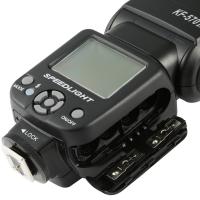
how to draw a camera flash 1

Step 1: Gather Your Materials

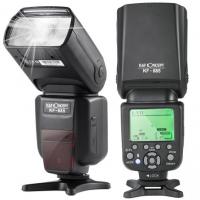
how to draw a camera flash 2

Before you start drawing, it is important to gather all the necessary materials. Here is a list of items you will need:

- Pencils (HB, 2B, 4B)

- Eraser

- Ruler

- Drawing paper

- Fine-tip markers or pens (optional)

- Colored pencils or markers (optional)

Step 2: Understand the Basic Structure
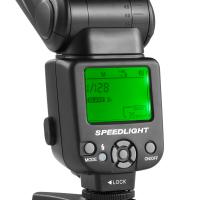
how to draw a camera flash 3

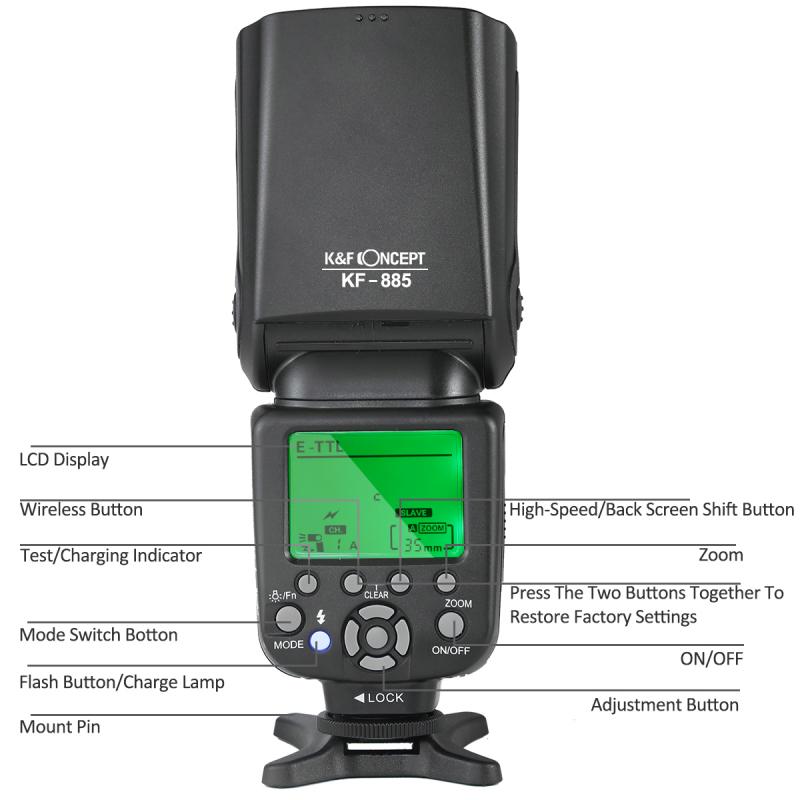
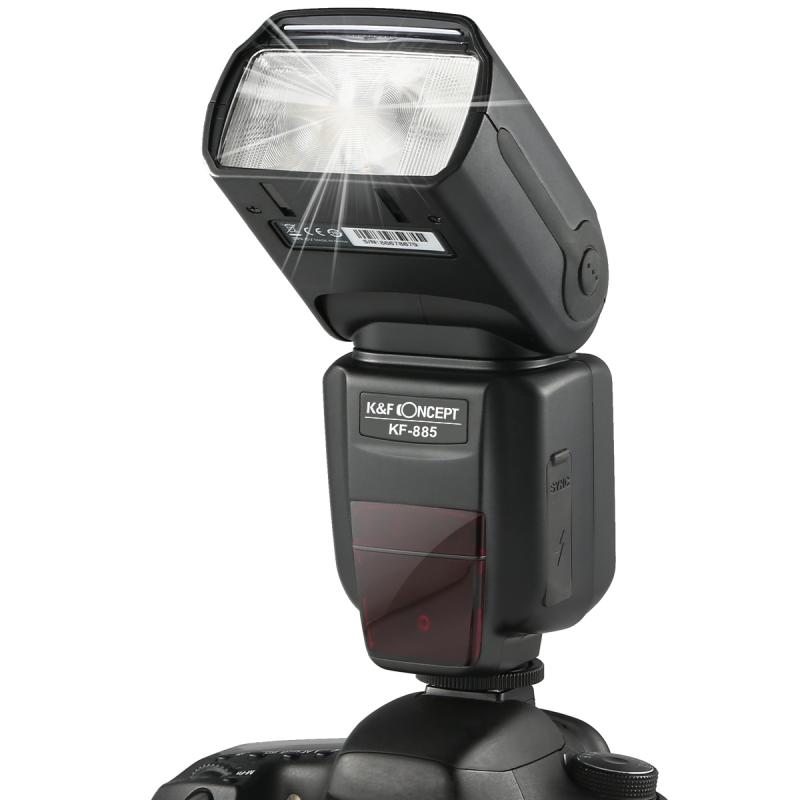
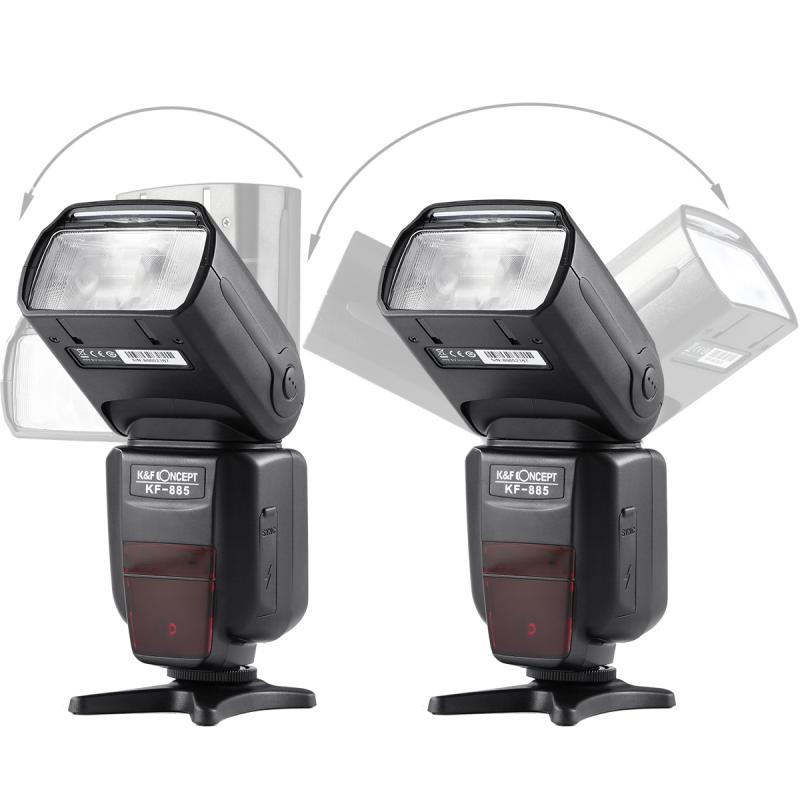
A camera flash typically consists of several key components: the flash head, the body, and the mounting bracket. The flash head is the part that emits the light, the body houses the electronics and controls, and the mounting bracket attaches the flash to the camera. Familiarize yourself with these components by looking at reference images of camera flashes.

Step 3: Sketch the Basic Shapes
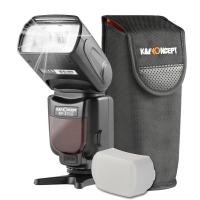
how to draw a camera flash 4

Start by sketching the basic shapes of the camera flash. Use a light pencil (HB) to draw simple geometric shapes that represent the different parts of the flash. For example, you can use a rectangle for the flash head, a larger rectangle for the body, and a small rectangle for the mounting bracket. Keep your lines light and loose, as you will refine them later.

Step 4: Add Details to the Flash Head

Once you have the basic shapes in place, start adding details to the flash head. Draw the outline of the flash bulb and the reflector. You can also add lines to indicate the texture of the reflector. If the flash has a diffuser or a bounce card, sketch those elements as well.

Step 5: Refine the Body

Next, refine the body of the camera flash. Add details such as buttons, dials, and the LCD screen. Use a ruler to ensure that your lines are straight and precise. Pay attention to the proportions and placement of these elements to make your drawing more accurate.

Step 6: Draw the Mounting Bracket

The mounting bracket is an important part of the camera flash, as it attaches the flash to the camera. Draw the bracket and any screws or connectors that are visible. Make sure the bracket is aligned with the body of the flash.

Step 7: Add Shading and Texture

To make your drawing more realistic, add shading and texture to the different parts of the camera flash. Use a softer pencil (2B or 4B) to create shadows and highlights. Pay attention to the light source and how it affects the appearance of the flash. You can also use hatching or cross-hatching techniques to add texture to the body and other components.

Step 8: Outline and Finalize

Once you are satisfied with your sketch, you can outline the drawing with a fine-tip marker or pen. This will make your drawing more defined and polished. Erase any remaining pencil lines and make any final adjustments to the details and shading.

Step 9: Add Color (Optional)

If you want to add color to your drawing, use colored pencils or markers to fill in the different parts of the camera flash. Pay attention to the colors of the flash head, body, and any other components. Use shading and blending techniques to create a more realistic and three-dimensional effect.

Tips and Tricks for Drawing a Camera Flash

1. Use Reference Images: Having reference images of camera flashes can be incredibly helpful. Look at different models and angles to understand the structure and details better.

2. Practice Basic Shapes: Before diving into the detailed drawing, practice sketching basic geometric shapes. This will help you get a better sense of proportions and improve your overall drawing skills.

3. Pay Attention to Proportions: Accurate proportions are key to creating a realistic drawing. Use a ruler and take your time to measure and compare different parts of the flash.

4. Experiment with Shading Techniques: Shading can add depth and dimension to your drawing. Experiment with different shading techniques, such as hatching, cross-hatching, and blending, to find what works best for you.

5. Take Breaks: Drawing can be a time-consuming process, so make sure to take breaks to rest your eyes and hands. This will help you stay focused and avoid mistakes.

6. Seek Feedback: Don’t be afraid to seek feedback from other artists or friends. They can provide valuable insights and suggestions to improve your drawing.

Drawing a camera flash can be a challenging but rewarding experience. By following the step-by-step guide and practicing regularly, you can improve your drawing skills and create more detailed and realistic artwork. Remember to gather the necessary materials, understand the basic structure of the camera flash, and pay attention to proportions and details. With patience and practice, you will be able to master the art of drawing a camera flash and enhance your overall drawing abilities. Happy drawing!
Leave your comment
Cancel reply
Note: HTML is not translated!
Related products
Minolta A / Sony A Lenses to Pentax Q Lens Mount Adapter K&F Concept M22161 Lens Adapter
$45.99 $23.99
4K Digital Camera for Photography Flash + Lens Fill Light 180° Flip Screen Kentfaith
11
$249.99 $109.99
Sony Alpha Minolta AF A-Type Lens to NEX E-Mount Mirrorless Camera with Matting Varnish Design
146
$64.99 $35.99
Minolta A / Sony A Lenses to Pentax Q Lens Mount Adapter with Tripod Mount K&F Concept M22162 Lens Adapter
$55.99 $28.99
Lens Mount Adapter Compatible with Sony Alpha Minolta AF A-Type Lens to NEX E-Mount Mirrorless Camera Body
155
$53.99 $27.99
Lens Mount Adapter for Pentax K/M/A/FA/DA Mount Lens to Sony NEX E-Mount Camera Body
146
$60.99 $34.99
【$59.99 Flash Deal One order per customer】M8 UHF Wireless Lavalier Microphone for Video Camera & Camcorder
56
$79.99
9.8" Magic Arm, 1/4" Screw Camera Mount Arm 360° Ball Heads for DSLRs, Monitor, Flash, LED Light, Microphone, Camera Cage, Action Camera
7
$19.99
【$59.99 Flash Deal One order per customer】4G Solar Security Camera System Wireless LTE cctv Solar Camera PIR Human Sensor + AI Human Detection 2-Way Audio Built-in Battery 7800mAh 1080P Infrared Night Vision 15m/49ft Ship to US
30
$205.99 $119.99
Gift Certificate: $15 Value - Can Use with Any Discounts-$0.1 Flash Sale (local time on July 15 at 7:00 pm)
$15.00
Products You May Like
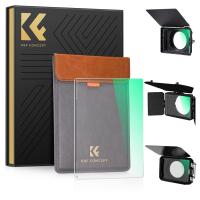
Black Mist 1/4 Filter 4"x5.65" Dreamy Effect Cinema Square Filter Compatible with Tilta and SmallRig Matte Box for Cinematic Photo Videography, 4mm Slim/HD Optical Glass/Multi Layer Coating
64
$155.99 $103.99
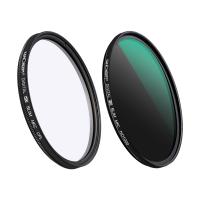
K&F Concept MCN1 72mm Lens Filter Kit ND1000 CPL with Multiple Layer Coated Nano-Dazzle
$89.99 $29.99
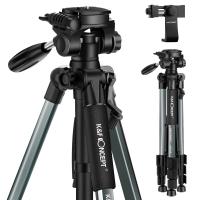
K&F Concept TM2324L 56inch Compact Tripod with Pan Ball Head Gray
39
$46.69
Portable eclipse Set-Include 62mm Solar Filter + KF09.123 Carbon Fiber Tripod + KF13.087AV6 Camera Backpack + KF28.0024 6700mAh V Mount Battery
100
$663.99 $348.99
82mm Black Mist 1/4 Filter Waterproof Mist Cinematic Effect Filter with 24 Multi-Layer Coatings for Video/Vlog/Portrait Photography (Nano-Dazzle)
74
$77.99 $51.99
49mm Fader ND2-ND32 (1-5 Stop) Variable ND Lens Filter Neutral Density Filter for Camera Lens NO X Spot Nanotec Ultra-Slim Weather-Sealed
$64.99 $42.99
67mm CPL Filter True Color Circular Polarizers Filter with 28 Multi-Layer Coatings for Camera Lens Nano-Xcel Series
46
$62.99 $49.99
77mm Blue Streak Filter (2mm)  Anamorphic Lens Effect Filter Optical Glass Ultra-clear Waterproof Anti-Scratch Anti-Reflection Green Film Nano-Klear Series
77mm Blue Streak Filter (2mm) Anamorphic Lens Effect Filter Optical Glass Ultra-clear Waterproof Anti-Scratch Anti-Reflection Green Film Nano-Klear Series
32
$44.99 $29.99
Digital Camera for Photography & Video 4K 48MP Vlog YouTube With 180° Flip Screen, 16X Digital Zoom, 52mm Wide Angle & Macro Lens, 32GB TF Card, 2 Batteries, Pink
111
$299.99 $124.99
37mm UV Lens Filter HD MCUV Ultraviolet 28 Multi-Coated Filters (Nano-Xcel series Toughened Glass)
78
$37.99 $29.99
Related articles
How To Make A Camera Flash?
How To Fix A Camera Flash?
How To Operate A Camera Mounted Flash?
When To Use A Camera Flash?
How Bright Is A Camera Flash?
How Fast Is A Camera Flash?
How To Make A Camera Flash After Effects?
How To Buy A Flash For Your Camera?
How To Make A Flash Ring?
How To Measure Blood Pressure Smart Watch?
Blog You May Like
How To Setup Dslr As Webcam?
How To Record Sound On The Computer?
Where To Buy Digital Cameras?
How To Detect A Wireless Camera Signal?
How To Put Camera Sd Card Into Computer?
Which Batteries For A Digital Camera?
How To Take Flash Off Camera?
Can Film Camera Record Video?
How To Hide Security Camera?
Where To Place Cameras Around House?
Related categories
detachable camera flash canon ring flash A Mount Lens Adapter C mount lens adapter Sony A Mount Lens Adapters ring flash nikon flash the camera minolta a mount lenses
Popular products
black flash infrared trail camera black flash trail camera leica m to sony adapter sony minolta adapter sony to pentax adapter sony alpha a7r mirrorless digital camera nex lens adapter sony a7r lens adapter af lens adapter shoulder strap for camera
Related searches
Flash On A Digital Camera External Camera Flash Camera Flash Light Canon To Nikon Flash Adapter Canon To Sony Flash Adapter Nikon To Sony Flash Adapter Fuji To Canon Flash Adapter Olympus To Canon Flash Adapter Minolta To Nikon Flash Adapter Flash Light For Camera
Related Scenes
Best Compact Camera Flash Best Sony A Mount Camera Best Batteries For A Trail Camera Best Sony A Camera For Video Best Camera To Video Sports Best Camera To Capture Wildlife Best Tripod To Travel With Best Video Camera To Record Sports Best Easy To Use Compact Digital Camera Best Gps With Dash Camera
Blog Category
  • Activities
  • Guide
    • Filter Guide
    • Lens Adapter
    • Product Review
  • News & Reviews
    • Camera Reviews
    • Sample Gallery
    • News
  • Tutorials
    • Solar eclipse photography
    • Photography Basics
    • Landscape Photography
  • Inspiration
    • Travel
    • Travel Stories
Search Article
Latest from the Blog
How To Insert Headphones In Ear?
How To Level Your Scope?
How To Make Calls On Smartwatch?
How To Adjust Microphone Sensitivity?
How To Choose A Surveillance Camera System?
Which Smartwatch Is Best For Blood Pressure?
Where To Buy Security Camera System?
How To Get Night Vision Goggles?
What Do Night Vision Goggles Look Like?
How Does A Microphone Record Sound?
  • Easy Payment Multilple Payment Options

  • Free Shipping Global WareHouse Shipment

  • No Risk 30-Day No Reason Return

  • Limited Deals Buy More, Save More

  • Tax Free No any surcharges or tax fee

Information
  • About us
  • Contact Us
  • Site Map
  • Blog
  • Video
  • Gallery
  • VIP Membership Rewards
Service
  • Privacy Policy
  • Terms & Conditions
  • Shipping & Delivery
  • Payment Info
  • Warranty, Return & Refund
  • Intellectual Property Rights
  • Ambassador
  • Affiliates
  • Wholesale
Support
  • My account
  • Order History
  • FAQs
  • Extend Warranty
  • Logistics Tracking
Follow us
NewsLetter

Get the latest product, K&F Concept respects your privacy.

Powered By KENTFAITH © 2026