kfconcept

KENTFAITH
K&F Concept    Blog >

Enjoy Your Selected Digital Life

Recently Viewed
  • Recently Viewed
  • 37mm ND4-ND64 (2-6 Stop) Variable ND Filter and CPL Circular Polarizing Filter 2 in 1 with 28 Layers of Anti-reflection Green Film, Two Orange Levers, Imported White Cloth Nano-X Series
    37mm ND4-ND64 (2-6 Stop) Variable ND Filter and CPL Circular Polarizing Filter 2 in 1 with 28 Layers of Anti-reflection Green Film, Two Orange Levers, Imported White Cloth Nano-X Series
    $70.99
    40.5mm ND2-32 (1-5 Stop) Variable ND Filter and CPL Circular Polarizing Filter 2 in 1 for Camera Lens Nano-Xcel Series
    40.5mm ND2-32 (1-5 Stop) Variable ND Filter and CPL Circular Polarizing Filter 2 in 1 for Camera Lens Nano-Xcel Series
    $78.99 $62.99
    ND4 (2 Stops) Square ND Filter, 4"x5.65" Neutral Density Filter Compatible with Tilta Compatible with SmallRig Matte Box, Slim Multi Coated HD Optical Glass
    ND4 (2 Stops) Square ND Filter, 4"x5.65" Neutral Density Filter Compatible with Tilta Compatible with SmallRig Matte Box, Slim Multi Coated HD Optical Glass
    $62.99 $49.99
    Anti-Shake 3-Axis Gimbal Stabilizer, for iPhone, Android Phones and Gopro Sports Cameras, Dynamic Face/Object Tracking
    Anti-Shake 3-Axis Gimbal Stabilizer, for iPhone, Android Phones and Gopro Sports Cameras, Dynamic Face/Object Tracking
    $79.99
    ND64 (6 Stops) Square ND Filter, 4"x5.65" Neutral Density Filter Compatible with Tilta Compatible with SmallRig Matte Box, Slim Multi Coated HD Optical Glass
    ND64 (6 Stops) Square ND Filter, 4"x5.65" Neutral Density Filter Compatible with Tilta Compatible with SmallRig Matte Box, Slim Multi Coated HD Optical Glass
    $62.99 $49.99
    Matte Box Kit+ND4+ND32 Square Filter Compatible with Two 4x5.65" Square Filters Includes 67/72/77/82/95mm Adapter Rings Nano-Xcel Series
    Matte Box Kit+ND4+ND32 Square Filter Compatible with Two 4x5.65" Square Filters Includes 67/72/77/82/95mm Adapter Rings Nano-Xcel Series
    $162.99 $129.99
Compare (0) 0
  • Compare
  • You have not chosen any products to compare.

  • Compare
Currency: USD
  • Currency
Shop by Scene Shop by Rank

Log Into Your Account

Account

Order History

Wish List

Login

Forgotten Password?

Or connect with

Register Account

Already have an Account?Log In

  • Shopping Cart
  • Your shopping cart is empty!

  • Register/Login to purchase, earn points
  • Favorite
  • Your wish list is empty.

  • Register/Login to like, earn points
  • Activities
  • Guide
    • Filter Guide
    • Lens Adapter
    • Product Review
  • News & Reviews
    • Camera Reviews
    • Sample Gallery
    • News
  • Tutorials
    • Solar eclipse photography
    • Photography Basics
    • Landscape Photography
  • Inspiration
    • Travel
    • Travel Stories
  • Home
  • Blog
  • How To Record The Sound From My Keyboard?

How To Record The Sound From My Keyboard?

Kentfaith 2025-02-07 02:20:19 0 Comments

Unlocking the Potential of Recording Sound from Your Keyboard: A Comprehensive Guide
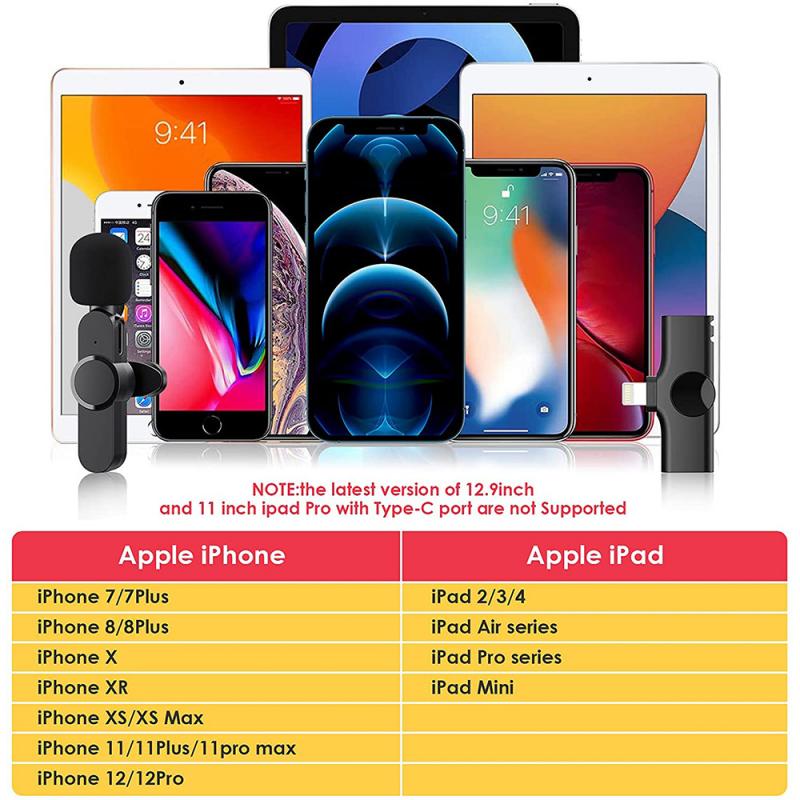
how to record the sound from my keyboard 1

Capturing the sounds from your keyboard, whether it’s for music production, content creation, or simply preserving your unique ideas, has become more accessible and efficient with modern tools. This article delves into the practical steps, essential tools, and creative techniques for recording your keyboard's audio, ensuring high-quality results that cater to a variety of applications.

---

1. Understanding the Basics of Keyboard Audio Recording

Before diving into the specifics, it’s essential to grasp the fundamentals of how sound recording from keyboards works. Keyboards generally produce sound in one of two ways:

1. Built-in Sounds: Many keyboards come equipped with internal sound engines that generate audio based on preset or custom sound samples.

2. MIDI Output: Instead of producing audio directly, the keyboard sends digital signals (MIDI data) that require external sound generation.

Deciding whether to record the actual audio output or MIDI data depends on your purpose. Recording audio captures the exact sound as played, while MIDI allows for post-production flexibility by letting you modify the notes or even change the instrument sounds later.

---

2. Preparing Your Setup for Audio Recording

Recording keyboard sound requires a specific set of equipment and software. Here’s what you’ll need:

Essential Equipment

- Audio Interface: A device that connects your keyboard to your computer and ensures high-quality audio conversion.

- Cables: Typically, you’ll need 1/4-inch TRS or TS cables for analog keyboards or USB/MIDI cables for digital keyboards.

- Computer or Recording Device: A laptop, desktop, or dedicated recorder to capture and store the audio.

- Digital Audio Workstation (DAW): Software for recording, editing, and mixing audio.

- Studio Headphones or Monitors: For monitoring the sound accurately.

Optional Accessories

- External Microphone: If your keyboard has built-in speakers, an external microphone can capture the ambient sound. However, this is less common for professional-grade recordings.

- MIDI Controller or Synthesizer: For enhanced flexibility in composing or layering sounds.

---

3. Step-by-Step Guide to Recording Keyboard Audio

Step 1: Connect Your Keyboard to the Audio Interface

1. Identify the output ports on your keyboard. Typically, these are labeled as "Line Out," "Audio Out," or "Phones."

2. Use a suitable cable to connect your keyboard's output to the input of the audio interface.

3. Ensure the audio interface is connected to your computer via USB or another supported method.

Step 2: Configure the Digital Audio Workstation (DAW)

1. Launch your DAW software and set up a new project.

2. Select the audio interface as the input device in the DAW’s audio settings.

3. Create a new audio track for recording and assign the input channel corresponding to your keyboard’s connection.

Step 3: Adjust Audio Levels

- Play your keyboard and monitor the input levels in the DAW. Ensure the levels are neither too low (causing noise issues) nor too high (causing clipping). Aim for levels that peak around -6 dB to maintain headroom.

Step 4: Start Recording

- Arm the track for recording in your DAW.

- Press the record button and begin playing your keyboard.

- Once done, stop the recording and save your session.

Step 5: Post-Processing and Mixing

- Trim any unnecessary silence or noise from the recording.

- Apply effects such as reverb, equalization, or compression to enhance the sound.

- Mix and master the track to achieve professional-grade audio quality.

---

4. Recording MIDI Data for Flexibility

Recording MIDI data involves capturing digital signals instead of direct audio. This method allows you to:

- Edit individual notes after recording.

- Change the instrument sounds without re-recording.

- Integrate the keyboard performance into larger compositions.

Steps to Record MIDI Data

1. Connect your keyboard to the computer using a USB cable or MIDI-to-USB adapter.

2. Set up a MIDI track in your DAW and assign the keyboard as the input device.

3. Record your performance, and use virtual instruments within the DAW to generate sound from the MIDI data.

---

5. Troubleshooting Common Issues

Even with the best equipment, you may encounter challenges during the recording process. Here’s how to tackle them:

Low or Distorted Sound Quality

- Check your cables and ensure secure connections.

- Adjust the gain settings on your audio interface to prevent clipping or weak signals.

Latency (Delay Between Key Press and Sound)

- Use a low-latency audio driver like ASIO for Windows or Core Audio for macOS.

- Lower the buffer size in your DAW settings to minimize delay.

Unwanted Background Noise

- Use balanced cables and ensure proper grounding for your equipment.

- Record in a quiet environment or use noise-reduction tools during post-processing.

---

6. Creative Tips for Enhancing Your Recordings

Experiment with Effects

- Use effects such as delay, chorus, or distortion to create unique textures.

- Layer multiple tracks with different sounds for a richer composition.

Incorporate External Synths

- Combine your keyboard’s sound with external synthesizers or software plugins to expand your sonic palette.

Optimize the Recording Space

- Place your keyboard and recording equipment in an acoustically treated space to minimize reflections and ambient noise.

---

7. Choosing the Right Tools for Your Needs

The market offers a plethora of equipment and software options tailored for different skill levels and budgets. Here’s how to choose wisely:

- Beginner: Focus on affordable options like entry-level audio interfaces (e.g., Focusrite Scarlett) and free DAWs (e.g., Audacity).

- Intermediate: Invest in mid-range equipment for better sound fidelity and features (e.g., PreSonus Studio Series).

- Professional: Opt for high-end interfaces and DAWs with advanced capabilities (e.g., Universal Audio Apollo, Pro Tools).

---

8. Applications of Keyboard Sound Recordings

Recording keyboard audio unlocks a world of possibilities:

- Music Production: Create professional tracks for albums or streaming platforms.

- Content Creation: Add musical elements to videos, podcasts, or live streams.

- Educational Purposes: Record practice sessions or tutorials for learning and teaching.

---

Conclusion

Recording sound from your keyboard is a skill that blends technical knowledge with creative artistry. Whether you’re a budding musician or an experienced producer, understanding the tools and techniques for high-quality recording can elevate your projects to new heights. By following the steps outlined in this guide and exploring creative possibilities, you’ll be well-equipped to harness the full potential of your keyboard and bring your musical ideas to life.

Leave your comment
Cancel reply
Note: HTML is not translated!
Related products
128G Mini Digital Voice Recorder with Color Screen Bluetooth Call Record 3072kbps Kentfaith
15
$119.99 $83.99
Variable ND2-32 Filter Compatible with DJI Osmo Action 5 Pro/Osmo Action 4/Osmo Action 3, Snap-on Installation, no need to remove the original filter
$24.99
Variable ND32-512 Filter Compatible with DJI Osmo Action 5 Pro//Osmo Action 4/Osmo Action 3, Snap-on Installation, no need to remove the original filter
$24.99
Instant Cross-APP Translator Device for Business & Trade, Video Call Translation, Record, & Transcription, Kentfaith AI Translator Devices
12
$124.99 $99.99
Mini Voice Recorder, Sound-activated & Magnetic, 128GB 1600H Capacity with AI Noise Cancelling Kentfaith
13
$94.99 $53.99
Mini Sound Recorder 128GB 1600H Recording Capacity with 1.4" Screen, Voice Activated Mode Kentfaith
12
$99.99 $79.99
K&F Concept 11 Inch Selfie Ring Light Set with Tripod Stand Cell Phone Holder 3 Light Modes Smartphone Ring Light (Shipping to the US and EU countries)
10
$39.99 $29.99
5K Video Camera with 75MP Photos, 8X Optical Zoom, WiFi Transfer, Wireless Mic, Dual Batteries, Support PIP Record, Kentfaith
16
$274.99 $239.99
Variable ND2-32 & ND32-512 Filter Kit Compatible with DJI Osmo Action 5 Pro/Osmo Action 4/Osmo Action 3, Snap-on Installation, no need to remove the original filter
$44.99
Children’s Entry-Level Metal Detector, High Sensitivity, With LCD Display and Sound Indication, Suitable for Beginners
144
$64.49 $50.99
Products You May Like
Olympus OM Lenses to Pentax Q Camera Mount Adapter with tripod mount
$55.99 $29.99
K&F Concept 99Wh V-Mount Battery with PD100W USB-C Fast Charging and Multi-Output Ports, TFT Digital Screen & Emergency Light for Camera, photography light, smartphone, laptop etc.
45
$119.99 $109.99
K&F Concept Professional Waterproof Camera Rain Cover for DSLR and Mirrorless Cameras
$29.99 $20.99
Canon FD Lenses to Nikon F Lens Mount Adapter K&F Concept M13171 Lens Adapter
$32.99
55mm Adapter Ring for 100mm Pro Square Filter System Nano-Xcel Pro Series
$17.99
Industrial Pipeline Endoscope, 8 LED Lights, 8mm Lightning Interface Snake Camera, for iPHONE14 13 12 11 X XR 8 7 6 Series IP67 Waterproof 1 Meter Rigid Cable
37
$47.99 $20.99
Submersible Waterproof Video Fill Light, 130ft/40m, White Red Blue Light Camera Fill Light, Gopro Underwater Photography Light with 1/4 Ball Head, Cold Shoe Adapter
$34.99
77mm ND1000 Filter Brass Frame Multifunctional HD Ultra-Thin 36-Layer Anti-Reflection Green Film Nano-X PRO Series
31
$149.99 $100.99
72mm Variable Fader ND2-400
$61.99 $26.99
32mm Camera Neck Strap with Quick Release for Photographers, Adjustable Camera Shoulder Sling Strap Compatible for Nikon Canon Sony Olympus DSLR Camera - Strap URBAN WANDER 01 (Green)
100
$54.99 $33.99
Related articles
How To Record Sound From Desktop Capture?
How To Record Sound From Laptop Speakers?
Which Program To Record My Computer Sound?
How To Record Sound On The Computer?
How Can I Record Audio From The Internet?
How To Screen Record Including Sound?
How To Record Videos Without Sound?
How To Screen Record Internal Sound?
How To Record Audio From A Video?
Which Camera Works With Surveillance?
Blog You May Like
Which Cctv Camera Record Voice?
How Much Are Underwater Metal Detectors?
How Does A Double Mirror Camera Filter Work?
How To Check If Camera Battery Is Bad?
How To Find Camera Frame Size?
Backpack That Can Hold Books And Dslr Camera?
How To Record Sound Effects On Virtual Dj?
Can You Use Iphone As Baby Monitor?
How To Set Up Wireless Camera Security System?
How Bright Is A Camera Flash?
Related categories
flash the camera C mount lens adapter m4/3 adapter lightweight video tripod Camera Accessories
Popular products
Mini Digital Voice Recorder​ cam trail camera the quarry trail camera the hunting public trail camera motion trail camera drone parts kit creative video lighting smart lock keyless home entry selfie ring light youtube camera tripod pan head
Related searches
Best Microphones To Record Vocals Record Wifi Camera Cameras That Record Audio Change Lens Mount From Minolta To Nikon Wireless Headphones From Tv Thunderbolt Apple Adapter For My Sony Filter Lens To See The Sun Adapt To The Same Lens Mount Kipon Af Adapter From Canon Ef Best Microphone For Work From Home
Popular searches
Star Filter Lens For Concert Photography Samyang Lens Station Sony E-mount Mamiya Lens Mount Replacement Wifi Button Camera Kipon Tilt Adapter Minolta Nikon Lens Mount History 10mm Canon Mount Lens 1080p Microscope Camera A6000 Lens Mount Canon Mf4350d Wireless Adapter
Blog Category
  • Activities
  • Guide
    • Filter Guide
    • Lens Adapter
    • Product Review
  • News & Reviews
    • Camera Reviews
    • Sample Gallery
    • News
  • Tutorials
    • Solar eclipse photography
    • Photography Basics
    • Landscape Photography
  • Inspiration
    • Travel
    • Travel Stories
Search Article
Latest from the Blog
How Do Cellular Trail Cameras Work? – The Complete Guide for Hunters and Wildlife Enthusiasts
What Does A Uv Camera Filter Do?
How Do Metal Detectors Work? A Complete Guide for Beginners and Pros
How Do Night Vision Goggles Work?
Which Camera Is Best For Low Light Photography?
How Much Storage For Security Camera?
How To Fix The Straps On A Camera?
How Do Trail Cameras Work? The Ultimate Guide to Trail Cameras
How To Wear Monocular?
Which Binoculars To Buy?
  • Easy Payment Multilple Payment Options

  • Free Shipping Global WareHouse Shipment

  • No Risk 30-Day No Reason Return

  • Limited Deals Buy More, Save More

  • Tax Free No any surcharges or tax fee

Information
  • About us
  • Contact Us
  • Site Map
  • Blog
  • Video
  • Gallery
  • VIP Membership Rewards
Service
  • Privacy Policy
  • Terms & Conditions
  • Shipping & Delivery
  • Payment Info
  • Warranty, Return & Refund
  • Intellectual Property Rights
  • Ambassador
  • Affiliates
  • Wholesale
Support
  • My account
  • Order History
  • FAQs
  • Extend Warranty
  • Logistics Tracking
Follow us
NewsLetter

Get the latest product, K&F Concept respects your privacy.

Powered By KENTFAITH © 2025