kfconcept

KENTFAITH
K&F Concept    Blog >

Enjoy Your Selected Digital Life

Recently Viewed
  • Recently Viewed
  • AI Voice Recorder, Transcribe Summarize Translation, App Control, 40H Recording Time, 64GB Memory, Kentfaith
    AI Voice Recorder, Transcribe Summarize Translation, App Control, 40H Recording Time, 64GB Memory, Kentfaith
    $137.49 $109.99
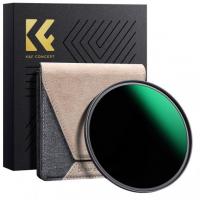
    37mm ND2-32 (1-5 Stop) Variable ND Filter and CPL Circular Polarizing Filter 2 in 1 for Camera Lens Nano-Xcel Series
    37mm ND2-32 (1-5 Stop) Variable ND Filter and CPL Circular Polarizing Filter 2 in 1 for Camera Lens Nano-Xcel Series
    $78.99 $62.99
    46mm Variable ND Filter (1-5 Stop)  and CPL Filter 2 in 1 for Camera Filter Lens Nano-Klear Series
    46mm Variable ND Filter (1-5 Stop) and CPL Filter 2 in 1 for Camera Filter Lens Nano-Klear Series
    $46.99 $37.49
    72mm Variable ND Filter (1-5 Stop)  and CPL Filter 2 in 1 for Camera Filter Lens Nano-Klear Series
    72mm Variable ND Filter (1-5 Stop) and CPL Filter 2 in 1 for Camera Filter Lens Nano-Klear Series
    $62.99 $49.99
    Variable ND2-32 Filter Compatible with DJI Osmo Action 5 Pro/Osmo Action 4/Osmo Action 3, Snap-on Installation, no need to remove the original filter
    Variable ND2-32 Filter Compatible with DJI Osmo Action 5 Pro/Osmo Action 4/Osmo Action 3, Snap-on Installation, no need to remove the original filter
    $24.99
    95mm ND2-32 (1-5 Stop) Variable ND Filter and CPL Circular Polarizing Filter 2 in 1 for Camera Lens Nano-Xcel Series
    95mm ND2-32 (1-5 Stop) Variable ND Filter and CPL Circular Polarizing Filter 2 in 1 for Camera Lens Nano-Xcel Series
    $157.99 $125.99
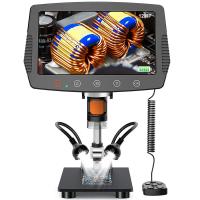
    50X-2000X Digital Microscope, 500W Pixel, HD Visual WiFi Digital Microscope, Portable Microscope
    50X-2000X Digital Microscope, 500W Pixel, HD Visual WiFi Digital Microscope, Portable Microscope
    $151.19 $95.99
    Anti-Shake 3-Axis Gimbal Stabilizer Kit for iPhone, Android Phones, Gopro Sports Cameras, Dynamic Face/Object Tracking
    Anti-Shake 3-Axis Gimbal Stabilizer Kit for iPhone, Android Phones, Gopro Sports Cameras, Dynamic Face/Object Tracking
    $106.99
    62mm Variable ND Filter (1-5 Stop)  and CPL Filter 2 in 1 for Camera Filter Lens Nano-Klear Series
    62mm Variable ND Filter (1-5 Stop) and CPL Filter 2 in 1 for Camera Filter Lens Nano-Klear Series
    $51.99 $41.49
    58mm Variable ND Filter (1-5 Stop)  and CPL Filter 2 in 1 for Camera Filter Lens Nano-Klear Series
    58mm Variable ND Filter (1-5 Stop) and CPL Filter 2 in 1 for Camera Filter Lens Nano-Klear Series
    $51.99 $41.49
Compare (0) 0
  • Compare
  • You have not chosen any products to compare.

  • Compare
Currency: USD
  • Currency
Shop by Scene Shop by Rank

Log Into Your Account

Account

Order History

Wish List

Login

Forgotten Password?

Or connect with

Register Account

Already have an Account?Log In

  • Shopping Cart
  • Your shopping cart is empty!

  • Register/Login to purchase, earn points
  • Favorite
  • Your wish list is empty.

  • Register/Login to like, earn points
  • Activities
  • Guide
    • Filter Guide
    • Lens Adapter
    • Product Review
  • News & Reviews
    • Camera Reviews
    • Sample Gallery
    • News
  • Tutorials
    • Solar eclipse photography
    • Photography Basics
    • Landscape Photography
  • Inspiration
    • Travel
    • Travel Stories
  • Home
  • Blog
  • How To Record Sound From Desktop Capture?

How To Record Sound From Desktop Capture?

Kentfaith 2024-08-16 01:47:48 0 Comments

Recording sound from desktop capture is a common requirement for many users, whether they are creating tutorials, recording gameplay, or capturing online meetings. The process can seem daunting at first, but with the right tools and knowledge, it becomes straightforward. This article will guide you through the various methods and tools available to record sound from your desktop, ensuring you get high-quality audio for your projects.

Understanding the Basics
how to record sound from desktop capture 1

Before diving into the methods, it's essential to understand the basics of desktop audio recording. Desktop audio refers to any sound that your computer produces, including system sounds, application sounds, and media playback. To capture this audio, you need software that can record the output from your sound card.

Built-in Tools
how to record sound from desktop capture 2

Windows 10 Game Bar

how to record sound from desktop capture 3

Windows 10 comes with a built-in tool called the Game Bar, which is primarily designed for gamers but can be used by anyone to record screen and audio.

1. Activate Game Bar: Press `Win + G` to open the Game Bar.

2. Start Recording: Click on the "Record" button or press `Win + Alt + R` to start recording.

3. Stop Recording: Click the "Stop" button or press `Win + Alt + R` again to stop recording.

The Game Bar records both video and audio, capturing all sounds from your desktop. However, it may not offer advanced features like separate audio tracks or high-quality audio settings.

macOS Screen Recording
how to record sound from desktop capture 4

macOS also provides a built-in screen recording tool with audio capture capabilities.

1. Open Screenshot Toolbar: Press `Cmd + Shift + 5` to open the Screenshot toolbar.

2. Select Recording Area: Choose whether to record the entire screen or a selected portion.

3. Enable Microphone: Click on "Options" and select your microphone if you want to include external audio.

4. Start Recording: Click the "Record" button to start.

5. Stop Recording: Click the stop button in the menu bar or press `Cmd + Ctrl + Esc`.

This method captures both system audio and microphone input, but like the Windows Game Bar, it may lack advanced features.

Third-Party Software

For more control and advanced features, third-party software is often the best choice. Here are some popular options:

OBS Studio

OBS Studio is a free, open-source software that offers extensive features for screen and audio recording.

1. Download and Install OBS Studio: Visit the OBS Studio website and download the appropriate version for your operating system.

2. Set Up Audio Sources: Open OBS Studio and go to `Settings > Audio`. Ensure that your desktop audio device is selected.

3. Add Sources: In the main interface, click the "+" button under "Sources" and add "Display Capture" for video and "Audio Output Capture" for desktop audio.

4. Start Recording: Click "Start Recording" in the main interface.

OBS Studio allows you to record multiple audio tracks, adjust audio levels, and apply filters, making it a powerful tool for professional-quality recordings.

Audacity

Audacity is a free, open-source audio recording and editing software. While it doesn't capture video, it's excellent for high-quality audio recording.

1. Download and Install Audacity: Visit the Audacity website and download the appropriate version for your operating system.

2. Set Up Audio Host: Open Audacity and select `Windows WASAPI` as the audio host (for Windows users).

3. Select Recording Device: Choose your computer's speakers or headphones as the recording device.

4. Start Recording: Click the "Record" button to start capturing audio.

Audacity provides advanced editing features, allowing you to fine-tune your recordings post-capture.

Virtual Audio Cable

For users who need to route audio between applications, Virtual Audio Cable (VAC) is a useful tool. VAC creates virtual audio devices that can be used to route audio from one application to another.

1. Download and Install VAC: Visit the Virtual Audio Cable website and download the software.

2. Set Up Virtual Cable: Open the VAC Control Panel and create a new virtual cable.

3. Configure Audio Settings: In your audio settings, set the virtual cable as the default playback device.

4. Record with Software: Use your preferred recording software (e.g., OBS Studio) and select the virtual cable as the audio input source.

VAC is particularly useful for complex audio setups, such as streaming or recording multiple audio sources simultaneously.

Tips for High-Quality Audio Recording

1. Use a Good Microphone: If you're recording voiceover or commentary, invest in a good-quality microphone. USB microphones are convenient and offer excellent sound quality.

2. Minimize Background Noise: Record in a quiet environment to reduce background noise. Use noise-canceling software or filters if necessary.

3. Adjust Audio Levels: Ensure that your audio levels are balanced. Avoid clipping by keeping the audio levels within a safe range.

4. Monitor Audio: Use headphones to monitor your audio in real-time. This helps you catch any issues early and make adjustments as needed.

5. Edit Post-Recording: Use audio editing software like Audacity to clean up your recordings. Remove any unwanted noise, adjust levels, and apply effects to enhance the audio quality.

Recording sound from desktop capture is a valuable skill for various applications, from creating tutorials to recording gameplay. Whether you use built-in tools like the Windows Game Bar and macOS Screen Recording or opt for third-party software like OBS Studio and Audacity, the key is to choose the method that best suits your needs. By following the tips for high-quality audio recording, you can ensure that your recordings are clear, professional, and effective. With practice and the right tools, you'll be able to capture desktop audio with ease and confidence.

Leave your comment
Cancel reply
Note: HTML is not translated!
Related products
128G Mini Digital Voice Recorder with Color Screen Bluetooth Call Record 3072kbps Kentfaith
15
$119.99 $83.99
Instant Cross-APP Translator Device for Business & Trade, Video Call Translation, Record, & Transcription, Kentfaith AI Translator Devices
12
$124.99 $99.99
Mini Voice Recorder, Sound-activated & Magnetic, 128GB 1600H Capacity with AI Noise Cancelling Kentfaith
13
$94.99 $53.99
Mini Sound Recorder 128GB 1600H Recording Capacity with 1.4" Screen, Voice Activated Mode Kentfaith
12
$99.99 $79.99
WiFi Electronic Eyepiece for Microscopes, 50 Meters WiFi Range, 2MP Microscope Imager, Capture 4K Photos Videos, Kentfaith
$112.49 $89.99
5K Video Camera with 75MP Photos, 8X Optical Zoom, WiFi Transfer, Wireless Mic, Dual Batteries, Support PIP Record, Kentfaith
16
$274.99 $239.99
Children’s Entry-Level Metal Detector, High Sensitivity, With LCD Display and Sound Indication, Suitable for Beginners
144
$64.49 $50.99
Handheld Microscope with 2.4" Screen, 500X Magnification, Capture 1080P Photos & Videos, for 3-12 Years Old Boys Girls, Kentfaith
$87.49 $69.99
Compound Microscope with 7-inch Screen, 40X-1000X, Capture 2.7K Videos 24MP Photos, Support PC Connection, Remote Control, Kentfaith
14
$499.99 $399.99
Smart Glasses with Camera, 8MP Sony Sensor, Capture 30MP Photos & 1080P Videos, With 3600mAh Charging Case, Clear Music & Calls, Kentfaith
16
$174.99 $139.99
Products You May Like
Mini Digital Camera 1080P Keychain Camera 0.96in for 5-12-year-old Boys & Girls Kids Students Travelers
14
$62.49 $52.99
K&F Concept Hero 12 Battery 3-Pack 1730mAh Enduro Batteries with 3-Slot Charger Compatible with GoPro Hero 12, GoPro Hero 11, GoPro Hero 10, GoPro Hero 9 Black Camera
17
$39.99 $34.99
55mm Black Mist 1/4 & ND8-128 Variable ND Filter with Double-sided 28-layer Anti-reflection Green Film and Lever Nano-Xcel Series
13
$151.99 $79.99
DJI Drone Mini 3 Pro & Mini 3 Variable ND2-ND32 + ND32-ND512 Filter with Single-sided Anti-reflection Green Film, Waterproof and Scratch-resistant
121
$44.99
ZHIYUN 100W RGB Handheld LED Video Light Stick 2700K-6500K CRI 96+ TLCI 98+ with 6 Light Effects
$338.99 $237.99
K&F CONCEPT Metal Camera Cage Compatible with DJI Osmo 360 Accessories, Aluminum Alloy Protective Case | with Silicone Lens Cover | Expansion Frame with 2 Cold Shoe Mount | Built-in Charging Interface
$39.99
Wifi 2800 Lumens 120" 1080p Full HD Screen Projector 50000h Work With TV Sticks Smartphones Tablets HDMI USB VGA AV, EU Standard
1
$126.99
4PCS HC-900A 36MP//2.7K/0.2s Trigger Trail Camera HD Outdoor Game Camera Waterproof Hunting Infrared Night Vision Camera
3
$316.99
KW10 Women Smart Watch Lady Fitness Bracelet Smartwatch Clock IP68 Waterproof Heart Rate Monitor For Android IOS Sport Tracker-Golden
38
$34.99
V8S Stereo Wireless Business Intelligence Noise Reduction Bluetooth Headset for Business/Office/Driving
33
$16.99
Related articles
How To Record Sound From Laptop Speakers?
How To Record The Sound From My Keyboard?
How To Capture Video On Pc From Camcorder?
How To Screen Record Including Sound?
How To Record Videos Without Sound?
How To Screen Record Internal Sound?
How To Record Audio From A Video?
How To Record Sounds From Your Computer?
How To Record From A Wifi Camera?
Pixel C How To Get Flash Camera?
Blog You May Like
Sony Video Camera Can You Charge The Battery?
How To Pack Your Camera Bag?
How To Choose A Camera Bag?
Can Hidden Camera Have A Live Feed?
How Do I Get Ring Light On Snap?
Best Magnetic Adapter Rings for Camera Filters
What Is Ir Filter For Camera?
How To Install Baby Monitor On Wall?
How To Set Smart Band Watch?
How To Transfer Photos By Wifi Via Camera?
Related categories
C mount lens adapter Lens Filter Holder digital camera for beginner lens CPL filter battery for camera Nikon graduated neutral density GND filter fujifilm x lens adapter soft edge GND filter​
Popular products
endless capture trail camera capture perfect trail camera Mini Digital Voice Recorder​ drone parts kit creative video lighting mirrorless selfie stick digital camera 40 bluetooth stereo earbuds hd video camera tripod lightweight camera tripods
Related searches
Camera To Capture Wildlife Best Microphones To Record Vocals Record Wifi Camera Cameras That Record Audio Capture Surveillance Camera Change Lens Mount From Minolta To Nikon Wireless Headphones From Tv Desktop Light Stand Webcam For Desktop Desktop Phone Tripod
Popular searches
In Camera Flash 10x42 Binoculars For Bird Watching Canon R10 Mount Type Adapt Lens To Iphone Kodak Lens Filter Series 6 Gopro Hero 11 Waterproof Case 55 82 Step Up Ring Most Compact Tripod For Dslr Sony 82mm Filter Bushnell To Canon Eos Adapter
Blog Category
  • Activities
  • Guide
    • Filter Guide
    • Lens Adapter
    • Product Review
  • News & Reviews
    • Camera Reviews
    • Sample Gallery
    • News
  • Tutorials
    • Solar eclipse photography
    • Photography Basics
    • Landscape Photography
  • Inspiration
    • Travel
    • Travel Stories
Search Article
Latest from the Blog
How To Fix The Straps On A Camera?
Can You Save Facebook Videos To Camera Roll?
What Power Binoculars For Long Distance Viewing?
How To Put Sd Card In Camera?
How Many Stops Is An Nd 8 Filter?
What Does Tripod?
Which Bluetooth Earphones?
How Do Cellular Trail Cameras Work? – The Complete Guide for Hunters and Wildlife Enthusiasts
How Much Storage For Security Camera?
What Is A Good Quality Dash Cam?
  • Easy Payment Multilple Payment Options

  • Free Shipping Global WareHouse Shipment

  • No Risk 30-Day No Reason Return

  • Limited Deals Buy More, Save More

  • Tax Free No any surcharges or tax fee

Information
  • About us
  • Contact Us
  • Site Map
  • Blog
  • Video
  • Gallery
  • VIP Membership Rewards
Service
  • Privacy Policy
  • Terms & Conditions
  • Shipping & Delivery
  • Payment Info
  • Warranty, Return & Refund
  • Intellectual Property Rights
  • Ambassador
  • Affiliates
  • Wholesale
Support
  • My account
  • Order History
  • FAQs
  • Extend Warranty
  • Logistics Tracking
Follow us
NewsLetter

Get the latest product, K&F Concept respects your privacy.
Powered By KENTFAITH © 2025