kfconcept

KENTFAITH
K&F Concept    Blog >

Enjoy Your Selected Digital Life

Recently Viewed
  • Recently Viewed
  • Recently Viewed list is empty.

Compare (0) 0
  • Compare
  • You have not chosen any products to compare.

  • Compare
Currency: USD
  • Currency
Shop by Scene Shop by Rank

Log Into Your Account

Account

Order History

Wish List

Login

Forgotten Password?

or connect with

Register Account

Already have an Account?Log In

  • Shopping Cart
  • Your shopping cart is empty!

  • Register/Login to purchase, earn points
  • Favorite
  • Your wish list is empty.

  • Register/Login to like, earn points
  • Activities
  • Guide
    • Filter Guide
    • Lens Adapter
    • Product Review
  • News & Reviews
    • Camera Reviews
    • Sample Gallery
    • News
  • Tutorials
    • Solar eclipse photography
    • Photography Basics
    • Landscape Photography
  • Inspiration
    • Travel
    • Travel Stories
  • Home
  • Blog
  • Can T Find Camera On Ipad?

Can T Find Camera On Ipad?

Kentfaith 2025-09-05 09:30:26 0 Comments

If you’re struggling to locate the camera on your iPad, you’re not alone. For many users, especially those new to iPads or anyone facing unexpected glitches, it can be frustrating when a device doesn’t seem to function as expected. Fortunately, there are straightforward solutions to guide you and ensure your device works smoothly.

This article will walk you through the key steps to find and access the camera on your iPad, address common challenges that can arise, and provide troubleshooting tips for more complex issues. Whether the camera app has seemingly disappeared, your device isn’t detecting the camera, or you’re encountering other related problems, these solutions will help resolve them and enhance your overall iPad experience.

Common Reasons Why You Can't Find the Camera on Your iPad

can t find camera on ipad 1

Before diving into solutions, understanding why you might not be able to locate the camera app can help you identify the root cause more quickly. Here are some common scenarios:

1. App Rearrangement: Apps on your iPad may have been moved to a different screen or grouped into a folder, making it less obvious to locate the camera app at first glance.

2. Restricted Access: The camera app may have been hidden or restricted by parental controls or Screen Time settings.

3. Software Issue: A glitch or corruption in the iPad’s software may temporarily cause the app to disappear or malfunction.

4. Outdated Software: If your iPad is running older versions of iPadOS, there may be compatibility issues causing problems with the camera app.

5. Defective Hardware: In rare cases, a hardware malfunction may prevent the camera from functioning altogether, but this typically affects camera performance rather than the app's visibility.

How to Locate the Camera App on Your iPad

can t find camera on ipad 2

If your camera app isn’t immediately visible, follow these steps to locate it:

1. Use Spotlight Search

can t find camera on ipad 3

Spotlight Search allows you to quickly find any app on your iPad. Here’s how:

- Swipe down on the Home Screen to open the Spotlight Search bar.

- Type "Camera" into the search bar.

- If the Camera app is still installed on your iPad, it will appear in the search results. Tap it to open the app.

2. Check App Folders

can t find camera on ipad 4

Sometimes, apps are accidentally moved into folders:

- Look through any app folders on your Home Screen. These folders often have generic names like “Social” or “Utilities” and might house the Camera app.

- If you find the app, you can drag it out of the folder and place it back on your Home Screen for easier access.

3. Reset Home Screen Layout

If Spotlight Search and folder checks don’t help, resetting the layout can restore the default app arrangement:

- Navigate to Settings > General > Reset > Reset Home Screen Layout.

- This action will rearrange apps to their original locations, bringing the Camera app back to its default position.

Troubleshooting When the Camera App Is Missing or Non-Functional

If you’ve tried the tips above and still can’t locate or access the Camera app, there may be deeper issues at play. Below are some troubleshooting steps for different scenarios.

1. Check Parental Controls or Screen Time Restrictions

If the Camera app has been hidden due to restrictions:

- Go to Settings > Screen Time > Content & Privacy Restrictions.

- Tap Allowed Apps and ensure the Camera toggle is switched on.

- If Content & Privacy Restrictions are enabled, try disabling them temporarily to check if the Camera app reappears.

2. Update Your Software

Outdated iPad software may cause issues with apps like Camera:

- Navigate to Settings > General > Software Update.

- Check for any available updates and install the latest version of iPadOS.

- Once updated, test if the Camera app is restored or functioning properly.

3. Reboot Your iPad

A simple reboot can resolve many software glitches:

- Perform a soft reset by pressing the Power button until the “Slide to Power Off” option appears. Slide to turn off, then turn the iPad back on.

- Alternatively, force restart your iPad if it's not responsive:

- For iPads with a Home button: Press and hold both the Home and Power buttons simultaneously until the Apple logo appears.

- For iPads without a Home button: Press and release Volume Up, press and release Volume Down, then hold the Power button until the Apple logo appears.

4. Reinstall the Camera App

If the app has been accidentally deleted (possible in later versions of iPadOS):

- Open the App Store.

- Search for "Camera" in the search bar.

- Tap the reinstall/download button if the app is available in the store.

5. Perform a Factory Reset as a Last Resort

If all else fails, restoring your iPad to factory settings may resolve complex software issues. Be sure to back up your data before proceeding:

- Go to Settings > General > Reset > Erase All Content and Settings.

- Follow the prompts to reset your iPad.

- Once the reset is complete, set up your iPad as new and check if the Camera app appears.

Additional Tips for Optimizing Your iPad Camera Experience

Once you’ve located or restored the Camera app, take steps to ensure you can use it efficiently in the future:

1. Create Easy Access

- Add the Camera app to your Dock for easy one-tap access. Simply drag the app into the Dock if you frequently use it.

2. Enable Quick Access from Lock Screen

- Go to Settings > Face ID & Passcode (or Touch ID & Passcode, depending on your device).

- Enable “Allow Access When Locked” for the Camera. This lets you open the Camera directly from the lock screen by swiping in the shortcut area.

3. Utilize iPad Camera Features

The iPad’s camera offers advanced features like video recording, slo-mo, time-lapse, and image filters. Explore these features in the Camera app to make the most of your device.

4. Use Third-Party Camera Apps

If you encounter persistent problems with the default Camera app, consider using third-party photography apps available on the App Store. These apps often provide additional features and may bypass certain software glitches.

When to Seek Professional Assistance

If none of the solutions above resolve your issue, the problem may stem from hardware damage or a more serious software failure. In these situations, contacting Apple Support for repair or guidance is advisable. If your device is under warranty, Apple might offer free repairs or replacements.

Finding the camera on your iPad could be as simple as swiping through your apps or as complex as managing restrictions or troubleshooting glitches. Regardless of the scenario, understanding the core reasons behind the issue and systematically addressing it will ensure you regain access to your camera with minimal stress.

Whether you use your iPad for work, photography, or connecting with loved ones through video calls, the ability to utilize its camera is vital. By following these troubleshooting steps, you’ll be able to overcome common hurdles and make the most of your device.

Remember, technology is designed to enhance your daily life — a little patience and problem-solving go a long way in ensuring your iPad meets your needs.

Leave your comment
Cancel reply
Note: HTML is not translated!
Related products
K&F Concept iPad Tablet and Cellphone Tripod Mount Adapter Holder, Adjustable Clamp for iPhone15/14/13/12 Pro Max, iPad,iPad Mini 1/2/3/4/5/6,iPad Air,iPad Pro,Surface,Samsung Tab 7.0 Series and More
53
$27.99 $15.99
Anti-Spy Detector Scan & Disconnect for 24/7 Protection Find Bugs Hidden Cams
15
$89.99 $59.99
Gift Certificate: $200 Value - Can Use with Any Discounts
$200.00 $190.00
Gift Certificate: $300 Value  - Can Use with Any Discounts
Gift Certificate: $300 Value - Can Use with Any Discounts
$300.00 $285.00
Gift Certificate: $1000 Value  - Can Use with Any Discounts
Gift Certificate: $1000 Value - Can Use with Any Discounts
$1,000.00 $950.00
Gift Certificate: $500 Value  -Can Use with Any Discounts
Gift Certificate: $500 Value -Can Use with Any Discounts
$500.00 $475.00
Gift Certificate: $800 Value - Can Use with Any Discounts
$800.00 $760.00
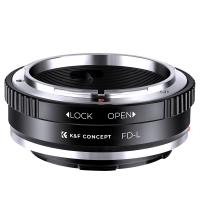
Canon FD & FL 35mm Lens to  Leica SL T Sigma FP Panasonic L-mount digital camera Mount Adapter
Canon FD & FL 35mm Lens to Leica SL T Sigma FP Panasonic L-mount digital camera Mount Adapter
82
$53.99 $29.99
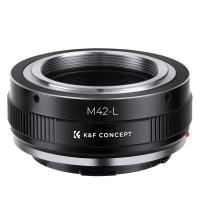
M42-L Manual Focus M42 Lens to Leica SL T Sigma FP Panasonic L-mount digital camera Mount Adapter
82
$53.99 $29.99
Metal Detectors for Adults and Kids, Gold Detector Kit with LCD Display & IP68 Waterproof Search Coil for Find Valuables
NEW Arrival
Metal Detectors for Adults and Kids, Gold Detector Kit with LCD Display & IP68 Waterproof Search Coil for Find Valuables
285
$215.99 $151.99
Products You May Like
TM2624L 69.7‘’/177cm  Camera Tripod 8.8lbs Load Phone Tripod with 3-Way Pan Head & Detachable Monopod for DSLR (Only Ship to US)
TM2624L 69.7‘’/177cm Camera Tripod 8.8lbs Load Phone Tripod with 3-Way Pan Head & Detachable Monopod for DSLR (Only Ship to US)
35
$89.99 $55.99
Recon Force Trail Camera
10
$162.99 $106.99
46mm Center Pinch Lens Cap Ordinary Lens Cap with String (No String)*1+Vacuum Cleaning Cloth*2+Digital Camera Anti-lost String*1, 4 in 1 Set
29
$11.99 $7.99
4G Camera Outdoor with SIM Card, 2K 4MP No WiFi Solar Powered, Wireless 360°PTZ
7
$277.29 $221.99
43mm MCUV+CPL+ND1000+Adapter Ring Magnetic 4 in 1 Lens Filter Kit Waterproof Scratch-Resistant Anti-Reflection with Filter Pouch
45
$99.99 $82.99
67mm MCUV Lens Protection Filter with Lens Cap Optical Glass Ultra Slim 18 Multi-Layer Coatings UV Filter for Camera Lens Nano-Klear Series
82
$17.99 $13.99
67mm Clip-on Black Mist 1/4 Phone Camera Lens Filter Kit Applicable to All Mobile Phone Models
7
$29.99
DJI Osmo Action 3 ND32&PL Filters with Single-sided Anti-reflection Green Film
21
$29.99 $16.99
67mm Black Pro-Mist 1/4 Filter Effect Filter 28 layers of anti-reflection green film waterproof and scratch-resistant with Metal Lens Cap Nano-X Series
101
$74.99 $48.99
Lens Mount Adapter Compatible for Olympus OM Zuiko Lens to NEX Mount Camera Body
147
$26.99
Related articles
Can T Find Camera On Samsung Phone?
Can T Find Camera On Windows 10?
Skype Can T Find Video Camera?
Can T Access Microphone On Iphone?
Can You Connect A Microphone To An Ipad?
Can You Hook Up Two Bluetooth Headphones To iPad?
How To Find Aperture On Camera?
How To Find Camera App On Android?
Which T Mount For Pentax Cameras And Telescope?
How Do Smart Watches Work With Phones?
Blog You May Like
Can You Detect Gold With Metal Detector?
Camera Bag That Can Hold Cameras And Books?
How To Use Earphone Microphone On Laptop?
What Nd Lens Filter For Eclipse ?
Where To Mount Outdoor Camera?
How To Remove Ambient Light Photography?
Which Smart Watch Have Blood Pressure Monitor?
How To Clean Outdoor Security Cameras?
How To Charge A Camera Battery Pack?
How Much Are The Ring Lights?
Related categories
On-Dash Camera cell phone tripods Camera Parts | Studio Camera Accessories streaming video camera digital camera for beginner Solar Cellular Trail Camera Non Cellular Trail Camera camera shoulder bag detachable camera flash Aluminum Tripods
Popular products
t mobile compatible trail camera t post trail camera holder t-post trail camera holder canon rp lens adapter wireless microphone transmitter receiver Nikon camera Lens Adapter no spy hidden camera detector t mobile trail cameras samsung mini mount Gold Detector Kit
Related searches
Microphone On Ipad Pro 11 Metal Detector Find Bag Ipad Camera Lens Adapter Ipad Pro Camera Bag Ipad And Dslr Camera Bag Bag For Ipad And Camera Amscope Ca-can-slr Canon Slr Dslr Camera Adapter On Camera Flashes Metal Detectors That Find Gold And Silver Cameras That Can Adapt Canon Fd Lens
Related Scenes
Best Carry On Camera Bag Best Sports Photography Camera Best Surveillance Camera System Best Action Video Camera Best Solar Security Camera Best Camera For Videos Best Camera For Pictures Best Professional Digital Camera Best Camera Backpack For Travel Best Trail Camera For Night Shots
Blog Category
  • Activities
  • Guide
    • Filter Guide
    • Lens Adapter
    • Product Review
  • News & Reviews
    • Camera Reviews
    • Sample Gallery
    • News
  • Tutorials
    • Solar eclipse photography
    • Photography Basics
    • Landscape Photography
  • Inspiration
    • Travel
    • Travel Stories
Search Article
Latest from the Blog
How To Pair Tws Bluetooth Earbuds?
What Is The Field Diameter Of A Microscope?
How To Use Your Phone As A Microphone?
How To Focus An Image On A Microscope?
Which Is The Best Outdoor Wireless Security Camera?
What Camera Has The Best Video Quality?
What Is The Best Trail Camera With Wifi?
Which Ring Camera Is Wireless?
How To Pair Wireless Lavalier Microphone?
How To Clean Cleaning Cloth For Glasses?
  • Easy Payment Multilple Payment Options

  • Free Shipping Global WareHouse Shipment

  • No Risk 30-Day No Reason Return

  • Limited Deals Buy More, Save More

  • Tax Free No any surcharges or tax fee

Information
  • About us
  • Contact Us
  • Site Map
  • Blog
  • Video
  • Gallery
  • VIP Membership Rewards
Service
  • Privacy Policy
  • Terms & Conditions
  • Shipping & Delivery
  • Payment Info
  • Warranty, Return & Refund
  • Intellectual Property Rights
  • Ambassador
  • Affiliates
  • Wholesale
Support
  • My account
  • Order History
  • FAQs
  • Extend Warranty
  • Logistics Tracking
Follow us
NewsLetter

Get the latest product, K&F Concept respects your privacy.

Powered By KENTFAITH © 2026