Which Camera Is Best For Shooting Videos?
The best camera for shooting videos depends less on the camera brand and more on what you’re actually filming.
A camera that’s brilliant for YouTube sit-down videos may be annoying for weddings. A great travel camera may overheat during long interviews. A cinema-style camera may look beautiful but become a headache if you need fast autofocus, small files, and easy editing.
If you want the short answer: for most people, the Sony ZV-E10 II, Sony a6700, Canon R50 / R10, Panasonic S5 II, and Sony FX30 are among the strongest video choices right now, depending on budget and experience level. If you want the simplest setup possible, a modern iPhone or flagship Android phone can be better than a “proper” camera you don’t enjoy using.
Here’s how I’d think about it in real life.
If you’re starting out, don’t overbuy
A common mistake is buying a camera because it has impressive specs: 6K recording, 10-bit color, log profiles, dual card slots, waveform monitors, full-frame sensor, and so on.
Those things matter eventually. They do not matter much if your audio is poor, your lens is wrong, your lighting is bad, or you haven’t learned how to expose video properly.
For beginners, the best video camera is usually one that makes filming easy:
- reliable autofocus
- flip-out screen
- good built-in stabilization or compatible stabilized lenses
- microphone input
- simple menus
- files your computer can edit without struggling
- decent battery life
- no overheating during normal use
If you’re filming yourself, autofocus and a flip screen matter more than almost anything else. If you’re filming events, battery life and recording reliability become more important. If you’re making short films or music videos, color quality, dynamic range, and lens choice move up the list.
Best overall camera for most video creators: Sony a6700

The Sony a6700 is one of the easiest cameras to recommend for people who want serious video quality without moving into bulky cinema cameras.
It shoots sharp 4K, has excellent autofocus, offers strong 10-bit video options, and works with a huge range of E-mount lenses. Sony’s subject tracking is especially useful if you film people moving around, product shots, travel videos, cooking content, fitness videos, or handheld clips where you don’t want to constantly fight focus.
The body is compact, but not toy-like. It feels like a camera you can grow into. You can start in basic video modes, then later learn S-Log3, manual exposure, custom picture profiles, external microphones, and better lenses.
Where it’s less ideal: the body is still small, so long handheld shooting can feel cramped. Rolling shutter can show up if you pan quickly. For very long recordings in hot environments, you’ll want to be sensible with settings and airflow. It’s also not the cheapest option once you add a good lens.
For many solo creators, though, the a6700 hits a sweet spot: small enough to carry, advanced enough for paid work, and forgiving enough for everyday filming.
Best budget video camera: Canon R50

The Canon R50 is a smart pick if you’re new to cameras and want something friendly, lightweight, and capable of good-looking video without a steep learning curve.
Canon’s colors are pleasing straight out of camera, especially for skin tones. The autofocus is dependable, the screen flips out, and the camera is small enough that you’ll actually bring it with you. For YouTube, family videos, travel, online courses, simple product demos, and social media clips, it can do a lot.
Its biggest limitation is the lens ecosystem. Canon’s RF-S lens selection is improving, but it still isn’t as flexible or affordable as Sony E-mount or Micro Four Thirds. You can adapt older Canon EF lenses, but that adds size and cost.
The R50 is best for people who want nice video without turning camera buying into a research project. Pair it with a small tripod, a decent microphone, and one useful lens, and it will outperform its price if you use it well.
Best camera for YouTube and self-recording: Sony ZV-E10 II

The Sony ZV-E10 II is designed for video creators rather than traditional photographers. That makes a difference.
It has a flip-out screen, strong autofocus, creator-friendly controls, good 4K video, and features that make sense if you film yourself. Product showcase mode, background defocus, tally lights, and simple audio support are not gimmicks if you’re regularly recording alone in a room.
For talking-head videos, tutorials, desk setups, product reviews, makeup content, cooking channels, and casual vlogging, it’s one of the most practical options.
The main thing to remember is that the camera body is only part of the setup. A ZV-E10 II with a poor lens and bad room echo will not look or sound professional. A basic soft light, a clean background, and a proper microphone will make a bigger difference than jumping to a much more expensive camera.
If you want handheld walking vlogs, test your tolerance for stabilization. Some people are fine with active stabilization or a small gimbal. Others prefer action cameras or phones because they handle movement with less fuss.
Best full-frame hybrid for video: Panasonic S5 II
The Panasonic S5 II is a strong choice if you want a full-frame look, excellent video features, and good value for more serious work.
Panasonic has long been respected by video shooters because its cameras tend to offer practical tools: waveform, vectorscope, strong codecs, good stabilization, open gate recording, useful color profiles, and fewer artificial limitations than some competitors. The S5 II also fixed one of Panasonic’s old weaknesses by adding phase-detect autofocus, which makes it much easier to trust for people-focused video.
This camera makes sense for interviews, documentary work, weddings, corporate videos, short films, and creators who care about color grading. The in-body stabilization is genuinely useful for handheld shooting, especially with wider lenses.
It is not the smallest or simplest camera. Full-frame lenses can get expensive and heavy. If you only want to film quick TikToks or casual YouTube videos, it may be more camera than you need. But for someone stepping into paid video work or wanting a serious all-rounder, the S5 II is hard to ignore.
Best cinema-style camera under serious professional money: Sony FX30
The Sony FX30 is basically a compact cinema camera built around an APS-C sensor. It’s not aimed at casual users. It’s for people who care more about video production than photography.
You get proper video-focused ergonomics, strong 4K quality, excellent autofocus, 10-bit recording, S-Log3, timecode support, good heat management, mounting points, and a body that fits naturally into rigs. It pairs well with gimbals, cages, monitors, wireless audio, and professional workflows.
For music videos, commercial work, interviews, short films, documentaries, and small production teams, the FX30 offers a lot for the money.
The trade-off is that it’s not as beginner-friendly as a standard mirrorless camera. There’s no viewfinder. Stills are not the point. You’ll likely spend extra on a handle, cage, batteries, media, audio gear, and lenses. If you don’t want to build a video setup, it may feel incomplete out of the box.
If you already know you want to shoot video seriously, the FX30 is one of the best-value cameras available.
Don’t ignore phones for casual video
For everyday video, a good phone is often the best camera because it’s always with you and handles many technical problems automatically.
Recent iPhones, Samsung Galaxy S models, and Google Pixels can produce excellent video in good light. They stabilize footage well, focus quickly, record clean audio in casual situations, and upload instantly. For travel clips, family moments, short-form content, behind-the-scenes footage, and quick social posts, a phone can be more useful than a mirrorless camera sitting at home.
Where phones struggle is lens flexibility, natural background blur, low-light quality, long-form shooting, professional audio control, and heavy color grading. They also tend to over-sharpen or over-process footage. But for many people, the convenience outweighs those weaknesses.
If your goal is consistency and speed, don’t feel pressured to buy a dedicated camera right away.
The lens matters more than beginners expect
A camera body gets most of the attention, but lenses shape the look of your video.
For talking-head videos, a wide-to-normal lens works well. On APS-C cameras, something around 16mm to 30mm is useful indoors. On full-frame, 24mm to 50mm covers many setups.
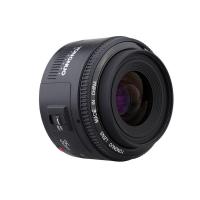
For cinematic background blur, a fast prime lens like f/1.8 can help. For travel and run-and-gun shooting, a stabilized zoom is often more practical. For events, you may need a longer zoom so you aren’t standing in people’s faces.
Buying an expensive camera with a slow, mediocre kit lens can be disappointing. A modest camera with a good lens, good light, and clean audio usually looks better.
Audio is half the video
If you’re filming people speaking, budget for a microphone before you stretch for a pricier camera.
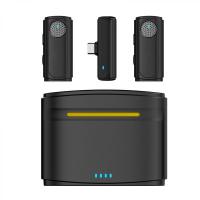
A simple wireless lav mic can transform interviews, tutorials, courses, and vlogs. A shotgun mic mounted on the camera is useful for run-and-gun work, though it won’t fix a noisy room or distant speaker. For desk videos, a USB or XLR microphone close to your mouth will usually sound better than anything mounted on top of the camera.
Viewers will tolerate slightly imperfect image quality. They will not tolerate harsh, echoey, unclear audio for long.
What I’d buy by use case
If you want a simple beginner camera for video, I’d look at the Canon R50 or Sony ZV-E10 II.
If you want the best compact all-rounder for serious creator work, I’d choose the Sony a6700.
If you want full-frame video quality and strong professional tools without jumping to cinema camera prices, I’d pick the Panasonic S5 II.
If video is your main work and you’re building a proper rig, the Sony FX30 makes more sense than many hybrid cameras.
If you only shoot casual clips, travel memories, reels, and family videos, use a good phone first and spend money on lighting, storage, or a small tripod.
The safest buying advice
Before buying, think about what annoys you most in your current setup.
If your footage is shaky, prioritize stabilization or a gimbal.
If your videos look dark and noisy, buy lights before a new camera.
If people sound bad, buy a microphone.
If focus keeps drifting, choose a camera with better autofocus.
If your camera is too heavy to carry, buy something smaller, not more “professional.”
The best video camera is the one that fits the way you actually shoot. Specs matter, but habits matter more. A camera you can set up quickly, trust in focus, carry comfortably, and pair with good audio will beat a more expensive camera that slows you down every time you press record.
![4K Digital Camera for Photography & Video [Autofocus and Stabilisation] 48MP 16X Digital Zoom 3” 180° Flip Screen Vlog Camera with 32G SD Card, Flash](https://img.kentfaith.com/cache/catalog/products/us/GW41.0065/GW41.0065-1-200x200.jpg "4K Digital Camera for Photography & Video [Autofocus and Stabilisation] 48MP 16X Digital Zoom 3” 180° Flip Screen Vlog Camera with 32G SD Card, Flash")