Camera That Can Wifi Photos To Phone?
In the digital age, sharing photos instantly is not merely a luxury—it's a necessity. As photographers, whether professionals or enthusiasts, we crave efficiency and simplicity in transferring photos from our cameras to our phones. The emergence of cameras equipped with built-in Wi-Fi capabilities marks a transformative shift in photography, allowing users to ditch cumbersome cables and streamline their creative workflows. This article demystifies the process of selecting a camera with Wi-Fi functionality and explains how to make the most of such features.
Why Choose a Wi-Fi Enabled Camera?

The integration of Wi-Fi into cameras bridges the gap between devices, enabling faster photo transfers, seamless sharing, and remote control functionality. Here are some key advantages:
1. Instant Sharing: Quickly transfer photos to your phone to post on social media or send to friends and family. This feature saves time, especially while traveling or covering events.
2. Remote Shooting: Use your smartphone as a remote control to trigger the shutter, adjust settings, or capture creative angles without physical interaction with the camera.
3. Eliminating Cables: Say goodbye to tangled cables or card readers. Wi-Fi connectivity provides a wireless alternative that's far more convenient.
4. Real-Time Workflow: For professionals, Wi-Fi cameras allow immediate previews, edits, and uploads to clients or editors, ensuring efficiency and seamless collaboration.
With these benefits in mind, it’s no surprise that Wi-Fi-enabled cameras are in high demand.
Features to Look for in Wi-Fi Enabled Cameras
Not all Wi-Fi cameras are created equal. Choosing the right one depends on your specific needs, so understanding the features is key. Here’s a breakdown of the factors to consider:
1. Ease of Use

The Wi-Fi setup should be intuitive and painless. Look for cameras that offer user-friendly apps or interfaces for connecting to your phone. Brands like Canon, Sony, and Nikon often have dedicated apps (such as Canon Camera Connect, Sony PlayMemories, and Nikon SnapBridge) that make photo transfers straightforward.
2. Transfer Speed

The speed of transferring files over Wi-Fi is critical. Larger files in formats like RAW can take more time compared to JPEGs, so cameras with faster Wi-Fi speeds or compatibility with 5GHz networks are advantageous.
3. Compatibility
Ensure the camera app is compatible with your smartphone's operating system, and that it supports cloud services or third-party editing apps you use frequently.
4. Remote Functionality
Apart from transferring files, remote control capability is a significant benefit of Wi-Fi cameras. Check if the camera allows you to adjust settings, control the shutter, and preview shots from your phone.
5. Battery Life
Wi-Fi transfer can be energy-intensive. Some cameras drain their batteries quickly during wireless use, so look for models equipped with sufficient battery life to sustain Wi-Fi usage.
6. Durability and Design
Besides the Wi-Fi function, your camera should meet your broader needs, whether it’s portability, weather-sealing, or ergonomics for handling. Don’t sacrifice core features just for Wi-Fi; balance your priorities wisely.
Recommended Wi-Fi Enabled Cameras
Here are a few highly rated models, considering various categories and user preferences:
For Beginners
1. Canon EOS Rebel T8i: This entry-level DSLR offers a seamless Wi-Fi experience via the Canon Camera Connect app. It supports instant sharing and media uploads, and is a beginner-friendly option with an intuitive menu.
2. Nikon Z50: A compact mirrorless camera perfect for those entering photography. Its SnapBridge app allows simple photo transfers and remote shooting.
For Professionals
1. Sony A7 IV: Renowned for its high-resolution images and 4K video capabilities, this full-frame mirrorless camera supports ultra-fast Wi-Fi transfers and offers professional-grade features like studio remote functions.
2. Canon EOS R5: A powerhouse for photographers and videographers, the R5 delivers superb image quality while enabling seamless connectivity to your phone for quick transfers and efficient workflow.
For Travelers
1. Fujifilm X-T30 II: Compact and lightweight, the X-T30 II captures stunning images and allows instant sharing without compromising quality. It’s perfect for lightweight travel photography.
2. Olympus OM-D E-M10 Mark IV: A stylish and portable mirrorless camera with reliable Wi-Fi pairing, ideal for on-the-go photo sharing.
Tips for Using Wi-Fi Cameras Effectively
Once you've chosen a Wi-Fi-enabled camera, it's important to understand how to utilize these features effectively. Here are some practical tips to ensure a smooth experience:
1. Install the Companion App
Most cameras come with an official smartphone app. Download and set up this app first, as it’s designed for effortless pairing, consuming less time than manual configurations.
2. Optimize File Sizes for Transfers
If you don’t need full-resolution images for sharing, consider shooting or converting to smaller file formats, like JPEG. Lowering file sizes significantly speeds up transfer times over Wi-Fi.
3. Use Secure Networks
Wi-Fi connectivity introduces the risk of unauthorized access. Enable encryption options, such as WPA2 passwords, for added security. Stick to trusted networks, avoid public Wi-Fi, and regularly update firmware.
4. Understand Remote Shooting Features
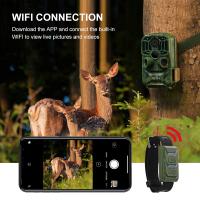
Experiment with remote functionality for creative compositions. Whether capturing long exposure shots or wildlife photography from a distance, this feature opens up new possibilities.
5. Manage Battery Consumption
Wi-Fi can drain your camera’s battery quickly. Turn off Wi-Fi functionality when you don’t need it, and carry backup batteries or a portable charger for longer shoots.
6. Connectivity Troubleshooting
If the connection is unstable, ensure both devices have updated firmware/software. Sometimes switching off Bluetooth or rebooting the devices can resolve issues. For seamless use, consult the camera’s user manual or online tutorials provided by manufacturers.
Alternatives to Built-In Wi-Fi Cameras
If you’re not ready to invest in a new camera, there are alternatives that can provide Wi-Fi functionality:
1. SD Cards with Wi-Fi Capabilities: Brands like Toshiba and Eye-Fi offer SD cards equipped with Wi-Fi, allowing older cameras to send files wirelessly to smartphones or computers.
2. Adapters and Dongles: Some cameras support external Wi-Fi modules or dongles. Check if your current camera model offers this as an upgrade.
3. Tethered Shooting: Use USB cables or direct smartphone connectivity for similar results, though this may lack the portability of Wi-Fi.
While these solutions might not offer the full suite of features, they save costs and provide a bridge until you're ready for a dedicated Wi-Fi camera.
Is Wi-Fi Connectivity the Future of Photography?
Given the growing demand for instant sharing and remote functionality, Wi-Fi-enabled cameras are becoming increasingly standard. However, as cloud technologies advance, we may see even more seamless camera-to-device interactions. Imagine uploading your images directly to cloud platforms without third-party apps or syncing devices. For now, Wi-Fi offers a reliable and convenient solution, enabling photographers to keep up with the fast-paced world around them.
A Wi-Fi camera revolutionizes the photography workflow, offering convenience, speed, and flexibility. Whether you’re a beginner exploring photography for leisure, a professional working on campaigns, or a traveler looking to share your experiences in real-time, the right camera with Wi-Fi can significantly enhance your experience. By following the tips shared here, you can maximize the potential of your device and choose the one that meets your specific needs.
Investing in a Wi-Fi-enabled camera is not just about technology; it’s about simplifying the way you capture and share your creative vision with the world. By understanding your priorities, exploring camera options, and mastering their connectivity, you will empower your craft and bring more ease into your photography journey.