How Wireless Cameras Works For Kids?
Wireless cameras have become an essential tool for parents who want to monitor their children, whether for safety, security, or simply peace of mind. These devices offer a convenient and flexible way to keep an eye on kids without the hassle of running wires or being tethered to a specific location. In this article, we’ll explore how wireless cameras work, their key features, and how they can be effectively used for monitoring children. We’ll also address common concerns and provide practical tips for choosing and using these devices.
How Wireless Cameras Work

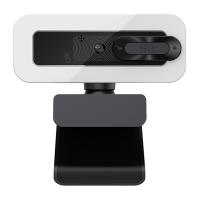
Wireless cameras operate by transmitting video and audio signals over a wireless network, typically using Wi-Fi or other radio frequencies. Unlike traditional wired cameras, which require physical connections to transmit data, wireless cameras rely on a wireless connection to send footage to a receiver, such as a smartphone, tablet, or computer. Here’s a breakdown of how they function:
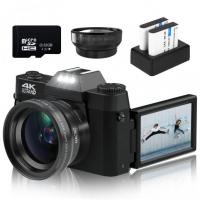
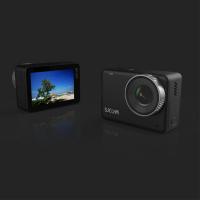
1. Camera Hardware: Wireless cameras are equipped with lenses, image sensors, and microphones to capture video and audio. Many models also include infrared LEDs for night vision, allowing them to record in low-light conditions.
2. Wireless Transmission: The captured data is transmitted wirelessly to a connected device or cloud storage. Most modern wireless cameras use Wi-Fi for this purpose, though some may use other wireless protocols like Bluetooth or proprietary systems.
3. Power Source: Wireless cameras can be powered in two ways: through a wired connection to an electrical outlet or via rechargeable batteries. Battery-powered models are particularly useful for parents who need a portable solution.
4. Storage and Access: The recorded footage can be stored locally on an SD card or uploaded to cloud storage. Parents can access live or recorded footage through a mobile app or web interface, making it easy to monitor their children from anywhere.
5. Smart Features: Many wireless cameras come with advanced features like motion detection, two-way audio, and integration with smart home systems. These features enhance their functionality and make them more versatile for child monitoring.
Key Features of Wireless Cameras for Kids
When selecting a wireless camera for monitoring children, it’s important to consider features that cater specifically to the needs of parents. Here are some of the most useful features:
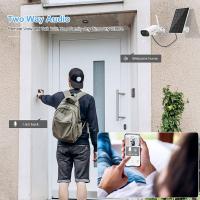
1. Two-Way Audio: This feature allows parents to communicate with their children through the camera. For example, you can reassure a crying baby or remind an older child to finish their homework.
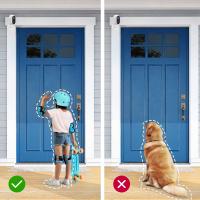
2. Motion and Sound Detection: Cameras with motion and sound detection can send alerts to your phone when they detect activity. This is particularly useful for monitoring sleeping babies or ensuring that older kids are safe while playing.
3. Night Vision: Infrared night vision enables the camera to capture clear footage in low-light or dark conditions, making it ideal for monitoring children at night.
4. High-Definition Video: A camera with HD resolution ensures that you can see details clearly, which is crucial for identifying potential issues or simply keeping a close eye on your child.
5. Mobile App Integration: Most wireless cameras come with a companion app that allows you to view live footage, receive alerts, and adjust settings remotely. This is especially convenient for parents who are often on the go.
6. Privacy and Security: Look for cameras with strong encryption and secure login options to protect your family’s privacy. Some models also offer features like geofencing, which disables the camera when you’re at home.
7. Portability: Battery-powered cameras or those with flexible mounting options can be easily moved from room to room, making them ideal for families with young children who may need monitoring in different areas of the house.
Practical Applications for Parents
Wireless cameras can be used in a variety of ways to monitor and care for children. Here are some common scenarios:
1. Baby Monitoring: Wireless cameras are a popular choice for baby monitors. They allow parents to keep an eye on their sleeping baby, check on them during naps, and even monitor their breathing with advanced models that include health tracking features.
2. Toddler Safety: As toddlers become more mobile, they can get into potentially dangerous situations. A wireless camera can help parents monitor their activities and intervene if necessary.
3. Playroom Supervision: For parents who work from home or need to multitask, a wireless camera can provide a live feed of the playroom, ensuring that children are safe while playing.
4. Outdoor Monitoring: Some wireless cameras are designed for outdoor use, making them ideal for monitoring children playing in the backyard or driveway.
5. Remote Check-Ins: For parents who are away from home, wireless cameras offer the ability to check in on their children remotely. This can be especially reassuring for working parents or those who travel frequently.
6. Educational Oversight: With the rise of remote learning, wireless cameras can also be used to monitor children during online classes, ensuring they stay focused and engaged.
Addressing Common Concerns

While wireless cameras offer numerous benefits, they also come with some potential drawbacks and concerns. Here’s how to address them:
1. Privacy Issues: One of the biggest concerns with wireless cameras is the potential for hacking. To mitigate this risk, choose a camera with strong encryption, regularly update its firmware, and use a secure Wi-Fi network with a strong password.
2. Connectivity Problems: Wireless cameras rely on a stable internet connection. If your Wi-Fi signal is weak or unreliable, consider using a Wi-Fi extender or opting for a camera with local storage options.
3. Battery Life: For battery-powered cameras, frequent recharging can be inconvenient. Look for models with long battery life or consider using a wired camera in areas where portability isn’t essential.
4. Cost: High-quality wireless cameras with advanced features can be expensive. However, there are budget-friendly options available that still offer essential features like HD video and motion detection.
5. Over-Reliance: While wireless cameras are a helpful tool, they should not replace direct supervision or interaction with your children. Use them as a supplement to, not a substitute for, active parenting.
Tips for Choosing the Right Wireless Camera
When selecting a wireless camera for monitoring your children, consider the following factors:
1. Purpose: Determine how you plan to use the camera. For example, a baby monitor may require features like night vision and two-way audio, while an outdoor camera may need weatherproofing.
2. Placement: Think about where you’ll place the camera. Some models are designed for specific locations, such as cribs, playrooms, or outdoor areas.
3. Budget: Set a budget and prioritize features that are most important to you. Keep in mind that more expensive models often come with additional features and better build quality.
4. Ease of Use: Choose a camera with an intuitive app and straightforward setup process. This will save you time and frustration.
5. Reviews and Recommendations: Read reviews and seek recommendations from other parents to find a reliable and effective camera.
Wireless cameras are a versatile and convenient tool for parents who want to monitor their children. By understanding how these devices work and selecting the right features for your needs, you can create a safer and more secure environment for your family. Whether you’re using a wireless camera as a baby monitor, a playroom supervisor, or a remote check-in tool, these devices offer peace of mind and practical solutions for modern parenting. With the right precautions and thoughtful use, wireless cameras can be an invaluable addition to your parenting toolkit.