kfconcept

KENTFAITH
K&F Concept    Blog >

Enjoy Your Selected Digital Life

Recently Viewed
  • Recently Viewed
  • Recently Viewed list is empty.

Compare (0) 0
  • Compare
  • You have not chosen any products to compare.

  • Compare
Currency: USD
  • Currency
Shop by Scene Shop by Rank

Log Into Your Account

Account

Order History

Wish List

Login

Forgotten Password?

Or connect with

Register Account

Already have an Account?Log In

  • Shopping Cart
  • Your shopping cart is empty!

  • Register/Login to purchase, earn points
  • Favorite
  • Your wish list is empty.

  • Register/Login to like, earn points
  • Activities
  • Guide
    • Filter Guide
    • Lens Adapter
    • Product Review
  • News & Reviews
    • Camera Reviews
    • Sample Gallery
    • News
  • Tutorials
    • Solar eclipse photography
    • Photography Basics
    • Landscape Photography
  • Inspiration
    • Travel
    • Travel Stories
  • Home
  • Blog
  • How To Use Manual Off Camera Flash?

How To Use Manual Off Camera Flash?

Kentfaith 2024-10-10 02:49:49 0 Comments

Using a manual off-camera flash can be a game changer for photographers looking to create dynamic, well-lit images. While it may seem complex at first, with some practice and understanding of basic principles, anyone can master this technique. This article will provide a comprehensive guide on using a manual off-camera flash, addressing common questions and troubleshooting problems.

Understanding the Basics
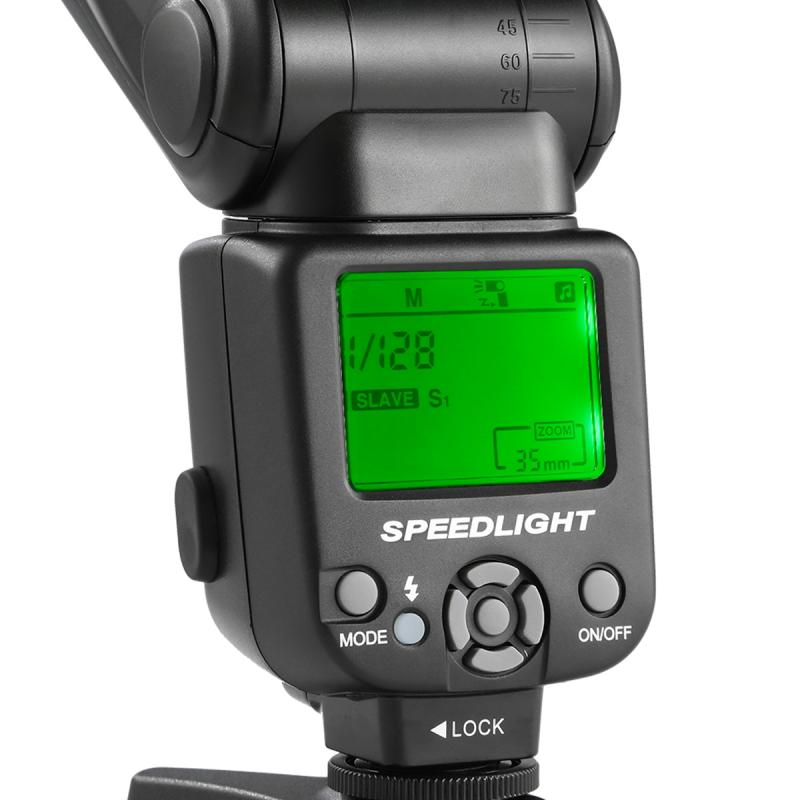
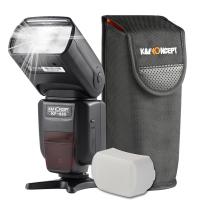
how to use manual off camera flash 1

What is an Off-Camera Flash?

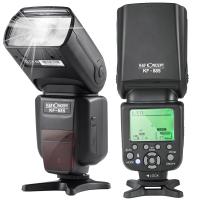
how to use manual off camera flash 2

An off-camera flash is any flash that is not mounted directly on the camera. This type of lighting allows photographers to create more interesting and dynamic lighting effects than what can be achieved with an on-camera flash. By placing the light source away from the camera, you can control the direction, angle, and quality of light, leading to more professional-looking photographs.

Why Use Manual Flash?
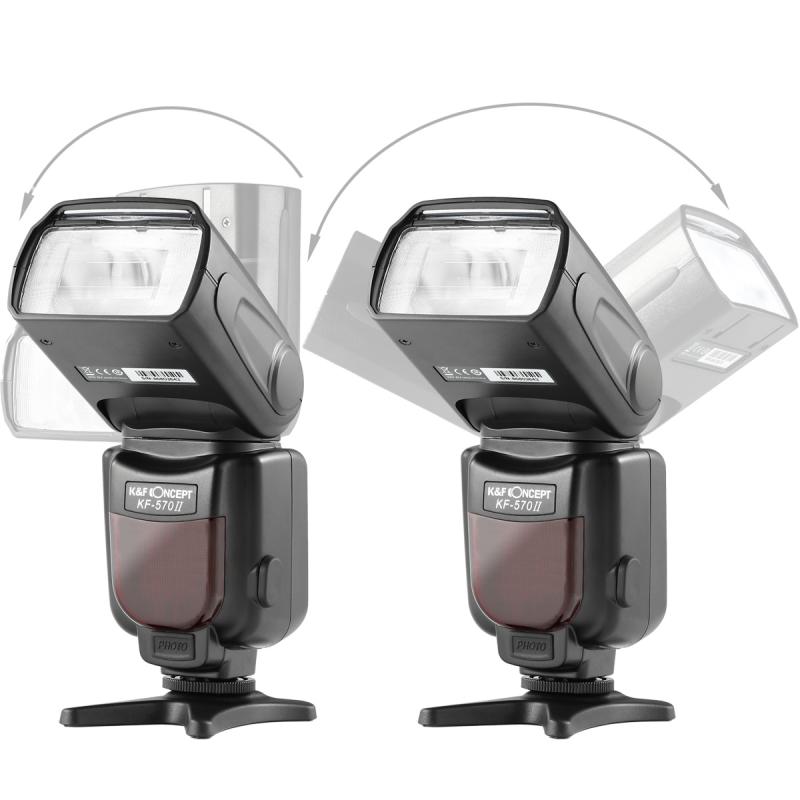
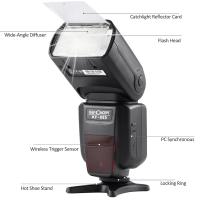
how to use manual off camera flash 3

Manual flash provides greater control over the lighting conditions because you can adjust the power output of the flash precisely to match your creative vision. While automatic (TTL) flash can be convenient, manual control ensures consistency and predictability in your lighting setup.

Essential Gear
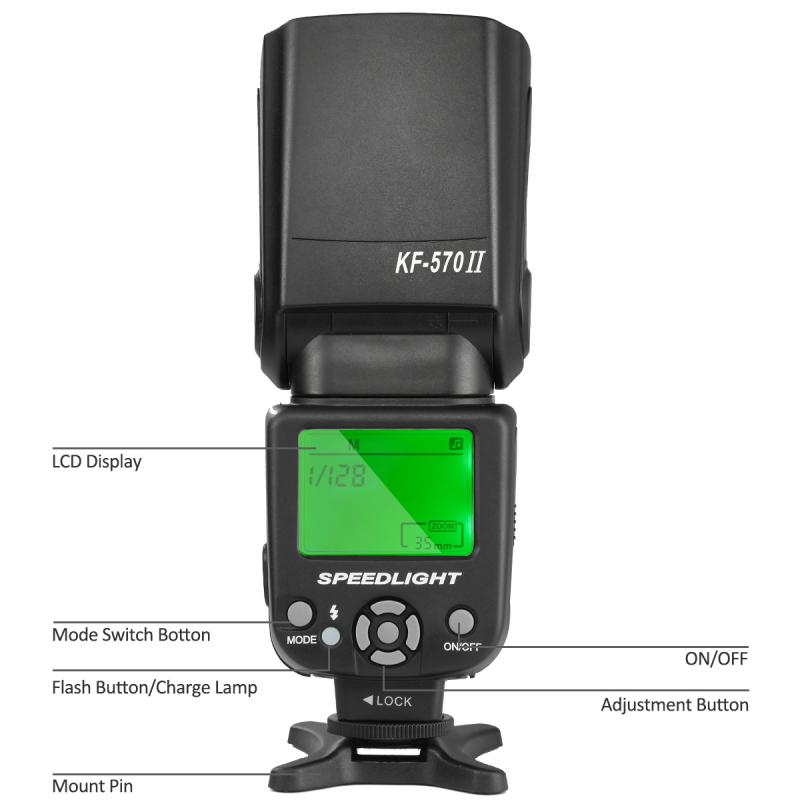
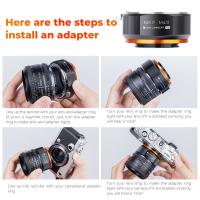
how to use manual off camera flash 4

1. Flash Unit: You'll need a compatible flash that can be set to manual mode.

2. Triggers: Wireless triggers or sync cords to fire the flash remotely.

3. Light Stands and Modifiers: These are essential for positioning and shaping the light.

Setting Up the Flash

1. Positioning the Flash: Start by placing your off-camera flash on a stable light stand. The height and angle will depend on the effect you’re aiming for. Common positions include 45 degrees to the subject’s left or right and slightly above eye level.

2. Adjusting the Flash Settings: Set your flash to manual mode. This allows you to manually control the power output. A good starting point is 1/8 power, but this will vary depending on your environment and subject distance.

3. Syncing with the Camera: Attach the trigger to your camera’s hot shoe. Ensure the transmitter (on the camera) and receiver (on the flash) are on the same channel. Test whether the flash fires correctly by taking a few test shots.

Camera Settings

1. ISO: Lower ISO settings (100-400) help reduce noise and maintain image quality.

2. Aperture: Your aperture will control the amount of light hitting the camera sensor. Smaller apertures (higher f-numbers) will reduce the flash intensity on the subject, whereas larger apertures (lower f-numbers) will let in more light.

3. Shutter Speed: Shutter speed controls ambient light. Flash exposure isn’t affected by shutter speed because the flash duration is much shorter. However, check your camera’s maximum flash sync speed (often 1/200 or 1/250 sec) to avoid issues.

Fine-Tuning the Flash Exposure

1. Distance to Subject: Moving the flash closer or further from the subject changes the light intensity. Closer distance means more intense light.

2. Flash Power: Adjusting the flash power directly changes the light output. Use lower power settings for softer light and higher power settings for a more dramatic effect.

3. Modifiers: Using diffusers, softboxes, or umbrellas will soften and spread the light, reducing harsh shadows.

Practical Techniques

1. Key and Fill Lighting: Use the off-camera flash as the key light to create strong directional lighting, then use a reflector or second flash as fill light to soften shadows and add dimension.

2. Backlighting: Position the flash behind the subject to create a rim light that separates them from the background.

3. High-Speed Sync: When shooting in bright conditions or using wide apertures, high-speed sync allows faster shutter speeds than the standard flash sync speed.

Creative Lighting Tips

1. Rembrandt Lighting: Position the flash at a 45-degree angle to the side of the subject’s face, slightly above eye level, to create a small triangle of light on the opposite cheek.

2. Split Lighting: Place the flash directly to the side of the subject to illuminate half of their face, creating a dramatic and moody effect.

3. Loop Lighting: Position the flash slightly higher than eye level and at a 30-45 degree angle to create a small shadow on the opposite side of the nose.

Troubleshooting Common Problems

1. Uneven Exposure: If your images are too bright or too dark, adjust the flash power or aperture accordingly. Experiment with the flash-to-subject distance to find the perfect balance.

2. Sync Issues: Ensure the trigger and flash batteries are fully charged. Double-check that both devices are on the same channel and the flash is in manual mode.

3. Harsh Shadows: Using a larger light source or positioning the flash further away helps soften shadows. Adding modifiers like softboxes will also diffuse the light.

Practice and Patience

Mastering manual off-camera flash requires practice and patience. Start by experimenting in controlled environments, such as your home or studio, before attempting more complex shoots. Over time, you’ll develop an intuitive understanding of how to manipulate light to achieve the desired effects.

Using a manual off-camera flash is an invaluable skill for any serious photographer. It opens up a world of creative possibilities that on-camera lighting simply cannot achieve. By mastering the basic principles outlined in this guide, experimenting with different setups, and practicing consistently, you’ll be able to use off-camera flash to elevate the quality of your photographs significantly. Happy shooting!
Leave your comment
Cancel reply
Note: HTML is not translated!
Related products
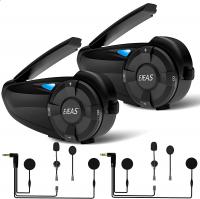
Motorcycle Helmet Bluetooth Intercom, Bluetooth 5.1 with CVC Noise Reduction & FM Radio Function, 7 Riders System, for Snowmobile/ATV/Off-Road Vehicles 2pcs
12
$212.99 $149.99
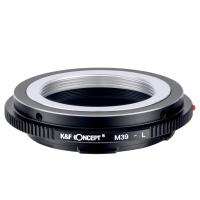
M39-L Manual Focus Compatible with Leica M39 Lens to L Mount Camera Body Lens Mount Adapter
80
$51.99 $27.99
PK-L Manual Focus Compatible with Pentax K(PK) Lens to L Mount Camera Body Lens Mount Adapter
80
$53.99 $34.99
OM-L Manual Focus Compatible with Olympus OM SLR Lens to L Mount Camera Body Lens Mount Adapter
80
$53.99 $29.99
K/AR-L Manual Focus Compatible with Konica AR Lens to L Mount Camera Body Lens Mount Adapter
80
$53.99 $29.99
K&F Concept Ring Flash Light KF-150C E-TTL Macro Flash Ring with 52 55 58 62 67 77mm Adapter for Canon DSLR Camera EOS 1300D 750D 200D 5D Mark 2 IV 80D 650D 600D 70D Macro Flash Ring,Ring Flash Canon
71
$119.99 $115.99
EOS-L Manual Focus Compatible with Canon (EF/EF-S) Lens to L Mount Camera Body Lens Mount Adapter
80
$53.99 $29.99
M42-L Manual Focus M42 Lens to Leica SL T Sigma FP Panasonic L-mount digital camera Mount Adapter
82
$53.99 $29.99
Gift Certificate: $200 Value - Can Use with Any Discounts
$200.00 $190.00
Gift Certificate: $300 Value  - Can Use with Any Discounts
Gift Certificate: $300 Value - Can Use with Any Discounts
$300.00 $285.00
Products You May Like
Drone Filter DJI Mavic 3 Pro ND Filter Kit 4pcs (ND8+ND16+ND32+ND64) Multi Coated HD Optical Glass with Anti-reflective Green Coating
11
$83.99 $48.99
K&F Concept Magnetic Variable ND&CPL& Black Diffusion 1/4 Filter Set for DJI Osmo Pocket 3 Creator Combo Accessories - 4 Pack CPL Black Diffusion 1/4 ND2-32(1-5 Stop) ND32-512(5-9 Stop) Filters
147
$49.99
SNDWAY SW-1000B 1000m Golf Rangefinder with LCD Touch Screen, Height / Speed / Area Measurement, Color Screen Touch, Automatic Data Storage
61
$473.99 $204.99
2.7K 20MP tracking camera 0.2s fast trigger speed IP66 waterproof sturdy hunting camera with 120° wide flash range,wildlife monitor + free SD TF three-in-one card reader
1
$61.99
T2 Lenses to Sony E Lens Mount Adapter K&F Concept M28101 Lens Adapter
147
$45.99 $23.99
OM to Micro 4/3 Adapter, Manual Lens Mount Adapter Olympus Zuiko OM Mount Lens to Micro Four Thirds MFT M4/3 Mount Cameras K&F Concept Lens Adapter
120
$53.99 $27.99
86mm MC UV Protection Filter Slim Frame with Multi-Resistant Coating for Camera Lens Nano-Klear
245
$23.99 $20.99
Nikon AI Nikkor F Mount Lens to Sony Alpha E NEX Mount Mirrorless Camera with Matting Varnish Design Compatible for Sony A6000 A6400 A7II A5100 A7 A7RIII
148
$64.99 $36.99
40.5mm Slim MC UV Filter
22
$23.99 $11.99
K60 Wireless Microphone for iPhone iPad, for iPhone 14 pro Video Recording, TikTok Facebook Live Steam, Youtubers, Vloggers, Interview, Clip-on Plug and Play
3
$30.99
Related articles
How To Take Flash Off Camera?
How To Turn Off Red Flash Camera?
How To Take Flash Off Polaroid Camera?
What Is A Off Camera Flash?
How To Use Camera Flash?
What Do I Need For Off Camera Flash?
How To Use Camera Flash Effectively?
Polaroid Snap Camera How To Use Flash?
When To Use A Camera Flash?
What Is The Best Magnification For Binoculars?
Blog You May Like
How To Hook Up Surveillance Cameras?
Who Makes Hidden Camera Detector?
How To See If Sd Card Is Working?
How To Attach A Camera Lens?
How Do You Focus A Telescope?
What Is Scanning Microscope?
How To Stream From Ps4 And Use An External Webcam ?
Can I Get A Security Camera Without Wifi?
How To Tell If Camera Has Ir Filter?
How Do I Turn On My Video Camera?
Related categories
detachable camera flash canon ring flash C mount lens adapter ring flash nikon flash the camera Camera Parts | Studio Camera Accessories
Popular products
quadcopter drone with camera black flash infrared trail camera black flash trail camera invisible flash trail camera no flash trail camera white flash trail camera leica t adapter smart ai battery camera ir trail camera no flash sigma l mount adapter
Related searches
Wireless Triggers For Off Camera Flash Cameras That Use Compact Flash Off Camera Lighting For Photography Easy To Use Digital Slr Camera Easy To Use Drone With Camera Off Grid Security Camera No Wifi Outdoor Use Camera External Camera Flash Camera Flash Light Mirrorless Camera Adapter To Use Dslr Lens
Popular searches
Pronto Lens Adapter Nikon Nd Filters For Solar Eclipse Canon 7d Lens Mount Canon 5d Mark Iv Battery Charger Best In Ear Headphones With Noise Cancelling Stick For Gopro Solar Eclipse Camera Setup 67mm Cpl Filter Webcam With Built In Microphone And Speakers 105mm Solar Eclipse Filter
Blog Category
  • Activities
  • Guide
    • Filter Guide
    • Lens Adapter
    • Product Review
  • News & Reviews
    • Camera Reviews
    • Sample Gallery
    • News
  • Tutorials
    • Solar eclipse photography
    • Photography Basics
    • Landscape Photography
  • Inspiration
    • Travel
    • Travel Stories
Search Article
Latest from the Blog
What is A Variable ND Filter? The Complete Guide to Mastering Exposure Control
How To Fix The Straps On A Camera?
How Many Stops Is An Nd 8 Filter?
Can You Save Facebook Videos To Camera Roll?
How Do Cellular Trail Cameras Work? – The Complete Guide for Hunters and Wildlife Enthusiasts
How Do Metal Detectors Work? A Complete Guide for Beginners and Pros
Which Camera Is Best For Low Light Photography?
What Is Nd Filter On Video Camera?
What Power Binoculars For Long Distance Viewing?
How To Make A Camera Flash After Effects?
  • Easy Payment Multilple Payment Options

  • Free Shipping Global WareHouse Shipment

  • No Risk 30-Day No Reason Return

  • Limited Deals Buy More, Save More

  • Tax Free No any surcharges or tax fee

Information
  • About us
  • Contact Us
  • Site Map
  • Blog
  • Video
  • Gallery
  • VIP Membership Rewards
Service
  • Privacy Policy
  • Terms & Conditions
  • Shipping & Delivery
  • Payment Info
  • Warranty, Return & Refund
  • Intellectual Property Rights
  • Ambassador
  • Affiliates
  • Wholesale
Support
  • My account
  • Order History
  • FAQs
  • Extend Warranty
  • Logistics Tracking
Follow us
NewsLetter

Get the latest product, K&F Concept respects your privacy.

Powered By KENTFAITH © 2026