kfconcept

KENTFAITH
K&F Concept    Blog >

Enjoy Your Selected Digital Life

Recently Viewed
  • Recently Viewed
  • Recently Viewed list is empty.

Compare (0) 0
  • Compare
  • You have not chosen any products to compare.

  • Compare
Currency: USD
  • Currency
Shop by Scene Shop by Rank

Log Into Your Account

Account

Order History

Wish List

Login

Forgotten Password?

Or connect with

Register Account

Already have an Account?Log In

  • Shopping Cart
  • Your shopping cart is empty!

  • Register/Login to purchase, earn points
  • Favorite
  • Your wish list is empty.

  • Register/Login to like, earn points
  • Activities
  • Guide
    • Filter Guide
    • Lens Adapter
    • Product Review
  • News & Reviews
    • Camera Reviews
    • Sample Gallery
    • News
  • Tutorials
    • Solar eclipse photography
    • Photography Basics
    • Landscape Photography
  • Inspiration
    • Travel
    • Travel Stories
  • Home
  • Blog
  • How To See If Sd Card Is Working?

How To See If Sd Card Is Working?

Kentfaith 2024-10-07 01:18:48 0 Comments

Understanding how to check if an SD card is working properly is crucial for anyone who relies on these compact storage devices for saving important data, whether it's for a camera, smartphone, or other electronic devices. The efficiency of your SD card can significantly impact your digital life, and verifying its functionality can save you from unexpected data loss. Through this guide, we aim to walk you through various methods to determine if your SD card is functioning correctly.

Common Signs of a Faulty SD Card

Before diving into the diagnostic methods, it's important to recognize the symptoms of an SD card that may be malfunctioning:

1. Read/Write Errors: The device frequently displays error messages when trying to access or save data.

2. Inaccessibility: The device does not recognize the card or prompts you to format it.

3. Slow Performance: Noticeable delays in data transfer or accessing files.

4. File Corruption: Files become corrupted or unusable after being saved.

Methods to Check if an SD Card is Working

1. Visual Inspection

Before using software tools, a good first step is to perform a visual inspection of the SD card:

- Physical Damage: Check for any visible damage, such as cracks, bends, or scratches.

- Clean Connectors: Ensure the contact points (gold connectors) are clean and free from dust or dirt. If necessary, gently clean them with an eraser or a soft cloth.

2. Test in Different Devices

One simple way to determine if the issue is with the SD card or the device is to test the card in multiple devices:

- Smartphones: Insert the SD card into a different smartphone to see if it is recognized.

- Cameras: Try using the SD card in a different camera.

- Card Readers: Use a USB card reader to check if your computer recognizes the card.

3. Check via File Explorer (Windows/Mac)

Use File Explorer (Windows) or Finder (Mac) to see if your computer can detect the SD card:

- Insert the SD card into the card reader or USB port.

- Open File Explorer/Finder to see if the SD card appears as an external drive.

- Try to access the files on the SD card. If you can read and write to the card without issues, it is likely functioning correctly.

4. Disk Management (Windows)

Windows users can utilize the Disk Management tool to diagnose issues:

- Open Disk Management: Right-click on the Start button and select 'Disk Management'.

- Locate the SD Card: Find your SD card in the list of drives.

- Check Status: The card should display as 'Healthy'. If it appears as 'Not Initialized' or shows other file system errors, there might be a problem.

5. Using the Disk Utility Tool (Mac)

Mac users can use the Disk Utility tool to check the health of their SD card:

- Open Disk Utility: Go to Applications > Utilities > Disk Utility.

- Locate the SD Card: Select your SD card from the list of drives.

- First Aid: Use the 'First Aid' feature to check and repair the disk.

6. Command-Line Tools

For advanced users, command-line tools can provide more detailed diagnostics:

- chkdsk (Windows): Run the chkdsk command to check the file system and file structure for errors.

```shell

chkdsk X: /f

```

Replace 'X' with the letter of your SD card drive.

- fsck (Mac/Linux): Use the fsck command to check the health of the file system.

```shell

sudo fsck /dev/disk2

```

Replace '/dev/disk2' with the appropriate disk identifier for your SD card.

7. Specialized Software

Several third-party software tools can provide more in-depth analysis and repair options for SD cards:

- SD Insight (Android App): Verifies the authenticity and health of an SD card on Android devices.

- H2testw (Windows): Tests the read and write speed and checks for errors by writing and later reading a test pattern.

- Blackmagic Disk Speed Test (Mac): Measures the speed of your SD card.

Preventive Measures

Ultimately, ensuring your SD card continues to work effectively involves a combination of regular checks and best practices:

- Regular Backups: Always keep a backup of important data stored on your SD card to prevent loss due to card failure.

- Proper Ejection: Always use the 'Safely Remove Hardware' option or 'Eject' to avoid corrupting data.

- Avoid Filling to Capacity: Keeping a bit of free space can help maintain performance and longevity.

- Use Quality Cards: Investing in reputable brands may reduce the likelihood of encountering problems.

Concluding Thoughts

While SD cards are robust and versatile, they are not immune to issues. By following the steps outlined above, you can better diagnose and confirm whether your SD card is working properly. Regular maintenance and checks will not only help you avoid sudden failures but also ensure you get the most out of your storage devices. Whether you use them for professional photography, storing critical data, or expanding the memory on your smartphone, knowing how to manage and troubleshoot your SD cards is an invaluable skill set.

Remember, a proactive approach, combined with regular data backups, can go a long way in keeping your digital life running smoothly.


Leave your comment
Cancel reply
Note: HTML is not translated!
Related products
SD Card Reader for iPhone/iPad/Android/Mac/Computer/Camera, 4 in 1 Micro SD Card Reader Tracking Camera Viewer, Portable Memory Card Reader SD Card Adapter Compatible with SD and Micro SD Card/TF Card ( black)
$14.99
K&F Concept 36 Slots SD Micro SD Memory Card Case, Water-Resistant SD Card Holder, Anti-Shock Card Carrying Storage Box for 24 Micro SD SDXC SDHC TF Cards and 12 SD SDXC SDHC Cards
$18.99 $9.99
K&F Concept 28 Slots Micro SD Card Case,Water-Resistant Anti-Shock Anti-Dust TF Card Holder,Micro SD/Micro SDHC/Micro SDXC Card Box Organizer Storage
$18.99 $9.99
128GB MicroDrive Micro SD UHS-I Memory Card
2
$31.99
K&F Concept 24 Slots SD Card Holder Memory Card Case, Water-Resistant Shockproof Memory Card Storage Carrying Case for 12 SD SDXC SDHC Cards, 12 CFexpress Type A Cards
$18.99 $9.99
32GB Micro SD Card U3/V30/A1 with Adapter, Memory Card for Cameras, Borescopes,  Microscopes, Night Vision Goggles, Kentfaith
32GB Micro SD Card U3/V30/A1 with Adapter, Memory Card for Cameras, Borescopes, Microscopes, Night Vision Goggles, Kentfaith
$19.99 $15.99
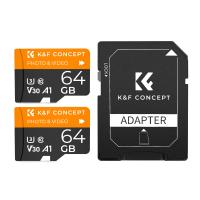
64GB Micro SD Card U3/V30/A1 with Adapter, Memory Card for Cameras, Borescopes,  Microscopes, Night Vision Goggles, Kentfaith
64GB Micro SD Card U3/V30/A1 with Adapter, Memory Card for Cameras, Borescopes, Microscopes, Night Vision Goggles, Kentfaith
$23.75 $23.73
4K 32MP Hunting Camera, 100° Wide Motion Sensor 0.2s Trigger IP67 Waterproof, 2.31" Display, with 64G SD Card +Card Reader
$114.99
Digital Mini Microscope for Kids, 100x-1000x Handheld Microscope with 32GB SD Card & Battery
32
$92.99 $65.99
Products You May Like
Square Lens Holder Adapter 55mm (Laser Size)
1
$17.99 $9.99
Portable Laser Engraver with Raised Columns Protective Goggles and Cover 3W Entry Level Kentfaith
13
$312.49 $249.99
82mm Shimmer Diffusion 1 Filter Optical Glass Glimmer Effect Filter for Camera Lens Nano-X Series
$114.99 $69.99
24MP 1296P HD Trail Camera with WiFi, 5 Million Sensor Outdoor Wildlife Monitoring Waterproof Night Infrared Vision Hunting Camera
124
$84.99
49mm CPL Filter 0.1% Ultra-low Reflection (Titanium Coating ) With 28 Multi-Layer Coatings Ultra-Slim HD Circular Polarizer Filter Nano-Xcel Series
54
$46.99 $36.99
Magic Arm 1/4" Screw with Dual Ball Heads Ms14
16
$27.99 $17.99
55mm Solar Filter ND100000,16.6-Stop Solid Neutral Density Filter for DSLR Camera Nano-Xcel Series
102
$37.99 $29.99
62mm Magnetic CPL Filter + Magnetic Basic Ring Kit Waterproof Scratch Resistant with 28 Multi-Coatings for Camera Lens (Nano-Xcel Series)
29
$62.99 $49.99
55-67mm Step Up Ring Aviation-grade Aluminum Filter Adapter Ring 2-pack with a Cleaning Cloth
99
$5.99
Industrial Endoscope 360° Free Steering 0.24 Inch Ultra-fine Diameter with 6 Led Lights for Car Inspection Pilot Home Sewer Inspection 2 Meters
190
$551.99 $325.99
Related articles
How Much Is Sd Card 32gb?
How Much Is An Sd Card?
How To Fix Sd Card Is Write Protected?
How To Check If Camera Battery Is Bad?
What Is Largest Micro Sd Card?
What Is Write Protected Sd Card?
How Much Is An Sd Card For Android?
How To Get My Outdoor Camera Working?
How To Open Sd Card Packaging?
How To Turn Off Auto Filter On Camera?
Blog You May Like
How Far Will A Baby Monitor Work?
What Is Parking Mode On A Dash Cam?
Is There A Doorbell Camera That Works Without Wifi ?
How Do You Carry Your Stabilizer For Camera?
What Backpacks To Use For Cameras?
How To Clear Gopro Memory Card?
How Do I Convert Voice Recording To Mp3?
Can You Use A Variable Nd Filter?
How To Check Real Sd Card Capacity?
Does Ring Camera Work Without Battery?
Related categories
camera card memory C mount lens adapter 72mm camera filter filter matte box home endoscope
Popular products
portable sd card reader 64Gb Micro Sd Memory Card 32gb sd flash memory card 4k sd memory card Full Size Sd Memory Card sd memory card carrying case 64gb memory card micro surveillance memory card magnetic memory card explosion proof bag
Related searches
Micro To Sd Card Adapter Sd Card Cameras Sd Card Recorder Standard Sd Card Internal Sd Card Sd Card Security Cameras Camera Sd Card Holder Micro Sd Card Adapters Canon Sd Card Adapter Sd Card For Cameras
Popular searches
Adapt Pentaflex Lens Mount Canon Eos 1d C Pl Mount Sony E Mount Vs Nex Video Camera Set Canon 600d Battery Adapter Shoten Pro-replacement Lens Mount For Sony E-mount Sigma 50mm F 1.4 Aps-c E-mount Lens Nikon Dk-13 Adapter Ring Iphone Action Camera Wireless Rv Camera
Blog Category
  • Activities
  • Guide
    • Filter Guide
    • Lens Adapter
    • Product Review
  • News & Reviews
    • Camera Reviews
    • Sample Gallery
    • News
  • Tutorials
    • Solar eclipse photography
    • Photography Basics
    • Landscape Photography
  • Inspiration
    • Travel
    • Travel Stories
Search Article
Latest from the Blog
How To Find Camera Roll On Iphone 5s?
How To Fix The Straps On A Camera?
UV Filter: Everything You Need to Know About UV Protection Lens Filters
Camera That Can Wifi Photos To Phone?
How Big A Memory Card For Camera?
Which Binoculars To Buy?
What To Look For In A Dash Cam?
Black Friday 2025 Special at Kentfaith
What Is The Best Camera To Record Videos?
How To Make A Camera Flash After Effects?
  • Easy Payment Multilple Payment Options

  • Free Shipping Global WareHouse Shipment

  • No Risk 30-Day No Reason Return

  • Limited Deals Buy More, Save More

  • Tax Free No any surcharges or tax fee

Information
  • About us
  • Contact Us
  • Site Map
  • Blog
  • Video
  • Gallery
  • VIP Membership Rewards
Service
  • Privacy Policy
  • Terms & Conditions
  • Shipping & Delivery
  • Payment Info
  • Warranty, Return & Refund
  • Intellectual Property Rights
  • Ambassador
  • Affiliates
  • Wholesale
Support
  • My account
  • Order History
  • FAQs
  • Extend Warranty
  • Logistics Tracking
Follow us
NewsLetter

Get the latest product, K&F Concept respects your privacy.

Powered By KENTFAITH © 2025