kfconcept

KENTFAITH
K&F Concept    Blog >

Enjoy Your Selected Digital Life

Recently Viewed
  • Recently Viewed
  • Recently Viewed list is empty.

Compare (0) 0
  • Compare
  • You have not chosen any products to compare.

  • Compare
Currency: USD
  • Currency
Shop by Scene Shop by Rank

Log Into Your Account

Account

Order History

Wish List

Login

Forgotten Password?

or connect with

Register Account

Already have an Account?Log In

  • Shopping Cart
  • Your shopping cart is empty!

  • Register/Login to purchase, earn points
  • Favorite
  • Your wish list is empty.

  • Register/Login to like, earn points
  • Activities
  • Guide
    • Filter Guide
    • Lens Adapter
    • Product Review
  • News & Reviews
    • Camera Reviews
    • Sample Gallery
    • News
  • Tutorials
    • Solar eclipse photography
    • Photography Basics
    • Landscape Photography
  • Inspiration
    • Travel
    • Travel Stories
  • Home
  • Blog
  • How To Stream Live From Surveillance Camera?

How To Stream Live From Surveillance Camera?

Kentfaith 2025-11-06 02:57:58 0 Comments

How to Stream Live from a Surveillance Camera

Streaming live footage from a surveillance camera has become an essential practice in both personal and professional settings. Whether you're a homeowner looking for enhanced security or a business owner checking your operations remotely, live-streaming surveillance footage allows you to monitor your property or assets from anywhere in real time. However, achieving this goal requires having the right equipment, setup, and knowledge to ensure seamless functionality and security. In this article, we will walk you through the complete process of streaming live surveillance camera footage—including equipment considerations, setup details, and best practices.

1. Understand Your Surveillance Camera Type

how to stream live from surveillance camera 1

The first step in setting up live streaming for a surveillance camera is identifying your setup and determining whether your camera supports this feature. Modern cameras generally fall into one of these categories:

a. IP Cameras

how to stream live from surveillance camera 2

IP (Internet Protocol) cameras are designed for network streaming. These are the most commonly used cameras for live surveillance due to their ability to transfer video data via the internet directly. They often come with built-in software features to facilitate remote viewing.

b. Analog Cameras with DVR System

how to stream live from surveillance camera 3

DVR (Digital Video Recorder) systems are used to connect analog cameras. While analog cameras don’t have direct network capabilities, a DVR system can convert video signals and stream them online.

c. Wi-Fi-enabled Cameras

how to stream live from surveillance camera 4

Wi-Fi cameras simplify live streaming by connecting wirelessly to your home or office network without the need for extensive wiring.

d. NVR System

NVR (Network Video Recorder) systems are designed for IP cameras. If you have multiple cameras integrated into an NVR system, you can use this device to manage live streaming efficiently.

Knowing your surveillance camera’s type will help you determine whether additional hardware or software is required for live streaming.

2. Check Your Internet Connection

Live streaming from surveillance cameras is heavily dependent on your internet connection. High-resolution video streams consume considerable bandwidth, especially when multiple cameras are being streamed simultaneously. Evaluate the following factors:

a. Upload Speed

Ensure that your internet upload speed can support video streaming. A resolution of 720p typically requires 1–2 Mbps upload speeds, whereas 1080p may require 3–5 Mbps.

b. Network Reliability

A stable internet connection is critical to avoid interruptions during streaming. Implement a wired Ethernet connection for your camera rather than relying solely on Wi-Fi for more stable data transmission.

c. Network Configuration

If you're streaming live footage to viewers, either within your network or over the internet, you'll need a properly configured router. Adjust port forwarding or set up Dynamic DNS (DDNS) to ensure external access.

3. Set Up Streaming Software

Most surveillance cameras come with built-in software or apps that provide live-feed access. However, additional third-party software or services may be required if you need advanced streaming features, such as simultaneous recording, multi-camera feeds, or remote hosting.

Popular software options for live-streaming surveillance cameras include:

OBS Studio (Open Broadcaster Software): Ideal for users who want fine-grained control over a live stream, including overlays, filters, and audio configuration. OBS can stream to multiple platforms like YouTube, Twitch, and Facebook.

VLC Media Player: A versatile tool for accessing live video streams using camera IP addresses.

Blue Iris: A feature-rich software solution for managing and streaming multiple cameras.

If you have a camera-specific app provided by the manufacturer, leverage its user-friendly interface to configure cameras effortlessly.

4. Configure Your Camera for Live Streaming

To stream your surveillance camera live, camera configuration is essential. Complete the following steps:

a. Access Camera Settings

Log into the camera’s interface using its IP address (found using your router’s admin panel). You may need installation instructions or credentials provided by the manufacturer.

b. Enable Live Streaming

Most cameras allow you to configure video and audio streaming settings. Set up RTSP (Real-Time Streaming Protocol) or other relevant protocols to enable streaming. RTSP URLs are often provided by the camera and look something like:

```

rtsp://IPaddress/stream

```

c. Adjust Resolution and Frame Rates

Configure the video quality for optimal performance based on your upload speed. Lower resolutions consume less bandwidth, while higher resolutions provide better visual clarity.

d. Set Access Permissions

Make sure you enable authentication or passwords for secure access to your stream. Avoid broadcasting public video streams without securing them to prevent security breaches.

e. Test Your Camera Output

Ensure that the camera is recording and streaming correctly by testing the live feed on your local network.

5. Embed and Stream Your Camera Feed

Once your camera is set up, the next step involves embedding or broadcasting the live feed. Depending on your requirements, here are several options:

a. Stream to Social Media Platforms

Platforms like YouTube or Facebook Live can be used for sharing live footage publicly or privately. You’ll need to input the RTSP feed into the software (e.g., OBS Studio) and configure the streaming output settings to these platforms.

b. Embed in a Website

Some businesses or individuals may want to showcase live footage on their websites. You can integrate the RTSP feed into your website using HTML or external hosting services.

c. App Access

Most IP and Wi-Fi-enabled cameras come with an app that allows users to directly access live feeds from their smartphones or desktops. You can configure notifications for motion detection or other alerts.

6. Maintain Security During Live Streaming

Cybersecurity should be a top priority when streaming from surveillance cameras. Unsecured cameras can be vulnerable to hacking, exposing your private property or business operations to prying eyes. Follow these safety practices:

Change Default Passwords: Always replace factory-set passwords with unique and complex ones.

Secure Your Network: Use secure Wi-Fi login credentials and consider setting up a WPA3 encryption protocol.

Update Firmware: Regularly update your camera firmware to protect against recent vulnerabilities.

Use Encryption: Implement end-to-end encryption on your streams if possible.

Monitor Access: Restrict access to authorized users only. Use IP whitelisting or setup two-factor authentication.

7. Troubleshooting Common Issues

Live webcam streaming isn’t always flawless, and users may encounter issues such as delays, quality degradation, or disconnections. Here are common problems and solutions:

a. Lagging or Pixelated Feed

Cause: Insufficient bandwidth.

Solution: Lower the video resolution or upgrade to a higher-speed internet plan.

b. Stream Not Loading

Cause: Incorrect RTSP URL or networking issues.

Solution: Double-check your camera's IP addresses, port settings, and ensure proper firewall configurations.

c. Unauthorized Access

Cause: Insecure setups or unchanged default passwords.

Solution: Set strong passwords and monitor access logs.

d. Camera Disconnecting Frequently

Cause: Poor connectivity or physical obstructions in Wi-Fi signals.

Solution: Use an Ethernet connection or reposition the Wi-Fi router for better coverage.

8. Advanced Features to Explore

Modern surveillance streaming setups come with advanced features to enhance usability and security:

a. Motion Alerts

Configure notifications for movement detection in specific areas to stay informed of potential activity.

b. Cloud Storage Integration

Many cameras offer direct cloud recording to ensure stream archives are readily retrievable.

c. Multi-Camera Feeds

If you need to monitor multiple cameras, ensure your setup supports real-time multi-camera streaming.

d. AI Analytics

Some cameras offer AI-driven insights, such as facial recognition, license plate readers, or tracking suspicious individuals.

Live streaming from surveillance cameras provides an efficient way to safeguard locations, monitor activities, and enhance operational awareness. By carefully setting up your camera, configuring software, and protecting your network security, you can unlock seamless real-time access to your camera feeds. Remember to regularly update software and firmware while prioritizing safety.

Live-streaming technology is a powerful tool, but only when implemented correctly. With the right hardware, software, and security measures, you can ensure a robust surveillance system that supports your safety and peace
Leave your comment
Cancel reply
Note: HTML is not translated!
Related products
60W LED Video Light 2700K-6500K Photography Lighting for Vlogging, Live Stream
$248.99 $174.99
Telescope Electronic Eyepiece with 4.3in Screen, WiFi Live Stream, Capture 1080P Photos & Videos, Rechargeable, Kentfaith
13
$144.99 $115.99
K&F Concept 75" Lightweight Tripod, Camera Compact Tripod with Remote and 2-in-1 Phone Holder,Travel Phone Tripod with Removable 3-Way Pan Head for Selfie/Video Recording/Photo/Live Stream/Vlog
175
$99.99 $55.99
【$25.99 Flash Deal One order per customer】Selfie Ring Light with Cell Phone Holder for Live Stream and Makeup, LED Light [3-Light Mode] [10-Level Brightness] with Remote Control and Flexible Hose Bracket for iPhone Android【Ship to the US Only】
53
$39.99
4G Surveillance Camera Dedicated Tri-network Compatible Data SIM Card - US Standard
$10.90
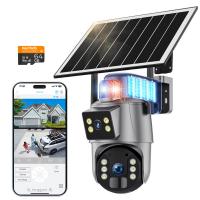
Dual-Lens Security Camera Solar Outdoor Surveillance 10X Optical Zoom 2.4G WiFi
12
$274.99 $230.99
Dual-Lens 4G LTE Security Camera Solar Outdoor Surveillance 10X Optical Zoom
$344.99 $241.99
Digital Photo Frame, 10.1 inch Touchscreen, WiFi Transfer from Any Corner, 32GB Storage, Multi-user Connect & Share, Auto Rotation, Kentfaith
17
$187.49 $149.99
K&F Concept 12mm Micro Four-Thirds 4/3 (MFT) Sensor Cleaning Swab*10, M43 Sensor Cleaning Swab for All Models of M4/3 Camera Sensors, Including M4/3 Cameras from Olympus and Panasonic
$28.99 $14.99
WiFi Security Camera with 6MP,  Dual Lens, Solar Powered, 360° Live View, Color Night Vision Kentfaith
WiFi Security Camera with 6MP, Dual Lens, Solar Powered, 360° Live View, Color Night Vision Kentfaith
16
$168.74 $134.99
Products You May Like
58mm Blue Streak Filter (2mm)  Anamorphic Lens Effect Filter Optical Glass Ultra-clear Waterproof Anti-Scratch Anti-Reflection Green Film Nano-Klear Series
58mm Blue Streak Filter (2mm) Anamorphic Lens Effect Filter Optical Glass Ultra-clear Waterproof Anti-Scratch Anti-Reflection Green Film Nano-Klear Series
32
$27.99 $21.99
USB Microphone Kit 192K24Bit Cardioid High Sampling Rate With Desktop Cantilever Bracket for PC Game Professional Voice Recording Karaoke
54
$47.99
Rut Deluxe Trail Camera
10
$162.99 $106.99
DJI Air 3 Hard Case Waterproof Carrying Case for DJI Air 3 Fly More Combo with DJI RC 2/RC-N2 Controller, Drone Accessories
$124.99 $99.99
95mm Magnetic Filter Kit CPL + ND2-32 + Black Mist 1/4 Filter Set + Magnetic Adapter Ring & Lens Cap,28-Layer Coated HD Optical Glass for Camera Lens - Nano-Xcel Series
75
$253.99 $189.99
Camera Backpack 25L Large Capacity Camera Bag for Photographers with Raincover Camera Case with 15.6" Laptop Compartment Compatible for Canon/Nikon/Sony/DJI Mavic Drone - Nature Wander 09 (Black)
NEW Arrival
Camera Backpack 25L Large Capacity Camera Bag for Photographers with Raincover Camera Case with 15.6" Laptop Compartment Compatible for Canon/Nikon/Sony/DJI Mavic Drone - Nature Wander 09 (Black)
48
$108.99 $75.99
58mm Black Mist 1/4 and ND2-32 (1-5 Stop) Variable ND Lens Filter 2 in 1 with 28 Multi-Layer Coatings Nano-Xcel Series
36
$96.99 $76.99
24MP 1080P Wildlife Camera, Real-time Alarm Received within 1/4 Miles, 120°*65 ft Wide Observation Range, Triggered within 0.2s, Night Vision, Alarm Receiver Included
58
$124.99 $79.99
Sony A Lenses to Fuji X Lens Mount Adapter K&F Concept M22111 Lens Adapter
7
$53.99 $27.99
K&F Concept CMP3134 Carbon Monopod Stand for DSLR Camera  Aluminum 4 Sections
K&F Concept CMP3134 Carbon Monopod Stand for DSLR Camera Aluminum 4 Sections
$47.42
Related articles
Camcorder That Can Live Stream?
How To Stream Video From Webcam?
How To Post Live Feed From Security Camera?
How To Stream From Ps4 And Use An External Webcam ?
How To Watch Surveillance Camera Footage?
How To Spot A Fake Surveillance Camera?
How To Set Up Wireless Surveillance Camera?
How To Set Up Surveillance Camera Online?
Can Hidden Camera Have A Live Feed?
How Do Cellular Cameras Work?
Blog You May Like
How Do I Find My Camera's Shutter Count?
How To Format A Sd Card In Linux?
How To Remove Read Only Sd Card?
What Is A Good Video Camera For Vlogging?
What Camera Lens Do I Need?
What To Look For In Dash Camera?
What To Use For A Lens Cap?
Can Alexa Be A Security Camera?
Which Memory Card For Dash Cam?
Where To Sell Used Drones?
Related categories
4G surveillance camera Live Ring Light C mount lens adapter m4/3 adapter Camera Parts | Studio Camera Accessories streaming video camera digital camera for beginner
Popular products
live stream trail cameras remote controlled outdoor light cob light for photography smartphone selfie ring light led video light for camera outdoor surveillance trail camera waterproof trail surveillance camera fpv drone and goggles live trail camera digital camera 40
Related searches
Wildlife Live Stream Camera Live Stream Outdoor Security Camera Video Camera For Live Stream Live Stream Security Cameras Change Lens Mount From Minolta To Nikon Wireless Headphones From Tv Best Video Surveillance Camera Long Distance Surveillance Camera Car Vandalism Camera Surveillance Motion Tracking Surveillance Camera
Related Scenes
Best Live Video Camera Best Camera To Video Sports Best Camera To Capture Wildlife Best Video Camera To Record Sports Best Surveillance Camera System Best Wifi Surveillance Camera Best Camera For Surveillance Best Night Surveillance Camera Best Hd Surveillance Camera Best 4K Surveillance Camera
Blog Category
  • Activities
  • Guide
    • Filter Guide
    • Lens Adapter
    • Product Review
  • News & Reviews
    • Camera Reviews
    • Sample Gallery
    • News
  • Tutorials
    • Solar eclipse photography
    • Photography Basics
    • Landscape Photography
  • Inspiration
    • Travel
    • Travel Stories
Search Article
Latest from the Blog
How To Use Your Phone As A Microphone?
How Expensive Is A Metal Detector?
How To See Cells In A Microscope?
Which Is The Best Outdoor Wireless Security Camera?
How Do You Blind A Security Camera?
How To Pair Tws Bluetooth Earbuds?
What Are The Uses Of A Compound Microscope?
How To Reduce Noise In Bluetooth Headphones?
How Smart Watch Measure Heart Rate?
What Is The Best Smartwatch For Heart Health?
  • Easy Payment Multilple Payment Options

  • Free Shipping Global WareHouse Shipment

  • No Risk 30-Day No Reason Return

  • Limited Deals Buy More, Save More

  • Tax Free No any surcharges or tax fee

Information
  • About us
  • Contact Us
  • Site Map
  • Blog
  • Video
  • Gallery
  • VIP Membership Rewards
Service
  • Privacy Policy
  • Terms & Conditions
  • Shipping & Delivery
  • Payment Info
  • Warranty, Return & Refund
  • Intellectual Property Rights
  • Ambassador
  • Affiliates
  • Wholesale
Support
  • My account
  • Order History
  • FAQs
  • Extend Warranty
  • Logistics Tracking
Follow us
NewsLetter

Get the latest product, K&F Concept respects your privacy.

Powered By KENTFAITH © 2026