kfconcept

KENTFAITH
K&F Concept    Blog >

Enjoy Your Selected Digital Life

Recently Viewed
  • Recently Viewed
  • Recently Viewed list is empty.

Compare (0) 0
  • Compare
  • You have not chosen any products to compare.

  • Compare
Currency: USD
  • Currency
Shop by Scene Shop by Rank

Log Into Your Account

Account

Order History

Wish List

Login

Forgotten Password?

Or connect with

Register Account

Already have an Account?Log In

  • Shopping Cart
  • Your shopping cart is empty!

  • Register/Login to purchase, earn points
  • Favorite
  • Your wish list is empty.

  • Register/Login to like, earn points
  • Activities
  • Guide
    • Filter Guide
    • Lens Adapter
    • Product Review
  • News & Reviews
    • Camera Reviews
    • Sample Gallery
    • News
  • Tutorials
    • Solar eclipse photography
    • Photography Basics
    • Landscape Photography
  • Inspiration
    • Travel
    • Travel Stories
  • Home
  • Blog
  • How To Listen With 2 Headphones On Pc ?

How To Listen With 2 Headphones On Pc ?

Kentfaith 2023-01-12 04:13:47 0 Comments

In daily life and work, there may be multiple scenarios where you need to use two pairs of headphones to listen to audio on the same computer at the same time, such as sharing music with friends, collaborating at work, or multiple family members watching videos at the same time. However, many people do not know how to achieve this need. This article will introduce several methods of using two pairs of headphones on the computer at the same time in detail to help you find the solution that suits you best.
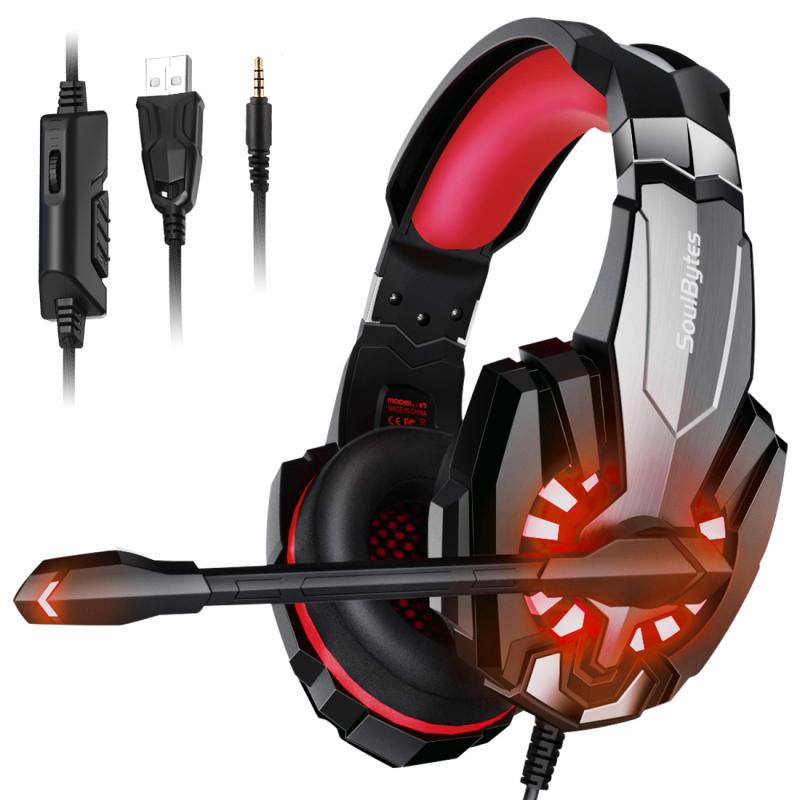

1. Use built-in functions to achieve dual headphone connection

Many computer operating systems (such as Windows and macOS) have built-in functions that can help users achieve dual headphone connection. This method does not require additional hardware or software and is one of the simplest and most direct ways.


Windows system:

Audio settings adjustment: Right-click the volume icon in the taskbar and select "Sound Settings". In the window that opens, click "Sound Control Panel".

Select device: In the "Playback" tab, right-click the headphones you want to use as the main output device and select "Set as Default Device".

Enable the mixer: Return to the "Sound" settings, enter the "Recording" tab, right-click in a blank space, select "Show Disabled Devices", find "Stereo Mix", right-click and select "Enable".

Configuration: Right-click "Stereo Mix", select "Properties", check "Listen to this device" in the "Monitor" tab, and select the second pair of headphones as the output device.

macOS system:

Open Audio MIDI Setup: Find "Utilities" in "Applications" and open "Audio MIDI Setup".

Create multiple output devices: Click the plus sign in the lower left corner and select "Create Multiple Output Devices".

Select devices: Check the two pairs of headphones you want to use and make sure they are in the same multi-output device.

Set the default output: In the "Sound" option in "System Preferences", set the multi-output device as the default output.

The advantage of this method is that it does not require additional hardware, but there are more steps and may vary slightly depending on the system version.


2. Connect dual headphones through a Bluetooth adapter

If you are using Bluetooth headphones, a Bluetooth adapter is a good choice. Many Bluetooth adapters support multi-device connections and can connect two pairs of Bluetooth headphones at the same time.


Operation steps:


Select an adapter: Select a Bluetooth adapter that supports multi-device connections and plug it into the USB port of the computer.

Pair headphones: Follow the instructions of the adapter to pair the two Bluetooth headphones with the adapter. Generally, the adapter will have a button for entering pairing mode.

Adjust settings: Make sure the computer's audio output device is set to the Bluetooth adapter, so that the audio signal will be transmitted to both headphones through the adapter.

This method is simple and fast, and is suitable for users who have Bluetooth headphones, but you need to buy a Bluetooth adapter that supports multi-device connection.


3. Use a splitter to achieve dual headphone connection

An audio splitter is a physical device that can divide an audio output port into two or more. This method is suitable for users who use wired headphones.


Operation steps:


Buy a splitter: Choose a good quality audio splitter. There are many different types of splitters on the market, make sure to choose a model that fits your headphone interface.

Connect devices: Plug the splitter into the headphone jack of the computer, and then plug the two headphones into the output port of the splitter.

Adjust the volume: Adjust the volume of each headphone as needed. Some high-end splitters also have built-in volume adjustment functions.

The advantage of splitters is that they are inexpensive and easy to use, which is suitable for users of wired headphones. However, the sound quality may be slightly reduced, especially when using low-quality splitters.


4. Connect dual headphones through audio software

For users who want more flexible control through software, audio software is a good choice. Many audio software (such as Voicemeeter, Audio Hijack, etc.) can achieve multi-channel output of audio signals.


Operation steps:


Download and install the software: According to the operating system you use, select the appropriate audio software and install it.

Configure output device: Open the software, add and configure two audio output devices (that is, two pairs of headphones).

Adjust audio routing: Adjust the audio routing in the software to send the system's audio signal to two pairs of headphones at the same time.

This method is suitable for users who want to precisely control audio output, but the setting and use of the software may require a certain learning cost.


5. Find a solution with higher sound quality

If you have high requirements for sound quality, you can consider more professional audio devices, such as external sound cards or audio interfaces. These devices usually have multiple output ports, can connect multiple pairs of headphones at the same time, and can provide higher audio quality.


Operation steps:


Select equipment: According to your needs and budget, choose a suitable external sound card or audio interface.

Install the driver: Install the required driver according to the device instructions and make the necessary settings.

Connect headphones: Connect two pairs of headphones to the output port of the device to ensure that the audio signal can be transmitted to both headphones at the same time.

Although this method is more expensive, it can significantly improve the sound quality and is suitable for users who have high requirements for sound quality.


There are many ways to use two pairs of headphones on a computer at the same time, each with its own advantages and applicable scenarios. Whether you are looking for simplicity and speed or want to get higher sound quality, through the introduction of this article, I hope you can find the solution that suits you best. Choose the right method according to your actual needs and preferences so that you and your friends or family can enjoy music, videos or other audio content together.
Leave your comment
Cancel reply
Note: HTML is not translated!
Related products
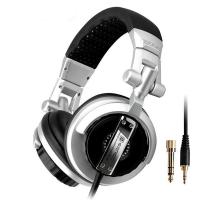
Over Ear Headphones 7.1 Surround Sound Gaming Headset Works with PC, PS4 PRO, Xbox One S, Cell Phone SOMIC Active Noise Canceling with Mic HI-FI USB Jack Game Earphones
23
$65.99
500X Handheld Digital Microscope with 8 LEDs 2" IPS Screen PC Compatible
12
$97.49 $68.99
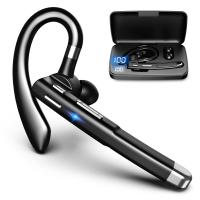
Cell Phone Bluetooth Headphones Bluetooth V5.1 Headphones with Charging Case Hands-Free Single Ear Headphones with CVC8.0 Noise Cancelling Microphone for Office/Driving Compatible with Android/iPhone/Laptop
HOT Seller
Cell Phone Bluetooth Headphones Bluetooth V5.1 Headphones with Charging Case Hands-Free Single Ear Headphones with CVC8.0 Noise Cancelling Microphone for Office/Driving Compatible with Android/iPhone/Laptop
57
$26.99
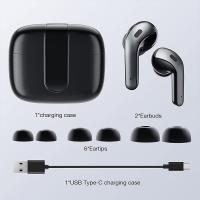
Wireless Earbuds Bluetooth Headphones TWS Waterproof with Microphone
66
$31.99
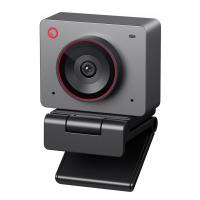
OBSBOT 4K 60 FPS Webcam for PC with 1/2" Sensor AI Framing & Autofocus Dual Mics Beauty Mode
NEW Arrival
OBSBOT 4K 60 FPS Webcam for PC with 1/2" Sensor AI Framing & Autofocus Dual Mics Beauty Mode
$174.99 $139.99
67mm Clip-on CPL&Black Mist 1/4 2-in-1 Phone Camera Lens Filter Kit Applicable to All Mobile Phone Models
3
$29.99
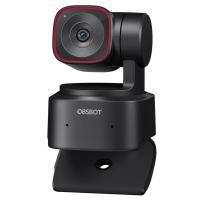
OBSBOT Tiny 2 Lite 4K Webcam for PC, AI Tracking PTZ Streaming Camera with 1/2" Sensor, Gesture Control, 60 FPS, HDR, Microphones, Web Camera for Desktop Computer, Laptop, Meeting, Video Calls.
NEW Arrival
OBSBOT Tiny 2 Lite 4K Webcam for PC, AI Tracking PTZ Streaming Camera with 1/2" Sensor, Gesture Control, 60 FPS, HDR, Microphones, Web Camera for Desktop Computer, Laptop, Meeting, Video Calls.
$250.00 $200.00
Handheld Microcsope, 500X Zoom, 1080P Videos,  PC Connect, with Large 5X Magnifier, Autofocus, Kentfaith
Handheld Microcsope, 500X Zoom, 1080P Videos, PC Connect, with Large 5X Magnifier, Autofocus, Kentfaith
15
$87.49 $69.99
67mm Clip-on CPL Phone Camera Lens Filter Kit Applicable to All Mobile Phone Models
40
$18.99
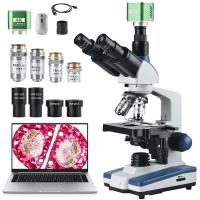
Compound Microscope with 4K Camera, 40X-2500X Magnification, PC Connection, Plan Optical System, Mechanical Stage, Kentfaith
12
$824.99 $659.99
Products You May Like
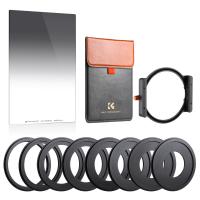
Anti-IR GND8(0.9) Square Lens Filter Kit 100x150mm Soft Graduated ND Filter Set (3 Stop) with Metal Filter Holder & 8 Filter Adapter Rings ( SJ51T )
$153.99 $132.99
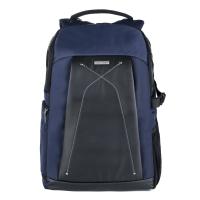
DSLR Camera Backpack Waterproof 19.3*13.4*7.1 inches
6
$66.99
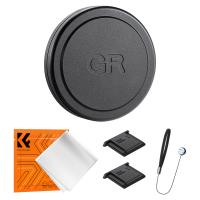
Ricoh GR Series Aluminum Alloy Lens Cap Compatible with Ricoh GR II, GR III, GR IIIx
$16.99 $12.99
52mm CPL Filter 28 Layer Super Slim Circular Polarizing Filter Multi-coated Polarized MRC Filter NANO-X Series
$49.99 $37.99
43MM Circular Polarizer Optical Glass Lens Filter Ultra-Slim 18 Multi-Layer Coatings Circular Polarizing Filters for Camera Lens (Nano-Klear)
63
$21.99 $17.49
24MP*1296P night vision, 120° wide angle*0.2S trigger 2" screen with 32G memory card Tracking camera maple
$125.99 $74.99
52mm Magnetic Lens Filter Kit GND8+ND8+ND64+ND1000+Magnetic Adapter Ring 5 in 1 Quick Swap System Nano X Series
$164.99 $104.99
Car Phone Holder
Car Phone Holder
$7.50
DJI Mavic Mini 2 SE Carrying Case, Portable Travel Bag for DJI Mini 2/Mini 2 SE Fly More Combo Drone Accessories
16
$37.49 $29.99
55mm Gold Diffusion 1/2 Filter Mist Soft Glow Warm Highlights Vintage Cinematic Aesthetic Camera Lens Filter Nano-Xcel Series
NEW Arrival
55mm Gold Diffusion 1/2 Filter Mist Soft Glow Warm Highlights Vintage Cinematic Aesthetic Camera Lens Filter Nano-Xcel Series
$93.99 $69.99
Related articles
How To Record On Pc With Audio?
How To Put Headphones In Pc?
How To Record Video With Sound On Pc?
How To Connect 2 Bluetooth Headphones To Laptop Windows 10 ?
How To Connect Wireless Camera With Pc?
How To Play Switch Docked With Headphones ?
How Record Audio On Pc?
How To Record External Audio On Pc?
How To Increase Earphone Volume On Pc?
What Are Best Shoulder Straps For Camera?
Blog You May Like
What Can You See In Space With Binoculars?
What Is Detection Delay On Trail Camera?
Can You Hook Up Alexa To Bluetooth Speakers?
How Deep Can A Metal Detector Work?
Can You Access A Camera With Wifi Password?
How To Screen Share On Lg Projector?
How Long Does A Dash Cam Battery Last?
What Is A Pinhole Camera For Kids?
Smart Life Camera How To Change Wifi Network?
UV Filter: Everything You Need to Know About UV Protection Lens Filters
Related categories
On-Dash Camera Tamron Adaptall 2 Lens Adapters 2 in 1 Filter drone filters Lens Filter Holder
Popular products
wireless bluetooth earbuds for the right ear headset with microphone noise cancellation clip on phone camera lens noise canceling in ear headphones light with power bank bluetooth headphones with mic earphone mic noise cancelling headset with noise cancelling microphone noise cancelling microphone earbuds on the ear headphones
Related searches
Best Pc Headphones With Microphone Lightweight Headphones With Mic For Pc Noise Canceling Headphones For Pc Surround Sound Gaming Headphones Pc Gaming Headphones Pc And Ps4 Gaming Headphones For Pc And Ps4 Headset For Pc With Microphone Usb Pc Camera With Microphone Pc Gaming Headset With Microphone Pc Usb Headset With Microphone
Popular searches
Camera Bags Ireland 77mm Filter Kit Iphone 12 Pro Max Microphone Tokina 28-70 Nikon Mount Fujifilm Lens Ring Mount Vivitar T-mount For Canon Ef Mount Adapter Ef Eos M M12 Lens Mount Specifications Sony Rxo Ii Lens Filter Bluetooth Clip On Microphone
Blog Category
  • Activities
  • Guide
    • Filter Guide
    • Lens Adapter
    • Product Review
  • News & Reviews
    • Camera Reviews
    • Sample Gallery
    • News
  • Tutorials
    • Solar eclipse photography
    • Photography Basics
    • Landscape Photography
  • Inspiration
    • Travel
    • Travel Stories
Search Article
Latest from the Blog
UV Filter: Everything You Need to Know About UV Protection Lens Filters
Is the Sony A7M5 worth buying?
Where To Buy A Microphone?
How Do Trail Cameras Work? The Ultimate Guide to Trail Cameras
Dash Cam That Can Connect To Phone?
Which Night Vision Monocular Is Best?
What Power Binoculars For Long Distance Viewing?
Kentfaith x ANACONDA: Capturing the Wild, Frame by Frame
What Is The Best Camera For Action Sports?
How Does a WiFi Trail Camera Work?
  • Easy Payment Multilple Payment Options

  • Free Shipping Global WareHouse Shipment

  • No Risk 30-Day No Reason Return

  • Limited Deals Buy More, Save More

  • Tax Free No any surcharges or tax fee

Information
  • About us
  • Contact Us
  • Site Map
  • Blog
  • Video
  • Gallery
  • VIP Membership Rewards
Service
  • Privacy Policy
  • Terms & Conditions
  • Shipping & Delivery
  • Payment Info
  • Warranty, Return & Refund
  • Intellectual Property Rights
  • Ambassador
  • Affiliates
  • Wholesale
Support
  • My account
  • Order History
  • FAQs
  • Extend Warranty
  • Logistics Tracking
Follow us
NewsLetter

Get the latest product, K&F Concept respects your privacy.

Powered By KENTFAITH © 2026