kfconcept

KENTFAITH
K&F Concept    Blog >

Enjoy Your Selected Digital Life

Recently Viewed
  • Recently Viewed
  • KingWear KW18 Smartwatch Bluetooth 4.0 Heart Rate Monitor - Black
    KingWear KW18 Smartwatch Bluetooth 4.0 Heart Rate Monitor - Black
    $33.99
Compare (0) 0
  • Compare
  • You have not chosen any products to compare.

  • Compare
Currency: USD
  • Currency
Shop by Scene Shop by Rank

Log Into Your Account

Account

Order History

Wish List

Login

Forgotten Password?

Or connect with

Register Account

Already have an Account?Log In

  • Shopping Cart
  • Your shopping cart is empty!

  • Register/Login to purchase, earn points
  • Favorite
  • Your wish list is empty.

  • Register/Login to like, earn points
  • Activities
  • Guide
    • Filter Guide
    • Lens Adapter
    • Product Review
  • News & Reviews
    • Camera Reviews
    • Sample Gallery
    • News
  • Tutorials
    • Solar eclipse photography
    • Photography Basics
    • Landscape Photography
  • Inspiration
    • Travel
    • Travel Stories
  • Home
  • Blog
  • How To Get Rid Of Water In Phone Camera Lens ?

How To Get Rid Of Water In Phone Camera Lens ?

Kentfaith 2023-05-08 06:35:41 0 Comments

Water in your cell phone camera lens not only affects the quality of your photos, but can also lead to hardware damage. This article will detail how to safely remove water from your cell phone camera lens, ways to prevent water ingress, and tips for removing water using professional tools and equipment.

Wipe lens with microfiber cloth

How to Safely Remove Water from Your Cell Phone Camera Lens

Turn off the phone immediately:

When water is found in your cell phone camera lens, the first thing you should do is turn it off immediately. This prevents moisture from causing short circuits and further hardware damage.

Use a desiccant:

Place your cell phone in an airtight container with a desiccant. Common desiccants include silica gel packets or raw rice. These desiccants can help absorb moisture inside the phone. It is recommended to leave the phone for at least 24 hours to ensure drying.

Use a vacuum bag:

If available, you can use a vacuum bag to seal the phone and desiccant together and use a vacuum pump to draw out the air. This method will speed up the drying process.

Disassemble the phone:

For users with some technical skills, try disassembling the back cover of the phone, removing the battery (if possible), SIM card, and other removable components, and then gently soak up any visible moisture using a lint-free cloth or paper towel. Please note that disassembling the phone may void the warranty and should be done with caution.

Use a hair dryer:

Use the cool air setting of a hair dryer to blow dry your phone, but avoid the hot air setting as overheating may damage the phone's internal components.
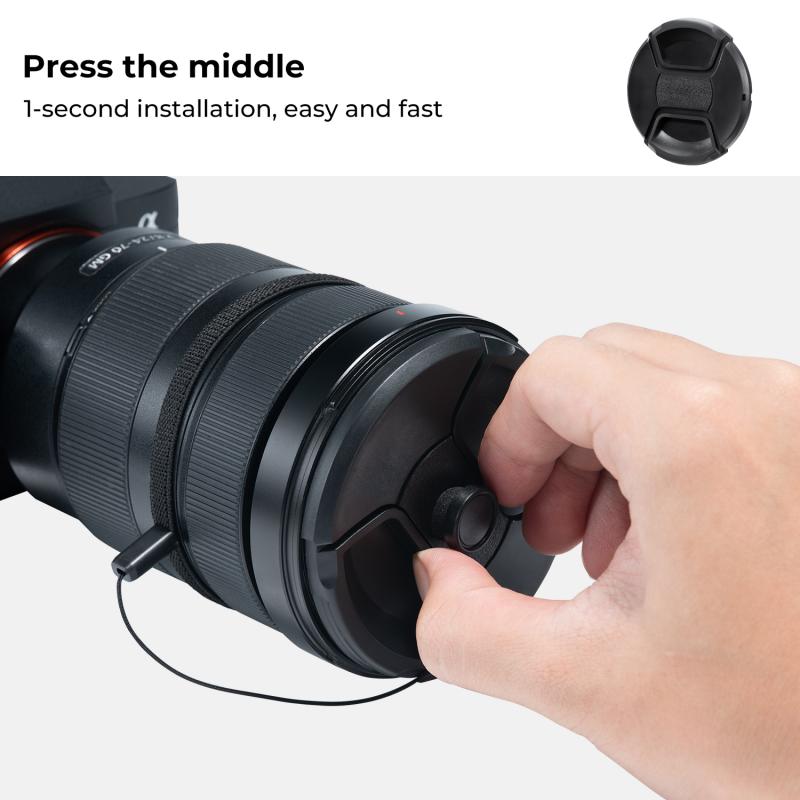
Use silica gel packets to absorb moisture

Ways to prevent water from entering the camera lens of your cell phone

Use a waterproof cell phone case:

Choosing a high-quality waterproof phone case can effectively prevent water from entering the interior of your phone, especially when using your phone in the rain or near water.

Protect with a film:

Using a camera lens protection film can prevent water droplets from entering the lens directly to some extent.

Avoid using your phone in humid environments:

Try to avoid using your cell phone in the bathroom, by the pool or in other wet environments. If you must use it, it is recommended to use waterproof protection.


Use specialized tools and equipment to remove moisture

Vacuum dryer:
Professional repair stores often use vacuum dryers to treat waterlogged cell phones. This equipment can quickly and effectively remove water from the inside of the phone.
Ultrasonic cleaners:
Some professional repair stores also use ultrasonic cleaners to clean and dry the circuit boards and components inside the phone. Ultrasonic vibrations remove tiny droplets of water and dirt.
Humidity sensor:
Professional repairers may use a humidity sensor to check the humidity inside the phone to determine if the drying is complete.


Things to keep in mind during processing

Avoid using rice wine and other liquids:

Some people recommend using rice wine or other liquids to clean your phone, but this can lead to further damage, especially if the liquid seeps inside the phone.

Handle the battery with care:

When handling a waterlogged cell phone, special attention should be paid to the battery. If the battery becomes wet, it could trigger a chemical reaction that could lead to overheating or an explosion.

Prompt professional repair:

If you are not sure how to handle a waterlogged phone, it is best to take it to a professional repair store in time. Professionals have the right tools and experience to prevent further damage.


Solving common problems caused by water

Camera blurring:

If residual moisture inside the camera lens is causing blurry photos, try using a desiccant or sending it in for cleaning. If the problem persists, the lens module may need to be replaced.

Phone won't turn on:

Water ingress may cause a short circuit. If it still won't turn on after drying, it is recommended to send it to a professional repair store for testing and repair.

Touchscreen malfunction:

Moisture may affect the sensitivity of the touchscreen. Try to dry the phone thoroughly or send it for repair and replacement of the touchscreen.


With these detailed steps and suggestions, you should be able to effectively remove water from your phone's camera lens and avoid further damage. Whether you take preventive measures, use professional tools, or pay attention to the details of the handling process, it will help you better protect and maintain your cell phone camera. We hope this article has provided you with valuable information and assistance.



Use a hair dryer on low heat

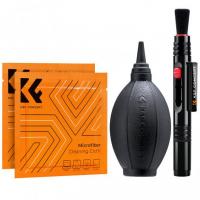
buy now:Cleaning Cloths Dust-free Cleaning Cloths, 14*14cm, 10 pack

Leave your comment
Cancel reply
Note: HTML is not translated!
Related products
67mm Clip-on CPL&Black Mist 1/4 2-in-1 Phone Camera Lens Filter Kit Applicable to All Mobile Phone Models
3
$29.99
67mm Clip-on CPL Phone Camera Lens Filter Kit Applicable to All Mobile Phone Models
40
$18.99
67mm Clip-on ND2-32 Phone Camera Lens Filter Kit Applicable to All Mobile Phone Models
NEW Arrival
67mm Clip-on ND2-32 Phone Camera Lens Filter Kit Applicable to All Mobile Phone Models
13
$37.99
67mm Clip-on Black Mist 1/4 Phone Camera Lens Filter Kit Applicable to All Mobile Phone Models
7
$29.99
52mm Clip-on CPL Phone Camera Lens Filter Kit, Circular Polarizer Polarizing Filter Applicable to All Mobile Phone Models
24
$19.99
Macro Phone Lens with 100X/150X/200X Lens in 1 Kit Built-in CPL Filter LED Light
15
$179.99 $125.99
RGB Multi-Function Two-in-One Video Light & Power Bank, Built-in 4000mAh, for SLR Camera, Mobile Phone, Vlog, Photography Light
96
$74.99 $52.99
Camera Lens Filter Pouch Case, 4-Pocket Filter Carry Case, Belt Bag Pouch Water-Resistant shockproof and Dustproof Design for 37mm-95mm Filters
10
$30.99 $23.99
K&F CONCEPT Neck Phone Holder, 2-in-1 Magnetic & Clip-on Phone Neck Holder, POV Phone Holder, Hand Free Chest Stand Compatible with iPhone 17-12 Seires Android Phones
63
$29.99
K&F Concept CA02 Aluminum Multi Quick Release Plate 2 in 1 Professional Camera Quick Release Plate for Tripod Camera Mobile Phone (Orange)
28
$35.99 $24.99
Products You May Like
M316 Automatic 360° intelligent follow up camera head, remote intelligent shooting camera bracket, AI intelligent music head with speaker, 3600mAh built-in battery, no APP, ready to use, for live vlog Black
23
$60.99
Camera Backpack Camera Bags for Photographers Large Capacity Camera Case with Raincover 15-15.6 Inch Laptop Compartment Compatible for Canon / Nikon / Sony / DJI Mavic Drone - Backpack 20L Urban Wander 01 (Steel Grey)


103
$128.99 $89.99
K&F Concept Camera Lens Replaceable Cleaning Pen Set, APS-C Cleaning Stick*20
$37.99 $19.99
Square Lens Holder Adapter 40.5mm (Laser Size)
$17.99 $9.99
43mm Variable ND Filter ND2-ND32 (1-5 Stops) Lens Filter Waterproof Scratch Resistant with 18 Layers of Nano-coating Nano-Klear Series
30
$37.99 $29.99
STARTRC DJI DJI Mini 3 PRO Remote Control with Screen (DJI RC) / DJI RC Pro Remote control with Screen Special Strap
48
$19.99
82mm Magnetic Variable ND2-ND32 (1-5 Stop) Lens Filters NO X Spot Nano-Xcel Series (Compatible with 86mm magnetic cap)
43
$102.99 $81.99
KM-G1000H 1000m Laser Rangefinder for Golf & Hunting, Distance Measurement with High-Precision Flagpole Lock Vibration Slope Mode Continuous Scanning
NEW Arrival
KM-G1000H 1000m Laser Rangefinder for Golf & Hunting, Distance Measurement with High-Precision Flagpole Lock Vibration Slope Mode Continuous Scanning
$251.99 $97.99
Contax G Lenses to Canon EOS M Lens Mount Adapter K&F Concept M26141 Lens Adapter
$87.99 $45.99
good trail camera
good trail camera
10
$135.99 $106.99
Related articles
How To Get Condensation Out Of Iphone Camera Lens ?
How To Find The Depth Of Water?
Where To Get Camera Lens Cleaned?
How To Find Magnification Of A Camera Lens?
How To Get Voice In Screen Recording?
How To Get Sound In Screen Recording?
How To Get Ring Light In Eyes?
What Is The Use Of Tripod In Camera?
What Type Of Lens Filter To Use?
What Is A Lens Filter Size?
Blog You May Like
How To Fix Camera Battery?
What Are The 2 Types Of Microscopes?
How To Put Memory Card In Pc?
What Brand Of Square Filter?
Who Can Install Cameras In My House?
How Do You Build A Telescope?
What Camera Should I Buy For Video?
Can You Use Binoculars With Glasses?
How To Use Polarized Lens Filter?
How To Install Cameras On House?
Related categories
phone camera lens C mount lens adapter iphone lens filter cell phone tripods m4/3 adapter 2 in 1 Filter Screw-In Filter camera lens adapter
Popular products
clip on phone camera lens Polarize Filter For Mobile Phone camera backpack easy access compact camera belt case ring light phone holder camera bag filters horizontal tripod for phone swiss arca quick release best cell phone microscope camera gimbal for phone
Related searches
Water Resistant Camera Bag Get Stuck Filter Off Lens Best Lens Filter For Water Laser Water Cooled Lens Mount List Of Camera Lens Mounts Trail Camera Bluetooth To Phone Smart Watch For Water Sports 2 In 1 Mobile Phone Projector Android Phone With Built In Projector Uv Lens Water Filter Before And After
Popular searches
Laser Water Cooled Lens Mount Sony Xlr A2m Adapter Hoya Pro Nd1000000 67mm Lens Filter Black Pro Mist Pocket 3 Wide Camera Strap Aluminum Grease Filter With Lens Best 5 In 1 Reflector Arri B-mount To Canon Gopro Housing Lens Adapter Best Point And Shoot Video Camera
Blog Category
  • Activities
  • Guide
    • Filter Guide
    • Lens Adapter
    • Product Review
  • News & Reviews
    • Camera Reviews
    • Sample Gallery
    • News
  • Tutorials
    • Solar eclipse photography
    • Photography Basics
    • Landscape Photography
  • Inspiration
    • Travel
    • Travel Stories
Search Article
Latest from the Blog
Pressure In Ear When Wearing Headphones?
Which Camera Is Best For Low Light Photography?
Can Security Cameras Detect Motion Through Glass?
Dash Cam That Can Connect To Phone?
Which Memory Card For Dash Cam?
How To Stream Live From Surveillance Camera?
How To Place Cameras Around Your House?
What Is The Best Camera To Record Videos?
What Is The Best Wireless Outdoor Security Camera?
Can A Tripod Fit Any Camera?
  • Easy Payment Multilple Payment Options

  • Free Shipping Global WareHouse Shipment

  • No Risk 30-Day No Reason Return

  • Limited Deals Buy More, Save More

  • Tax Free No any surcharges or tax fee

Information
  • About us
  • Contact Us
  • Site Map
  • Blog
  • Video
  • Gallery
  • VIP Membership Rewards
Service
  • Privacy Policy
  • Terms & Conditions
  • Shipping & Delivery
  • Payment Info
  • Warranty, Return & Refund
  • Intellectual Property Rights
  • Ambassador
  • Affiliates
  • Wholesale
Support
  • My account
  • Order History
  • FAQs
  • Extend Warranty
  • Logistics Tracking
Follow us
NewsLetter

Get the latest product, K&F Concept respects your privacy.

Powered By KENTFAITH © 2026