kfconcept

KENTFAITH
K&F Concept    Blog >

Enjoy Your Selected Digital Life

Recently Viewed
  • Recently Viewed
  • Recently Viewed list is empty.

Compare (0) 0
  • Compare
  • You have not chosen any products to compare.

  • Compare
Currency: USD
  • Currency
Shop by Scene Shop by Rank

Log Into Your Account

Account

Order History

Wish List

Login

Forgotten Password?

Or connect with

Register Account

Already have an Account?Log In

  • Shopping Cart
  • Your shopping cart is empty!

  • Register/Login to purchase, earn points
  • Favorite
  • Your wish list is empty.

  • Register/Login to like, earn points
  • Activities
  • Guide
    • Filter Guide
    • Lens Adapter
    • Product Review
  • News & Reviews
    • Camera Reviews
    • Sample Gallery
    • News
  • Tutorials
    • Solar eclipse photography
    • Photography Basics
    • Landscape Photography
  • Inspiration
    • Travel
    • Travel Stories
  • Home
  • Blog
  • How To Find Ip Cameras On Google?

How To Find Ip Cameras On Google?

Kentfaith 2025-02-24 02:11:34 0 Comments

How to Find IP Cameras on Google: A Step-by-Step Guide
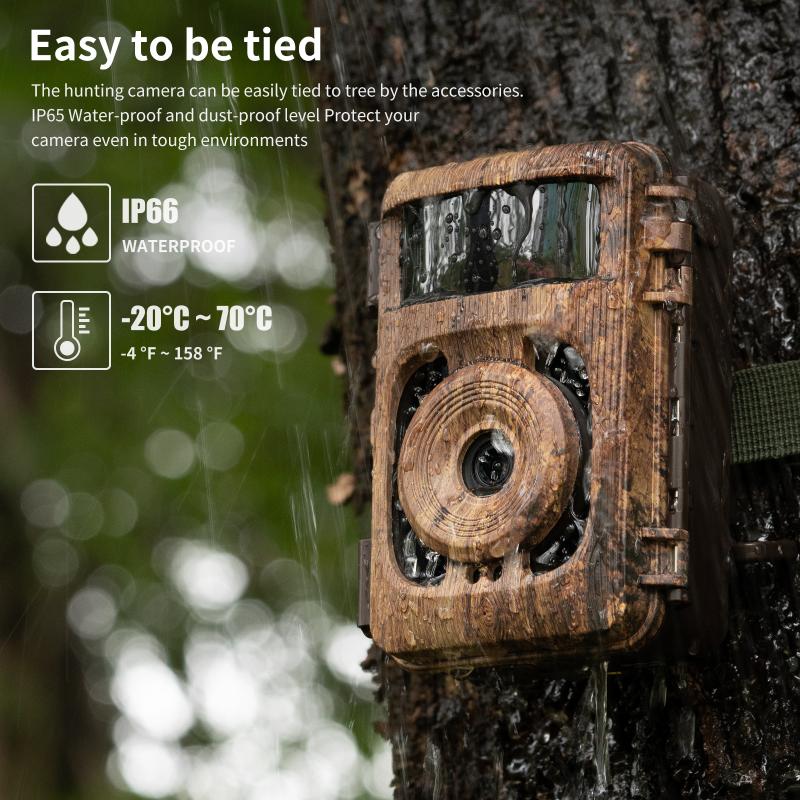
how to find ip cameras on google 1

Finding IP cameras on Google can be both a useful and a delicate task, depending on the context and your intentions. Whether you're an enthusiast exploring the vast possibilities of IP cameras, a professional seeking out security solutions, or simply curious about how easy it is to locate these devices on the internet, it’s important to approach this activity with both caution and responsibility. Here’s a detailed guide to understanding how you might find IP cameras on Google, with a focus on ethical considerations and practical advice.

What Are IP Cameras?

IP (Internet Protocol) cameras, also known as network cameras, are digital video cameras that send and receive data over a computer network. Unlike traditional CCTV cameras, which require a physical connection to a recording device, IP cameras can be accessed and managed remotely via the internet. They are commonly used for security surveillance, baby monitoring, or even for personal home automation setups.

IP cameras can come in various forms, ranging from simple, low-cost devices to highly sophisticated, professional systems designed for commercial surveillance. Their ability to stream live video makes them valuable tools for businesses, homeowners, and hobbyists alike.

Why Search for IP Cameras on Google?

There are several reasons why someone might search for IP cameras on Google. These include:

1. Security Setup: You may be looking for ways to install and configure IP cameras for home or office security.

2. Technology Research: If you are studying how IP cameras work or are looking for information on manufacturers, specifications, and types of devices.

3. Finding Open Cameras: In some unfortunate cases, people may search for IP cameras that are poorly configured or unsecured, which might be unintentionally exposed to the internet. This practice, however, can raise serious ethical and legal issues.

4. Network Troubleshooting: Professionals sometimes search for these devices as part of their network management or security auditing procedures.

It is critical to understand that while searching for open IP cameras might be tempting to some, accessing unsecured cameras without permission is illegal and unethical. The proper approach is always to respect privacy, follow legal guidelines, and only access cameras you are authorized to interact with.

How Do IP Cameras Get Exposed on Google?

IP cameras can sometimes become visible to the public on Google search results due to improper configuration. Several factors contribute to this:

1. Default Settings: Many IP cameras, especially consumer-grade models, come with default settings for passwords and ports. If these are not changed, the camera might be accessible to anyone who knows the default IP address and port number.

2. Weak or No Passwords: Some devices are configured without a strong password or any password at all. This makes them vulnerable to unauthorized access.

3. Misconfigured Port Forwarding: Port forwarding is often used to allow external devices to access a local network. If a camera’s ports are forwarded without proper security measures, anyone with knowledge of the IP address and port can access the camera remotely.

4. Public Directories: In some cases, devices might be indexed in public directories by default, meaning they can show up in search engines if their configuration is wrong.

5. Security Vulnerabilities: Some cameras have vulnerabilities that can be exploited remotely. If these vulnerabilities are known and there are no patches available, hackers might be able to access the device without any physical interaction.

6. Cameras With Open Broadcasts: Some cameras are intentionally set up to stream video publicly, such as those used by certain companies for marketing or product demonstrations. These streams are often indexed by search engines.

How to Search for IP Cameras on Google: Practical Steps

If you have legitimate reasons for finding IP cameras or exploring the technical aspects of them, here’s how you might go about it:

1. Search by IP Range or Default Ports

One method used by both researchers and ethical hackers is searching for open IP cameras by targeting specific ranges of IP addresses or well-known default ports. Commonly used ports for IP cameras include:

- 80 (HTTP)

- 554 (RTSP)

- 8080 (HTTP alternative)

- 8888 (Used by various devices)

To search for cameras on Google, use advanced search operators to target specific IP ranges or known default ports. For example:

- `inurl: “/view.shtml”` - This search might show you cameras that use the “view.shtml” page to access their stream.

- `inurl: “/cgi-bin”` - This can help find cameras that use a CGI interface for controlling their settings.

- `inurl: “/admin”` - Searching for cameras with exposed admin interfaces.

This type of search can often result in discovering publicly accessible cameras that are not properly secured.

2. Use Specialized Search Engines for Cameras

While Google is a powerful search tool, there are specialized search engines designed to find exposed devices on the internet. These search engines are specifically tuned to detect publicly accessible webcams, IP cameras, and other IoT devices:

- Shodan: This is one of the most well-known search engines for finding exposed devices, including IP cameras. Shodan indexes devices based on their IP address, ports, and available services. It’s often used by security professionals to identify vulnerable devices.

- Censys: Similar to Shodan, Censys is another search engine that focuses on indexing internet-connected devices. You can use it to look for cameras and other devices with specific open ports or vulnerabilities.

While these search engines are excellent for research and security auditing, they can also show publicly exposed cameras if their configurations are wrong.

3. Check Public Databases and Directories

Some cameras are intentionally set up to be visible on the web. These may be marketed as live-streaming cameras for tourists, businesses, or nature enthusiasts. These cameras are often part of open data initiatives or used for advertising.

Public camera directories like:

- EarthCam: This website features live streams from public cameras around the world, mostly showing popular tourist destinations or cities.

- Security Camera Lists: Certain forums or websites may list public security cameras that are intentionally exposed for promotional purposes.

These cameras are usually secure and meant to be visible to the public, but it’s important to avoid cameras that were not meant to be accessed by the public.

Ethical Considerations When Finding IP Cameras

It’s crucial to emphasize the importance of ethics and legality in any search for IP cameras. Here are some key guidelines:

1. Always Respect Privacy: If a camera is private or has restricted access, do not attempt to view it without permission. Unauthorized access to surveillance cameras can violate privacy laws and result in severe penalties.

2. Understand Local Laws: In many regions, accessing or attempting to access unsecured cameras without permission can lead to criminal charges. Make sure you are aware of the laws in your country or state regarding unauthorized access to devices and networks.

3. Avoid Harmful Actions: Some individuals might be tempted to exploit security holes in public or private cameras. This is illegal and can cause harm to individuals or businesses. Always follow ethical hacking principles if you are testing or auditing devices.

4. Report Vulnerabilities: If you come across an unsecured camera or device, it’s a good practice to report it to the manufacturer or network administrator so they can secure it. Some organizations even offer bug bounties for discovering and responsibly disclosing security vulnerabilities.

Securing Your Own IP Camera

If you’re using an IP camera yourself, here are some tips to ensure it’s secure:

1. Change Default Passwords: Always change the default password and use a strong, unique password for your IP camera.

2. Update Firmware Regularly: Make sure your camera’s firmware is up to date to avoid known vulnerabilities.

3. Disable Unnecessary Ports: Only open ports that are absolutely necessary for remote access. Use a VPN if possible.

4. Use Encrypted Streams: Always opt for cameras that support encryption (HTTPS, SSL) for secure video transmission.

5. Monitor and Audit: Regularly check the camera’s security settings and review who has access to it.

Searching for IP cameras on Google can be both fascinating and useful for those with legitimate purposes, such as security setup, technical research, or monitoring public cameras. However, it’s critical to approach the process responsibly and within the boundaries of the law. Searching for unsecured devices can lead to exposure of private data and legal consequences, so always prioritize ethical practices. If you're a professional or hobbyist working with IP cameras, use the proper search tools, understand how these devices work, and secure your own equipment to avoid potential vulnerabilities.


Leave your comment
Cancel reply
Note: HTML is not translated!
Related products
Anti-Spy Detector Scan & Disconnect for 24/7 Protection Find Bugs Hidden Cams
15
$89.99 $59.99
Metal Detectors for Adults and Kids, Gold Detector Kit with LCD Display & IP68 Waterproof Search Coil for Find Valuables
NEW Arrival
Metal Detectors for Adults and Kids, Gold Detector Kit with LCD Display & IP68 Waterproof Search Coil for Find Valuables
285
$215.99 $151.99
67mm Clip-on CPL Phone Camera Lens Filter Kit Applicable to All Mobile Phone Models
40
$18.99
67mm Clip-on ND2-32 Phone Camera Lens Filter Kit Applicable to All Mobile Phone Models
NEW Arrival
67mm Clip-on ND2-32 Phone Camera Lens Filter Kit Applicable to All Mobile Phone Models
13
$37.99
67mm Clip-on Black Mist 1/4 Phone Camera Lens Filter Kit Applicable to All Mobile Phone Models
7
$29.99
52mm Clip-on CPL Phone Camera Lens Filter Kit, Circular Polarizer Polarizing Filter Applicable to All Mobile Phone Models
24
$16.99
K&F CONCEPT Mini On-Camera Flash GN12, 5600K, 2000mAh Built-in Battery, Compatible with Canon, Fuji, Sony, Nikon, Panasonic, Olympus, Pentax & Other DSLR/Mirrorless Cameras with Standard Hot Shoe.
NEW Arrival
K&F CONCEPT Mini On-Camera Flash GN12, 5600K, 2000mAh Built-in Battery, Compatible with Canon, Fuji, Sony, Nikon, Panasonic, Olympus, Pentax & Other DSLR/Mirrorless Cameras with Standard Hot Shoe.
24
$65.99 $54.99
67mm Clip-on CPL&Black Mist 1/4 2-in-1 Phone Camera Lens Filter Kit Applicable to All Mobile Phone Models
3
$29.99
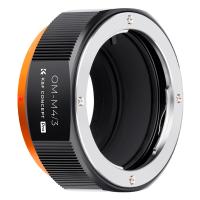
Olympus OM Mount Lens to M4/3 MFT Olympus Pen Cameras Lens Mount Adapter
24
$64.99 $35.99
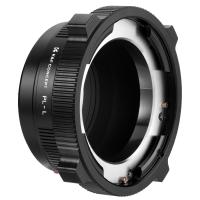
PL-L Mount Lens Adapter, Compatible with PL Lens Converter to L Mount Cameras
$99.99
Products You May Like
62mm Solar Filter ND100000,16.6-Stop Solid Neutral Density Filter for DSLR Camera Nano-Xcel Series
104
$44.99 $35.99
K&F Concept 24 Slots SD Card Holder Memory Card Case, Water-Resistant Shockproof Memory Card Storage Carrying Case for 12 SD SDXC SDHC Cards, 12 CFexpress Type A Cards
$18.99 $9.99
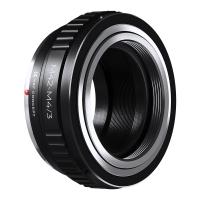
M42 Lens to Micro 4/3 Lens Adapter,M42 Screw Mount to Micro Four Thirds M43 MFT Fits for Olympus PE, Panasonic Lumix
151
$45.99 $24.99
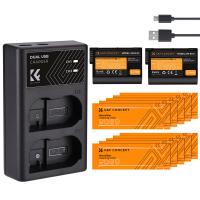
K&F Concept EN-EL15 battery rechargeable 2pcs + charger + 10pcs cleaning cloth kit,Camera Battery compatible with Nikon D7000, D7100, D7200, D750, D850, D810, D800, D800E, D750, D610, D600, D500, 1 V1,Shipping country: USA/UK/Canada/EU
144
$60.99 $42.99
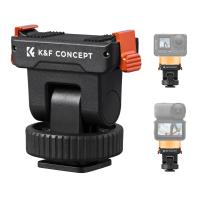
K&F CONCEPT Plastic Cold Shoe Mount Compatible with DJI Osmo Nano/Osmo Action 6, Action Camera Magnetic Quick Mount Holder, Tripod Adapter Hot Shoe Camera Connector
16
$16.99
49mm-82mm Magnetic Lens Filter Adapter Ring
19
$33.99 $24.99
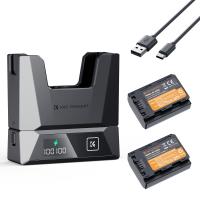
Sony NP-FZ100 18W Modular Fast Charger and Battery Kit, 2600mAh Large Capacity Battery for Sony A7iii, A7R V, IV, Alpha A7C, A6700, ILCE-1M2, A7R3, ZV-E1, FX3, FX30
NEW Arrival
Sony NP-FZ100 18W Modular Fast Charger and Battery Kit, 2600mAh Large Capacity Battery for Sony A7iii, A7R V, IV, Alpha A7C, A6700, ILCE-1M2, A7R3, ZV-E1, FX3, FX30
18
$79.99
STARTRC DJI Avata Dedicated Heightened Landing Gear Anti-Drop Buffer Training Frame Tripod
$16.99
55mm-82mm Magnetic Lens Filter Adapter Ring
19
$33.99 $24.99
4G Cellular Security Camera, 2K Wireless and 360 Degrees Pan 45 Degrees Tilt App Remote Control, PIR Motion Detection, 8m/26ft Infrared Night Vision, 90 Days Standby, 2-Way Audio, Kentfaith
10
$99.99 $79.99
Related articles
How To Find Ip Cameras On Network?
How Many Wireless Ip Cameras On A Network?
How Do I Find A Wifi Camera Ip Address ?
How To Find Game Cameras?
How To Find Pinhole Cameras?
How To Find Spy Cameras?
How To Find Tiny Hidden Cameras?
How To Find Cameras With Phone?
Where To Find Disposable Cameras?
How To Put A Ring Camera Outdoor?
Blog You May Like
Can A Wireless Security Camera System Work?
How To Mirror A Video On Iphone Camera?
How To Find Camera In Mac?
How To Record On Pc With Audio?
How To Turn Off Earphone Mic?
Best Cameras That Can Transfer Raw Photos Wifi?
How To Get Car Insurance Records?
How The Memory Card Works?
Dbpower Projector How To Use?
How Did Galileo Improve The Telescope?
Related categories
On-Dash Camera 4G Cameras C mount lens adapter m4/3 adapter endoscope cameras endoscope cameras Wifi Trail Cameras digital camera for beginner
Popular products
no wifi outdoor security camera wireless ip trail camera no spy hidden camera detector Gold Detector Kit Polarize Filter For Mobile Phone clip on phone camera lens security camera home surveillance wifi outdoor camera wireless high quality condenser microphone outdoor surveillance camera solar powered
Related searches
Google Pixel Lens Adapter Metal Detector Find Bag Security Cameras On Sale Metal Detectors That Find Gold And Silver Small Ip Camera Wifi Best Lens To Adapt On Olympus 1080p Wireless Wifi Ip Camera Ip Surveillance Camera With Audio Ip Security Camera With Audio Ip Camera Micro Sd Card
Popular searches
Leica Digital Adapter 2 Hidden Camera For Outdoor Use 55mm Polarising Filter 43.5 Adapter Ring Camera Lens 43mm Nd Filter 10 Stop Gaming Headphones With Mic For Switch Contax G Leica Adapter Nikon Z50ii Battery Gimbal Adapter For Sony Knf Cpl Filter
Blog Category
  • Activities
  • Guide
    • Filter Guide
    • Lens Adapter
    • Product Review
  • News & Reviews
    • Camera Reviews
    • Sample Gallery
    • News
  • Tutorials
    • Solar eclipse photography
    • Photography Basics
    • Landscape Photography
  • Inspiration
    • Travel
    • Travel Stories
Search Article
Latest from the Blog
How To Remove Memory Card From Nikon Camera?
How To Stream Live From Surveillance Camera?
How Many Stops Is An Nd 8 Filter?
How To Find Camera Roll On Iphone 5s?
Which Camera Is Best For Low Light Photography?
What Tripod To Buy?
Camera That Can Wifi Photos To Phone?
How To Fix The Straps On A Camera?
What Is Nd Filter On Video Camera?
What is A Variable ND Filter? The Complete Guide to Mastering Exposure Control
  • Easy Payment Multilple Payment Options

  • Free Shipping Global WareHouse Shipment

  • No Risk 30-Day No Reason Return

  • Limited Deals Buy More, Save More

  • Tax Free No any surcharges or tax fee

Information
  • About us
  • Contact Us
  • Site Map
  • Blog
  • Video
  • Gallery
  • VIP Membership Rewards
Service
  • Privacy Policy
  • Terms & Conditions
  • Shipping & Delivery
  • Payment Info
  • Warranty, Return & Refund
  • Intellectual Property Rights
  • Ambassador
  • Affiliates
  • Wholesale
Support
  • My account
  • Order History
  • FAQs
  • Extend Warranty
  • Logistics Tracking
Follow us
NewsLetter

Get the latest product, K&F Concept respects your privacy.

Powered By KENTFAITH © 2026