How To Put A Ring Camera Outdoor?
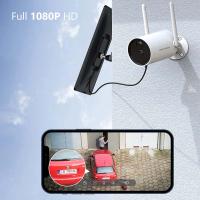
Installing a Ring camera outdoors is an effective way to enhance your home security, providing clear video footage and real-time alerts. However, proper installation is critical to ensure the camera functions optimally and provides comprehensive coverage in its designated area. Whether you’re new to home security or upgrading your tech, this guide will walk you through the entire process of installing your Ring camera outdoors.
Step 1: Choose the Right Location
Before you start drilling or assembling, it's essential to select the right spot for your Ring camera. The location should allow for maximum visibility and coverage of the desired area, such as your front porch, driveway, or backyard. Here are a few tips to help choose an ideal location:
1. Strategic Placement: Consider the areas you'd like to monitor. The camera should cover entrances, gates, or other vulnerable points where someone might access your property.
2. Height and Angles: Install the camera around 8-10 feet above ground level. This height provides an optimal field of view while keeping the camera out of reach of potential tampering.
3. Minimize Blind Spots: Avoid locations where obstacles like walls, trees, or other objects can block the view.
4. Lighting Considerations: Ensure the area has adequate lighting for nighttime recording. Most Ring cameras have infrared night vision, but additional lights in the area can improve clarity.
5. Wi-Fi Signal Strength: The camera must connect to your home Wi-Fi network. Use your phone to test signal strength at various outdoor spots before finalizing the location.
Step 2: Prepare Tools and Equipment
Having the right tools and equipment ensures a smooth installation process. Most Ring cameras come with an installation kit, including screws, mounts, and anchors. Here’s a checklist:
- Drill and drill bits (if mounting to brick, concrete, or masonry)
- Screwdriver
- Ladder
- Optional: Silicone caulk (for waterproofing mount holes)
Step 3: Assemble and Test the Camera
Before mounting the camera onto its designated spot, it’s vital to assemble and test it indoors first. Follow these steps:
1. Set Up the Camera: Connect the camera to your Ring account using the Ring app. Follow the setup instructions provided by the app.
2. Check Video Feed: Ensure that the video feed is clear, and the camera is functioning properly.
3. Test Notifications and Alerts: Walk around the area to verify motion detection and ensure notifications come through on your phone.
Testing the camera indoors helps identify and troubleshoot any issues before you commit to mounting it outside.
Step 4: Install the Mounting Bracket
Once you’ve decided on the location, the next step is to install the mounting bracket securely. The specific installation method will depend on the type of surface—wood, masonry, vinyl siding, etc. Follow these procedures:
1. Mark the Drill Holes: Hold the mounting bracket against the surface and mark the spots where screws or anchors will go.
2. Drill Holes: If you’re mounting on harder surfaces like concrete or brick, drill pilot holes for the anchors. For softer surfaces like wood or drywall, you can often drill directly.
3. Install Anchors (if needed): Insert wall anchors into the drilled holes for extra support.
4. Secure the Bracket: Screw the mounting bracket into place. Make sure it’s firmly attached to prevent wobbling.
Step 5: Attach the Ring Camera
Once the mounting bracket is secured, attach the camera to the bracket according to the product instructions. This step varies by model:
Stick Up Cam: Usually slides into position on its mount.
Spotlight Cam: May require additional support; ensure the camera socket aligns with the mount.
Floodlight Cam: Includes a floodlight arm that must be aligned before securing.
Check that the camera is firmly locked into place on the mount and won’t shift with wind or rain.
Step 6: Position and Adjust the Camera
After attaching the camera, aim it toward the desired area. Ring cameras typically allow some flexibility in angle adjustments. Use the live preview feature in the Ring app to aim and fine-tune the camera’s field of view.
Additionally, adjust motion zones within the Ring app to focus on areas with activity. This minimizes unnecessary alerts from passing cars or pedestrians outside your property boundary.
Step 7: Protect Against Weather
Outdoor cameras are designed to withstand outdoor conditions, but it's a good idea to take extra precautions:
Waterproof Mounting Holes: If you’ve drilled holes into your home, seal around them with silicone caulk to prevent water infiltration.
Shielding: Position the camera slightly under roof overhangs or other structures to protect it from heavy rainfall or snow.
Temperature Range Compatibility: Ring cameras are built to operate in various temperatures, but check the manufacturer’s specifications to ensure no special accommodations are needed.
Step 8: Manage the Power Source
There are multiple power options depending on the Ring camera model:
1. Battery-Powered Models: Follow instructions for inserting the battery pack. Use fully charged batteries to avoid interruption in the power supply.
2. Wired Models: Ensure nearby electrical outlets can accommodate the device. Use waterproof cable covers to protect exposed wires.
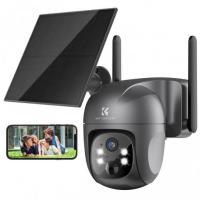
3. Solar-Powered Models: Install the solar panel near the camera in a location that receives direct sunlight for the majority of the day.
Once the camera is powered, test it again to confirm it’s functioning correctly.
Step 9: Enable Security Features
Make the most of your Ring camera by activating its built-in security functionalities:
Two-Way Audio: Test the microphone and speaker for clear communication.
Motion Detection Settings: Customize notifications, adjusting the sensitivity to avoid false alarms.
Cloud Storage: Subscribe to a Ring Protect plan for storing video footage.
Privacy Zones: Set privacy zones to block out areas you don’t want recorded.
Troubleshooting Common Issues
If you encounter problems during or after installation, here are common solutions:
1. Poor Wi-Fi Signal: Move your router closer or invest in a Wi-Fi extender.
2. Video Feed Problems: Update the Ring app and firmware or reset the camera.
3. Power Failure: Check batteries, cables, or solar panel positioning.
Maintenance Tips for Outdoor Ring Cameras
Regular maintenance keeps your camera functioning optimally:
- Clean the lens periodically to avoid smudges or debris affecting the view.
- Check screws and mounts for tightness, especially after strong winds.
- Remove obstructions (snow, leaves, etc.) from in front of the camera.
Installing a Ring camera outdoors doesn’t have to be complicated. By selecting the right location, using proper tools, and following installation best practices, you can improve your home security significantly. Taking the time to test and adjust your camera during installation ensures clear coverage of all essential areas. Regular maintenance, coupled with Ring’s advanced features, allows you to enjoy peace of mind knowing your property is secure.
Whether you’re protecting your home or monitoring deliveries, an outdoor Ring camera is a valuable addition to any security setup. Follow this guide carefully, and you’ll be up and running in no time.