kfconcept

KENTFAITH
K&F Concept    Blog >

Enjoy Your Selected Digital Life

Recently Viewed
  • Recently Viewed
  • Kingwear KW88 Bluetooth Smartwatch Watchphone Wifi 3G GPS - Black
    Kingwear KW88 Bluetooth Smartwatch Watchphone Wifi 3G GPS - Black
    $85.99
Compare (0) 0
  • Compare
  • You have not chosen any products to compare.

  • Compare
Currency: USD
  • Currency
Shop by Scene Shop by Rank

Log Into Your Account

Account

Order History

Wish List

Login

Forgotten Password?

Or connect with

Register Account

Already have an Account?Log In

  • Shopping Cart
  • Your shopping cart is empty!

  • Register/Login to purchase, earn points
  • Favorite
  • Your wish list is empty.

  • Register/Login to like, earn points
  • Activities
  • Guide
    • Filter Guide
    • Lens Adapter
    • Product Review
  • News & Reviews
    • Camera Reviews
    • Sample Gallery
    • News
  • Tutorials
    • Solar eclipse photography
    • Photography Basics
    • Landscape Photography
  • Inspiration
    • Travel
    • Travel Stories
  • Home
  • Blog
  • How To Find Hidden Camera Using Cell Phone?

How To Find Hidden Camera Using Cell Phone?

Kentfaith 2024-12-13 02:12:28 0 Comments

In today’s world, privacy concerns are at an all-time high, with hidden cameras becoming a growing security issue. Whether you're staying at a hotel, renting an Airbnb, or just want to make sure your home or office is safe, it’s crucial to be aware of how to detect hidden cameras. In this article, we'll explore effective methods to use your cell phone to locate hidden cameras, with step-by-step instructions and additional tips to keep your environment secure.
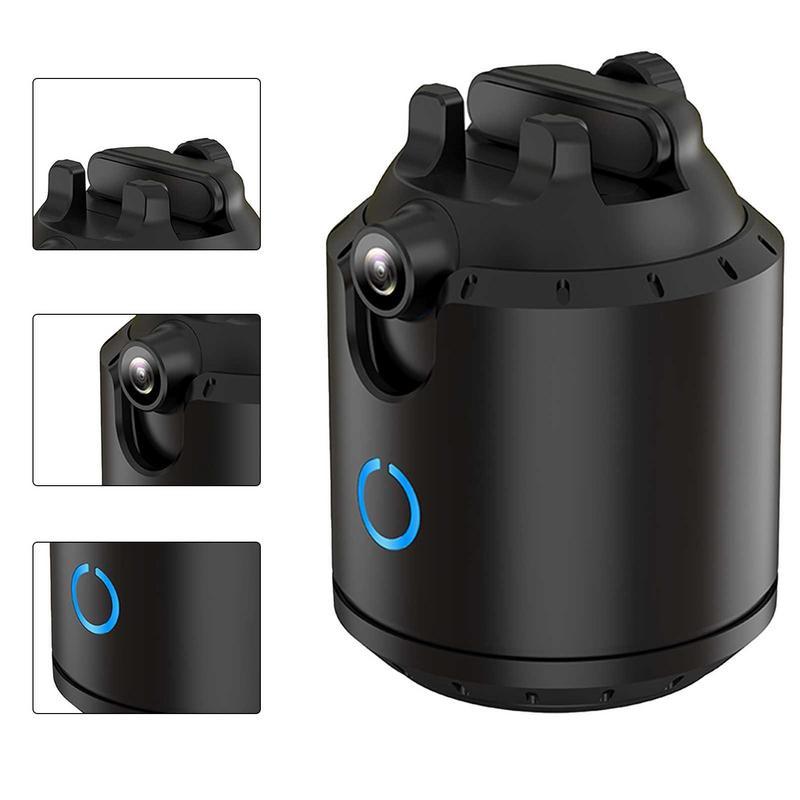
how to find hidden camera using cell phone 1

1. Understanding Hidden Cameras

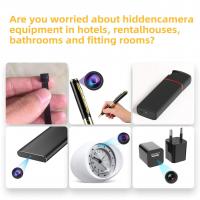
Before jumping into how to find hidden cameras, it’s important to understand how these devices typically work. Hidden cameras are usually small and designed to blend in with their surroundings. They may be disguised as everyday objects like smoke detectors, clock radios, picture frames, air purifiers, or USB chargers. These devices can be wired or wireless, and they generally have a small lens that captures video footage, which is then transmitted to a remote receiver or stored on an SD card.

Detecting hidden cameras is not always straightforward, but with the right tools—your cell phone being one of the most effective—you can increase your chances of finding them.

2. Using Your Cell Phone’s Camera to Detect Hidden Cameras

One of the simplest methods of detecting hidden cameras is to use your cell phone's camera. Here’s how you can do it:

Step 1: Turn Off the Lights

Hidden cameras often emit small, infrared (IR) lights for night vision, which are invisible to the naked eye but detectable through your phone’s camera. Start by turning off the lights in the room and turning on your phone’s camera (either front or rear-facing).

Step 2: Scan for Glowing Spots

Point your phone’s camera around the room, especially at areas where you suspect a camera might be hidden, such as smoke detectors, air purifiers, or clock radios. If you see any unusual glowing spots or small, bright dots, you might be looking at an IR-emitting camera.

Step 3: Check for Reflections

Another way to spot hidden cameras is by looking for reflections. Cameras often have reflective lenses, and when you shine light on them or use your phone’s flash, you may notice small glimmers or glares in specific spots. Move your phone around the room at different angles, keeping an eye on possible reflections.

While this method is useful for detecting cameras with infrared night vision, it may not be effective for devices without IR lighting. Therefore, you may need to employ additional techniques to ensure a thorough search.

3. Using Your Phone’s Wireless Signals to Detect Cameras

Many hidden cameras today are wireless, sending footage over Wi-Fi or Bluetooth. Your cell phone is capable of detecting unusual signals from wireless devices, which could help you find hidden cameras.

Step 1: Install a Network Scanner App

There are several apps available on both Android and iOS devices that can scan for nearby wireless devices, such as Wi-Fi networks, Bluetooth signals, and other wireless transmissions. Apps like Fing (available for both Android and iOS) or Wi-Fi Analyzer (for Android) can help you identify devices that may not be visible but are connected to the internet or local networks.

Step 2: Scan for Unfamiliar Devices

Once you have one of these apps installed, open it and scan for all devices connected to the same Wi-Fi network. Hidden cameras often need to be connected to a network to transmit data, so you may find unknown devices listed under the connected devices.

Step 3: Investigate Suspicious Devices

If you spot an unfamiliar device or device name that doesn’t correspond to any of your electronics (such as a phone, laptop, or printer), it may be a hidden camera or a surveillance device. Try disconnecting it or investigating its location further. Note that some hidden cameras might use encrypted signals, which could make this method less effective.

4. Use a Radio Frequency (RF) Detector

Hidden cameras, particularly wireless ones, emit radio frequency signals when they transmit data. Your cell phone alone may not be able to pick up these signals, but there are RF detectors available on the market that can help.

Step 1: Get an RF Detector

While RF detectors typically aren’t built into phones, they are inexpensive and available for purchase online. These devices are designed to detect radio frequencies emitted by wireless cameras, microphones, and other surveillance equipment.

Step 2: Scan Your Environment

Once you have an RF detector, turn it on and begin sweeping your environment. Hold the detector close to objects where you suspect a camera might be hidden and listen for any changes in the signal. The device will beep or give an alert when it detects a strong radio frequency, indicating the presence of a wireless camera.

Step 3: Investigate Signal Sources

When you hear a beep, investigate the location. Look for small, hidden devices that could be emitting the signal. Although RF detectors are very effective, keep in mind that some hidden cameras may use low-power signals or be turned off, which could result in the detector failing to find them.

5. Check for Unusual Network Traffic

If you have access to a computer or a more advanced app on your phone, you can check the network traffic to spot any strange or suspicious activity. Some apps allow you to monitor the traffic from your phone and detect if any unknown devices are sending or receiving data.

Step 1: Install a Network Monitoring App

On Android, apps like NetX Network Tools can be used to scan for devices that are connected to the same Wi-Fi network. For iPhones, you can use apps like iNet or Fing to monitor devices and data transfers.

Step 2: Monitor Network Traffic

While using the app, monitor the network for unknown devices that are transmitting data. This could be an indication of a camera or microphone sending information to an external server.

Step 3: Investigate and Block Suspicious Devices

If you spot an unfamiliar device, you can block it from accessing your network or investigate the physical location of the device. While this step may require a bit more technical know-how, it is a useful tool for ensuring there are no hidden cameras transmitting in your environment.

6. Physical Inspection: What Your Phone Can't Detect

While cell phones are powerful tools for detecting hidden cameras, there are still some instances where a physical inspection may be necessary.

Step 1: Look for Unusual Objects

Look for any unusual objects that may be hiding a camera. Common places to check include smoke detectors, alarm clocks, electrical outlets, USB chargers, air purifiers, or even books on a shelf. If something seems out of place or unusual, it could be concealing a camera.

Step 2: Use a Flashlight

If you suspect there may be a hidden camera inside a wall or object, shine a flashlight along the edges. Many hidden cameras are placed inside inconspicuous items, and the bright light can help highlight areas where the camera lens might be.

Step 3: Disassemble or Open Objects

In cases where you find a suspicious item, carefully open or disassemble it to see if there is a hidden camera inside. Some cameras are designed to be concealed within seemingly ordinary objects, so you might need to dig deeper to confirm their presence.

7. Precautions and Legal Considerations

While it’s important to know how to find hidden cameras, it’s equally important to be aware of the legal and ethical implications. In many countries, it’s illegal to install surveillance cameras in private spaces without consent. If you do find a hidden camera, consider reporting it to the authorities, especially if it's in a private area like a hotel room or bathroom.

8. Conclusion: Protecting Your Privacy

Using your cell phone to detect hidden cameras is a practical and effective way to ensure your privacy is not being compromised. While the methods mentioned in this article are highly useful, combining them with a physical inspection will give you the best chance of finding hidden cameras. As technology advances, so do the tools that invaders of privacy may use, but by staying informed and proactive, you can safeguard your space against unwanted surveillance.

Stay vigilant and aware of your surroundings, and remember, your privacy is invaluable. Whether it’s in your home, a public space, or a temporary stay at a rental property, knowing how to find hidden cameras using your cell phone is a crucial step in ensuring your peace of mind.

Leave your comment
Cancel reply
Note: HTML is not translated!
Related products
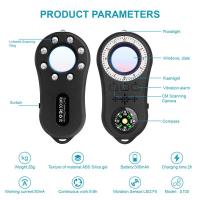
Anti-Spy Detector Scan & Disconnect for 24/7 Protection Find Bugs Hidden Cams
15
$89.99 $59.99
Cell Phone Tripod MS02 13.4''/34cm phone tripod with remote Black Orange
31
$39.99 $21.99
K&F Concept Cell Phone Holder Clamp With Two Cold Shoe Mount 360° Adjustment
2
$19.99 $16.99
Phone Holder for DJI Osmo Pocket 3, Cell Phone Mount Expansion Accessories with 1/4" Thread Hole Used with Tripod and Extension Rod
NEW Arrival
Phone Holder for DJI Osmo Pocket 3, Cell Phone Mount Expansion Accessories with 1/4" Thread Hole Used with Tripod and Extension Rod
37
$16.99
K&F CONCEPT 71" Phone Tripod, Auto Open Selfie Stick with 4 Legs & Stabilizing Handle, 360° Rotation Cell Phone Tripod Stand with Wireless Remote Control, Compatible with iPhone, Android, Camera
$29.99
K&F Concept 11 Inch Selfie Ring Light Set with Tripod Stand Cell Phone Holder 3 Light Modes Smartphone Ring Light (Shipping to the US and EU countries)
10
$39.99 $29.99
K&F Concept Selfie Stick, Auto Open & Close Phone Tripod Stand, 360° Rotatable Selfie Stick with 9 Button Bluetooth Remote, Extendable Automatic Tripod for Cell Phone(Black)
9
$35.99
K&F Concept Lens Air Blower, Rubber Bulb Air Pump Dust Blower Cleaner, with Long Nozzle for Cell Phone, Tablet, Camera Lens Sensors, Keyboard,Telescopes
$13.99
67mm Clip-on CPL Phone Camera Lens Filter Kit Applicable to All Mobile Phone Models
40
$18.99
67mm Clip-on ND2-32 Phone Camera Lens Filter Kit Applicable to All Mobile Phone Models
NEW Arrival
67mm Clip-on ND2-32 Phone Camera Lens Filter Kit Applicable to All Mobile Phone Models
13
$37.99
Products You May Like
43mm Black Mist Filter 1/4 + 3pcs Cleaning Cloth with 18 Multi-Layer Coatings Nano-Klear Series
212
$26.99 $21.99
White Flash Trail Cameras
10
$162.99 $106.99
58mm Fader ND2-ND32 (1-5 Stop) Variable ND Lens Filter Neutral Density Filter for Camera Lens NO X Spot Nanotec Ultra-Slim Weather-Sealed
$66.99 $44.99
K&F CONCEPT Snap On CPL ND Filter Kit for DJI Osmo Action 6, 6 Pack CPL ND8 ND16 ND32 ND64 ND256 Action 6 Filter, Neutral Density Polarizing Action Camera Accessories, Multicoated HD Optical Glass
33
$54.99
Rollei QBM Lenses to Sony E Mount Camera Adapter
146
$53.99 $27.99
USB Microphone Kit 192K24Bit Cardioid High Sampling Rate With Desktop Cantilever Bracket for PC Game Professional Voice Recording Karaoke
54
$47.99
10 packs of needle one gray cleaning cloth 150*180mm, with K&F logo
$24.99 $12.99
66
66"/161cm Ultra Compact and Lightweight Aluminum Travel Tripod with Monpod,360° Panorama Ball Head Compatible with DSLR Camera TM2834
2
$136.00
K&F Concept 5-in-1 Light Reflector 43"(110cm) Photography Diffuser Collapsible Portable for Studio and Outdoor Lighting Gold Silver White Black Translucent
88
$37.99
64"/1.6m Camera Tripod Lightweight Vlog Travel Tripod Compact Flexible & Portable 17.6lbs/8kg Load with Portable, for DSLR Cameras O234A1+BH-36 and 6" Magic Arm with Super Clamp
110
$75.99
Related articles
How To Find Hidden Cameras Using There Tv?
How To Find Hidden Camera Frequency?
How To Find Tiny Hidden Cameras?
How To Find Hidden Cameras And Recorders?
Find Out Which App Is Using Camera?
Where To Find A Hidden Camera For Car?
How Do I Find Hidden Cameras?
How To Connect Your Phone To A Projector Using Usb ?
How To Find The Hidden Cameras In Room?
Can Sunlight Damage Camera Lens?
Blog You May Like
How Do Night Vision Goggles Work?
How Much Is An Sd Card?
How To Put Sony Headphones In Pairing Mode?
Can You Use Binoculars With Glasses?
Can You Hook Up Two Bluetooth Headphones To iPad?
Where To Buy A Microphone?
Which Neutral Density Filter Do I Need?
Can Selfie Sticks Take Videos?
How To Connect Your Phone To A Projector Using Usb ?
How To Secure A Time Lapse Camera?
Related categories
cell phone tripods phone camera lens C mount lens adapter iphone lens filter m4/3 adapter Camera Parts | Studio Camera Accessories streaming video camera digital camera for beginner Solar Cellular Trail Camera
Popular products
no spy hidden camera detector phone tripod with remote mirrorless selfie stick clamp on cell phone holder secure trail camera camera gimbal for phone hidden trail camera detector selfie ring light youtube insite cell trail camera spy camera infrared wireless
Related searches
Tripod To Hold Cell Phone Video Camera For Cell Phone Cell Phone And Camera Tripod Cell Phone Gimbal Stabilizer Cell Phone Lens Adapter Cell Phone Holder Tripod Cell Phone Mount For Camera Tripod Solar Filter For Cell Phone Camera Solar Power Cell Phone Charger Solar Charger For Cell Phone
Related Scenes
nd filter for video professional travel tripod canon lens uv filter fisheye body cap lens
Blog Category
  • Activities
  • Guide
    • Filter Guide
    • Lens Adapter
    • Product Review
  • News & Reviews
    • Camera Reviews
    • Sample Gallery
    • News
  • Tutorials
    • Solar eclipse photography
    • Photography Basics
    • Landscape Photography
  • Inspiration
    • Travel
    • Travel Stories
Search Article
Latest from the Blog
How To Stream Live From Surveillance Camera?
What Hi Fi In Ear Headphones?
How To Keep Earbuds In Your Ear?
What Are The Uses Of A Compound Microscope?
Kentfaith x ANACONDA: Capturing the Wild, Frame by Frame
How To Take Pictures Through A Telescope?
How To Setup A Tripod?
Which Ring Camera Is Wireless?
How To Put More Bass In Your Headphones?
How To Clean Cleaning Cloth For Glasses?
  • Easy Payment Multilple Payment Options

  • Free Shipping Global WareHouse Shipment

  • No Risk 30-Day No Reason Return

  • Limited Deals Buy More, Save More

  • Tax Free No any surcharges or tax fee

Information
  • About us
  • Contact Us
  • Site Map
  • Blog
  • Video
  • Gallery
  • VIP Membership Rewards
Service
  • Privacy Policy
  • Terms & Conditions
  • Shipping & Delivery
  • Payment Info
  • Warranty, Return & Refund
  • Intellectual Property Rights
  • Ambassador
  • Affiliates
  • Wholesale
Support
  • My account
  • Order History
  • FAQs
  • Extend Warranty
  • Logistics Tracking
Follow us
NewsLetter

Get the latest product, K&F Concept respects your privacy.

Powered By KENTFAITH © 2026