kfconcept

KENTFAITH
K&F Concept    Blog >

Enjoy Your Selected Digital Life

Recently Viewed
  • Recently Viewed
  • Recently Viewed list is empty.

Compare (0) 0
  • Compare
  • You have not chosen any products to compare.

  • Compare
Currency: USD
  • Currency
Shop by Scene Shop by Rank

Log Into Your Account

Account

Order History

Wish List

Login

Forgotten Password?

Or connect with

Register Account

Already have an Account?Log In

  • Shopping Cart
  • Your shopping cart is empty!

  • Register/Login to purchase, earn points
  • Favorite
  • Your wish list is empty.

  • Register/Login to like, earn points
  • Activities
  • Guide
    • Filter Guide
    • Lens Adapter
    • Product Review
  • News & Reviews
    • Camera Reviews
    • Sample Gallery
    • News
  • Tutorials
    • Solar eclipse photography
    • Photography Basics
    • Landscape Photography
  • Inspiration
    • Travel
    • Travel Stories
  • Home
  • Blog
  • How Do I Access Smart Lock Settings?

How Do I Access Smart Lock Settings?

Kentfaith 2024-12-13 02:09:52 0 Comments

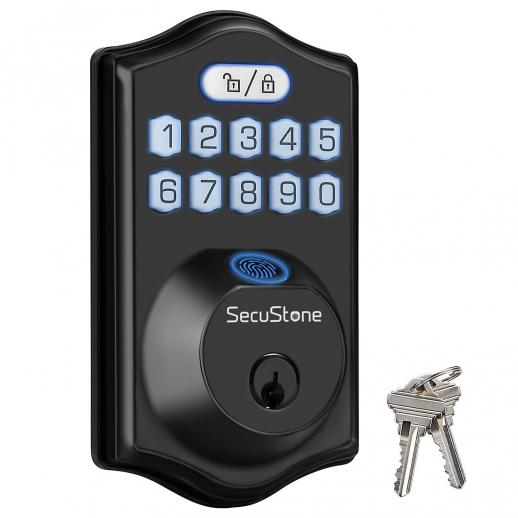
Smart locks have revolutionized the way we think about home security and accessibility. They provide convenience, flexibility, and enhanced security features, all managed from the palm of your hand. However, accessing and configuring smart lock settings can sometimes be a challenge for new users or those unfamiliar with the nuances of smart home technology. This guide will walk you through the essential steps to access and adjust smart lock settings, troubleshoot common issues, and maximize their potential.

---

Understanding the Basics of Smart Locks

Smart locks are electronic locks that integrate with your smartphone, smart hub, or home automation systems. They allow you to lock and unlock doors without a physical key, monitor access, and sometimes even integrate with voice assistants like Alexa, Google Assistant, or Siri.

Each smart lock has its own unique set of features and user interface, which means the process for accessing settings may vary slightly depending on the brand and model. However, most smart locks share a similar setup process and basic functionality.

---

Step-by-Step Guide to Accessing Smart Lock Settings

1. Download the Companion App

- Almost every smart lock requires a proprietary mobile app to access and configure its settings.

- Search for the app in the App Store (iOS) or Google Play Store (Android) based on the brand of your smart lock (e.g., August, Schlage, Yale, or Kwikset).

- Install the app and create an account if you don’t already have one.

2. Pair Your Smart Lock with the App

- Follow the manufacturer's instructions to connect your smart lock to the app.

- Ensure Bluetooth, Wi-Fi, or Zigbee/Z-Wave (depending on the lock type) is enabled on your smartphone.

- Initiate the pairing process within the app, often by pressing a button on the lock and following on-screen instructions.

3. Navigate to Settings

- Open the app and select your connected smart lock from the dashboard or devices list.

- Look for a "Settings" or "Manage Lock" option. This is typically located in the menu or under the specific device's details.

4. Adjust Lock Settings

Once in the settings menu, you can:

- Manage Users: Grant or revoke access to specific individuals.

- Set Lock/Unlock Schedules: Define times for automatic locking or unlocking.

- Customize Alerts: Configure notifications for when the lock is used or tampered with.

- Update Firmware: Check for software updates to enhance performance and security.

- Integrate with Other Systems: Link the lock to your smart home ecosystem or voice assistant.

---

Troubleshooting Common Issues in Accessing Settings

Despite their convenience, smart locks can present occasional hiccups, particularly when accessing or adjusting settings. Here are some common challenges and solutions:

1. Connection Problems

- Symptom: The app fails to detect the lock.

- Solution:

- Ensure your smartphone's Bluetooth, Wi-Fi, or hub is active and functioning.

- Check the lock's battery level; low power can hinder connectivity.

- Restart the app and try reconnecting.

2. Forgotten App Credentials

- Symptom: You can’t log in to the app.

- Solution: Use the app’s password recovery option or contact customer support if necessary.

3. Outdated Firmware

- Symptom: Limited functionality or unresponsive features.

- Solution: Navigate to the lock settings and perform a firmware update.

4. Syncing Errors

- Symptom: Changes made in the app don’t reflect on the lock.

- Solution: Ensure the lock is within range of the controlling device or hub. Re-sync the device by disconnecting and reconnecting it.

---

Tips to Maximize the Benefits of Smart Lock Settings

To get the most out of your smart lock, consider the following recommendations:

1. Regularly Update Firmware

- Firmware updates often include patches for vulnerabilities and improvements to functionality.

2. Customize User Permissions

- Assign unique access codes or app-based permissions to family members, guests, or service personnel. This ensures you have a clear record of who accesses your property and when.

3. Integrate with Home Automation

- Connect your smart lock with systems like Google Home, Apple HomeKit, or Amazon Alexa for voice commands or automated routines (e.g., locking all doors when leaving the house).

4. Enable Security Features

- Activate two-factor authentication for your app account to prevent unauthorized access.

- Use auto-lock features to ensure your door locks automatically after a set period.

5. Monitor Usage History

- Review activity logs through the app to identify potential security concerns or monitor household access patterns.

---

Addressing Privacy and Security Concerns

While smart locks offer unparalleled convenience, they can raise concerns about security vulnerabilities. Here’s how to mitigate these risks:

1. Secure Your Network

- Use strong, unique passwords for your Wi-Fi and associated smart home accounts.

- Consider setting up a guest network for smart devices to isolate them from personal data.

2. Beware of Physical Tampering

- Choose a smart lock with robust physical security features (e.g., ANSI Grade 1 or 2 rating).

- Regularly inspect the lock for signs of tampering or wear.

3. Regularly Review Access Permissions

- Periodically update or revoke access permissions for users who no longer need them.

---

Accessing and configuring smart lock settings is a straightforward process that opens the door (literally and figuratively) to a more secure and convenient lifestyle. By following the steps outlined above, you can effectively manage your smart lock, troubleshoot common issues, and enhance the safety of your home.

As technology evolves, so do the capabilities of smart locks. Staying informed about updates, features, and best practices ensures you can take full advantage of your smart lock while keeping your property safe and secure. Whether you’re a tech enthusiast or a smart home beginner, mastering smart lock settings is an essential step toward smarter living.
Leave your comment
Cancel reply
Note: HTML is not translated!
Related products
K&F Concept KF-150 I-TTL Macro Ring Light Flashs LCD Display and Wireless Slave Function Speedlite with 6pcs Adapter Rings Compatible with Nikon DSLR Cameras
102
$119.99 $115.99
70” Lightweight Travel Tripod 33lbs Load For Dslr Cameras With Twist Lock And Monopod
65
$304.99 $179.99
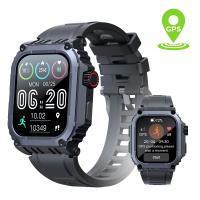
Sport Smart Watch with GPS Tracker Bluetooth Calls 24h Heart Rate/Sleep Monitor
67
$97.49 $68.99
Smart Camera Glasses, HD 1080P, EIS Stabilization, WiFi Connect, Translation, 4H Playtime, Kentfaith
16
$119.99 $95.99
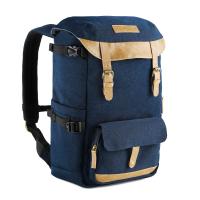
Camera Backpacks Camera Bag Professional Storage Quick Side Access 15.6 inch Camera Laptop Bag for Cameras Weatherproof Bag Cover for Photographers
112
$79.99 $69.99
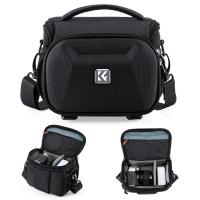
K&F Concept Camera Sling Bag, Quick Access Waterproof Crossbody Bag for DSLR/Mirrorless, with Hard Shell & Tripod Holder, Size S
46
$26.99
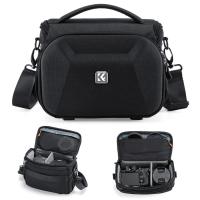
K&F Concept Camera Sling Bag, Quick Access Waterproof Crossbody Bag for DSLR/Mirrorless, with Hard Shell & Tripod Holder, Size M
46
$29.99
KM-D600H 6X Golf Rangefinder with Slope, Rechargeable Laser Rangefinder 600 Yards Flag Lock, Tournament Legal Golf Rangefinder
70
$207.59 $76.99
Compound Microscope with 9" Smart Screen 40x-1600x Magnification PC Connection for Lab, Professionals Use Kentfaith
17
$799.99 $639.99
Mini WiFi Body Camera 1080P with Audio, 180° Rotatable Lens, 2 LED Fill Lights, Smart Motion Detection
13
$82.49 $57.99
Products You May Like
wireless trail cameras
10
$135.99 $106.99
K&F Concept SN25 100x100mm ND1000 10 f-stop Square Filter Multi Coated For DSLR
6
$74.99 $53.99
52″/134cm Aluminum Lightweight Compact Tripod 10kg/22.04lbs Load Capacity for Canon, Nikon DSLR Camera  (Ship to US only) (TM2515B)
52″/134cm Aluminum Lightweight Compact Tripod 10kg/22.04lbs Load Capacity for Canon, Nikon DSLR Camera (Ship to US only) (TM2515B)
9
$95.99 $75.99
46mm Snap-On Center Pinch Lens Cap 9 in 1 with Anti-Loss Keeper Leash Compatible with Nikon, Canon, Sony, Fujifilm Camera Lenses
$8.99
Macro Phone Lens with 100X/150X/200X Lens in 1 Kit Built-in CPL Filter LED Light
15
$179.99 $125.99
77mm MCUV Lens Protection Filter with Filter Cap Ultra-Slim 24-Layer Coatings Waterproof for Camera Lens Nano-Dazzle Series
26
$58.99 $24.99
67mm Variable ND Filter (1-5 Stop)  and CPL Filter 2 in 1 for Camera Filter Lens Nano-Klear Series
67mm Variable ND Filter (1-5 Stop) and CPL Filter 2 in 1 for Camera Filter Lens Nano-Klear Series
25
$56.99 $44.99
67mm Colorful Streak Filter Starlight Dreamy Creative Special Effects Optical Glass Lens Filters Nano-B Series
16
$33.99 $26.99
52mm ND2-32 (1-5 Stop) Variable ND Filter and CPL Circular Polarizing Filter 2 in 1 for Camera Lens No X Spot Weather Sealed Nano-Xcel
68
$82.99 $72.99
62mm Gold Streak Effect Lens Filter (2mm) Anamorphic Optical Glass Light Flare Effect Filter for Camera Lens Nano-Xcel Series
30
$49.99 $39.99
Related articles
How Do I Lock My Smart Watch?
How Smart Lock Works?
How Do I Access Sd Card On Laptop?
How To Install A Smart Key Lock?
What Is Smart Charging Cable Lock?
Which Smart Lock Works With Alexa?
Smart Lock That Unlock When Your Home?
How Do I Choose Binoculars?
Camera Settings When Using Flash?
Where To Buy Microphones?
Blog You May Like
How To Remove The Selfie Stick From Video?
Which Camera Works With Surveillance?
What Is Resolution In Microscope?
Where Can I Purchase A Telescope?
How To Run Cable For Security Cameras?
Flip Video Flashing Red Light When Charging?
How To Have Your Voice In Screen Recording?
77mm Filter Fits What Lens?
How To Make Nd Filter?
Which Lens Filter Should I Buy?
Related categories
Outdoor Security Camera Wifi Floodlight Camera Wireless camera feeder black pro mist 1 8 filter Lens filter Cap Ultra-low Reflection UV Filters Samsung NX M Mount Adapter camera lens hoods
Popular products
Fingerprint Smart Door Lock remote access trail camera fingerprint door lock touch keyless door lock smart lock keyless home entry no wifi outdoor security camera high speed microsd card class 10 micro sd card micro sd card speed 15 laptop camera bag
Related searches
Smart Door Lock With Phone Access I Touch Smart Watch Smart Lock Battery Keyless Smart Lock Bluetooth Smart Lock Video Smart Lock Indoor Smart Lock Smart Entry Lock I Touch 3 Smart Watch Smart Entry Door Lock
Popular searches
Metz Sca Adapter Sony Alpha Pentax Q Adapter For K Mount Lenses Sony Pmw F5 Mount Non Bluetooth Wireless Headphones Pentax F 1.7 Af Adapter Nikon N Ai Mount Indoor Security Camera With Audio Adapt Sony Lens To Sigma Sd Quattro Hunting Rangefinder With Slope Tripod Quick Release Adapter
Blog Category
  • Activities
  • Guide
    • Filter Guide
    • Lens Adapter
    • Product Review
  • News & Reviews
    • Camera Reviews
    • Sample Gallery
    • News
  • Tutorials
    • Solar eclipse photography
    • Photography Basics
    • Landscape Photography
  • Inspiration
    • Travel
    • Travel Stories
Search Article
Latest from the Blog
How To Wear Monocular?
How Big A Memory Card For Camera?
What To Look For In A Dash Cam?
How To Make Your Eyes Flash On Camera?
How To Make A Camera Flash After Effects?
What Is The Difference Between Binoculars And Telescope?
What Power Binoculars For Long Distance Viewing?
What Is A Good Quality Dash Cam?
Where Can I Buy Samsung Camera Battery?
What Tripod To Buy?
  • Easy Payment Multilple Payment Options

  • Free Shipping Global WareHouse Shipment

  • No Risk 30-Day No Reason Return

  • Limited Deals Buy More, Save More

  • Tax Free No any surcharges or tax fee

Information
  • About us
  • Contact Us
  • Site Map
  • Blog
  • Video
  • Gallery
  • VIP Membership Rewards
Service
  • Privacy Policy
  • Terms & Conditions
  • Shipping & Delivery
  • Payment Info
  • Warranty, Return & Refund
  • Intellectual Property Rights
  • Ambassador
  • Affiliates
  • Wholesale
Support
  • My account
  • Order History
  • FAQs
  • Extend Warranty
  • Logistics Tracking
Follow us
NewsLetter

Get the latest product, K&F Concept respects your privacy.
Powered By KENTFAITH © 2025