kfconcept

KENTFAITH
K&F Concept    Blog >

Enjoy Your Selected Digital Life

Recently Viewed
  • Recently Viewed
  • Recently Viewed list is empty.

Compare (0) 0
  • Compare
  • You have not chosen any products to compare.

  • Compare
Currency: USD
  • Currency
Shop by Scene Shop by Rank

Log Into Your Account

Account

Order History

Wish List

Login

Forgotten Password?

Or connect with

Register Account

Already have an Account?Log In

  • Shopping Cart
  • Your shopping cart is empty!

  • Register/Login to purchase, earn points
  • Favorite
  • Your wish list is empty.

  • Register/Login to like, earn points
  • Activities
  • Guide
    • Filter Guide
    • Lens Adapter
    • Product Review
  • News & Reviews
    • Camera Reviews
    • Sample Gallery
    • News
  • Tutorials
    • Solar eclipse photography
    • Photography Basics
    • Landscape Photography
  • Inspiration
    • Travel
    • Travel Stories
  • Home
  • Blog
  • Camera Settings When Using Flash?

Camera Settings When Using Flash?

Kentfaith 2024-06-20 01:15:03 0 Comments

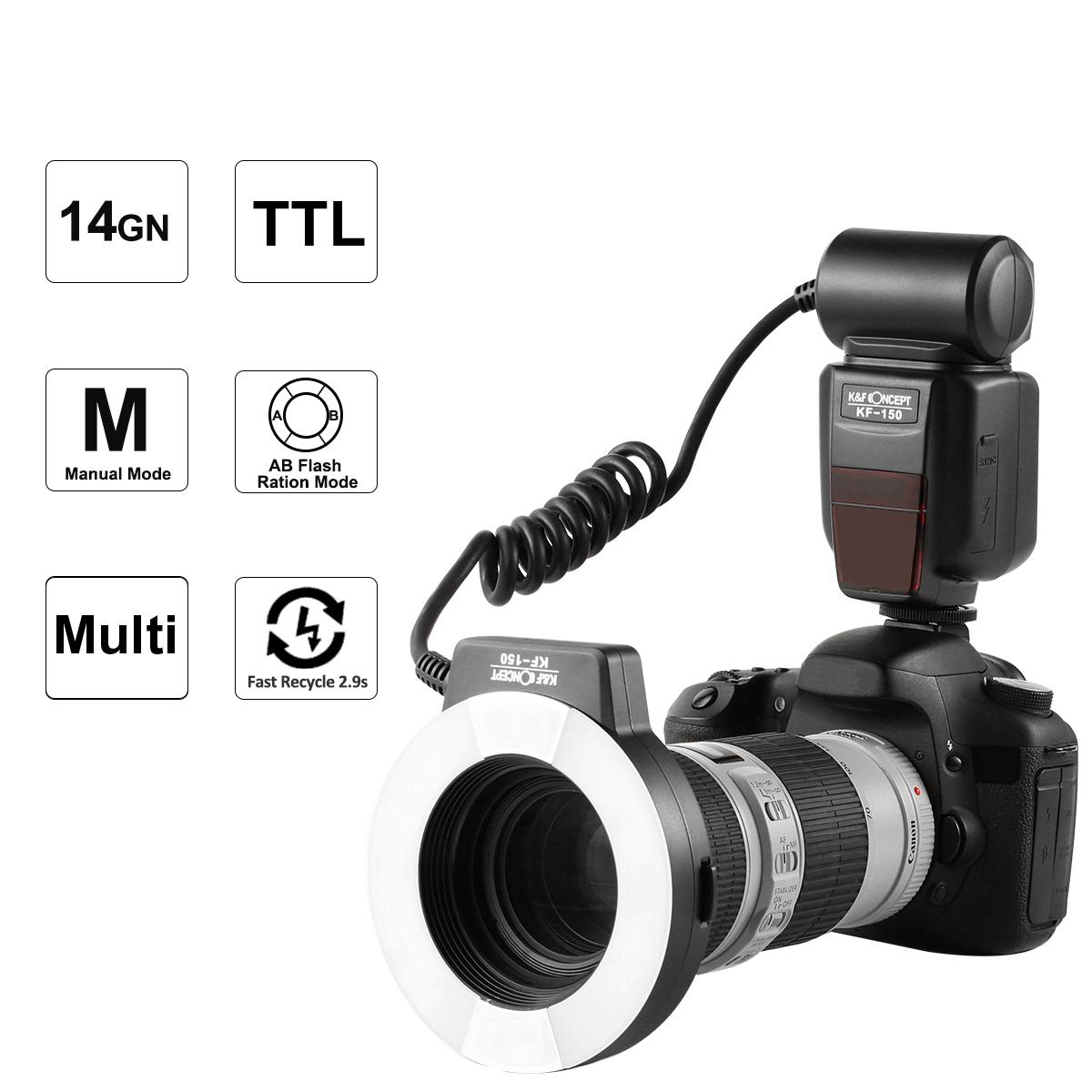
When it comes to photography, mastering the use of flash can significantly enhance the quality of your images, especially in low-light conditions or when you need to fill in shadows. However, using flash effectively requires a good understanding of camera settings and how they interact with the flash. In this article, we will delve into the essential camera settings to consider when using flash, providing practical tips and insights to help you achieve the best results.

Understanding Flash Photography

Before diving into the specific settings, it's important to understand the basics of flash photography. A flash is essentially a burst of light that helps illuminate a scene. It can be built into the camera or an external unit. The primary purposes of using flash are to provide additional light in low-light situations, fill in shadows, and freeze motion.

Key Camera Settings for Flash Photography

1. ISO Settings

- What is ISO? ISO measures the sensitivity of your camera's sensor to light. A lower ISO value (e.g., 100 or 200) means less sensitivity, while a higher ISO value (e.g., 800 or 1600) means more sensitivity.

- Using ISO with Flash: When using flash, it's generally advisable to keep the ISO as low as possible to minimize noise and maintain image quality. However, in very low-light conditions, you might need to increase the ISO slightly to ensure proper exposure.

2. Aperture (f-stop)

- What is Aperture? Aperture controls the amount of light entering the camera through the lens. It is measured in f-stops (e.g., f/2.8, f/4, f/5.6).

- Using Aperture with Flash: A wider aperture (lower f-stop number) allows more light to hit the sensor, which can be useful in low-light conditions. However, a narrower aperture (higher f-stop number) can help achieve a greater depth of field, which is beneficial for group shots or scenes where you want everything in focus.

3. Shutter Speed

- What is Shutter Speed? Shutter speed determines how long the camera's sensor is exposed to light. It is measured in seconds or fractions of a second (e.g., 1/60, 1/200).

- Using Shutter Speed with Flash: When using flash, the shutter speed is typically limited by the camera's sync speed, which is the fastest shutter speed at which the camera can synchronize with the flash. This is usually around 1/200 or 1/250 of a second. Using a slower shutter speed can help capture more ambient light, while a faster shutter speed can freeze motion.

4. Flash Power

- What is Flash Power? Flash power refers to the intensity of the light emitted by the flash. It can usually be adjusted manually or automatically by the camera.

- Adjusting Flash Power: In manual mode, you can control the flash power to achieve the desired exposure. Reducing the flash power can prevent overexposure and create a more natural look, while increasing the flash power can help illuminate distant subjects.

5. Flash Mode

- What is Flash Mode? Flash mode determines how the flash fires. Common modes include TTL (Through The Lens), manual, and various creative modes like rear curtain sync and high-speed sync.

- Choosing Flash Mode: TTL mode automatically adjusts the flash output based on the camera's metering, making it convenient for most situations. Manual mode gives you full control over the flash power, which is useful for consistent results. Creative modes like rear curtain sync can create interesting effects by firing the flash at the end of the exposure.

6. White Balance

- What is White Balance? White balance adjusts the color temperature of your images to ensure accurate colors.

- Setting White Balance with Flash: When using flash, it's important to set the white balance to match the color temperature of the flash. Most flashes have a color temperature of around 5500K, which corresponds to the daylight white balance setting on most cameras.

Practical Tips for Using Flash

1. Bounce Flash: Instead of pointing the flash directly at your subject, try bouncing it off a ceiling or wall to create softer, more diffused light. This can help reduce harsh shadows and create a more natural look.

2. Diffusers and Modifiers: Using diffusers or flash modifiers can help soften the light and reduce the intensity of the flash. This is particularly useful for portrait photography, where harsh light can create unflattering shadows.

3. Fill Flash: In bright outdoor conditions, use fill flash to illuminate shadows on your subject's face. This can help balance the exposure and create a more evenly lit image.

4. Off-Camera Flash: For more creative control, consider using an off-camera flash. This allows you to position the flash at different angles and distances from your subject, creating more dynamic lighting effects.

5. Experiment with Flash Compensation: Flash compensation allows you to adjust the flash output without changing the overall exposure. This can be useful for fine-tuning the balance between the flash and ambient light.

Common Challenges and Solutions

1. Overexposure: If your images are overexposed, try reducing the flash power, narrowing the aperture, or lowering the ISO. You can also use flash compensation to decrease the flash output.

2. Underexposure: If your images are underexposed, increase the flash power, widen the aperture, or raise the ISO. You can also use a slower shutter speed to capture more ambient light.

3. Red-Eye: Red-eye occurs when the flash reflects off the subject's retina. To reduce red-eye, use the red-eye reduction mode on your camera, or position the flash away from the camera lens.

4. Harsh Shadows: Harsh shadows can be softened by bouncing the flash, using a diffuser, or adjusting the flash angle. Experiment with different techniques to find the best solution for your scene.

Mastering flash photography involves understanding and balancing various camera settings to achieve the desired results. By adjusting the ISO, aperture, shutter speed, flash power, flash mode, and white balance, you can effectively use flash to enhance your images. Additionally, practical tips like bouncing the flash, using diffusers, and experimenting with flash compensation can help you overcome common challenges and create more professional-looking photos. With practice and experimentation, you'll be able to harness the power of flash to elevate your photography to the next level.
Leave your comment
Cancel reply
Note: HTML is not translated!
Related products
K&F Concept Ring Flash Light KF-150C E-TTL Macro Flash Ring with 52 55 58 62 67 77mm Adapter for Canon DSLR Camera EOS 1300D 750D 200D 5D Mark 2 IV 80D 650D 600D 70D Macro Flash Ring,Ring Flash Canon
71
$119.99 $115.99
4K Digital Camera for Photography Flash + Lens Fill Light 180° Flip Screen Kentfaith
11
$157.49 $109.99
【$59.99 Flash Deal One order per customer】M8 UHF Wireless Lavalier Microphone for Video Camera & Camcorder
56
$79.99
4K Digital Camera for Photography & Video [Autofocus and Stabilisation] 48MP 16X Digital Zoom 3” 180° Flip Screen Vlog Camera with 32G SD Card, Flash
661
$191.99 $118.99
4K 64MP Digital Camera for Photography, Flash + Lens Fill Light, Auto Focus, Webcam, 180° Flip Screen, for Vlogging, Youtube, Traveling, Kentfaith
15
$112.49 $89.99
Upgraded 4K 64MP Digital Camera for Photography Beginners, Video, YouTube Vlog, 4" WiFi Touch Screen with Flash, 32GB SD Card, Lens Hood, 3000mAH Battery
661
$269.99 $179.99
10'' Selfie Ring Light with Stand Phone Holder for Vlog Camera Video Smartphone YouTube Self-Portrait Makeup Shooting
6
$29.99
Camera Backpack Waterproof Camera Bag 26L for 15" Laptop  with Tripod Strap and Rain Cover for DSLR/SLR Camera, Flash, Tripod, Laptops, Lens and Accessories - Backpack 25L Nature Wander 08 (Black Grey)
Camera Backpack Waterproof Camera Bag 26L for 15" Laptop with Tripod Strap and Rain Cover for DSLR/SLR Camera, Flash, Tripod, Laptops, Lens and Accessories - Backpack 25L Nature Wander 08 (Black Grey)
146
$102.99 $69.99
Camera Lens Backpack Beschoi Waterproof 26L for 15" Laptop with Tripod Strap and Rain Cover for DSLR/SLR Camera (Only Ship to US)
146
$69.99
Products You May Like
Remote Trail Camera Monitoring
10
$162.99 $106.99
K&F Concept882 i-TTL HSS Flash for Nikon GN58 1/8000s High Speed Sync
21
$63.39
Thermal Imaging Monocular with 4K Infrared Night Vision 60Hz Frame Rate <25mk NETD Kentfaith
$687.49 $599.99
Mini WiFi Body Camera 1080P with Audio, 180° Rotatable Lens, 2 LED Fill Lights & Smart Motion Detection & 64G Memory Card
13
$74.99 $62.99
67mm Kaleidoscope Triangular Prism Filter Optical Glass Special Effect Camera Lens Filter Nano-Basic Series
NEW Arrival
67mm Kaleidoscope Triangular Prism Filter Optical Glass Special Effect Camera Lens Filter Nano-Basic Series
10
$53.99 $39.99
GOPRO 13 Silicone Protective Case Set Screen Protector Lens Film Screen Film Suitable for GOPRO Hero13
$14.99
77mm  Black Mist Filter 1/4 Special Effects Filter Ultra-Clear Multi-layer Coated With Waterproof Scratch-Resistant and Anti-Reflection Nano-X Series
77mm Black Mist Filter 1/4 Special Effects Filter Ultra-Clear Multi-layer Coated With Waterproof Scratch-Resistant and Anti-Reflection Nano-X Series
$94.99 $62.99
bluetooth trail cameras
10
$135.99 $74.99
55mm True Color & Ultra-Low Reflection Variable ND Lens Filter, ND2-32 (1-5 Stops) HD Adjustable Neutral Density Filter with 28 Multi-Layer Coatings for Camera Lenses - Nano-X Series
NEW Arrival
55mm True Color & Ultra-Low Reflection Variable ND Lens Filter, ND2-32 (1-5 Stops) HD Adjustable Neutral Density Filter with 28 Multi-Layer Coatings for Camera Lenses - Nano-X Series
$107.99 $80.99
72mm Variable ND Filter (1-5 Stop)  and CPL Filter 2 in 1 for Camera Filter Lens Nano-Klear Series
72mm Variable ND Filter (1-5 Stop) and CPL Filter 2 in 1 for Camera Filter Lens Nano-Klear Series
25
$62.99 $49.99
Related articles
Camera Settings When Using Nd Filters?
Camera Settings When Wifi Protected?
Backpack Multicolor When Camera Flash?
When Do I Stop Using Baby Monitor?
When To Use A Camera Flash?
When Should I Use On Camera Flash?
Make Lights Flash When Phone Rings?
How To Change Light Settings On Ring Camera?
When Do School Cameras Flash At Traffic Lights?
How To Check Filter Size Camera Lense?
Blog You May Like
When To Use A Uv Camera Filter?
How To Backup Sd Card Android Without Computer?
How To Add Filters In Iphone Camera?
House Party Where To Find Voice Recorder?
How To Find Out My Voice Range?
unsure your lens mount?
Can You Save Apps On An Sd Card?
How To Clean Outdoor Security Cameras?
How To Change Battery On Selfie Stick L01?
How To Change Sound Recorder Save Settings?
Related categories
detachable camera flash canon ring flash ring flash nikon flash the camera Camera Parts | Studio Camera Accessories streaming video camera digital camera for beginner Solar Cellular Trail Camera
Popular products
black flash infrared trail camera black flash trail camera invisible flash trail camera no flash trail camera white flash trail camera ir trail camera no flash night vision trail camera no flash canon led ring flash incandescent flash trail cameras white flash trail cameras
Related searches
External Camera Flash Flip Flash Camera Camera Flash Filter Large Camera Flash Flash Photography Camera Speed Flash Camera Camera Flash Diffuser Small Camera Flash Camera Photo Flash Camera Flash Light
Popular searches
Sigma 18 200 Canon Mount Lens Adapter To Make Focal Length Longer Neo Nd Filters Tripod Light Outdoor Nikon Coolpix B700 Filter Adapter Mini Projector For Laptop Dark Nd Filter Clip On Lavalier Microphone Nikon D7200 Lens Mount Type Replace Ring Light Bulb
Blog Category
  • Activities
  • Guide
    • Filter Guide
    • Lens Adapter
    • Product Review
  • News & Reviews
    • Camera Reviews
    • Sample Gallery
    • News
  • Tutorials
    • Solar eclipse photography
    • Photography Basics
    • Landscape Photography
  • Inspiration
    • Travel
    • Travel Stories
Search Article
Latest from the Blog
Which Bluetooth Earphones?
How Much Storage For Security Camera?
Can You Zoom In With Binoculars?
ND Filter: The Complete Guide to Neutral Density Filters for Photography and Video
How To Find Camera Roll On Iphone 5s?
What Is The Best Wireless Outdoor Security Camera?
Is the Sony A7M5 worth buying?
Camera That Can Wifi Photos To Phone?
How To Place Cameras Around Your House?
How To Wear Monocular?
  • Easy Payment Multilple Payment Options

  • Free Shipping Global WareHouse Shipment

  • No Risk 30-Day No Reason Return

  • Limited Deals Buy More, Save More

  • Tax Free No any surcharges or tax fee

Information
  • About us
  • Contact Us
  • Site Map
  • Blog
  • Video
  • Gallery
  • VIP Membership Rewards
Service
  • Privacy Policy
  • Terms & Conditions
  • Shipping & Delivery
  • Payment Info
  • Warranty, Return & Refund
  • Intellectual Property Rights
  • Ambassador
  • Affiliates
  • Wholesale
Support
  • My account
  • Order History
  • FAQs
  • Extend Warranty
  • Logistics Tracking
Follow us
NewsLetter

Get the latest product, K&F Concept respects your privacy.

Powered By KENTFAITH © 2026