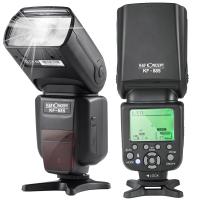
How To Make Your Eyes Flash On Camera?
Cameras have the unique ability to capture light and movement in ways our own eyes can't always perceive, which can create exciting visual effects. Making your eyes flash or stand out on camera is a creative pursuit that combines lighting techniques, props, editing tools, and sometimes physical preparation. Whether you're filming a music video, engaging in cosplay photography, or simply want your eyes to pop for a stunning photo, this guide will walk you through the steps to achieve the effect.
Understanding the Mechanism Behind Flashing Eyes

Before diving into techniques, it helps to understand why eyes can appear to “flash” in photos or videos. This effect can derive from these three main factors:
1. Reflection: Eyes are naturally reflective surfaces. They can catch and bounce back light to a camera lens if aligned correctly.
2. Lighting Contrasts: High contrasts between the lighting on your face and the background can make your eyes look more prominent or illuminated.
3. Post-Processing: Editing tools can amplify or create the effect of glowing or flashing eyes after filming.
Achieving the flashing eye effect often combines all three elements for the best results.
Step 1: Planning Your Shot

The first step in making your eyes flash on camera is careful preparation. The way your camera is set up plays a critical role in determining how your eyes reflect light or glow. Here are considerations:
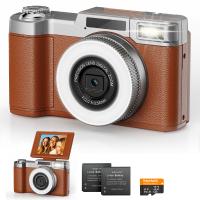
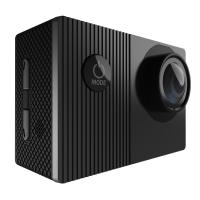
Choosing the Right Camera: DSLRs with manual aperture and shutter speed adjustments allow greater control over how light interacts with your subject.
Lens Type: Wide-angle lenses can enhance distortions and light interactions, sometimes helping your eyes stand out more dramatically.
Adjusting Settings: Set a slightly slower shutter speed to catch light reflections that emphasize your eyes. Experiment with having a small aperture to reduce scattered light and focus precisely on your face.
Step 2: Using Light and Angles

Lighting is your most important tool for creating effects like flashing or glowing eyes on camera. Consider these techniques:
1. Reflective Light Sources:
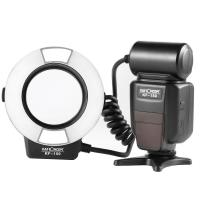
- Use strong key lights or ring lights positioned around the camera lens for a direct reflection in your eyes.
- Get creative with small, bright lights like LEDs placed strategically near your face.
2. Catchlights:
- A catchlight is the white reflective spot that appears in your eyes when lit by a direct source. Posing yourself under direct light can deliberately amplify this effect.
- Place reflective surfaces (mirrors, metallic sheets) near the camera to redirect light toward your eyes.
3. Low Light Coupled with Artificial Illumination:
- Filming in darker environments with a focused light reflection on your eyes can make them dramatically glimmer or appear to shine.
4. Colored LED Lights or Props:
- For specific effects, you can place colored LEDs close to your eyes to make them glow in unusual, captivating ways. Be cautious not to strain your vision when using bright or colored lights.
Step 3: Using Cosmetic or Theatrical Accessories
Sometimes, your natural eye reflection won’t be enough to create the flash effect you want. This is where creative props come in:
Reflective Contact Lenses:
- Special contact lenses that mimic reflective glass or contain shimmer effects can amplify light reflection during filming. These are popular in movies and cosplay scenes.
Glitter Makeup Around Eyes:
- Applying glitter near the inner corners of your eyes or eyelids can introduce subtle but interesting reflections that draw attention to your gaze.
Colored Contact Lenses:
- Bright, unnatural colors such as white, gold, or neon shades can create the illusion of glowing eyes on both camera and film.
Step 4: Leveraging Special Effects Through Movement
Physical actions, such as head turning or blinking, can also emphasize the flash effect. Here’s how:
Controlled Head Movements:
- Slight turns or tilts toward the light source can catch optimal reflections.
- Practice intentional movements to line your gaze with the camera lens while staying aligned with the targeted light.
Blink Timing:
- A well-timed blink, especially with heavily highlighted or shadowed lighting, can accentuate the flash effect.
- Test slow-motion settings on your camera to capture flashes or spark-like movements during eye blinks.
Step 5: Editing and Post-Production
If you can’t achieve the perfect eye flash effect naturally during filming, post-production tools are invaluable. Here are some methods to try:
1. Using Photo/Video Editing Software:
- Programs like Adobe Photoshop, Final Cut Pro, or After Effects allow you to highlight eyes, add glow effects, or insert dazzling visual edits to create eye flashes.
- Use the “glow” feature or adjust the brightness in specific areas around the eyes.
- Layer filters to add texture or surreal effects.
2. Specialized Visual Effects:
- Drop-in motion graphics can make eyes flicker like neon lights or pulse as if they're glowing with supernatural energy.
- Adding animated overlays (like lightning, fire sparks, or lens flares) can simulate intensifying flashes around your eyes.
Practical Examples and Creative Use Cases
The ability to make your eyes flash on camera lends itself to several creative endeavors:
Artistic Photography: Adding a flash effect to your eyes can give dramatic flair when creating surreal or abstract high-fashion imagery.
Cosplay and Fantasy Filming: Want to look like a superhero, alien, or mystical character? A flashlight effect can signify power or extraordinary abilities.
Music Videos: Enhance emotional or thematic storytelling with flashing eyes that hint at mystery or intensity.
Social Media Content: Videos or reels with glowing or flashing eyes can captivate and intrigue viewers.
Tips for Safety and Comfort
While it's fun to experiment with visuals, prioritize safety:
1. Avoid Eye Strain:
- Don’t stare directly into bright light sources, such as high-intensity ring lights or lasers.
- Take breaks during filming to prevent eye fatigue.
2. Use High-Quality Contact Lenses:
- Only purchase reflective or colored contact lenses from reputable manufacturers to ensure they are safe for prolonged wear.
3. Test Props and Makeup:
- If using glitter or artificial materials, make sure they are ophthalmologist-approved and won’t flake into your eyes.
Conclusion: Combining Techniques for Best Results
Creating an eye flash effect on camera requires a mix of planning, natural lighting techniques, and sometimes virtual editing tools. From choosing the right filming setup to post-production enhancements, achieving this effect empowers you to produce unforgettable visual content. Whether you're a filmmaker, photographer, or social media creator, you now have the tools to experiment and develop stunning concepts tailored to your artistic vision. With patience and creativity, your eyes can become the star of the show, flashing their way into memorable imagery that resonates with audiences.