kfconcept

KENTFAITH
K&F Concept    Blog >

Enjoy Your Selected Digital Life

Recently Viewed
  • Recently Viewed
  • Recently Viewed list is empty.

Compare (0) 0
  • Compare
  • You have not chosen any products to compare.

  • Compare
Currency: USD
  • Currency
Shop by Scene Shop by Rank

Log Into Your Account

Account

Order History

Wish List

Login

Forgotten Password?

Or connect with

Register Account

Already have an Account?Log In

  • Shopping Cart
  • Your shopping cart is empty!

  • Register/Login to purchase, earn points
  • Favorite
  • Your wish list is empty.

  • Register/Login to like, earn points
  • Activities
  • Guide
    • Filter Guide
    • Lens Adapter
    • Product Review
  • News & Reviews
    • Camera Reviews
    • Sample Gallery
    • News
  • Tutorials
    • Solar eclipse photography
    • Photography Basics
    • Landscape Photography
  • Inspiration
    • Travel
    • Travel Stories
  • Home
  • Blog
  • How To Remove Night Filter From Camera Clip?

How To Remove Night Filter From Camera Clip?

Kentfaith 2024-10-16 00:58:32 0 Comments

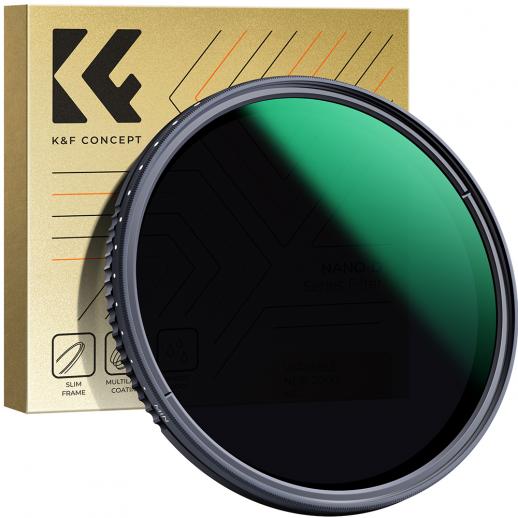
Removing the night filter from a camera clip might sound like a straightforward task, but it actually requires a deep understanding of both the editing software and the underlying properties of the video clip. Night filters typically adjust the color balance, contrast, and brightness to enhance the visibility of objects in low-light conditions by cooling down the image and reducing noise. When removing such a filter, the challenge is to restore the natural look or adapt it to suit your desired outcome.

Understanding the Night Filter

A night filter usually:

1. Reduces Noise: It often includes noise reduction to minimize graininess.

2. Adjusts Color Balance: There's usually a shift towards cooler colors.

3. Increases Contrast: This enhances the visibility of objects.

4. Darkens the Image Slightly: This is meant to imitate the lower light levels of night.

Tools You Will Need

1. Video Editing Software: Adobe Premiere Pro, Final Cut Pro, DaVinci Resolve, or any other software with advanced color grading tools.

2. Knowledge of Color Correction: Familiarity with basic and advanced color correction concepts.

3. Visualization: A keen eye for subtle changes to ensure natural look restoration.

Steps to Remove the Night Filter

1. Import the Clip: Begin by importing your video clip into your chosen video editing software.

2. Identify the Filter Effect: Look for the specific night filter applied. Some clips may have metadata that includes this information, while others may require a closer visual analysis.

3. Neutralize Color Balance: In the color correction section, adjust the white balance slider to counterbalance the cool tones added by the night filter. This usually involves adding warmth.

- White Balance: Shift the temperature towards warmer tones to negate the cooler blue tones.

- Tint: Adjust the tint to balance the green/magenta shift if needed.

4. Adjust Exposure and Contrast: Since night filters increase contrast, you may need to reduce contrast and adjust the exposure settings to brighten the image slightly.

- Exposure: Increase exposure to bring back the light that the filter might have subdued.

- Contrast: Lower the contrast to make the lighting more natural.

5. Enhance Shadows and Highlights: Refine these settings to ensure the image does not look flat after removing the filter.

- Shadows: Lift the shadows if they are too dark.

- Highlights: Reduce highlights if they appear too bright and non-uniform.

6. Add Saturation: Night filters often desaturate colors a little bit. You can reintroduce saturation to bring back the vividness of colors.

- Saturation: Increase it moderately to restore the natural look without overdoing it.

7. Noise Adjustments: As night filters often include noise reduction, you might need to add a little grain back if the image looks too smooth and unrealistic.

- Noise/Grain: Add a subtle amount of grain to enhance the natural look.

8. Fine-tuning: Go through each frame or segment, if necessary, to ensure uniformity. This will require meticulous adjustments to ensure that the image looks natural throughout the clip.

9. Render and Export: Once satisfied with the adjustments, render and export your video.

Practical Tips and Common Pitfalls

Consistent Environment: Ensure you're working in a well-lit environment with a calibrated monitor. This helps in making accurate color corrections.

Subtle Adjustments: Over-adjusting can worsen the image instead of improving it. Make small adjustments and frequently compare with the original clip.

Use Scopes: Most professional software have scopes (like waveform monitors, vector scopes) that help in accurately assessing color and luminance levels. Use these tools to guide your adjustments rather than relying solely on visual judgment.

Custom Presets: Consider saving your adjustment settings as presets if you repeatedly need to remove night filters from similar clips. This can save you time.

Backups: Always work on a copy of your original clip. This ensures you have a fallback if something goes wrong.

Advanced Techniques

Using LUTs (Look-Up Tables): LUTs can be incredibly useful for color grading and correcting. You can either find LUTs that reverse night effects or create your custom LUT after manually tweaking one video, applying it to similarly filtered clips.

Secondary Color Correction: Sometimes, certain colors are more affected by the night filter. Use secondary color correction to target specific hues for more accurate adjustments.

Masking and Layering: If only certain portions of your video are impacted by the filter, use masks to apply the adjustments only to the necessary sections. This ensures the rest of the video remains unaltered.

Removing a night filter from a camera clip isn’t just about reverting to an original state; it’s about transforming footage to suit your creative vision while maintaining natural aesthetics. This involves careful manipulation of color balance, exposure settings, contrast, and noise to achieve a seamless final product. With the right tools, a clear understanding of your clip's initial condition, and meticulous adjustments, you can effectively reverse the night filter effect and bring your footage back to life.

Don’t forget, practice and patience are key. As you grow more familiar with your editing software and the intricacies of color correction, you'll find your speed and precision improve. So, embark on this journey with a keen eye and a professional mindset, and your efforts will undoubtedly yield stunning results.


Leave your comment
Cancel reply
Note: HTML is not translated!
Related products
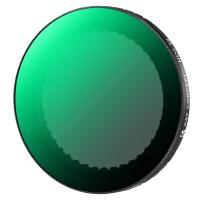
67mm Clip-on CPL Phone Camera Lens Filter Kit Applicable to All Mobile Phone Models
24
$18.99
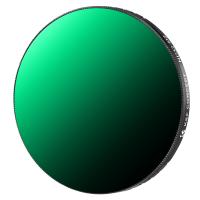
67mm Clip-on ND2-32 Phone Camera Lens Filter Kit Applicable to All Mobile Phone Models
24
$37.99
52mm Clip-on CPL Phone Camera Lens Filter Kit, Circular Polarizer Polarizing Filter Applicable to All Mobile Phone Models
24
$16.99
67mm Clip-on Black Mist 1/4 Phone Camera Lens Filter Kit Applicable to All Mobile Phone Models
24
$29.99
Variable ND2-32 Filter Compatible with DJI Osmo Action 5 Pro/Osmo Action 4/Osmo Action 3, Snap-on Installation, no need to remove the original filter
$24.99
Variable ND32-512 Filter Compatible with DJI Osmo Action 5 Pro//Osmo Action 4/Osmo Action 3, Snap-on Installation, no need to remove the original filter
$24.99
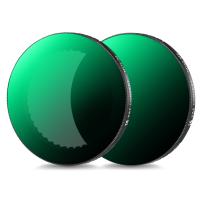
67mm Clip-on CPL&Black Mist 1/4 2-in-1 Phone Camera Lens Filter Kit Applicable to All Mobile Phone Models
24
$29.99
Variable ND2-32 & ND32-512 Filter Kit Compatible with DJI Osmo Action 5 Pro/Osmo Action 4/Osmo Action 3, Snap-on Installation, no need to remove the original filter
$44.99
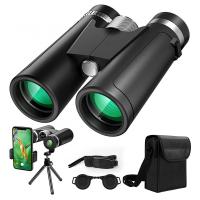
12x42 Professional HD Binoculars with Phone Clip and Tripod Low Light Night Vision Waterproof & Lightweight for Bird Watching Hunting Travel
61
$83.99 $41.99
ND2-32 & PL & Black Mist 1/4 Filter Kit Compatible with DJI Osmo Action 5 Pro/Osmo Action 4/Osmo Action 3, Snap-on Installation, no need to remove the original filter
$49.99
Products You May Like
Leica M39 35mm/135mm Lenses to Leica M Lens Mount Adapter K&F Concept M19151 Lens Adapter Non-SLR port M39
33
$37.99 $19.99
82mm Magnetic Black Mist Filter 1/4 Special Effects Filter HD Multi-layer Coated, Waterproof/Scratch-Resistant/ Anti-ReflectionNano-Xcel Series
30
$126.99 $100.99
55mm MCUV Lens Protection Filter with Filter Cap Ultra-Slim 24-Layer Coatings Waterproof for Camera Lens Nano-Dazzle Series
26
$43.99 $22.99
24MP*1296P Night Vision, 120° Wide Angle*0.2s Trigger 2” Screen Hunting Camera in White Rock with AA Alkaline Battery and 64G High Speed SD Card
$79.99
37mm Magnetic Lens Filter Kit GND8+ND8+ND64+ND1000+Magnetic Adapter Ring 5 in 1 Quick Swap System Nano-Xcel Series
62
$99.99 $67.99
4K Trail Camera Dual Lens Starlight Night Vision 48MP WiFi Bluetooth Game Camera Set with 8 Batteries & 64G SD Card
54
$229.99 $125.99
K&F Concept XK43 77mm Natural Night Filter Nano-Xcel
32
$87.99 $69.99
43mm Black Diffusion Mist Effect 1/4 & Variable ND2-32(1-5 Stops) & Circular Polarizing Filter CPL 3 in 1 Lens Filter with 18 Multi-Coatings Nano-Klear Series
$56.99 $44.99
DJI Osmo Action 3 Filter Kit 4pcs HD (ND8&PL+ND16&PL+ND32&PL+ND64&PL) with Single-sided Anti-reflection Green Film
22
$83.99 $43.99
OM-L Manual Focus Compatible with Olympus OM SLR Lens to L Mount Camera Body Lens Mount Adapter
80
$53.99 $29.99
Related articles
How To Remove Uv Filter From Nikon Lens?
How To Remove Outdoor Camera From Base?
How To Remove Memory Card From Nikon Camera?
How To Remove Sound From A Recorded Video?
How To Remove A Sd Card From Phone?
How To Remove Memory Card From Note 8?
How To Remove The Selfie Stick From Video?
How To Remove Cpl Filter For Lens?
How To Remove Ir Filter On A Lens?
How Does Built In Nd Filter Work?
Blog You May Like
How To Setup Ip Wireless Security Camera?
What Is The Best Binoculars?
What Does Tripod?
What Does Tripod?
Which Security Camera Has The Best App?
What Backpacks To Use For Cameras?
How To Backup Sd Card Android Without Computer?
Can Sd Card Slow Down Phone?
Photography Camera Bag What Colour?
How To Detect A Wireless Camera Signal?
Camera What Does A Uv Filter To?
Related categories
Digital Night Vision Goggles C mount lens adapter Astronomy & Optics infrared night vision monocular​ Magnetic Lens Filter Soft GND Filter camera filter accessories protective lens filter Variable ND filter
Popular products
nd filter for dji osmo action Polarize Filter For Mobile Phone led video light for camera clip on phone camera lens infrared hd video camera fpv drone and goggles infrared dash camera HD Binoculars digital camera 40 hd video camera tripod
Related searches
Lens Filter To Remove Reflections Filter To Remove Lens Artifacts Halo Camera Tripod Clip Action Camera Clip Camera Backpack Clip Remove A Stuck Lens Filter Clip On Cpl Filter Clip On Nd Filter Change Lens Mount From Minolta To Nikon Wireless Headphones From Tv
Popular searches
Fotodiox 4x5 Adapter Nikon Outdoor Motion Light With A Camera Batteries For Camera Rugged Smart Watch Best Uv Lens Filter 72 Using Leaf Shutter Lens With Adapter Sony Nikon Microscope Lens Adapter Sigma 135 1.8 Sony E Mount Tripod With Mobile Holder Svbony 1.25 Ring Adapter For Canon Eos
Blog Category
  • Activities
  • Guide
    • Filter Guide
    • Lens Adapter
    • Product Review
  • News & Reviews
    • Camera Reviews
    • Sample Gallery
    • News
  • Tutorials
    • Solar eclipse photography
    • Photography Basics
    • Landscape Photography
  • Inspiration
    • Travel
    • Travel Stories
Search Article
Latest from the Blog
Camera That Can Wifi Photos To Phone?
How Do Metal Detectors Work? A Complete Guide for Beginners and Pros
What Is The Best Wireless Outdoor Security Camera?
How To Put Sd Card In Camera?
What Is Nd Filter On Video Camera?
Camera Use Which Lens?
What is A Variable ND Filter? The Complete Guide to Mastering Exposure Control
How Big A Memory Card For Camera?
Can Security Cameras Detect Motion Through Glass?
How To Stream Live From Surveillance Camera?
  • Easy Payment Multilple Payment Options

  • Free Shipping Global WareHouse Shipment

  • No Risk 30-Day No Reason Return

  • Limited Deals Buy More, Save More

  • Tax Free No any surcharges or tax fee

Information
  • About us
  • Contact Us
  • Site Map
  • Blog
  • Video
  • Gallery
  • VIP Membership Rewards
Service
  • Privacy Policy
  • Terms & Conditions
  • Shipping & Delivery
  • Payment Info
  • Warranty, Return & Refund
  • Intellectual Property Rights
  • Ambassador
  • Affiliates
  • Wholesale
Support
  • My account
  • Order History
  • FAQs
  • Extend Warranty
  • Logistics Tracking
Follow us
NewsLetter

Get the latest product, K&F Concept respects your privacy.
Powered By KENTFAITH © 2025