How To Reduce Noise In Earphones?
If your earphones sound noisy, the fix depends on what kind of “noise” you mean. People usually mean one of three things:
- Outside sound leaking in, like traffic, fans, voices, gym music
- Hissing, buzzing, crackling, or static from the earphones themselves
- Noise caused by movement, loose cables, wind, or a bad fit
Those problems have very different causes. A pair of earphones can block outside noise well and still hiss with a cheap adapter. Another pair can sound clean at home but become awful on a windy walk. Start by identifying the type of noise, then work through the practical fixes below.
First, get the fit right
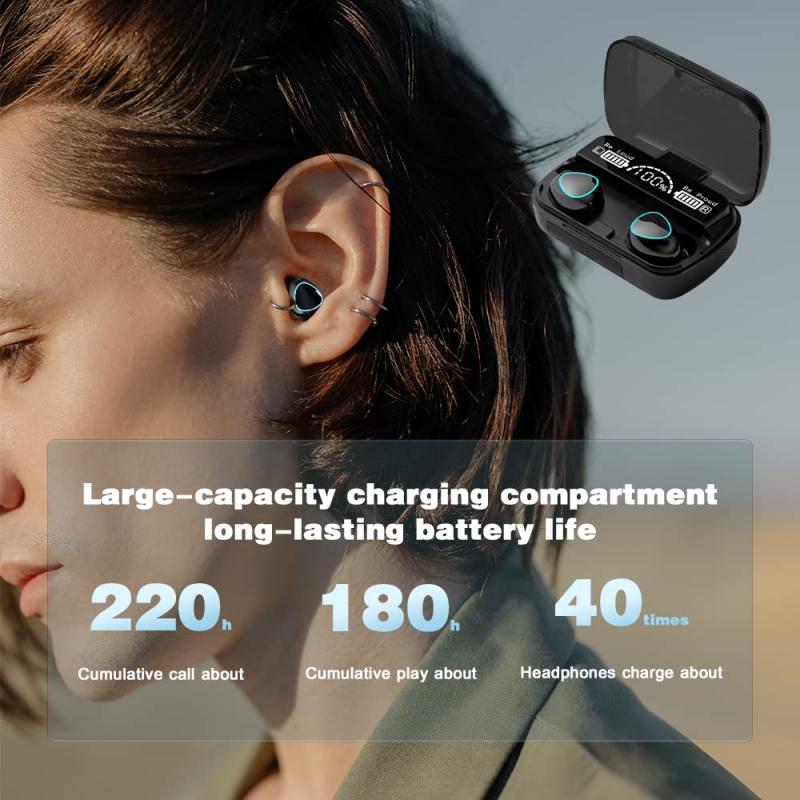
For in-ear earphones, fit matters more than most people expect. A poor seal lets outside noise in, weakens bass, and makes you turn the volume up. Many people blame the earphones when the real issue is the ear tips.
With silicone tips, try all sizes that came in the box. Don’t assume medium is correct. One ear may need a different size than the other. The right tip should feel secure without sharp pressure, and music should gain fuller bass when the seal is correct. If the bass sounds thin, the seal probably isn’t good.
Foam tips often block more outside noise than silicone. They compress, expand inside the ear canal, and usually help on buses, trains, flights, and in busy offices. The trade-off is that they wear out faster, can slightly soften treble, and may feel warmer in the ear. For commuting, though, they can make cheap earphones feel dramatically better.
Insertion angle also matters. Don’t just push the earphone straight in. Gently pull the top of your ear upward and backward, insert the tip, then let go. This helps the tip sit deeper and seal more evenly. If your earphones have a stem or housing that touches your outer ear awkwardly, rotate them slightly until the pressure disappears.
A quick seal test: play music with steady bass at low volume, then gently press each earbud inward. If the sound becomes fuller when you press, the normal fit is leaking.
Lower outside noise without raising volume

The most common mistake is fighting background noise by turning music up. It works in the moment, but it can tire your ears quickly and can become unsafe over time.
A better approach is improving isolation. For wired or basic Bluetooth earphones, that means better ear tips and a secure fit. For true wireless earbuds with noise cancelling, it means making sure the ANC actually has a good physical seal to work with. Active noise cancelling cannot perform properly if the earbud is loose.
Noise cancelling is best at low, steady sounds: airplane engines, air conditioning, train rumble, distant traffic. It is less effective against sudden voices, keyboard clicks, barking dogs, clanking dishes, or someone talking next to you. Good ear tips help with those higher-frequency sounds more than ANC does.
If your earbuds have ANC modes, try them instead of assuming maximum cancellation is always best. Some models create a pressure-like feeling or add faint hiss on their strongest setting. A medium mode can sound more natural and still reduce enough noise for daily use.
For walking outside, use awareness or transparency mode where safety matters. Total isolation near roads is not worth it. If wind noise becomes a problem in transparency mode, turn it off or use a wind-reduction setting if your app has one. Transparency microphones often exaggerate wind.
Fix hissing or static
Hiss usually comes from the audio source, the adapter, the amplifier, or the earphones’ own electronics. It is more noticeable with sensitive in-ear monitors, especially if you listen at low volume.
Start with a simple test. Plug the earphones into a different device. If the hiss disappears on another phone, laptop, or dongle, your original source is the problem. If the hiss follows the earphones everywhere, the earphones may be faulty or simply very sensitive.
Cheap USB-C or Lightning audio adapters are common offenders. Some are clean; others add hiss, clicking, or faint electrical noise. If you hear buzzing that changes when your laptop charger is plugged in, or when you move your mouse, the device or adapter is picking up electrical interference.
For wired earphones, try these fixes:
- Use a better-quality dongle or DAC adapter
- Avoid plugging into noisy front-panel PC headphone jacks
- Plug directly into the laptop/phone instead of through a monitor or hub
- Keep the cable away from chargers and power bricks
- Lower the device volume slightly and control listening volume from a cleaner source if available
With Bluetooth earphones, faint hiss can be part of the earbud’s internal amplifier or ANC system. If the hiss appears only when ANC is on, try a lower ANC mode or turn ANC off in quiet rooms. Some earbuds also hiss briefly when audio starts, then mute after a few seconds. That behavior is annoying, but not always a defect.
Crackling is different from hiss. Crackling often points to a damaged cable, dirty connector, loose jack, failing driver, or Bluetooth dropouts. Wiggle the plug or cable gently while playing music. If the crackle reacts to movement, the cable or connector is likely the issue.
Clean the earphones properly
Earwax and dust can block the tiny mesh over the nozzle. This can reduce volume, make one side sound muffled, or cause distorted sound that some people describe as “noise.”
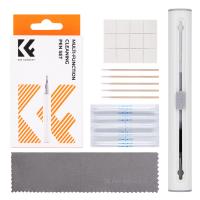
Remove the ear tips and inspect the nozzle under good light. If the mesh looks clogged, clean it carefully. Use a dry soft brush, a clean toothbrush, or a small cleaning tool if your earbuds included one. Keep the nozzle facing downward so debris falls out instead of deeper inside.
Avoid pushing pins or needles into the mesh. That often damages the filter or driver. Avoid soaking earphones unless the manufacturer specifically says it is safe. Even water-resistant earbuds are not designed to be washed like dishes.
For true wireless earbuds, also clean the charging contacts. Dirty contacts can cause charging problems, which may lead to odd behavior, sudden disconnects, or one earbud not powering correctly.
Reduce cable noise
Wired earphones can create a thumping or rustling sound when the cable rubs against clothing. This is called microphonic noise, and it is especially noticeable with in-ear models because the vibration travels straight into your ear canal.
The easiest fix is wearing the cable over your ears if the design allows it. This reduces tugging and cable slap. Many in-ear monitors are meant to be worn this way.
A shirt clip also helps more than people expect. Clip the cable near your collar or chest so the lower part of the cable doesn’t swing around. If you exercise with wired earphones, route the cable under your shirt or jacket.
Cable material matters too. Thin rubbery cables often transmit more rubbing noise than soft braided or over-ear cables. If your earphones use detachable cables, replacing the cable can make daily use much quieter.
Deal with Bluetooth dropouts and digital noise
Bluetooth noise usually sounds like brief cuts, robotic distortion, crackles, or one earbud dropping out. This is often caused by connection issues rather than the speaker drivers.
Keep your phone on the same side as the main earbud when possible. Some earbuds still rely on one side as the primary receiver, and your body can block the signal. This is especially noticeable outdoors, where there are fewer surfaces for the signal to bounce off.
If dropouts happen in crowded places like stations or gyms, wireless interference may be the cause. Resetting the earbuds and pairing again can help, but some cheaper models simply struggle in busy radio environments.
Also check battery level. Some earbuds behave badly when the battery is low, producing crackles or unstable volume before shutting down. If one side is much lower than the other, clean the charging contacts and make sure both earbuds seat properly in the case.
If your phone lets you change Bluetooth codec settings, don’t assume the highest-quality codec is always the most stable. LDAC at high bitrate, for example, can sound great but may be more prone to dropouts in busy areas. A more stable codec can give a cleaner real-world experience.
Stop wind noise
Wind is brutal on earbuds, especially true wireless models with microphones and transparency mode. Even expensive earbuds can struggle on a breezy street or bike ride.
If you hear roaring wind, turn off transparency mode first. If ANC makes wind worse, try normal passive mode. Some earbuds have a wind-reduction option buried in the companion app, and it is worth enabling for walking or cycling.
For wired earphones, wind noise can also come from the cable moving or the earbud shell catching air. Wearing a hat or hood loosely over the ears can reduce it, though it is not always comfortable. For cycling, bone-conduction or open-ear designs may be safer, but they will not isolate noise well.
Check the audio file or app
Not all noise comes from the earphones. Low-quality streams, badly recorded podcasts, old MP3 files, and aggressive volume-boosting apps can add hiss, distortion, or harshness.
Try playing a clean, familiar track from a reliable source. Disable equalizers, bass boosters, spatial effects, volume normalizers, and sound enhancement apps for testing. Some “enhancement” settings increase distortion, especially at higher volume.
If only one app sounds bad, clear its cache, update it, or check its audio quality settings. If every app sounds bad, the issue is more likely the earphones, adapter, or device.
Know when the earphones are the problem
Some noise cannot be fixed with settings. A failing driver may buzz on bass notes. A damaged cable may crackle no matter what device you use. A poor-quality wireless earbud may always hiss with ANC on. A badly designed shell may never seal your ears properly.
If the earphones are new, test them carefully within the return window. Try different tips, different devices, and different tracks. If one side is consistently noisier, quieter, or distorted, exchange them rather than trying to live with it.
For long-term use, store earphones in a case, avoid yanking the cable, keep moisture away from the nozzles, and clean the tips regularly. Many noise problems start small: a clogged mesh, a bent plug, a dirty charging contact, a cable that gets pulled every day.
The fastest path is simple: fix the seal first, test with another device, clean the nozzles, remove sound effects, and separate outside noise from electronic noise. Once you know which kind you’re dealing with, most earphone noise problems become much easier to solve.