kfconcept

KENTFAITH
K&F Concept    Blog >

Enjoy Your Selected Digital Life

Recently Viewed
  • Recently Viewed
  • Recently Viewed list is empty.

Compare (0) 0
  • Compare
  • You have not chosen any products to compare.

  • Compare
Currency: USD
  • Currency
Shop by Scene Shop by Rank

Log Into Your Account

Account

Order History

Wish List

Login

Forgotten Password?

or connect with

Register Account

Already have an Account?Log In

  • Shopping Cart
  • Your shopping cart is empty!

  • Register/Login to purchase, earn points
  • Favorite
  • Your wish list is empty.

  • Register/Login to like, earn points
  • Activities
  • Guide
    • Filter Guide
    • Lens Adapter
    • Product Review
  • News & Reviews
    • Camera Reviews
    • Sample Gallery
    • News
  • Tutorials
    • Solar eclipse photography
    • Photography Basics
    • Landscape Photography
  • Inspiration
    • Travel
    • Travel Stories
  • Home
  • Blog
  • How To Put Music In Microphone?

How To Put Music In Microphone?

Kentfaith 2026-08-13 00:58:14 0 Comments

If you're trying to play music through your microphone—whether for streaming, video chatting, gaming, or voice chat—there are several methods available depending on your setup and needs. You can either play music out loud so that your microphone picks it up, or route audio digitally through your system so others hear it clearly without background noise.

Set Up Your Microphone to Pick Up Music

If you choose to play music out loud and let your microphone capture it, the audio quality depends heavily on your hardware and environment.

  • Upgrade your microphone. Switching from something like a laptop's built-in microphone to a dedicated USB mic can make a significant difference in streaming quality.
  • Research your microphone's pickup pattern. Microphones have different pickup patterns, which are the directions that the mic best picks up sound from. For example, the cardioid pattern picks up the most sound from directly in front of the mic, and nearly none from behind it.
  • Play your music at a high quality. Microphones can't preserve the quality of your music perfectly. Plus, streaming the music over the internet will cause even more reduction in quality. Playing your music at the highest quality possible will mean you're starting better off.
  • Increase the audio quality from the music streaming source.
  • Upgrade the speakers you're using to play music.
  • Potentially play your music from a record player for higher quality sound.
  • Improve the acoustics in your room. A room with less than ideal acoustics may cause your music to become distorted or muffled, or there might be an echo. You can install soundproofing foam in your room to help prevent these issues. Or, place some rugs near your setup — they're great for absorbing sound.
how to put music in microphone 1

Enable Stereo Mix on Windows

The Stereo Mix option allows you to route your system audio directly as a microphone input. This method is only available if your sound card and audio driver support it.

  1. Open the Control Panel.
  2. Click Hardware and Sound. If this isn't an option, select Sound.
  3. Click Sound to open the Control Panel sound options.
  4. Right-click a blank area in the Recording tab. Make sure the following options have a checkmark: Show Disabled Devices and Show Disconnected Devices.
  5. Right-click Stereo Mix. If your sound card supports it, Stereo Mix should appear in the list of recording sources.
  6. Set Stereo Mix as your default microphone input.

As long as your voice chat application (such as Discord) is not set to your default device, you can still talk while music plays through Stereo Mix.
how to put music in microphone 2

Use Virtual Audio Software

Virtual audio tools let you tie audio from your music program and mic to the same channel, so others hear both your voice and the music simultaneously.

VB-Audio Voicemeeter Banana
This application allows you to mix multiple audio sources. Using this, you can tie audio from your music program and mic to the same channel.
VB-Audio Virtual Apps
A virtual audio cable solution that routes audio between applications without physical cables. You set the virtual audio cable as your default mic, then configure your voice chat app to use your physical microphone. Your music player outputs to the virtual cable, and an Audio Repeater utility sends the signal back to your speakers or headphones so you can monitor the audio.
Virtual Audio Cable (VAC)
Set Virtual Audio Cable as your default mic, then go into your voice chat application and set your mic to the one you want to talk out of. Go into your music player (such as Foobar), find the options menu, go to output, and set the output to Virtual Audio Cable. From there, you can add music via MP3 or use a YouTube plugin. Virtual Audio Cable also installs a program called Audio Repeater — open that, set the input to Virtual Audio Cable, and set the output to your speakers or headphones.
MorphVox Junior (Free)
The free version of MorphVox is a voice changer that allows you to play "background sounds" and sound effects. These play through its own mic source while adding your mic so you can speak and play the song at the same time. You will also hear the song or sound effect through your audio device. You can also set hotkeys to play sound effects and songs.
how to put music in microphone 3

Use a Physical Mixer or Real Audio Cable

For setups involving live performance or physical hardware, a mixer or a real audio cable provides a straightforward alternative to software routing.

  • You can use a real audio cable instead of a virtual audio cable if you have two audio in/out ports: put one end in your second audio-out and the other in your second audio-in, then set the second audio-in as your default mic. The audio you send to the second audio-out will be heard by others. Your first audio in/out remains your normal headset, speaker, and mic for other applications.
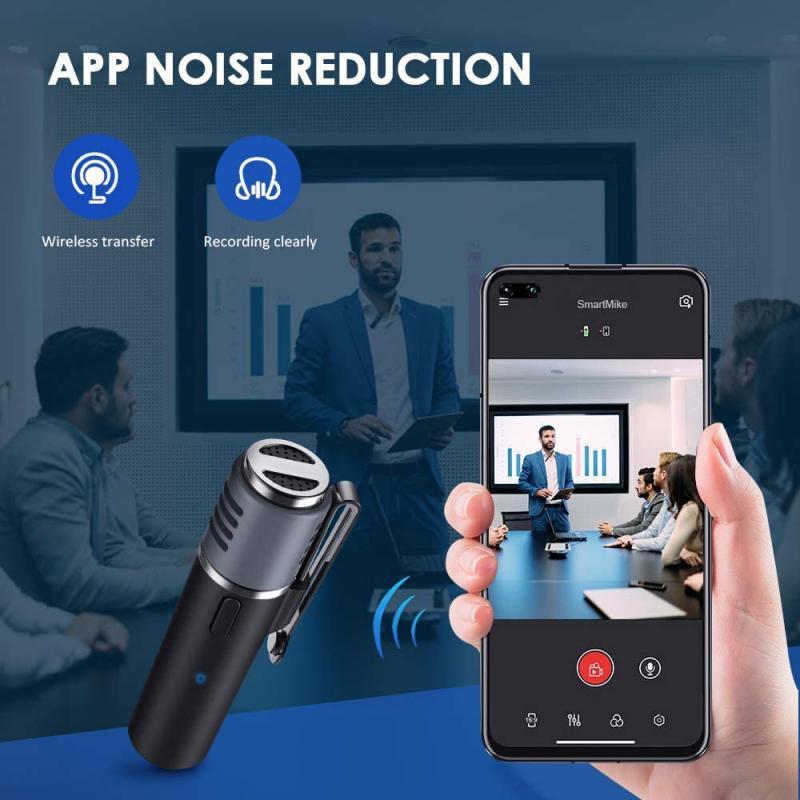
  • For use at a meeting, dance, concert, function, or social gathering, use a small mixer. You basically just need a basic two-channel mixer where at least one channel is stereo for the music. Hook your music player — such as a laptop, CD player, or smartphone — to one channel, and your microphone to the other. This lets you easily control the volume for both sources and turn them on and off as needed. You will need some form of sound system, such as a PA, to send the mixed audio out.
  • Mixers typically use RCA/phono inputs for line-level signals such as a music player, so you will most likely need some sort of adapter.
how to put music in microphone 4

Use Soundboard Applications

Dedicated soundboard tools are designed specifically for playing audio through a microphone input during voice chat or streaming sessions.

Soundpad
A straightforward and useful application for playing audio through your microphone during voice chat or gaming sessions.
Voicemod
A soundboard application that is easy to use and suitable for voice chat scenarios.
Clownfish Voice Changer
Can function as both a voice changer and a soundboard. You can put any audio file to play or give it a YouTube link to play. However, some users report it can cause high memory and CPU usage.

On mobile devices and video calling apps, echo cancellation or suppression within the app will typically cancel out sound emitted from the device's own speaker. To work around this, you need to use a mixer app or play music from a separate device.
Leave your comment
Cancel reply
Note: HTML is not translated!
Related products
Dual-Rider Intercom Motorcycle Helmet Bluetooth Headset with Audio Multitasking Music Sharing
12
$134.99 $94.99
AI Smart Glasses with 164 Languages Real-Time Translation, 4 Translation Modes, Voice Control, AI Assistant, Music Playing All-in-one Bluetooth Smartglasses for iPhone, Android, iPad
NEW Arrival
AI Smart Glasses with 164 Languages Real-Time Translation, 4 Translation Modes, Voice Control, AI Assistant, Music Playing All-in-one Bluetooth Smartglasses for iPhone, Android, iPad
93
$99.99 $79.99
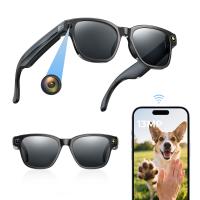
Camera Sunglasses with 8MP Sony Camera for 1080P POVs, 13MP Photos, WiFi Transfer, 10H Music/Calls, 26 Languages Translation, Kentfaith
26
$124.99 $99.99
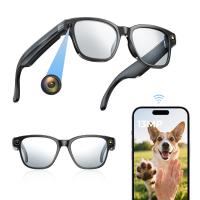
Camera Glasses with 8MP Sony Camera for 1080P POVs, 13MP Photos, WiFi Transfer, 10H Music/Calls, 26 Languages Translation, Kentfaith
14
$124.99 $99.99
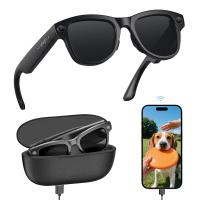
Smart Glasses with Camera, 8MP Sony Sensor, Capture 30MP Photos & 1080P Videos, With 3600mAh Charging Case, Clear Music & Calls, Kentfaith
16
$174.99 $139.99
Wireless Earbuds Bluetooth Headphones TWS Waterproof with Microphone
66
$31.99
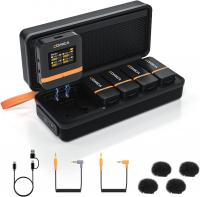
Wireless Lavalier Microphone System with 4 Transmitters and 1 Receiver
$434.99 $304.99
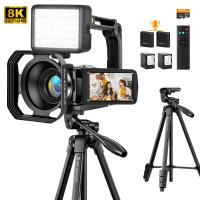
8K Video Camera with 64MP Photo, HDMI Output for Live Streaming, WiFi File Transfer, Built-in Fill Light, Wireless Microphone, 18X Zoom, 2 Batteries, Tripod, Remote Control, 64GB Card, Kentfaith
16
$349.99 $279.99
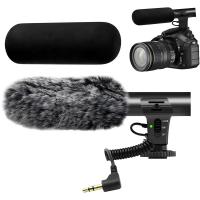
Camera Microphone, Super Cardioid  Shotgun Mic for DSLR Close Interview, Noise Reduction Video Microphone for Canon Nikon Sony Fuji with Windscreen, Compatible with Camera with 3.5mm TRS Plug, Kentfaith
Camera Microphone, Super Cardioid Shotgun Mic for DSLR Close Interview, Noise Reduction Video Microphone for Canon Nikon Sony Fuji with Windscreen, Compatible with Camera with 3.5mm TRS Plug, Kentfaith
11
$62.49 $49.99
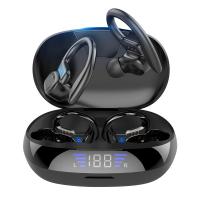
TWS Bluetooth Headset With Microphone Sports Ear Hook LED Display Earbuds
HOT Seller
TWS Bluetooth Headset With Microphone Sports Ear Hook LED Display Earbuds
211
$29.99
Products You May Like
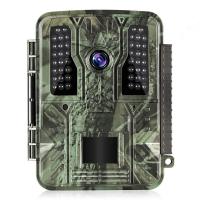
4K 32MP tracking hunting camera, 100° wide-angle motion sensor triggering in 0.2 seconds, 46pcs 940nm low-light LED lights, IP67 waterproof with 2.31-inch display
$99.99 $89.99
WIFI Outdoor Security Camera Outdoor Camera 2K Ultra HD Picture Audible Alarm IP66 Waterproof Two-way Voice Night Vision Range 8m/26ft UK Version
$89.99 $59.99
49mm ND8 (3 Stop) Neutral Density Filter + CPL Circular Polarising Filter 2 in 1 for Camera Lens, Ultra Clear Super Slim Waterproof Scratch-Resistant
25
$68.99 $35.99
Drone Filter DJI Mavic 4 Pro CPL Filter Multi Coated HD Optical Glass/Aluminum Frame
NEW Arrival
Drone Filter DJI Mavic 4 Pro CPL Filter Multi Coated HD Optical Glass/Aluminum Frame
14
$24.99
K&F Concept XU08 52mm UV Filter Protect Lens Filter Multi-Resistant
$37.99 $19.99
K&F Concept Light Stand for Photography, 9.1ft/2.8M Portable Extendable Photo Video Tripod Stand, Heavy Duty Light Stand Lighting Tripod with 1/4" Screw for Strobe Light/Webcams/Cameras/Softbox
8
$58.99
82mm 6-Point Fine-Line Star Effect Filter, Cine & Dreamlike Special Filter 18-Layer Coated Optical Glass with 3 Vacuum Cleaning Cloths - Nano-Klear Series
NEW Arrival
82mm 6-Point Fine-Line Star Effect Filter, Cine & Dreamlike Special Filter 18-Layer Coated Optical Glass with 3 Vacuum Cleaning Cloths - Nano-Klear Series
38
$91.23 $36.49
58-77mm Step Up Ring Aviation-grade Aluminum Filter Adapter Ring 2-pack with a Cleaning Cloth
99
$9.59
K&F Concept Canon EW73D bayonet hood, with a vacuum cleaning cloth *1, for RF 24-105mm F4-7.1 is STM,EF-S 18-135mm f/3.5-5.6 IS USM lenses
$8.99
43mm MCUV+CPL+ND1000+Adapter Ring Magnetic 4 in 1 Lens Filter Kit Waterproof Scratch-Resistant Anti-Reflection with Filter Pouch
45
$99.99 $82.99
Related articles
Can You Use A Lavalier Microphone For Music?
How To Put Headphones In Pc?
How To Put Memory Card In Pc?
How To Put Earbuds In Your Ear?
How To Put Sd Card In Camera?
Can We Put Camera With Microphone?
How To Put Sd Card In Iphone 14?
How To Put Bluetooth Speakers In Motorcycle Helmet?
How To Put The Battery In My Camera?
How To Record A Microphone On Computer?
Blog You May Like
How To Pick Binoculars For Bird Watching?
What Is A Wifi Endoscope Camera?
How To Make Dash Cam Always On?
How Do You Turn Off Alexa Light Ring?
How Do I Find My Camera's Shutter Count?
What Is A Memory Card Reader Used For?
What Does A Scanning Electron Microscope Do?
How To Mount Ring Spotlight Camera Wireless?
Where Is Microphone?
How Does A Lavalier Microphone Work?
Related categories
2 in 1 Filter streaming video camera Screw-In Filter C mount lens adapter m4/3 adapter
Popular products
headset for motorcycle helmet face tracking tripod for camera bluetooth headset motorcycle helmet speaker with wireless microphone Smart Glasses That Translate Languages AI Smart Glasses With Camera​ waterproof motorcycle bluetooth headset wireless microphone for android microphone wireless for phone microphone for youtube videos
Related searches
Music Recording Microphone For Iphone Ipad Microphone For Recording Music Wireless Headphones With Built In Music Microphone For Music Recording On Computer Microphone For Recording Music On Phone Earphones For Listening To Music Plug In Microphone For Android Headphones With In Line Microphone Camera With Built In Microphone Macbook Pro Plug In Microphone
Related Scenes
Best Earbuds For Music And Calls Best Compact Camera Microphone Best Vlogging Camera Microphone Best In House Camera Best Camera To Video Sports Best Camera To Capture Wildlife Best Camera Microphone For Vlogging Best Vlogging Camera And Microphone Best Vlogging Camera With Microphone Best Hd Action Video Camera
Blog Category
  • Activities
  • Guide
    • Filter Guide
    • Lens Adapter
    • Product Review
  • News & Reviews
    • Camera Reviews
    • Sample Gallery
    • News
  • Tutorials
    • Solar eclipse photography
    • Photography Basics
    • Landscape Photography
  • Inspiration
    • Travel
    • Travel Stories
Search Article
Latest from the Blog
How To Record A Microphone On Computer?
Can You Make Headphones Wireless?
How To Get Battery Out Of Camera?
How To Make A Wired Security Camera Wireless?
How To Watch Movies On A Projector?
Which In Ear Headphones Are The Best?
How To Clean A Screen Protector?
How To Improve Microphone Quality?
How To Unlock A Camera Sd Card?
How To Use Projector As Tv?
  • Easy Payment Multilple Payment Options

  • Free Shipping Global WareHouse Shipment

  • No Risk 30-Day No Reason Return

  • Limited Deals Buy More, Save More

  • Tax Free No any surcharges or tax fee

Information
  • About us
  • Contact Us
  • Site Map
  • Blog
  • Video
  • Gallery
  • VIP Membership Rewards
Service
  • Privacy Policy
  • Terms & Conditions
  • Shipping & Delivery
  • Payment Info
  • Warranty, Return & Refund
  • Intellectual Property Rights
  • Ambassador
  • Affiliates
  • Wholesale
Support
  • My account
  • Order History
  • FAQs
  • Extend Warranty
  • Logistics Tracking
Follow us
NewsLetter

Get the latest product, K&F Concept respects your privacy.
Powered By KENTFAITH © 2026