kfconcept

KENTFAITH
K&F Concept    Blog >

Enjoy Your Selected Digital Life

Recently Viewed
  • Recently Viewed
  • Recently Viewed list is empty.

Compare (0) 0
  • Compare
  • You have not chosen any products to compare.

  • Compare
Currency: USD
  • Currency
Shop by Scene Shop by Rank

Log Into Your Account

Account

Order History

Wish List

Login

Forgotten Password?

or connect with

Register Account

Already have an Account?Log In

  • Shopping Cart
  • Your shopping cart is empty!

  • Register/Login to purchase, earn points
  • Favorite
  • Your wish list is empty.

  • Register/Login to like, earn points
  • Activities
  • Guide
    • Filter Guide
    • Lens Adapter
    • Product Review
  • News & Reviews
    • Camera Reviews
    • Sample Gallery
    • News
  • Tutorials
    • Solar eclipse photography
    • Photography Basics
    • Landscape Photography
  • Inspiration
    • Travel
    • Travel Stories
  • Home
  • Blog
  • How To Record A Microphone On Computer?

How To Record A Microphone On Computer?

Kentfaith 2026-08-16 01:00:04 0 Comments

Sound Recorder is an app you can use to record audio for up to three hours per recording file. You can use it side by side with other apps, which allows you to record sound while you continue working on your PC.

Connecting Your Microphone

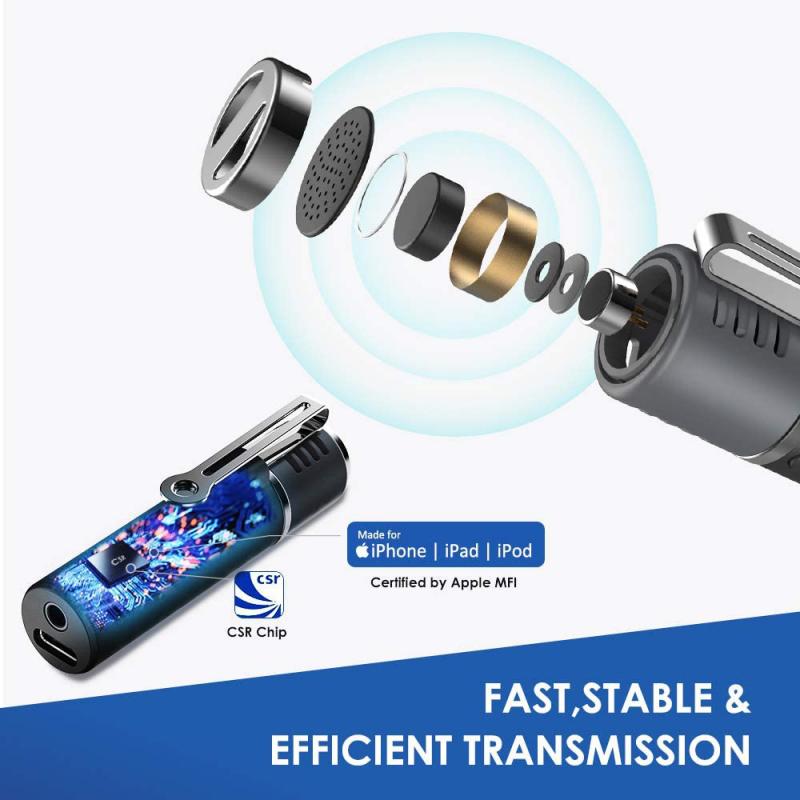
You can connect your mic by plugging it into the appropriate port. In general, this means:

  • If you have a mic with a 3.5mm jack, plug it into a mic-in port.
  • If you have an XLR mic, plug it into an XLR-USB audio interface and the interface into the USB port.

Many laptops and notebooks feature built-in microphones. While they may be good enough to record your voice properly, other recordings that they produce will often be somewhat unpleasant.

Most microphones are in mono, and mono is generally the best choice for recordings. Only use stereo if you do need directionality.
how to record a microphone on computer 1

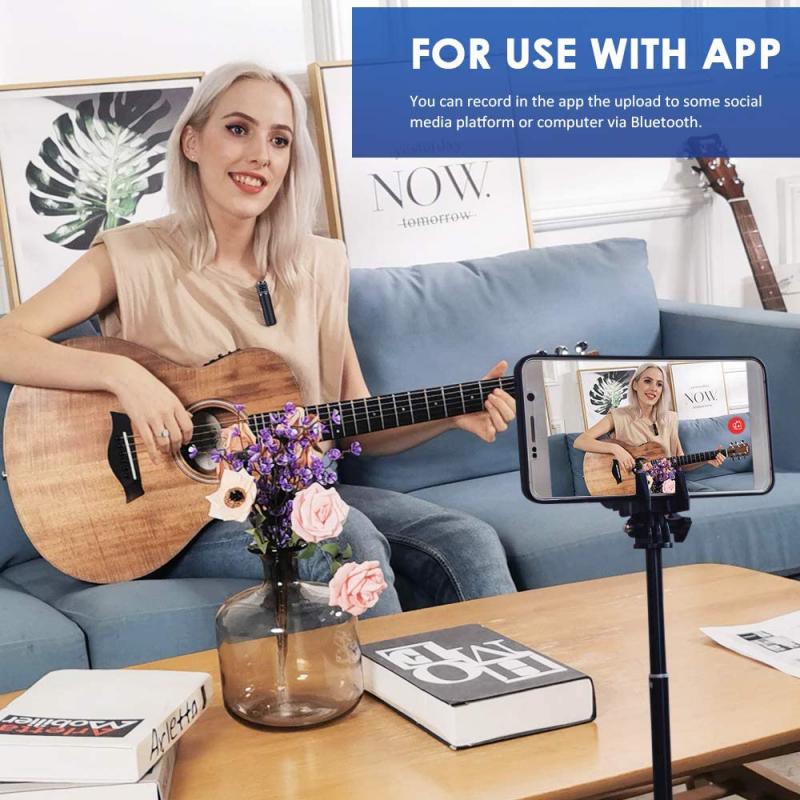
Giving Sound Recorder Permission to Use Your Microphone

If it's your first time using this app, follow the on-screen instructions to give it permission to access your computer's microphone.

To manually give Sound Recorder permission to use your microphone, go to the app's settings and enable microphone access. Under Input Settings > Input Volume, use the slider to adjust the microphone volume.
how to record a microphone on computer 2

Recording Computer and Microphone Sound Simultaneously

Bandicam's audio only recording mode gives you complete control over your audio recording experience. You can selectively capture computer sound from any application, record your voice through a microphone with professional noise suppression, or record both simultaneously.

Computer Sound Only
Capture audio from any application running on your PC.
Microphone Audio Only
Record your voice through a microphone with professional noise suppression.
Record Both Computer and Microphone Sound Simultaneously
Perfect for commentaries, interviews, or music production. Use the REC button to start/stop recording. Adjust volume levels separately for system audio and microphone input for perfect audio balance.
how to record a microphone on computer 3

Quick Start Guide: Record Audio in 3 Simple Steps

  1. Download a free audio recorder for Windows 11/10/8/7 such as Bandicam.
  2. Open the application, choose audio-only mode, and select your microphone from the input list. Adjust volume levels if needed.
  3. Press REC to start recording, and stop when done. Your voice files are saved automatically to your recordings directory.
how to record a microphone on computer 4

Saving and Scheduling Recordings

Bandicam gives you flexible options for saving your audio recordings in the format that best suits your needs. Use WAV format for highest audio quality when recording music or important voice recordings, and MP3 for everyday recordings that need to be shared or stored efficiently.

Set recordings to start and end automatically at specific times on a daily or weekly basis — perfect for capturing regular broadcasts, online classes, or recurring meetings when you're away from your computer. Configure audio recording schedules by choosing the 'Audio Only' recording mode and setting your preferred schedule in the scheduled recording settings. Select audio sources, quality settings, and file formats in advance for completely automated recording.

Bandicam supports continuous audio recording for more than 24 hours — perfect for capturing long events, overnight recording, or extended monitoring. Use Windows Task Scheduler to automatically start recording when Windows launches, or utilize Bandicam's 'Auto-Complete Recording' feature to automatically start audio recording hourly or stop after detecting silence.

Noise Suppression and Mute Controls

Bandicam's advanced noise suppression technology ensures your voice recordings sound professional by automatically reducing unwanted background noise. Record clear voice audio without distracting keyboard clicks, mouse sounds, computer fans, or room ambience.

  • Choose from low/medium/high noise suppression levels to match your environment.
  • Perfect for podcasts, voiceovers, online meetings, and lectures.
  • Maintain natural voice quality while eliminating distractions.

Need to temporarily silence your recording without stopping it? Simply click on the speaker or microphone icon in the Bandicam window while recording to instantly mute that audio source. This allows you to prevent unwanted background noise or interruptions from being recorded, mute system sounds while keeping microphone recording active, pause microphone input while continuing to record computer audio, and resume audio recording with another click when ready.

Audio Recording Tips for Best Results

For voice recording:

  • Use noise suppression: enable low or medium noise suppression to eliminate background noise for clear voice capture.
  • Proper microphone placement: position your microphone a few inches away from your mouth for optimal sound quality.
  • Test before recording: always do a brief test recording to check audio levels and quality.
  • Choose MP3 format: for voice recordings, MP3 at 192kbps provides excellent quality with smaller file sizes.

For music recording:

  • Use WAV format: choose WAV for lossless audio quality when recording music.
  • Disable noise suppression: turn off noise suppression when recording music to preserve full audio fidelity.
  • Adjust volume levels: set appropriate volume levels before recording to prevent distortion.
  • Schedule automatic recording: use scheduled recording to capture streaming music when you're away from your PC.

Recording Two Audio Sources

A basic Windows computer will only have one input. You'll need a mixer or interface or another mic to record from two sources. One thing you won't be able to do is use speakers as an input.

You could record the two different sources and then edit them together in a DAW such as Cakewalk. This is a preferable way to do it — you can always mixdown to one track later when you output the file. Use Virtual Audio Cable if your audio interface doesn't have a loopback feature. Some audio cards like Creative Labs have an audio source of "What-U-Hear," which will record the output of the speakers.

Once you've made your recording, make sure to save your work. This applies regardless of whether you intend on editing it later or not.
Leave your comment
Cancel reply
Note: HTML is not translated!
Related products
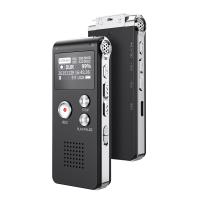
128G Mini Digital Voice Recorder with Color Screen Bluetooth Call Record 3072kbps Kentfaith
HOT Seller
128G Mini Digital Voice Recorder with Color Screen Bluetooth Call Record 3072kbps Kentfaith
15
$119.99 $83.99
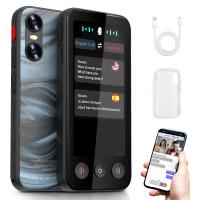
Instant Cross-APP Translator Device for Business & Trade, Video Call Translation, Record, & Transcription, Kentfaith AI Translator Devices
12
$124.99 $99.99
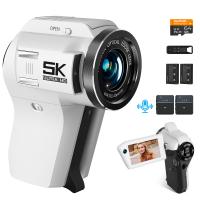
5K Video Camera with 75MP Photos, 8X Optical Zoom, WiFi Transfer, Wireless Mic, Dual Batteries, Support PIP Record, Kentfaith
16
$369.99 $239.99
67mm Clip-on CPL Phone Camera Lens Filter Kit Applicable to All Mobile Phone Models
40
$18.99
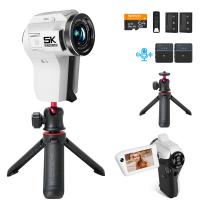
5K Video Camera with 75MP Photos, 8X Optical Zoom, WiFi Transfer, Foldable Tripod, Wireless Mic, Dual Batteries, Support PIP Record, Kentfaith
16
$312.49 $249.99
67mm Clip-on ND2-32 Phone Camera Lens Filter Kit Applicable to All Mobile Phone Models
NEW Arrival
67mm Clip-on ND2-32 Phone Camera Lens Filter Kit Applicable to All Mobile Phone Models
13
$37.99
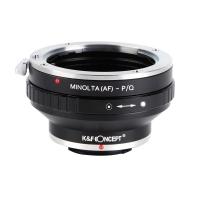
Minolta A / Sony A Lenses to Pentax Q Lens Mount Adapter K&F Concept M22161 Lens Adapter
$45.99 $23.99
AI Translator Device for Business & Trade, 142 Languages Real-Time Online & Offline, Smart Office/Cross-App/Video/Photo Translation, Record & Transcription, Kentfaith
15
$182.49 $145.99
Digital Voice Recorder with 64Gb Storage, 1536 kbps, Voice Activated & Line-in Record, 85H Battery Life, Stores 800 Hours of Recording, Kentfaith
18
$99.99 $79.99
67mm Clip-on Black Mist 1/4 Phone Camera Lens Filter Kit Applicable to All Mobile Phone Models
7
$29.99
Products You May Like
58mm Magnetic Metal Lens Cap 2-in-1
41
$35.99 $17.99
Leica M LM L/M Mount Lens to Fujifilm FX Mount Camera Adapter for FX Mount Camera FIT Pro K&F Concept Lens Mount Adapter
20
$45.99 $23.99
58mm Black mist filter 1/8 28 layers of anti-reflection green film waterproof and scratch-resistant with metal lens cover Nano-X series
32
$61.99 $39.99
62mm Magnetic Lens Filter Kit GND8+ND8+ND64+ND1000+Magnetic Adapter Ring 5 in 1 Quick Swap System Nano X Series
$198.99 $125.99
55mm CPL+MCUV+ND1000+Lens Cap Circular Polarizing Filter MCUV Protection Neutral Density Lens Filters Kit with 24 Layer Coatings Nano-Dazzle Series
36
$122.48 $48.99
Adjustable Camera Strap Etsy, Camera Neck Strap With Quick Release and Safety Tether, Suitable for Nikon, Canon, Sony, Olympus SLR Cameras
5
$13.99
Ghost Cam Trail Camera
10
$135.99 $74.99
Minolta MD Mount Lens to Micro 4/3 Mount Camera Lens Mount Adapter
107
$53.99 $27.99
Magic Arm Camera Mount with NATO Clamp, Dual Ball Head 360°  Adjustment, 1/4"-20 Screw, Anti-Twist, for Action Cameras, Monitors, LED Lights, Fill Lights, Kentfaith
Magic Arm Camera Mount with NATO Clamp, Dual Ball Head 360° Adjustment, 1/4"-20 Screw, Anti-Twist, for Action Cameras, Monitors, LED Lights, Fill Lights, Kentfaith
14
$99.99 $79.99
Camping Fan with LED Light, Three Wind Speeds, 8000mAh Rechargeable Battery Powered, with Detachable LED Light and Hook
15
$124.99
Related articles
How To Record Voice On Computer Without Microphone?
How To Record Sound On The Computer?
Can I Download A Microphone For My Computer?
How To Make Sound Recorder Record Computer?
How To Record Sounds From Your Computer?
How Does A Microphone Record Sound?
How To Record Clear Audio Without A Microphone?
How To Record Your Voice Without A Microphone?
Which Program To Record My Computer Sound?
Kentfaith and Sony to Co-Promote Brand Collaboration, Creating a New Era of Photography and Moviemaking
Blog You May Like
What Are Different Nd Filter Numbers Used For?
Which Cars Have Built In Dash Cam?
How To Make A Video With Low Light?
What Size Nd Filter For Sony A6000?
How To Build Your Own Security Camera System?
What Are Stereo Headphones?
How Does A Wireless Headphones Work?
How To Use A Range Finding Scope?
Which Ring Light Is Best For Makeup?
How To Use Mobile As Car Dash Cam?
Related categories
On-Dash Camera A Mount Lens Adapter Sony A Mount Lens Adapters minolta a mount lenses streaming video camera C mount lens adapter
Popular products
usb type c microphone on camera shotgun microphone music recording microphone usb Mini Digital Voice Recorder​ wireless headphones and tv computer webcam with microphone headphones with microphone wireless sony camera with video sony professional video camera pro wireless microphone system
Related searches
Microphone For Karaoke On Computer Microphone For A Laptop Computer Microphone For Music Recording On Computer Microphone For Recording Audio On Computer Wireless Lavalier Microphone To Computer External Microphone For Computer Computer Speaker With Microphone Wireless Microphone For Computer Computer Headphones With Microphone Cheap Camera To Record Videos
Related Scenes
Best Video Camera To Record Sports Best Computer Video Camera Best Video Camera For Computer Best On Dash Camera Best Sony A Mount Camera Best Batteries For A Trail Camera Best Sony A Camera For Video Best Carry On Camera Bag Best Compact Camera Microphone Best Vlogging Camera Microphone
Blog Category
  • Activities
  • Guide
    • Filter Guide
    • Lens Adapter
    • Product Review
  • News & Reviews
    • Camera Reviews
    • Sample Gallery
    • News
  • Tutorials
    • Solar eclipse photography
    • Photography Basics
    • Landscape Photography
  • Inspiration
    • Travel
    • Travel Stories
Search Article
Latest from the Blog
When Do You Charge Your Smart Watch?
How To Make A Wired Security Camera Wireless?
How To Save Dash Cam Footage?
How To Get The Microphone On Iphone?
How To Play Games In Smartwatch?
How To Unlock A Digital Camera Memory Card?
How Do Metal Detector Work?
How Does Magnification Work On A Microscope?
Can You Make Headphones Wireless?
What Color Screen Is Best For A Projector?
  • Easy Payment Multilple Payment Options

  • Free Shipping Global WareHouse Shipment

  • No Risk 30-Day No Reason Return

  • Limited Deals Buy More, Save More

  • Tax Free No any surcharges or tax fee

Information
  • About us
  • Contact Us
  • Site Map
  • Blog
  • Video
  • Gallery
  • VIP Membership Rewards
Service
  • Privacy Policy
  • Terms & Conditions
  • Shipping & Delivery
  • Payment Info
  • Warranty, Return & Refund
  • Intellectual Property Rights
  • Ambassador
  • Affiliates
  • Wholesale
Support
  • My account
  • Order History
  • FAQs
  • Extend Warranty
  • Logistics Tracking
Follow us
NewsLetter

Get the latest product, K&F Concept respects your privacy.

Powered By KENTFAITH © 2026