kfconcept

KENTFAITH
K&F Concept    Blog >

Enjoy Your Selected Digital Life

Recently Viewed
  • Recently Viewed
  • Recently Viewed list is empty.

Compare (0) 0
  • Compare
  • You have not chosen any products to compare.

  • Compare
Currency: USD
  • Currency
Shop by Scene Shop by Rank

Log Into Your Account

Account

Order History

Wish List

Login

Forgotten Password?

Or connect with

Register Account

Already have an Account?Log In

  • Shopping Cart
  • Your shopping cart is empty!

  • Register/Login to purchase, earn points
  • Favorite
  • Your wish list is empty.

  • Register/Login to like, earn points
  • Activities
  • Guide
    • Filter Guide
    • Lens Adapter
    • Product Review
  • News & Reviews
    • Camera Reviews
    • Sample Gallery
    • News
  • Tutorials
    • Solar eclipse photography
    • Photography Basics
    • Landscape Photography
  • Inspiration
    • Travel
    • Travel Stories
  • Home
  • Blog
  • Type C Earphones How To Use?

Type C Earphones How To Use?

Kentfaith 2024-11-29 00:59:11 0 Comments

As technology advances, the market is constantly offering new and improved versions of common electronic devices. Among these are Type-C earphones, which come with a USB-C connector instead of the traditional 3.5mm audio jack. With many smartphones and laptops now featuring USB-C ports, learning how to use Type-C earphones effectively can enhance your listening experience. This article aims to provide a comprehensive guide on utilizing Type-C earphones, addressing various aspects to ensure you make the most of this innovative technology.
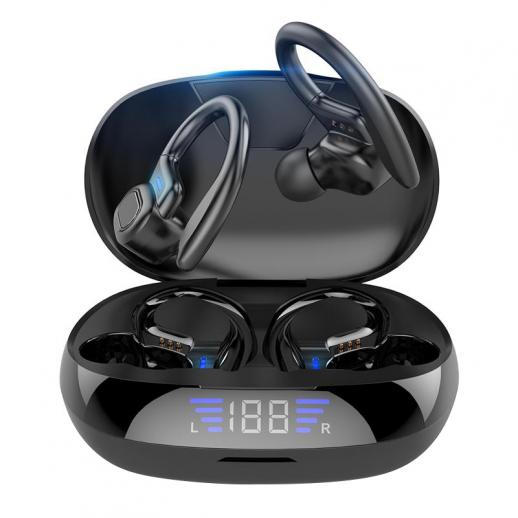

What Are Type-C Earphones?

Type-C earphones are earphones that come with a USB-C connector. This type of connector is reversible, meaning you can plug it in either way, and it provides multiple functionalities, including audio output, charging, and data transfer. Unlike the traditional 3.5mm earphones, Type-C earphones can deliver high-quality audio by supporting digital-to-analog conversion and higher power delivery.

Why Choose Type-C Earphones?

Before we dive into the practicalities, let’s understand why you might opt for Type-C earphones:

1. Enhanced Audio Quality: Many Type-C earphones come with built-in Digital Signal Processing (DSP) and Digital to Analog Converters (DACs), which significantly improve audio quality.

2. Device Compatibility: With the increasing number of devices lacking a 3.5mm jack, Type-C earphones are becoming a necessity. They are compatible with many modern smartphones, laptops, and tablets.

3. Convenience: A single port for audio, charging, and data transfer reduces the number of connectors and cables you need to carry around.

Step-by-Step Guide on Using Type-C Earphones

1. Check Compatibility

Before purchasing Type-C earphones, ensure that your device supports audio output via the USB-C port. Not all USB-C ports support audio output, as some are designed solely for charging or data transfer. Refer to your device manual or official website for compatibility details.

2. Connecting the Earphones

Simply connect the Type-C plug of the earphones into the USB-C port of your device. Due to the reversible nature of USB-C, there's no need to worry about the direction of insertion.

3. Adjust Sound Settings

Once connected, your device should automatically recognize the earphones. However, you may need to configure audio settings:

- For Android Devices: Navigate to Settings > Sound > Audio Output and select the USB option if it doesn't automatically switch.

- For Windows Laptops: Right-click on the sound icon in the taskbar, select 'Playback devices,' and choose your USB earphones as the default device.

- For MacBook: Go to System Preferences > Sound > Output and select your USB earphones.

4. Using Built-in Features

Many Type-C earphones come with built-in features like volume control, play/pause buttons, and even call control.

- Volume Control: Use the built-in volume buttons on the earphones to adjust the volume.

- Play/Pause: Use the play/pause button to start or stop your music.

- Answer/End Calls: If your earphones have a built-in microphone, you can use them to answer or end calls with the designated button.

5. Firmware Updates

Some high-end Type-C earphones come with firmware that can be updated for enhanced functionality or performance improvements. Check the manufacturer’s website or app for available updates and follow their instructions for installation.

6. Maintaining Your Earphones

Keep your earphones free from moisture and physical damage. Use a soft cloth to clean them and store them in a case to prevent tangling or external damage.

Troubleshooting Common Issues

1. No Sound Output

If there's no sound output when you connect your Type-C earphones:

- Check Compatibility: Ensure your device supports audio output via USB-C.

- Inspect the Earphones and Port: Look for any visible damage to the earphones or the USB-C port.

- Restart Your Device: A simple restart can often resolve minor connectivity issues.

- Update Drivers/Firmware: Make sure all necessary drivers and firmware are up to date.

2. Low Audio Quality

If you experience low audio quality:

- Inspect the Connection: Ensure a secure connection between the earphones and the device.

- Audio Settings: Check and adjust the device's audio settings.

- Firmware Update: Install any available firmware updates for your earphones.

3. Intermittent Connection

If the audio cuts in and out:

- Check for Loose Connections: Ensure the USB-C connection is tight.

- Check for Interference: Move away from potential sources of interference, such as other electronic devices.

Benefits and Drawbacks of Type-C Earphones

Benefits

1. Superior Audio Quality: Many Type-C earphones offer better audio quality due to their built-in DACs.

2. Multi-functionality: Apart from audio, they can also support charging and data transfer functions.

3. Future-Proof: As more devices adopt USB-C ports, Type-C earphones will likely remain compatible with future gadgets.

Drawbacks

1. Compatibility Issues: Not all devices support audio through USB-C ports, which can be a significant limitation.

2. Battery Consumption: Type-C earphones can consume more power than their 3.5mm counterparts.

3. Cost: They can be more expensive compared to traditional earphones.

Switching to Type-C earphones might initially seem daunting, especially with compatibility and configuration considerations. However, the benefits of enhanced audio quality, device compatibility, and convenience make them a worthy investment. By following the steps outlined in this guide, you can seamlessly integrate Type-C earphones into your daily routine, ensuring a superior listening experience.

Whether you're a casual listener or an audiophile, understanding how to use Type-C earphones effectively can significantly enhance your audio experience. With continued advancements in technology, staying updated on the latest trends and adapting accordingly will keep you ahead of the curve. Enjoy your upgraded audio journey with Type-C earphones!
Leave your comment
Cancel reply
Note: HTML is not translated!

Related products
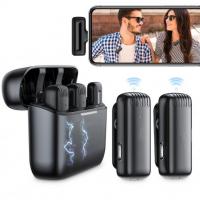
EP033 Mini Plug Play Microphone Wireless Lavalier Mic For Type-C Phones Laptop
6
$48.89
Microscope Camera 4K 30fps Clarity HDMI + Type C Output Sony 1/1.8" Color CMOS Kentfaith
$212.49 $169.99
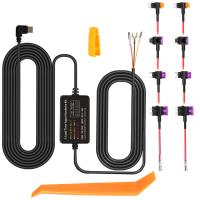
Dash Cam Hardwire Kit, Type-C Hard Wire Kit 11.5ft, 12-24V to 5V Car Dash Camera Charger Power Cord, Gift 5 Fuse Tap Cable with Battery Drain Protection for 24h Parking Monitor
NEW Arrival
Dash Cam Hardwire Kit, Type-C Hard Wire Kit 11.5ft, 12-24V to 5V Car Dash Camera Charger Power Cord, Gift 5 Fuse Tap Cable with Battery Drain Protection for 24h Parking Monitor
$29.99 $20.99
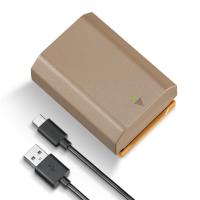
K&F Concept EN-EL25 Battery with 1250mAh Capacity and Type-C Fast Charging for for Nikon Z30 Z50 ZFC Camera, USB-C Camera Battery, No Need Extra Charger
25
$40.99
2 Pack NP-FZ100 Battery, Replacement Battery with Type C Fast Charging for Sony A7iii A7Riii A7RIV A9 A6600 A6700 ZV-E1 FX3 FX30
142
$62.99 $49.99
C/Y-L Manual Focus Compatible with Contax/Yashica (C/Y) Lens to L Mount Camera Body Lens Mount Adapter
80
$53.99 $29.99
NP-FZ100 Battery with USB Type C Fast Charging, 2280mAh Camera Battery for Sony A7iii, Alpha A7R3, A6600, A7R IV, Alpha a9 II, No Charger Needed
140
$29.99
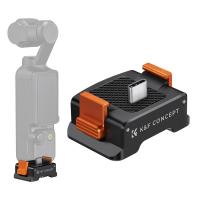
Charging Adapter Base for DJI Osmo Pocket 3, Desktop Type-C Charging Dock Fit Arca-Swiss Standard, with 1/4 Screw Hole/Folding Finger, Aluminum Alloy Bracket
57
$23.99
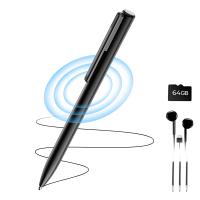
64GB Digital Voice Recorder 800 Hours Voice Activated Recorder with 1536Kbps High Sensitivity, AGC Noise Reduction Pen Recorder with Type-C Port for Lecture Meeting Interview, Kentfaith
10
$129.99 $103.99
Sony Alpha Minolta AF A-Type Lens to NEX E-Mount Mirrorless Camera with Matting Varnish Design
146
$64.99 $35.99
Products You May Like
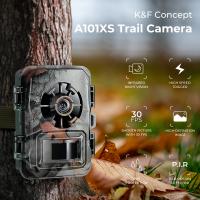
night trail camera
night trail camera
10
$135.99 $74.99
Drone Filter DJI Mavic 4 Pro CPL Filter Multi Coated HD Optical Glass/Aluminum Frame
NEW Arrival
Drone Filter DJI Mavic 4 Pro CPL Filter Multi Coated HD Optical Glass/Aluminum Frame
14
$24.99
Professional-grade Eclipse Set-Include 82mm Solar Filter + KF09.098 Carbon Fiber Tripod + KF13.107 32L Pro Large Camera Backpack + KF28.0024 6700mAh V Mount Battery
100
$879.99 $462.99
Kamera Bag for Photographers Large Capacity with Raincover - Backpack  25L Nature Wander 01(Yellow)
Kamera Bag for Photographers Large Capacity with Raincover - Backpack 25L Nature Wander 01(Yellow)
110
$161.99 $99.99
82mm Colorful Streak Filter Starlight Dreamy Creative Special Effects Optical Glass Lens Filters Nano-B Series
32
$37.99 $29.99
62mm Black Pro-Mist 1/4 Filter Effect Filter 28 layers of anti-reflection green film waterproof and scratch-resistant with Metal Lens Cap Nano-X Series
101
$45.99 $23.00
82mm Variable ND Filter ND2-ND32 (1-5 Stops) Lens Filter Waterproof Scratch Resistant with 18 Layers of Nano-coating Nano-Klear Series
60
$49.99 $39.99
Camera Backpack Large Camera Backpack Suitable for Outdoor Travel Photography - Backpack 23L Nature Wander 06 (Camouflage)
22
$142.99 $99.99
BETAFPV Cetus Pro FPV Drone Kit with 3 Flight Modes Altitude Hold Emergency Landing Self Protection Turtle Mode, with LiteRadio 2 SE Transmitter VR02 Goggles Ready to Flight Easy for FPV Beginners, with 6 batteries and 1 6-Port Battery Charger
NEW Arrival
BETAFPV Cetus Pro FPV Drone Kit with 3 Flight Modes Altitude Hold Emergency Landing Self Protection Turtle Mode, with LiteRadio 2 SE Transmitter VR02 Goggles Ready to Flight Easy for FPV Beginners, with 6 batteries and 1 6-Port Battery Charger
12
$424.99 $339.99
Tollgate Trail Camera
10
$162.99 $106.99
Related articles
What Type Of Camera Filter To Use?
What Type Of Lens Filter To Use?
Pixel C How To Get Flash Camera?
Can I Use Earphones As Mic On Pc?
How To Keep Earphones Long Lasting?
How To Find Your Lost Earphones?
How To Find Lost Wired Earphones?
What Type Of Digital Camera To Buy?
How To Turn On Bluetooth Wireless Earphones?
What Is The Use Of Dash Cam?
Blog You May Like
How To Pair Tws Bluetooth Earbuds?
What Has The Telescope Discovered?
How Camera Stabilizer Works?
How To Loop A Video In Camera Roll?
How To Make Your Own Camera Case?
How To Allow Camera And Microphone In Fb Messendger ?
Can We Call From Smart Watch?
How Do Smart Watches Work With Phones?
Kentfaith x Citadel Season 2
What Thread For Nikon Camera Mount?
Related categories
C mount lens adapter C Mount Lens Adapters m4/3 adapter camera card memory 2 in 1 Filter reverse graduated neutral density GND filter​ nd100000 filter
Popular products
bluetooth earphones true wireless sports wireless headset small ear wireless earbuds earbuds with a mic type a to c cable otg cable type c usb a to type c cable bluetooth wireless stereo headset wireless microphone and transmitter mini microphone for recording
Related searches
In Ear Type C Earphones Type C To Usb 3 Cable Endoscope Camera With Type C In Ear Headphones Type C Usb Type C Wireless Earbuds Type C Earbuds With Microphone Wireless Lavalier Microphone Type C Usb Type C Otg Cable Usb Type C Endoscope Camera Earphones For Listening To Music
Related Scenes
Best Camera For Outdoor Use Best Camera To Video Sports Best Camera To Capture Wildlife Best Video Camera To Record Sports Best Camera Shoulder Bag Best 10X42 Hunting Binoculars Best Photography Digital Camera Top Binoculars For Hunting Best Solar Security Camera Best Night Surveillance Camera
Blog Category
  • Activities
  • Guide
    • Filter Guide
    • Lens Adapter
    • Product Review
  • News & Reviews
    • Camera Reviews
    • Sample Gallery
    • News
  • Tutorials
    • Solar eclipse photography
    • Photography Basics
    • Landscape Photography
  • Inspiration
    • Travel
    • Travel Stories
Search Article
Latest from the Blog
What Is The Best Smartwatch For Heart Health?
Pressure In Ear When Wearing Headphones?
How To Take Great Photos With Digital Camera?
Which Ring Light Is Best?
how to clean microfiber cloth?
What Is The Best Camera For Action Sports?
Can A Tripod Fit Any Camera?
How To Clean Cleaning Cloth For Glasses?
Which Is The Best Outdoor Wireless Security Camera?
How To Choose A Lens For Your Camera?
  • Easy Payment Multilple Payment Options

  • Free Shipping Global WareHouse Shipment

  • No Risk 30-Day No Reason Return

  • Limited Deals Buy More, Save More

  • Tax Free No any surcharges or tax fee

Information
  • About us
  • Contact Us
  • Site Map
  • Blog
  • Video
  • Gallery
  • VIP Membership Rewards
Service
  • Privacy Policy
  • Terms & Conditions
  • Shipping & Delivery
  • Payment Info
  • Warranty, Return & Refund
  • Intellectual Property Rights
  • Ambassador
  • Affiliates
  • Wholesale
Support
  • My account
  • Order History
  • FAQs
  • Extend Warranty
  • Logistics Tracking
Follow us
NewsLetter

Get the latest product, K&F Concept respects your privacy.

Powered By KENTFAITH © 2026