kfconcept

KENTFAITH
K&F Concept    Blog >

Enjoy Your Selected Digital Life

Recently Viewed
  • Recently Viewed
  • Recently Viewed list is empty.

Compare (0) 0
  • Compare
  • You have not chosen any products to compare.

  • Compare
Currency: USD
  • Currency
Shop by Scene Shop by Rank

Log Into Your Account

Account

Order History

Wish List

Login

Forgotten Password?

Or connect with

Register Account

Already have an Account?Log In

  • Shopping Cart
  • Your shopping cart is empty!

  • Register/Login to purchase, earn points
  • Favorite
  • Your wish list is empty.

  • Register/Login to like, earn points
  • Activities
  • Guide
    • Filter Guide
    • Lens Adapter
    • Product Review
  • News & Reviews
    • Camera Reviews
    • Sample Gallery
    • News
  • Tutorials
    • Solar eclipse photography
    • Photography Basics
    • Landscape Photography
  • Inspiration
    • Travel
    • Travel Stories
  • Home
  • Blog
  • How To Transfer Photos By Wifi Via Camera?

How To Transfer Photos By Wifi Via Camera?

Kentfaith 2024-11-12 02:15:24 0 Comments

Transferring photos from your camera to other devices via WiFi is a game-changer for photographers looking to save time and streamline their workflow. Gone are the days of dealing with tangled cables and card readers; with WiFi-enabled cameras, the process is simplified and efficient. This article will delve into the various methods and steps involved in transferring photos by WiFi, cover common issues, practical tips, and best practices to ensure smooth transfers.

The Basics of WiFi-Enabled Cameras

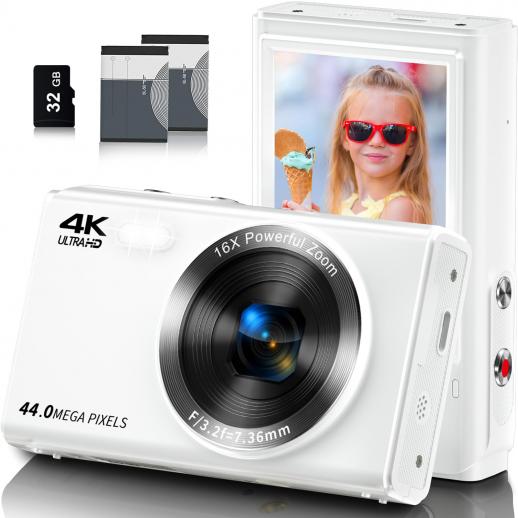
A WiFi-enabled camera allows photographers to wirelessly transfer photos and videos to other devices such as smartphones, tablets, or computers. This technology is built into most modern cameras and can also be added to older models via WiFi-enabled memory cards like Eye-Fi or Toshiba FlashAir. The integration of WiFi in cameras can significantly enhance the ease of sharing and backing up files directly from the camera, reducing the risk of losing valuable photos due to misplaced memory cards.

Setting Up WiFi Connectivity

Step 1: Check Camera Compatibility

Before you start, ensure that your camera has WiFi capabilities. Refer to the user manual or visit the manufacturer’s website for confirmation. If your camera isn't inherently WiFi-enabled, consider purchasing a WiFi SD card.

Step 2: Install Necessary Apps

Manufacturers often provide proprietary apps for photo transfer. For instance, Canon uses the Canon Camera Connect app, Nikon uses SnapBridge, and Sony has PlayMemories Mobile (replaced by Imaging Edge Mobile). Download the appropriate app from your device’s app store.

Step 3: Connect to WiFi

Turn on the WiFi function on your camera. You'll typically find this option in the camera’s network or wireless settings. Once enabled, your camera will broadcast a WiFi network that you can connect to using your smartphone or computer.

Step 4: Pair Your Device

Open the camera's app on your smartphone or tablet, and follow the on-screen instructions to pair your device with the camera. This usually involves selecting the camera’s WiFi network from your device’s WiFi settings and entering a password if prompted.

Transferring Photos

Method 1: Direct Transfer to Smartphone/Tablet

1. Open the App: Launch the camera’s companion app on your mobile device.

2. Browse Photos: Use the app to browse the photos stored on your camera.

3. Select Photos: Choose the images you wish to transfer.

4. Initiate Transfer: Start the transfer process by selecting the appropriate option within the app.

This method is excellent for quick transfers and on-the-go editing or sharing on social media.

Method 2: Transfer to Computer

1. Install Desktop Software: Some manufacturers offer desktop applications that facilitate WiFi transfers. Install the relevant software from the manufacturer’s website.

2. Connect to Camera’s WiFi: As you would with a mobile device, connect your computer to the camera’s WiFi network.

3. Initiate Transfer: Use the desktop software to access and download the photos from your camera.

This method is suitable for those who need to transfer large batches of photos for extensive editing.

Troubleshooting Common Issues

Connectivity Problems

If your device fails to connect to the camera’s WiFi, ensure that:

- You are within a decent range of the camera.

- The camera’s WiFi is active.

- You have entered the correct password.

- There is no interference from other WiFi networks.

Slow Transfer Speeds

Slow transfer speeds can be frustrating. To mitigate this:

- Ensure strong WiFi signal strength.

- Transfer photos in smaller batches.

- Update your camera's and app’s firmware/software to the latest version.

App Crashes

If the app crashes frequently:

- Try reinstalling the app.

- Restart your device.

- Check for updates for both the app and your device’s operating system.

Practical Tips for Smooth Transfers

Optimize WiFi Settings

Change the WiFi channel on your camera if you experience interference from other networks. This can be done through the camera’s network settings.

Regular Firmware Updates

Manufacturers frequently release firmware updates that enhance camera performance and fix bugs. Regularly check for and install these updates.

Use 5GHz Band if Available

If your camera supports it, use the 5GHz WiFi band instead of the more common 2.4GHz to reduce interference and improve transfer speeds.

Best Practices

Organizing Photos

Proper photo organization is vital for efficient transfers. Use the camera’s built-in features to sort and filter photos before transferring.

Batch Transfers

For larger projects, consider transferring photos in batches rather than all at once to prevent overwhelming the transfer process and device memory.

Data Backup

Always back up your photos immediately after transfer. Use cloud services like Google Photos, Dropbox, or OneDrive, and maintain a local backup on an external hard drive.

Transferring photos by WiFi from your camera to other devices is an invaluable feature for modern photographers. It allows for quick, cable-free transfers, enhancing efficiency and ensuring that your photos are readily available for editing and sharing. Understanding how to set up and troubleshoot your WiFi-enabled camera can significantly improve your workflow and reduce headaches. By following the outlined steps and best practices, you can ensure smooth and effective photo transfers, freeing up more time to focus on capturing the perfect shot.
Leave your comment
Cancel reply
Note: HTML is not translated!
Related products
Digital Camera for Teens, 4K Videos 48MP Photos, Auto Focus, WiFi Transfer, 32GB Card, Kentfaith
16
$96.24 $76.99
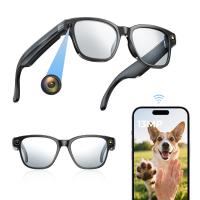
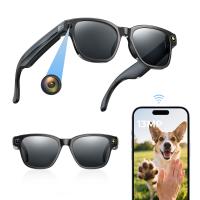
Camera Sunglasses with 8MP Sony Camera for 1080P POVs, 13MP Photos, WiFi Transfer, 10H Music/Calls, 26 Languages Translation, Kentfaith
26
$124.99 $99.99
Camera Glasses with 8MP Sony Camera for 1080P POVs, 13MP Photos, WiFi Transfer, 10H Music/Calls, 26 Languages Translation, Kentfaith
14
$124.99 $99.99
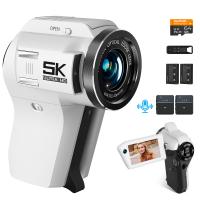
5K Video Camera with 75MP Photos, 8X Optical Zoom, WiFi Transfer, Wireless Mic, Dual Batteries, Support PIP Record, Kentfaith
16
$274.99 $239.99
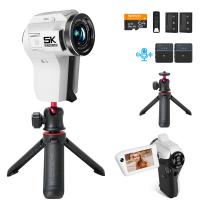
5K Video Camera with 75MP Photos, 8X Optical Zoom, WiFi Transfer, Foldable Tripod, Wireless Mic, Dual Batteries, Support PIP Record, Kentfaith
$312.49 $249.99
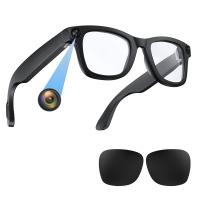
Smart Glasses with Camera, 8MP Sony Camera for 1080P POVs, 13MP Photos, Dual Lenses, EIS Stabilization, WiFi Transfer, 32GB Storage, 10H Playtime, Kentfaith
12
$137.49 $109.99
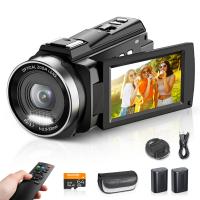
Video Camera with 5K Videos, 10X Optical Zoom, Dual Batteries, WiFi Transfer, Remote Control, 6-axis Stabilization, Kentfaith
15
$287.49 $219.99
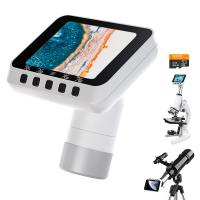
Microscope Eyepiece Camera 2.8" Screen WiFi Connection 1080P Photos Videos for Telescopes Kentfaith
12
$99.99 $79.99
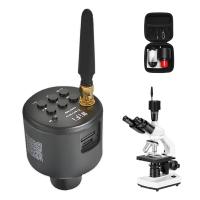
WiFi Electronic Eyepiece for Microscopes, 50 Meters WiFi Range, 2MP Microscope Imager, Capture 4K Photos Videos, Kentfaith
$112.49 $89.99
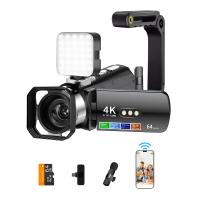
4K Video Camera, 64MP Photos, WiFi Connect, 28X Zoom, Wireless Mic, Full Color NV, Kentfaith
18
$212.49 $169.99
Products You May Like
Good Quality Trail Cameras
14
$162.99 $106.99
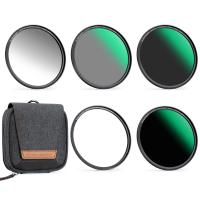
82mm Magnetic Lens Filter Kit GND8 + ND8 + ND64 + ND1000 + Magnetic Adapter Ring 5 in 1 Quick Swap System Nano-Xcel Series
84
$212.99 $171.99
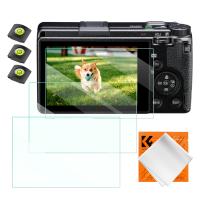
Camera Screen Protector*3 Compatible with Ricoh GR III, 0.3mm 9H Hardness Tempered Glass with Hot Shoe Level*3 + Vacuum Cleaning Coth*1
$15.99 $7.99
4G Security Camera with 4K Clarity, 180° Panoramic View with Dual Lens, Solar Powered, 360° Live View, Color Night Vision, 3 Packs, Kentfaith
$999.99 $799.99
72mm Spiral Halo Camera Lens Filter Premium Optical Glass Halo Swirl Special Effect Filter Nano-B Series
13
$36.99 $28.99
Portable Laser Engraver with Raised Columns Protective Goggles and Cover 3W Entry Level Kentfaith
13
$312.49 $249.99
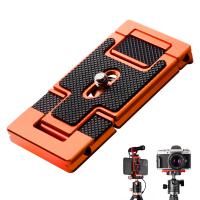
K&F Concept CA02 Aluminum Multi Quick Release Plate 2 in 1 Professional Camera Quick Release Plate for Tripod Camera Mobile Phone (Orange)
28
$35.99 $24.99
G5 DLP Portable Mini Projector 1080P HD Android 5.1
$255.99
86mm Magnetic Metal Lens Cap 2-in-1
41
$29.99 $25.99
K&F Concept 12mm Micro Four-Thirds 4/3 (MFT) Sensor Cleaning Swab*10, M43 Sensor Cleaning Swab for All Models of M4/3 Camera Sensors, Including M4/3 Cameras from Olympus and Panasonic
$28.99 $14.99
Related articles
Best Cameras That Can Transfer Raw Photos Wifi?
How To Transfer Photos On Sd Card Android?
How To Transfer Photos From Micro Sd Card?
How To Wifi Transfer Videos From Camera Canon?
Camera Which Will Connect By Wifi To Pc?
Camera That Can Wifi Photos To Phone?
How To Delete Photos From Action Camera?
How To View Photos In Akaso Action Camera?
How To Download Photos From A Kids Camera?
What Is Focal Length In A Telescope?
Blog You May Like
How Do You Get Sound With Screen Record?
Camera Shoulder Bag That Can Carry 13 Laptop?
What Filter For Moon Camera?
What Is The Difference Between Camera Lens Sizes?
Can You Hook Up Alexa To Bluetooth Speakers?
Android Phone How To Play Camera Videos?
How Many Security Cameras Do You Need?
How To Fix Selfie Stick Button?
Can I Watch Solar Eclipse With Mobile Camera?
Which T Mount For Pentax Cameras And Telescope?
Related categories
Outdoor Security Camera Wifi C mount lens adapter Wifi Trail Cameras Baby Movement Monitor Camera Parts | Studio Camera Accessories streaming video camera digital camera for beginner Solar Cellular Trail Camera magnetic ND filter
Popular products
camera digital 4k youtube video recording camera for youtube glasses with camera and bluetooth sony camera with microphone video camera for filming camcorder with wifi streaming 8K Camcorder monocular and binocular microscope 8K Camcorder camcorder with memory card
Related searches
Good Camera For Videos And Photos Digital Camera For Photos And Videos Camera Lens For Close Up Photos Best Camera Lens For Family Photos Cinemorph Lens Filter By Vid-atlantic Canon Ef Mount Photos Anamorphic Lens Adapter Made By Moondog Labs Cameras For Photos And Videos Wifi Inspection Camera Wifi Trail Camera
Popular searches
Mini Tripod With Hydraulic Head Fuji X Mount M42 Adapter Astrophotography Light Pollution Filter Hasselblad Lens Adapter To Nikon Z Camera Magnetic Variable Nd Filter Canon Powershot Lens Adapter Sony E Nikon Z Adapter Pentax K Mount To Sony E 49mm Circular Polarising Filter Iphone Slr Lens Adapter Kit
Blog Category
  • Activities
  • Guide
    • Filter Guide
    • Lens Adapter
    • Product Review
  • News & Reviews
    • Camera Reviews
    • Sample Gallery
    • News
  • Tutorials
    • Solar eclipse photography
    • Photography Basics
    • Landscape Photography
  • Inspiration
    • Travel
    • Travel Stories
Search Article
Latest from the Blog
How Do Metal Detectors Work? A Complete Guide for Beginners and Pros
What Is The Best Smartwatch For Heart Health?
How Do Night Vision Goggles Work?
How To Pair Tws Bluetooth Earbuds?
Pressure In Ear When Wearing Headphones?
What Tripod To Buy?
UV Filter: Everything You Need to Know About UV Protection Lens Filters
How Do Trail Cameras Work? The Ultimate Guide to Trail Cameras
What Is The Difference Between Binoculars And Telescope?
What To Look For In A Dash Cam?
  • Easy Payment Multilple Payment Options

  • Free Shipping Global WareHouse Shipment

  • No Risk 30-Day No Reason Return

  • Limited Deals Buy More, Save More

  • Tax Free No any surcharges or tax fee

Information
  • About us
  • Contact Us
  • Site Map
  • Blog
  • Video
  • Gallery
  • VIP Membership Rewards
Service
  • Privacy Policy
  • Terms & Conditions
  • Shipping & Delivery
  • Payment Info
  • Warranty, Return & Refund
  • Intellectual Property Rights
  • Ambassador
  • Affiliates
  • Wholesale
Support
  • My account
  • Order History
  • FAQs
  • Extend Warranty
  • Logistics Tracking
Follow us
NewsLetter

Get the latest product, K&F Concept respects your privacy.
Powered By KENTFAITH © 2026