kfconcept

KENTFAITH
K&F Concept    Blog >

Enjoy Your Selected Digital Life

Recently Viewed
  • Recently Viewed
  • Recently Viewed list is empty.

Compare (0) 0
  • Compare
  • You have not chosen any products to compare.

  • Compare
Currency: USD
  • Currency
Shop by Scene Shop by Rank

Log Into Your Account

Account

Order History

Wish List

Login

Forgotten Password?

Or connect with

Register Account

Already have an Account?Log In

  • Shopping Cart
  • Your shopping cart is empty!

  • Register/Login to purchase, earn points
  • Favorite
  • Your wish list is empty.

  • Register/Login to like, earn points
  • Activities
  • Guide
    • Filter Guide
    • Lens Adapter
    • Product Review
  • News & Reviews
    • Camera Reviews
    • Sample Gallery
    • News
  • Tutorials
    • Solar eclipse photography
    • Photography Basics
    • Landscape Photography
  • Inspiration
    • Travel
    • Travel Stories
  • Home
  • Blog
  • How To Transfer Photos By Wifi Via Camera?

How To Transfer Photos By Wifi Via Camera?

Kentfaith 2024-11-12 02:15:24 0 Comments

Transferring photos from your camera to other devices via WiFi is a game-changer for photographers looking to save time and streamline their workflow. Gone are the days of dealing with tangled cables and card readers; with WiFi-enabled cameras, the process is simplified and efficient. This article will delve into the various methods and steps involved in transferring photos by WiFi, cover common issues, practical tips, and best practices to ensure smooth transfers.

The Basics of WiFi-Enabled Cameras

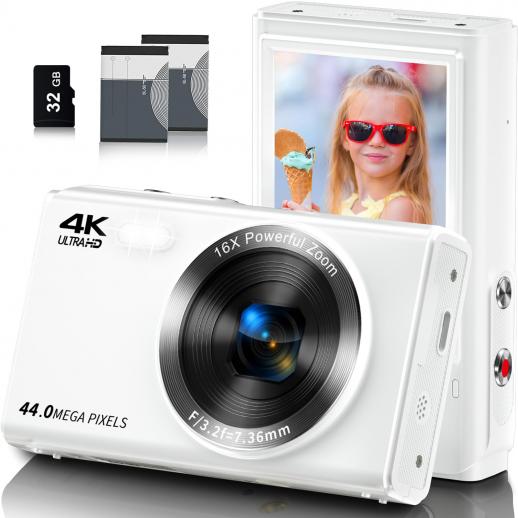
A WiFi-enabled camera allows photographers to wirelessly transfer photos and videos to other devices such as smartphones, tablets, or computers. This technology is built into most modern cameras and can also be added to older models via WiFi-enabled memory cards like Eye-Fi or Toshiba FlashAir. The integration of WiFi in cameras can significantly enhance the ease of sharing and backing up files directly from the camera, reducing the risk of losing valuable photos due to misplaced memory cards.

Setting Up WiFi Connectivity

Step 1: Check Camera Compatibility

Before you start, ensure that your camera has WiFi capabilities. Refer to the user manual or visit the manufacturer’s website for confirmation. If your camera isn't inherently WiFi-enabled, consider purchasing a WiFi SD card.

Step 2: Install Necessary Apps

Manufacturers often provide proprietary apps for photo transfer. For instance, Canon uses the Canon Camera Connect app, Nikon uses SnapBridge, and Sony has PlayMemories Mobile (replaced by Imaging Edge Mobile). Download the appropriate app from your device’s app store.

Step 3: Connect to WiFi

Turn on the WiFi function on your camera. You'll typically find this option in the camera’s network or wireless settings. Once enabled, your camera will broadcast a WiFi network that you can connect to using your smartphone or computer.

Step 4: Pair Your Device

Open the camera's app on your smartphone or tablet, and follow the on-screen instructions to pair your device with the camera. This usually involves selecting the camera’s WiFi network from your device’s WiFi settings and entering a password if prompted.

Transferring Photos

Method 1: Direct Transfer to Smartphone/Tablet

1. Open the App: Launch the camera’s companion app on your mobile device.

2. Browse Photos: Use the app to browse the photos stored on your camera.

3. Select Photos: Choose the images you wish to transfer.

4. Initiate Transfer: Start the transfer process by selecting the appropriate option within the app.

This method is excellent for quick transfers and on-the-go editing or sharing on social media.

Method 2: Transfer to Computer

1. Install Desktop Software: Some manufacturers offer desktop applications that facilitate WiFi transfers. Install the relevant software from the manufacturer’s website.

2. Connect to Camera’s WiFi: As you would with a mobile device, connect your computer to the camera’s WiFi network.

3. Initiate Transfer: Use the desktop software to access and download the photos from your camera.

This method is suitable for those who need to transfer large batches of photos for extensive editing.

Troubleshooting Common Issues

Connectivity Problems

If your device fails to connect to the camera’s WiFi, ensure that:

- You are within a decent range of the camera.

- The camera’s WiFi is active.

- You have entered the correct password.

- There is no interference from other WiFi networks.

Slow Transfer Speeds

Slow transfer speeds can be frustrating. To mitigate this:

- Ensure strong WiFi signal strength.

- Transfer photos in smaller batches.

- Update your camera's and app’s firmware/software to the latest version.

App Crashes

If the app crashes frequently:

- Try reinstalling the app.

- Restart your device.

- Check for updates for both the app and your device’s operating system.

Practical Tips for Smooth Transfers

Optimize WiFi Settings

Change the WiFi channel on your camera if you experience interference from other networks. This can be done through the camera’s network settings.

Regular Firmware Updates

Manufacturers frequently release firmware updates that enhance camera performance and fix bugs. Regularly check for and install these updates.

Use 5GHz Band if Available

If your camera supports it, use the 5GHz WiFi band instead of the more common 2.4GHz to reduce interference and improve transfer speeds.

Best Practices

Organizing Photos

Proper photo organization is vital for efficient transfers. Use the camera’s built-in features to sort and filter photos before transferring.

Batch Transfers

For larger projects, consider transferring photos in batches rather than all at once to prevent overwhelming the transfer process and device memory.

Data Backup

Always back up your photos immediately after transfer. Use cloud services like Google Photos, Dropbox, or OneDrive, and maintain a local backup on an external hard drive.

Transferring photos by WiFi from your camera to other devices is an invaluable feature for modern photographers. It allows for quick, cable-free transfers, enhancing efficiency and ensuring that your photos are readily available for editing and sharing. Understanding how to set up and troubleshoot your WiFi-enabled camera can significantly improve your workflow and reduce headaches. By following the outlined steps and best practices, you can ensure smooth and effective photo transfers, freeing up more time to focus on capturing the perfect shot.
Leave your comment
Cancel reply
Note: HTML is not translated!
Related products
Digital Camera for Teens, 4K Videos 48MP Photos, Auto Focus, WiFi Transfer, 32GB Card, Kentfaith
16
$96.24 $76.99
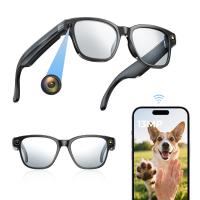
Camera Sunglasses with 8MP Sony Camera for 1080P POVs, 13MP Photos, WiFi Transfer, 10H Music/Calls, 26 Languages Translation, Kentfaith
26
$124.99 $99.99
Camera Glasses with 8MP Sony Camera for 1080P POVs, 13MP Photos, WiFi Transfer, 10H Music/Calls, 26 Languages Translation, Kentfaith
14
$124.99 $99.99
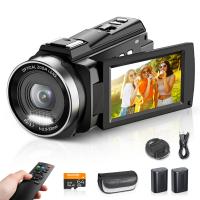
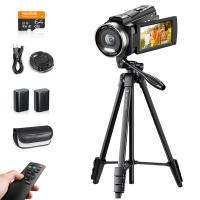
5K Video Camera with 75MP Photos, 8X Optical Zoom, WiFi Transfer, Wireless Mic, Dual Batteries, Support PIP Record, Kentfaith
16
$274.99 $239.99
5K Video Camera with 75MP Photos, 8X Optical Zoom, WiFi Transfer, Foldable Tripod, Wireless Mic, Dual Batteries, Support PIP Record, Kentfaith
$312.49 $249.99
Smart Glasses with Camera, 8MP Sony Camera for 1080P POVs, 13MP Photos, Dual Lenses, EIS Stabilization, WiFi Transfer, 32GB Storage, 10H Playtime, Kentfaith
12
$137.49 $109.99
Video Camera with 5K Videos, 10X Optical Zoom, Dual Batteries, WiFi Transfer, Remote Control, 6-axis Stabilization, Kentfaith
15
$287.49 $199.99
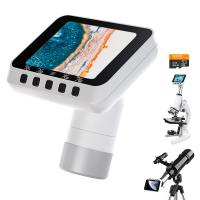
Microscope Eyepiece Camera 2.8" Screen WiFi Connection 1080P Photos Videos for Telescopes Kentfaith
12
$99.99 $79.99
4K Video Camera, 64MP Photos, WiFi Connect, 28X Zoom, Wireless Mic, Full Color NV, Kentfaith
18
$212.49 $169.99
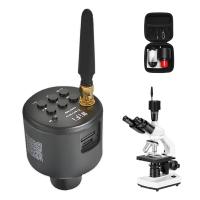
WiFi Electronic Eyepiece for Microscopes, 50 Meters WiFi Range, 2MP Microscope Imager, Capture 4K Photos Videos, Kentfaith
$112.49 $89.99
Products You May Like
77mm CPL Filter 28 Layer Super Slim Circular Polarizing Filter Multi-coated Polarized MRC Filter NANO-X Series
$69.99 $64.99
55mm ND4-ND64 (2-6 Stop) Variable ND Filter and CPL Circular Polarizing Filter 2 in 1 with 28 Layers of Anti-reflection Green Film, Two Orange Levers, Imported White Cloth Nano-X Series
$113.99 $74.99
82mm Black Diffusion Black Diffusion Pro-Mist 1/4 + 1/8 Filter Kit (each 1 pcs) Mist Cinematic Effect Filter for Vlog/Video/Portrait Image with 28 Multi-Layer Coated-Nano-X
$179.99 $107.99
WIFI solar security camera outdoor camera 2K Ultra HD picture Audible alarm IP66 waterproof two-way voice Built-in Battery 9000mAh
794
$87.99 $59.99
Wireless Solar Trail Camera
10
$162.99 $106.99
K&F Concept 2-Pack 2600mAh LP-E6NH Battery and 18W Charger Compatible with Canon EOS R7, R5, R6, R, 5D Mark II/III/IV, 6D, 6D Mark II, 7D, 7D Mark II, 90D, 60D, 70D, 80D Cameras
$79.99
52mm Solar Filter ND1000000,20-Stop Solid Neutral Density Filter Celestial Event Photography Filter with 28 Multi-Layer Coatings Nano-Xcel Series
95
$33.99 $26.99
TWS Bluetooth Headset With Microphone Sports Ear Hook LED Display Earbuds
211
$29.99
67mm Magnetic Lens Filter Kit GND8+ND8+ND64 +ND1000+Magnetic Adapter Ring 5 in 1 Quick Swap System Nano X Series
$198.99 $125.99
77mm  Black Mist Filter 1/4 Special Effects Filter Ultra-Clear Multi-layer Coated With Waterproof Scratch-Resistant and Anti-Reflection Nano-Xcel Series
77mm Black Mist Filter 1/4 Special Effects Filter Ultra-Clear Multi-layer Coated With Waterproof Scratch-Resistant and Anti-Reflection Nano-Xcel Series
88
$93.99 $74.99
Related articles
Best Cameras That Can Transfer Raw Photos Wifi?
How To Transfer Photos On Sd Card Android?
How To Transfer Photos From Micro Sd Card?
Camera Which Will Connect By Wifi To Pc?
How To Wifi Transfer Videos From Camera Canon?
Camera That Can Wifi Photos To Phone?
How To Transfer Switch Memory Card?
How To Delete Photos From Action Camera?
How To View Photos In Akaso Action Camera?
Can I Add A Microphone To My Headphones?
Blog You May Like
Can Neighbors Security Camera At Your House?
How To Find Voice Recordings On Whatsapp?
How Much Does A Single Use Endoscope Cost?
How To Buy A Used Digital Camera?
Why Does Computer Screen Flash Like Camera?
When Did Digital Cameras Become Affordable?
What's Inside My Camera Bag?
What Is Studio Light On Iphone?
How To Record Using Backup Camera On Car?
How Do You Clear A Sd Memory Card?
Related categories
Outdoor Security Camera Wifi C mount lens adapter Wifi Trail Cameras Baby Movement Monitor Camera Parts | Studio Camera Accessories streaming video camera digital camera for beginner Solar Cellular Trail Camera Canon EF-EOS R Mount Adapter
Popular products
camera digital 4k youtube video recording camera for youtube glasses with camera and bluetooth sony camera with microphone video camera for filming camcorder with wifi streaming 8K Camcorder monocular and binocular microscope 8K Camcorder camcorder with memory card
Related searches
Camera With Wifi Transfer Digital Camera Wifi Transfer Identify Lens By Mount Sd Card Transfer Device Canon Ef Mount Photos Light Stand For Photos Memory Card For Photos Cinemorph Lens Filter By Vid-atlantic Anamorphic Lens Adapter Made By Moondog Labs Photos Taken With Petri Lens Adapter
Popular searches
F Mount Macro Lens For Food Photography M42 Lens To Olympus Om Adapter Day And Night Time Binoculars Nd Filter For 35mm Lens Nd Filter For Portraits Nikon Binocular Solar Filter Filter Adapter For Canon Sx40 Canon P With M Mount Best Wireless Backup Camera For Rv Sigma To Nikon Adapter
Blog Category
  • Activities
  • Guide
    • Filter Guide
    • Lens Adapter
    • Product Review
  • News & Reviews
    • Camera Reviews
    • Sample Gallery
    • News
  • Tutorials
    • Solar eclipse photography
    • Photography Basics
    • Landscape Photography
  • Inspiration
    • Travel
    • Travel Stories
Search Article
Latest from the Blog
Camera Use Which Lens?
How Much Storage For Security Camera?
What Is Nd Filter On Video Camera?
Can Security Cameras Detect Motion Through Glass?
What Power Binoculars For Long Distance Viewing?
Is the Sony A7M5 worth buying?
How To Place Cameras Around Your House?
What Does A Uv Camera Filter Do?
Neutral Density Filter: The Ultimate Guide for Photographers and Videographers
How Do Cellular Trail Cameras Work? – The Complete Guide for Hunters and Wildlife Enthusiasts
  • Easy Payment Multilple Payment Options

  • Free Shipping Global WareHouse Shipment

  • No Risk 30-Day No Reason Return

  • Limited Deals Buy More, Save More

  • Tax Free No any surcharges or tax fee

Information
  • About us
  • Contact Us
  • Site Map
  • Blog
  • Video
  • Gallery
  • VIP Membership Rewards
Service
  • Privacy Policy
  • Terms & Conditions
  • Shipping & Delivery
  • Payment Info
  • Warranty, Return & Refund
  • Intellectual Property Rights
  • Ambassador
  • Affiliates
  • Wholesale
Support
  • My account
  • Order History
  • FAQs
  • Extend Warranty
  • Logistics Tracking
Follow us
NewsLetter

Get the latest product, K&F Concept respects your privacy.
Powered By KENTFAITH © 2025