kfconcept

KENTFAITH
K&F Concept    Blog >

Enjoy Your Selected Digital Life

Recently Viewed
  • Recently Viewed
  • Recently Viewed list is empty.

Compare (0) 0
  • Compare
  • You have not chosen any products to compare.

  • Compare
Currency: USD
  • Currency
Shop by Scene Shop by Rank

Log Into Your Account

Account

Order History

Wish List

Login

Forgotten Password?

Or connect with

Register Account

Already have an Account?Log In

  • Shopping Cart
  • Your shopping cart is empty!

  • Register/Login to purchase, earn points
  • Favorite
  • Your wish list is empty.

  • Register/Login to like, earn points
  • Activities
  • Guide
    • Filter Guide
    • Lens Adapter
    • Product Review
  • News & Reviews
    • Camera Reviews
    • Sample Gallery
    • News
  • Tutorials
    • Solar eclipse photography
    • Photography Basics
    • Landscape Photography
  • Inspiration
    • Travel
    • Travel Stories
  • Home
  • Blog
  • How To Setup V380 Wifi Smart Net Camera ?

How To Setup V380 Wifi Smart Net Camera ?

Kentfaith 2023-07-03 06:00:55 0 Comments

With the increasing demand for home and business security, the V380 Wifi Smart Webcam has become popular for its simplicity and power. However, for many users, there may still be some confusion on how to properly install and set up this camera. As an expertise blogger, I will detail the installation steps of V380 Wifi Smart Webcam and provide some practical suggestions to help users complete the installation successfully.
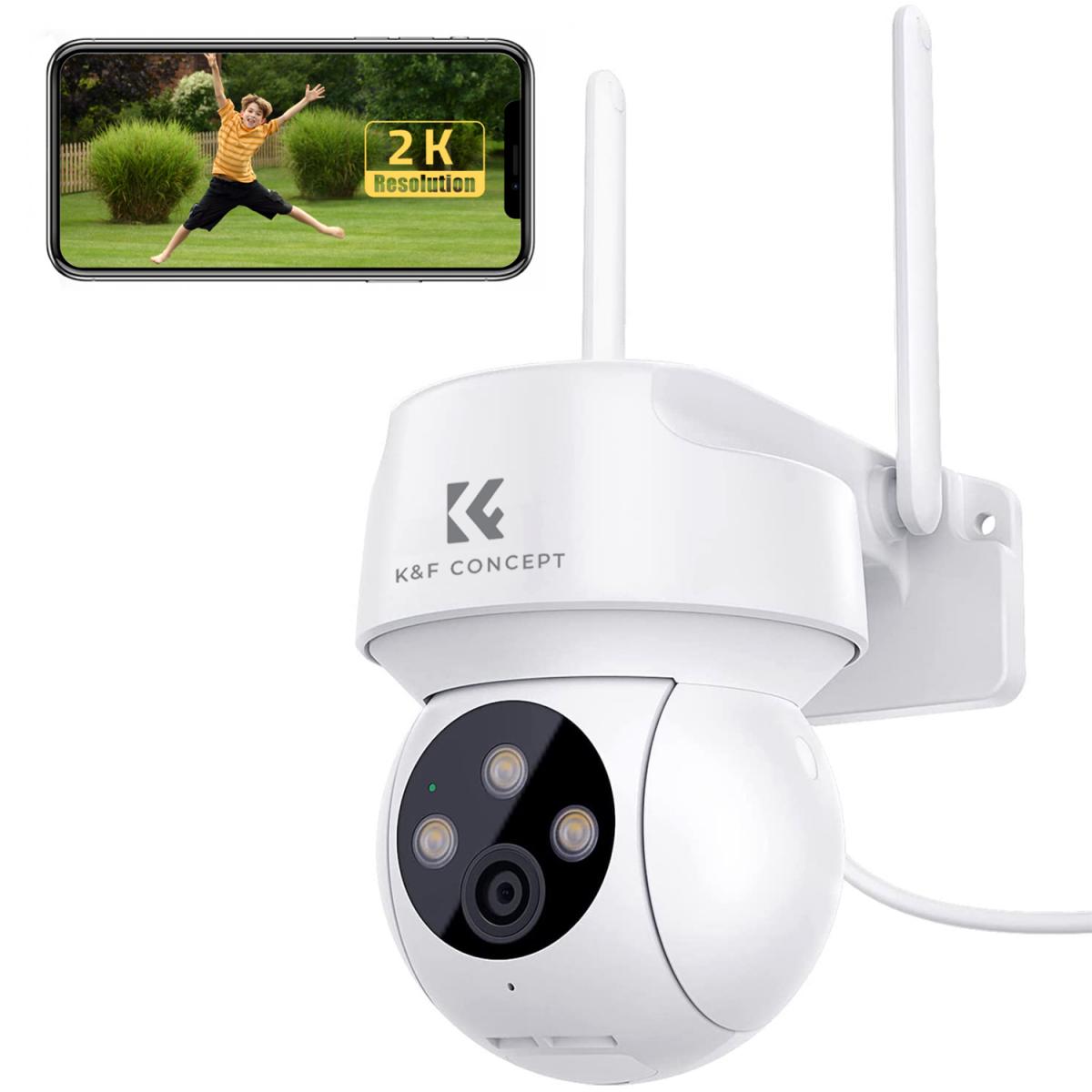
1. Hardware Installation Steps

First of all, hardware installation is the first step to use V380 webcam. Please follow the steps below:

Check the package contents: Make sure the package contains accessories such as camera body, power adapter, mounting bracket, screws and manual.

Choose a mounting location: Select a location for mounting that has a wide view and is close to a power outlet. Make sure the camera can cover the area you need to monitor.

Mounting Bracket: Use screws to secure the mounting bracket to the wall or ceiling. Make sure the bracket is mounted securely to prevent the camera from falling.

Secure the camera: Attach the camera to the bracket and adjust the angle of the camera to get the best view of the surveillance.

CONNECT TO POWER: Use the power adapter to connect the camera to a power outlet. The camera will start automatically when it is powered on.


2. Application Installation and Setup

After the hardware installation is complete, the next step is to install and setup the V380 app:

Download the app: Search for "V380" in your smartphone's app store (e.g. App Store or Google Play) and download and install the app.

Register an account: Open the app and follow the instructions to register a new account. Enter your email or cell phone number, set a password and complete the registration.

Add Device: After logging in, click the "Add Device" button in the app and select the "Scan QR Code" option. Aim your phone at the QR code at the bottom of the camera and scan it, the app will automatically recognize and add the device.

Device Settings: Follow the prompts of the app to set the name and location of the camera. You can choose an easily recognizable name for the camera to manage across multiple devices.


3. Network Connection and Configuration

In order for the V380 camera to work properly, you need to make a network connection and configuration:

Select a WiFi network: In the application, select the WiFi network to which the camera will connect and enter the password. Please make sure the camera is at a moderate distance from the WiFi router to ensure signal strength.

Successful connection: The application will prompt the successful connection and display the live video screen. If the connection fails, please check whether the WiFi password is correct or reset the camera and try again.


4. Functions and Usage

V380 webcam provides a variety of useful functions, the following is the introduction and usage of some main functions:

Real-time monitoring: You can view the live video screen of the camera at any time in the application to know the situation of the monitored area.

Video recording and screenshot: The app supports video recording and screenshot function, you can record important events and save them locally or to the cloud.

Motion Detection: The camera has a built-in motion detection function that automatically sends an alert notification to your phone when a moving object is detected.

Two-way voice intercom: Through the app, you can realize two-way voice intercom with people near the camera for easy communication.


5. Frequently Asked Questions and Solutions

In the process of using V380 camera, you may encounter some common problems, here are the solutions:

Can't connect to WiFi: Check if the WiFi password is correct, make sure the router supports 2.4GHz band, and reconfigure the camera after resetting it.

Video screen is stuck: check if the network connection is stable, try to restart the camera or router.

Unable to receive notifications: Make sure the notification permission of the app is turned on, and check if motion detection notification is enabled in the settings of the camera.


6. Security and privacy protection

To ensure the security and privacy protection of the camera, users should pay attention to the following points:

Set strong passwords: Set strong passwords for apps and camera accounts, avoid using simple passwords.

Update firmware regularly: Check and update the camera's firmware regularly for the latest security patches and feature improvements.

Turn off unnecessary remote access: If you don't need to access the camera remotely, you can turn off the feature in the settings to improve security.


7. Customer support and technical services

If you encounter problems that cannot be solved during use, you can contact V380's customer support team for assistance. Through the customer support portal on the official website or in the app, you can get professional technical support and after-sales service as well.


To summarize, installing and setting up V380 Wifi Smart Webcam is not complicated, you just need to follow the steps of hardware installation, application installation and setup, network connection and configuration. Meanwhile, by understanding the function introduction and usage, solving common problems, and paying attention to security and privacy protection, users can fully utilize the functions of the camera to provide reliable security for home and business. We hope the guidance in this article can help you install and use V380 camera smoothly and realize intelligent monitoring.

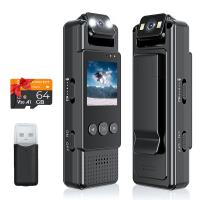
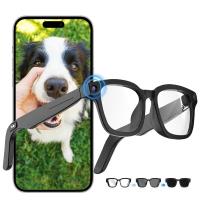
Shop K&F WiFi Smart Cameras


Leave your comment
Cancel reply
Note: HTML is not translated!
Related products
Smart Camera Glasses, HD 1080P, EIS Stabilization, WiFi Connect, Translation, 4H Playtime, Kentfaith
16
$119.99 $95.99
Mini WiFi Body Camera 1080P with Audio, 180° Rotatable Lens, 2 LED Fill Lights, Smart Motion Detection
13
$82.49 $57.99
Temperature Humidity Monitor Smart WiFi Update 4.3in Display Rechargeable 4 Months Battery Life Kentfaith
12
$82.49 $57.99
Mini WiFi Body Camera 1080P with Audio, 180° Rotatable Lens, 2 LED Fill Lights & Smart Motion Detection & 64G Memory Card
13
$74.99 $62.99
Smart Glasses with Camera, 8MP Sony Camera for 1080P POVs, 13MP Photos, Dual Lenses, EIS Stabilization, WiFi Transfer, 32GB Storage, 10H Playtime, Kentfaith
12
$137.49 $109.99
4K Full HD Car Recorder Sony IMX335, Built-in WiFi GPS Smart Car Recorder Car, ADAS, 2-inch IPS LCD, 140° FOV, Wide Dynamic, Night Vision Support Dual Camera
55
$149.99 $90.99
4K Full HD Car Recorder Sony IMX335, Built-in WiFi GPS Smart Car Recorder Car, ADAS, 2-inch IPS LCD, 140° FOV, Wide Dynamic, Support Night Vision
55
$131.99 $83.99
WiFi 3 Lens Solar Security Camera Wireless Outdoor, 6MP Full HD Video, 360° View Pan/Tilt Home Security Camera with Color Night Vision, Easy to Install, PIR Alarm, Kentfaith
15
$156.24 $124.99
Smart Glasses with Camera, 8MP Sony Sensor, Capture 30MP Photos & 1080P Videos, With 3600mAh Charging Case, Clear Music & Calls, Kentfaith
16
$174.99 $139.99
Sport Smart Watch with GPS Tracker Bluetooth Calls 24h Heart Rate/Sleep Monitor
67
$97.49 $68.99
Products You May Like
100x100mm Square Filter Kit ND1000 Square Filter + Metal Filter Holder + 8pcs Adapter Rings for DSLR (SN25T1)
26
$127.99 $101.99
Osmo action 3 hard shell travel suitcase DJI action 3 camera organizer black
$25.99 $20.99
AI Image Translator Device Pen, 148 Languages Scan Offline Photo Voice Translation Portable, Kentfaith
28
$124.99 $99.99
37mm Lens Filter Kit Neutral Density ND8+ND64+CPL Circular Polarizer for Professional Camera Lens with Multiple Layer Nano Coated
12
$69.99 $41.99
10Pcs Double-Headed Cleaning Stick + 20ML Cleaning Solution, CMOS Full Frame 24mm Cleaning Cloth Sticks Set
1
$24.99
Black Ir Trail Camera
10
$135.99 $74.99
mobile trail camera
mobile trail camera
10
$135.99 $74.99
67mm Single-sided Linear Pentaprism Filter Optical Glass Prism Special Effect Camera Lens Filter Nano-Basic Series
$50.99 $33.74
Camera Sling Bag Small Camera Crossbody Shoulder Backpack DSLR/SLR/Mirrorless Camera Compact Case Photography Bags 5L - Urban Wander 08 (Deep Pink)
88
$58.99 $35.99
K&F Concept Desktop Mini Tripod for Camera, 20.5''/ 52cm Compact Tripod with 360° Low Profile Ball Head, 1/4'' Screw Travel Tripod Quick Release Plate for Camera Video Camcorder, Load Capacity 6KG
25
$108.99 $52.99
Related articles
How To Set Up V380 Wifi Camera On Android Phone ?
How To Setup Your Smart Watch?
How To Connect A Wifi Smart Camera?
How To Connect Wifi Camera To Smart Tv ?
Smart Life Camera How To Change Wifi Network?
How To Setup Ip Wireless Security Camera?
How To Setup Camera For Video Conferencing?
How To Setup Wireless Ip Security Camera System?
How To Setup Dslr As Webcam?
What Is Black Flash Trail Camera?
Blog You May Like
Where Does The Nintendo Switch Memory Card Go?
How To Record Sound On The Computer?
Can T Access Microphone On Iphone?
How To Check If Camera Battery Is Bad?
What Is A Pl Camera Filter?
How To Fix A Selfie Stick Phone Holder?
How To Get Condensation Out Of Iphone Camera Lens ?
How Does A Digital Camera Work?
Can You Zoom In With Binoculars?
Camera Bag Can Hold 70-200mm Lens?
Related categories
Outdoor Security Camera Wifi Floodlight Camera Wireless camera feeder C mount lens adapter Wifi Trail Cameras Baby Movement Monitor m4/3 adapter
Popular products
hd video audio recorder insite air smart trail camera HD Car Recorder Sony remote wildlife camera wifi wifi trail camera trail camera night wifi wifi trail video camera bluetooth wifi trail camera solar trail camera wifi solar wifi trail camera
Related searches
Smart Camera Without Wifi Smart Wifi Battery Camera Solar Eclipse Camera Setup Smart Wifi Hd Security Camera Softbox Lighting Setup Smart Wifi Camera With Dual Lens Smart Wifi Mini Projector 2 Light Video Setup Easy Setup Security Cameras Studio Photography Lighting Setup
Popular searches
Canon Eos M6 Mount Ir Digital Camera Samsung Nx1000 Lens Mount Sony Nex 5r 5t Adapter Bluetooth Wall Mount Speakers 95mm Circular Polarizing Filter Portable Sound Recorder Century Tele-athenar 300mm F4.5 Lens C Mount Ring Light Glass Solar Filter
Blog Category
  • Activities
  • Guide
    • Filter Guide
    • Lens Adapter
    • Product Review
  • News & Reviews
    • Camera Reviews
    • Sample Gallery
    • News
  • Tutorials
    • Solar eclipse photography
    • Photography Basics
    • Landscape Photography
  • Inspiration
    • Travel
    • Travel Stories
Search Article
Latest from the Blog
How To Make Your Eyes Flash On Camera?
Which Camera Is Best For Low Light Photography?
Where Can I Find Hidden Cameras?
Can Security Cameras Detect Motion Through Glass?
Neutral Density Filter: The Ultimate Guide for Photographers and Videographers
How To Fix The Straps On A Camera?
Camera Use Which Lens?
What Power Binoculars For Long Distance Viewing?
Best Metal Detector for Kids in 2025
What Is The Best Camera To Record Videos?
  • Easy Payment Multilple Payment Options

  • Free Shipping Global WareHouse Shipment

  • No Risk 30-Day No Reason Return

  • Limited Deals Buy More, Save More

  • Tax Free No any surcharges or tax fee

Information
  • About us
  • Contact Us
  • Site Map
  • Blog
  • Video
  • Gallery
  • VIP Membership Rewards
Service
  • Privacy Policy
  • Terms & Conditions
  • Shipping & Delivery
  • Payment Info
  • Warranty, Return & Refund
  • Intellectual Property Rights
  • Ambassador
  • Affiliates
  • Wholesale
Support
  • My account
  • Order History
  • FAQs
  • Extend Warranty
  • Logistics Tracking
Follow us
NewsLetter

Get the latest product, K&F Concept respects your privacy.
Powered By KENTFAITH © 2025