kfconcept

KENTFAITH
K&F Concept    Blog >

Enjoy Your Selected Digital Life

Recently Viewed
  • Recently Viewed
  • Recently Viewed list is empty.

Compare (0) 0
  • Compare
  • You have not chosen any products to compare.

  • Compare
Currency: USD
  • Currency
Shop by Scene Shop by Rank

Log Into Your Account

Account

Order History

Wish List

Login

Forgotten Password?

or connect with

Register Account

Already have an Account?Log In

  • Shopping Cart
  • Your shopping cart is empty!

  • Register/Login to purchase, earn points
  • Favorite
  • Your wish list is empty.

  • Register/Login to like, earn points
  • Activities
  • Guide
    • Filter Guide
    • Lens Adapter
    • Product Review
  • News & Reviews
    • Camera Reviews
    • Sample Gallery
    • News
  • Tutorials
    • Solar eclipse photography
    • Photography Basics
    • Landscape Photography
  • Inspiration
    • Travel
    • Travel Stories
  • Home
  • Blog
  • How To Record Videos Without Sound?

How To Record Videos Without Sound?

Kentfaith 2024-10-14 01:13:12 0 Comments

Recording videos without sound can be an important requirement for various reasons including maintaining privacy, focusing on the visual content, or preparing clips for professional editing where sound will be added later. This practice is common in fields such as journalism, filmmaking, social media content creation, and personal documentation.

Continued interest in silent video recording has seen numerous methods evolve, whether through professional-grade equipment, built-in smartphone functionalities, or specialized software applications. Below is a comprehensive guide that covers several techniques you can use to record videos without sound effectively.

1. Using Smartphone Cameras:

Most modern smartphones come equipped with high-resolution cameras and advanced settings that often allow for silent video recording.

iPhones:
how to record videos without sound 1

- Open the Camera app.

- Switch to Video mode.

- Tap the mute icon (displayed as a microphone) to disable audio recording. Older iPhone models may not support this feature natively, it is typically available from iOS 14.0 and above.

Android Phones:
how to record videos without sound 2

- Launch the Camera app.

- Switch to Video mode.

- Look for a settings icon (cog or three dots) typically found in the upper right or left corner.

- Within settings, you can find an option to turn off the microphone or audio recording.

If these options are not natively available, you might need third-party apps like Filmic Pro or Open Camera which offer more granular control over video and audio settings. These apps usually have a direct option to mute the audio during recording.

2. Using Dedicated Video Cameras:

For those who are capturing video professionally, most dedicated video cameras include an easy way to turn off audio recording.

- Navigate to the menu options on the camera.

- Locate the audio or sound settings.

- Turn off the audio recording feature. This is often labeled as "Mic off" or selecting an "Audio: off" mode.

High-end cameras might have an additional benefit of providing physical switches or dials to control the microphone input level, allowing for more straightforward manipulation during a shoot.

3. Online Video Recording Tools:

With the rise of browser-based solutions for various tasks, several online tools can help users record videos without sound.

- Most online video recording tools have a feature to disable audio within their settings.

- Services like Screencast-O-Matic and Loom typically offer browser extensions or web-based platforms where you can toggle the microphone input to off before starting to record your screen or webcam.

Using these tools provides a quick solution for freelancers, educators, or anyone needing to quickly record silent videos without the hassle of additional software installation.

4. Screen Recording on Computers:

Sometimes, recording your computer screen without sound is necessary for creating instructional videos, troubleshooting guides, or software demonstrations.

Windows:
how to record videos without sound 3

- Press `Win + G` to open the Xbox Game Bar.

- Navigate to the capture settings and turn off the microphone.

Third-party solutions such as OBS Studio allow for more sophisticated settings. In OBS Studio:

- Create a new capture source.

- Choose the "Mute" option on the audio mixer for the video feed you are capturing.

Windows Snip & Sketch tool also provides a microphone toggle for video recordings, as does many other dedicated screen capturing software.

Mac:
how to record videos without sound 4

- Open QuickTime Player.

- Navigate to File > New Screen Recording.

- Before starting the recording, click the arrow next to the record button and select "None" under the Microphone option.

Editing out Sound Post-Recording:

If you already have a recorded video with sound but need to remove the audio later, video editing software can be useful. Here’s how to do it with some popular tools:

Adobe Premiere Pro:

- Import your video into the Premiere Pro timeline.

- Right-click on the audio track and select "Unlink."

- Select the audio track and press `Delete`.

iMovie:

- Import your video clip.

- Drag it onto the timeline.

- Right-click on the audio waveform below the video and choose "Detach Audio."

- Select the audio track and press `Delete`.

Online Video Editors:

Web-based tools like WeVideo and Kapwing typically have intuitive interfaces that provide similar functionality to detach and remove audio tracks from videos.

Practical Applications:

Understanding how to record videos without sound or editing out audio can be particularly useful in various scenarios:

- Content Creation: Social media influencers and YouTubers often need B-roll footage without sound that will later be overdubbed with music or narration.

- Corporate Training: Silent video recording can clear unnecessary distractions, allowing the focus to stay on the visual instructional content.

- Education: Instructors preparing lecture videos or demonstrations might require silent clips that will later have voice narrations explaining the details.

- Privacy Concerns: Journalists or private investigators collecting field recordings may need to ensure no sensitive or identifiable audio is captured.

By mastering these methods, anyone ranging from amateur videographers to professional filmmakers can ensure their videos remain distraction-free and tailor their content to meet their specific needs. Sound, while an essential component of video, sometimes needs to be managed or omitted to produce the most effective visual message. Whether you're recording with a phone, a dedicated camera, or through some online tool, the method to achieve silent videos is readily accessible and implementable with minimal effort. This skill sets the stage for proper video post-production and methodical content creation.

Leave your comment
Cancel reply
Note: HTML is not translated!
Related products
Mini Voice Recorder, Sound-activated & Magnetic, 128GB 1600H Capacity with AI Noise Cancelling Kentfaith
13
$94.99 $69.99
Mini Sound Recorder 128GB 1600H Recording Capacity with 1.4" Screen, Voice Activated Mode Kentfaith
NEW Arrival
Mini Sound Recorder 128GB 1600H Recording Capacity with 1.4" Screen, Voice Activated Mode Kentfaith
12
$99.99 $79.99
128G Mini Digital Voice Recorder with Color Screen Bluetooth Call Record 3072kbps Kentfaith
HOT Seller
128G Mini Digital Voice Recorder with Color Screen Bluetooth Call Record 3072kbps Kentfaith
15
$119.99 $83.99
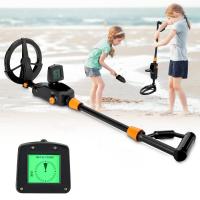
Children’s Entry-Level Metal Detector, High Sensitivity, With LCD Display and Sound Indication, Suitable for Beginners
TOP Best
Children’s Entry-Level Metal Detector, High Sensitivity, With LCD Display and Sound Indication, Suitable for Beginners
144
$64.49 $50.99
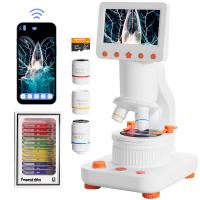
Compound Microscope for Kids with 4.3in Screen, 80X to 800X, WiFi Connection, Dual Light Sources, 1080P Videos, 32GB Card Included, Kentfaith
12
$237.49 $189.99
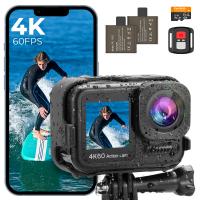
4K60FPS 48MP 66FT Waterproof Action Camera without a Case, Dual Screens, 64GB Card, EIS, WiFi Remote Control, Kentfaith
NEW Arrival
4K60FPS 48MP 66FT Waterproof Action Camera without a Case, Dual Screens, 64GB Card, EIS, WiFi Remote Control, Kentfaith
14
$191.24 $152.99
Instant Cross-APP Translator Device for Business & Trade, Video Call Translation, Record, & Transcription, Kentfaith AI Translator Devices
12
$124.99 $99.99
5K Video Camera with 75MP Photos, 8X Optical Zoom, WiFi Transfer, Wireless Mic, Dual Batteries, Support PIP Record, Kentfaith
16
$274.99 $239.99
5K Video Camera with 75MP Photos, 8X Optical Zoom, WiFi Transfer, Foldable Tripod, Wireless Mic, Dual Batteries, Support PIP Record, Kentfaith
$312.49 $249.99
AI Translator Device for Business & Trade, 142 Languages Real-Time Online & Offline, Smart Office/Cross-App/Video/Photo Translation, Record & Transcription, Kentfaith
15
$182.49 $145.99
Products You May Like
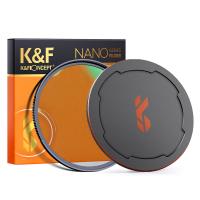
82mm Black mist filter 1/8 28 layers of anti-reflection green film waterproof and scratch-resistant with metal lens cover Nano-X series
32
$116.99 $75.99
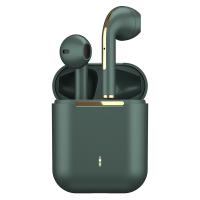
TWS Bluetooth Earbuds Wireless Earphones In-Ear Headset Green for Mobile
$25.99
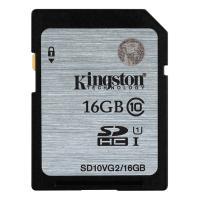
Kingston 16GB SDHC Memory Card Class 10 UHS-I 45R/10W
6
$9.99
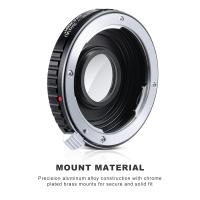
Pentax K Lenses to Sony A Lens Mount Adapter K&F Concept M42271 Lens Adapter
$30.99
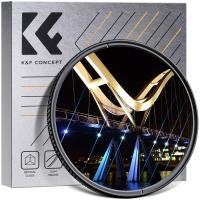
67mm Blue Streak Filter (2mm)  Anamorphic Lens Effect Filter Optical Glass Ultra-clear Waterproof Anti-Scratch Anti-Reflection Green Film Nano-Klear Series
67mm Blue Streak Filter (2mm) Anamorphic Lens Effect Filter Optical Glass Ultra-clear Waterproof Anti-Scratch Anti-Reflection Green Film Nano-Klear Series
32
$31.99 $24.99
FD-M4/3 MFT Lens Mount Adapter, Compatible with Canon FD/FL Series Lens to M4/3 M43 Micro Four Thirds Mount Camera with Matting Varnish Design
61
$70.99 $38.99
10 x 42 HD Binoculars BAK4 for Watching Birding Hunting
109
$70.99 $44.99
58mm Spiral Halo Camera Lens Filter Premium Optical Glass Halo Swirl Special Effect Filter Nano-B Series
13
$31.99 $24.99
72mm Variable Fader ND2-400
$61.99 $26.99
Lens Mount Adapter FD to NEX Copper Adapter Compatible with Canon FD FL Lens to NEX E-Mount Camera
151
$56.99 $29.99
Related articles
How To Record Music Videos With Good Sound?
How To Get Sound On Screen Recorded Videos?
Can Digital Camera Record Videos?
How To Record Audio Without Background Noise?
How To Screen Record Internal Sound?
What Is The Best Camera To Record Videos?
How To Record Wireless Security Camera Without Cloud?
How Do Records Record Sound?
How To Record Sound From Desktop Capture?
How To Use A Digital Camera?
Blog You May Like
Can You Save Apps On An Sd Card?
What Size Memory Card For Gopro Hero 9?
How To Fix The Straps On A Camera?
How To Make A Small Camera Bag?
How To Find Camera Roll On Iphone 5s?
How To Use A Range Finding Scope?
Smart Watches That You Can Download Apps?
How To Find Lost Wired Earphones?
How To Speed Up Sound Recordings?
What Is A Good Quality Dash Cam?
Related categories
C mount lens adapter soft edge GND filter​ Square Filter System reverse graduated neutral density GND filter​ cell phone tripods Lumix camera battery Pentax K adapter Handheld Kaleidoscope Filters
Popular products
Mini Digital Voice Recorder​ prepaid sim unlimited data video recording camera for youtube sony camera with microphone digital electronic video microscope camera 500x portable digital microscope usb 500x portable handheld digital microscope camera digital 4k youtube Bluetooth Earbuds With Noise Cancellation monocular and binocular microscope
Related searches
Cheap Camera To Record Videos Best Camera To Record Time Lapse Night Vision Binoculars That Record Best Camera For Hunting Videos Recording Camera For Music Videos Video Camera For Family Videos Video Camera For Training Videos Best Camera For Recording Videos Best Camera For Youtube Videos Cameras For Photos And Videos
Related Scenes
Best Video Camera To Record Sports Best Outdoor Camera Without Wifi Best Surveillance Camera Without Wifi Best Camera To Video Sports Best Camera To Capture Wildlife Best Camera For Videos Best Camera For Taking Videos Best Camera For Family Videos Best Camera For Shooting Videos Best Camera For Car Videos
Blog Category
  • Activities
  • Guide
    • Filter Guide
    • Lens Adapter
    • Product Review
  • News & Reviews
    • Camera Reviews
    • Sample Gallery
    • News
  • Tutorials
    • Solar eclipse photography
    • Photography Basics
    • Landscape Photography
  • Inspiration
    • Travel
    • Travel Stories
Search Article
Latest from the Blog
How To Take Great Photos With Digital Camera?
Can You Drive With Headphones?
How To Choose A Lens For Your Camera?
What Are The Uses Of A Compound Microscope?
How Smart Watch Measure Heart Rate?
How To Setup A Tripod?
How Accurate Are Smart Watch Blood Oxygen Monitor?
Binoculars That Can See In The Dark?
How To Use Your Phone As A Microphone?
What Is The Best Smartwatch For A Woman?
  • Easy Payment Multilple Payment Options

  • Free Shipping Global WareHouse Shipment

  • No Risk 30-Day No Reason Return

  • Limited Deals Buy More, Save More

  • Tax Free No any surcharges or tax fee

Information
  • About us
  • Contact Us
  • Site Map
  • Blog
  • Video
  • Gallery
  • VIP Membership Rewards
Service
  • Privacy Policy
  • Terms & Conditions
  • Shipping & Delivery
  • Payment Info
  • Warranty, Return & Refund
  • Intellectual Property Rights
  • Ambassador
  • Affiliates
  • Wholesale
Support
  • My account
  • Order History
  • FAQs
  • Extend Warranty
  • Logistics Tracking
Follow us
NewsLetter

Get the latest product, K&F Concept respects your privacy.

Powered By KENTFAITH © 2026