kfconcept

KENTFAITH
K&F Concept    Blog >

Enjoy Your Selected Digital Life

Recently Viewed
  • Recently Viewed
  • Recently Viewed list is empty.

Compare (0) 0
  • Compare
  • You have not chosen any products to compare.

  • Compare
Currency: USD
  • Currency
Shop by Scene Shop by Rank

Log Into Your Account

Account

Order History

Wish List

Login

Forgotten Password?

Or connect with

Register Account

Already have an Account?Log In

  • Shopping Cart
  • Your shopping cart is empty!

  • Register/Login to purchase, earn points
  • Favorite
  • Your wish list is empty.

  • Register/Login to like, earn points
  • Activities
  • Guide
    • Filter Guide
    • Lens Adapter
    • Product Review
  • News & Reviews
    • Camera Reviews
    • Sample Gallery
    • News
  • Tutorials
    • Solar eclipse photography
    • Photography Basics
    • Landscape Photography
  • Inspiration
    • Travel
    • Travel Stories
  • Home
  • Blog
  • How To Record Line Video Call With Audio?

How To Record Line Video Call With Audio?

Kentfaith 2024-08-15 00:56:27 0 Comments

Recording a line video call with audio can be a valuable tool for various purposes, such as preserving important conversations, creating content, or keeping a record for future reference. However, it is essential to understand the technical and legal aspects involved in this process. This article will guide you through the steps to record a Line video call with audio, covering the necessary tools, methods, and legal considerations.

Understanding the Basics
how to record line video call with audio 1

Before diving into the recording process, it is crucial to understand the basic requirements and limitations:

1. Device Compatibility: Ensure that your device (smartphone, tablet, or computer) supports screen recording and has sufficient storage space.

2. Software Requirements: You may need third-party applications or built-in features to record the call.

3. Legal Considerations: Recording calls without consent can be illegal in some jurisdictions. Always inform and obtain consent from all parties involved in the call.

Methods to Record Line Video Calls with Audio
how to record line video call with audio 2

1. Using Built-in Screen Recording Features
how to record line video call with audio 3

Most modern smartphones and computers come with built-in screen recording features. Here’s how you can use them:

For iOS Devices:

- Step 1: Open the Control Center by swiping down from the top-right corner of the screen (iPhone X and later) or swiping up from the bottom (iPhone 8 and earlier).

- Step 2: Tap the Screen Recording button (a circle within a circle). If you don’t see it, go to Settings > Control Center > Customize Controls and add Screen Recording.

- Step 3: Start the Line video call.

- Step 4: Tap the Screen Recording button again to stop recording. The video will be saved in the Photos app.

For Android Devices:

- Step 1: Swipe down from the top of the screen to access the Quick Settings panel.

- Step 2: Look for the Screen Recorder option. If it’s not available, you may need to enable it in the settings or use a third-party app.

- Step 3: Start the Line video call.

- Step 4: Tap the Screen Recorder button again to stop recording. The video will be saved in the gallery.

For Windows/Mac Computers:

- Windows: Use the Xbox Game Bar by pressing `Win + G` and selecting the screen recording option.

- Mac: Use the built-in screen recording feature by pressing `Cmd + Shift + 5` and selecting the recording area.

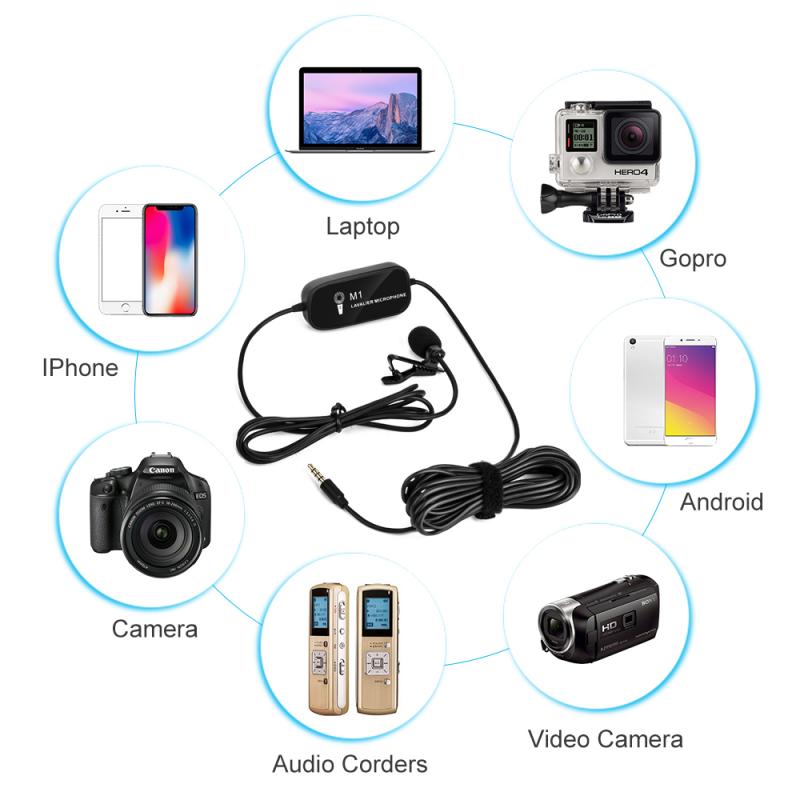
2. Using Third-Party Applications
how to record line video call with audio 4

If your device doesn’t support built-in screen recording or you need more advanced features, third-party applications can be a great alternative. Here are some popular options:

For Smartphones:

- AZ Screen Recorder (Android): A free app that allows you to record your screen with audio. It offers various customization options, such as resolution, frame rate, and bit rate.

- DU Recorder (iOS/Android): Another free app that supports screen recording with audio. It also provides editing tools to trim and merge videos.

For Computers:

- OBS Studio (Windows/Mac/Linux): A free and open-source software for video recording and live streaming. It offers advanced features like multiple source recording, custom transitions, and audio mixing.

- Camtasia (Windows/Mac): A paid software that provides a user-friendly interface and powerful editing tools. It’s ideal for creating professional-quality recordings.

Step-by-Step Guide to Recording Line Video Calls with Audio

Let’s go through a detailed step-by-step guide using a third-party application, OBS Studio, as an example:

Step 1: Download and Install OBS Studio

- Visit the official OBS Studio website and download the appropriate version for your operating system.

- Follow the installation instructions to set up the software.

Step 2: Configure OBS Studio

- Open OBS Studio and go to the “Sources” panel.

- Click the “+” button and select “Display Capture” to record your screen.

- Name the source and click “OK.”

- Adjust the capture settings as needed.

Step 3: Set Up Audio Capture

- In the “Sources” panel, click the “+” button and select “Audio Input Capture.”

- Name the source and click “OK.”

- Select your microphone or audio input device from the drop-down menu.

Step 4: Start the Line Video Call

- Open the Line app and start the video call.

- Ensure that the call window is visible on your screen.

Step 5: Start Recording

- In OBS Studio, click the “Start Recording” button.

- Conduct your video call as usual.

Step 6: Stop Recording

- Once the call is finished, click the “Stop Recording” button in OBS Studio.

- The recorded video will be saved in the default location (usually the “Videos” folder).

Editing and Saving the Recorded Video

After recording the video call, you may want to edit the footage to remove unnecessary parts or enhance the quality. Here are some basic editing steps:

1. Trim the Video: Use video editing software like iMovie (Mac), Windows Movie Maker (Windows), or any other preferred tool to trim the beginning and end of the video.

2. Enhance Audio: Adjust the audio levels to ensure clear sound. You can use software like Audacity for more advanced audio editing.

3. Save the Final Video: Export the edited video in your desired format and resolution.

Legal and Ethical Considerations

Recording video calls can raise legal and ethical issues. Here are some key points to consider:

1. Consent: Always inform and obtain consent from all participants before recording the call. This is not only a legal requirement in many jurisdictions but also an ethical practice.

2. Privacy: Be mindful of the privacy of others. Avoid sharing or distributing the recorded video without permission.

3. Usage: Use the recorded video for legitimate purposes, such as personal reference, educational content, or professional documentation.

Recording a Line video call with audio can be a straightforward process if you follow the right steps and use the appropriate tools. Whether you use built-in features or third-party applications, ensure that you comply with legal and ethical guidelines. By doing so, you can effectively capture and preserve important conversations while respecting the privacy and consent of all parties involved.


Leave your comment
Cancel reply
Note: HTML is not translated!
Related products
Instant Cross-APP Translator Device for Business & Trade, Video Call Translation, Record, & Transcription, Kentfaith AI Translator Devices
12
$124.99 $99.99
128G Mini Digital Voice Recorder with Color Screen Bluetooth Call Record 3072kbps Kentfaith
15
$119.99 $83.99
AI Translation Earbuds Real Time 2-Way 132 Languages & Accents, Audio & Video Call Translation, Note Taker, No Subscriptions Kentfaith
13
$112.49 $89.99
AI Real-Time Translator Earbuds, 142 Languages/Accents, Chat APP Translation, Audio/Video Call Translation, Transcription,  for Global Business, Travel, Kentfaith
AI Real-Time Translator Earbuds, 142 Languages/Accents, Chat APP Translation, Audio/Video Call Translation, Transcription, for Global Business, Travel, Kentfaith
14
$124.99 $99.99
Language Translator Earbuds Real-Time 150 Languages Voice Video Call Translation Kentfaith
13
$137.49 $109.99
5K Video Camera with 75MP Photos, 8X Optical Zoom, WiFi Transfer, Wireless Mic, Dual Batteries, Support PIP Record, Kentfaith
16
$274.99 $239.99
5K Video Camera with 75MP Photos, 8X Optical Zoom, WiFi Transfer, Foldable Tripod, Wireless Mic, Dual Batteries, Support PIP Record, Kentfaith
$312.49 $249.99
Real-time Translation Earbuds with 132 Languages, Offline Translation, Voice & Video Call Translation, AI Note Taker, Kentfaith
$137.49 $109.99
Real-Time Translation Earbuds 2-Way 132 Languages/Accents, Video Call Translator, Transcribe, Summarize Kentfaith
14
$112.49 $89.99
Real-Time Translator Earbuds, 132 Languages/Accents, Voice/Video Call Translation, AI Note Taker, LCD Touchscreen Kentfaith
14
$99.99 $79.99
Products You May Like
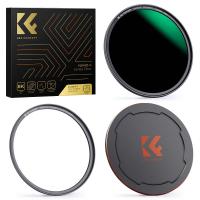
72mm Magnetic ND1000 Filter, HD Waterproof Scratch-Resistant Anti-Reflection Nano-Xcel Series
29
$62.99 $49.99
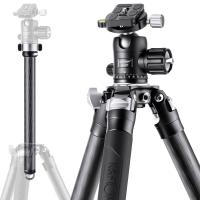
67”/1.7m Carbon Fiber Camera Tripod 20kg/44lbs Load 32mm Leg Tube  Heavy Duty Professional Camera Tripod, X324C4+BH-35 (EP324C)
67”/1.7m Carbon Fiber Camera Tripod 20kg/44lbs Load 32mm Leg Tube Heavy Duty Professional Camera Tripod, X324C4+BH-35 (EP324C)
2
$594.99 $390.99
105mm MCUV Protection Filter with 28 Multi-Layer Coatings HD/Hydrophobic/Scratch Resistant/Ultra-Slim UV Filter for 105mm Camera Lens
78
$99.99 $71.99
H-804A Army Green 20MP/0.3 seconds start, high-definition outdoor waterproof hunting infrared night vision camera
61
$79.99
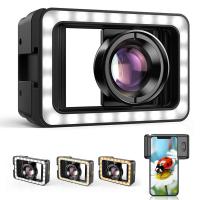
Macro Lens for iPhone / Android with LED Fill Light, 10X Macro Lens + Lens Adapter for iPhone 15/15Pro/15Pro Max, Macro Lens Attachment
$88.49 $61.99
52mm MCUV+CPL+ND1000+Adapter Ring Magnetic 4 in 1 Lens Filter Kit Waterproof Scratch-Resistant Anti-Reflection with Filter Pouch
42
$99.99 $79.99
67mm Combination Soft & Mist Lens Filter 28 Multi-Layer Coating Waterproof Scratch Resistant Cinematic Effect Filter for Vlog, Portrait Photography - Nano-Xcel Series
$77.99 $57.99
7in Display Baby Car Camera with 2K HD Camera Night Vision 3X Zoom
12
$142.49 $99.99
4K 48MP Trail Camera WiFi Bluetooth Game Camera 120° Detection Starlight Night Vision 0.2s Trigger IP66 Waterproof with 64GB SD Card + 8 Batteries
89
$162.99 $112.99
100*150*2mm Hard GND8 Square Filter HD Optical Glass Waterproof ND Filter Nano-Xcel Pro Series
20
$137.99 $109.99
Related articles
How To Record Messenger Video Call With Sound?
How To Record Messenger Audio Call?
How To Record Audio From A Video?
How To Record On Pc With Audio?
How To Record Screen With System Audio?
How To Record Video With Selfie Stick?
How To Record Online Video With Sound?
How To Record Your Ipad Screen With Audio?
How Do You Record Facetime With Audio?
7 reasons why you need a waterproof camera bag
Blog You May Like
How To Tell If Smoke Detector Has Camera?
How To Connect Selfie Stick Shutter?
What Is A Good Quality Dash Cam?
What Binoculars To Buy For Hunting?
Camera Bag That Can Hold Ronin S?
Can Wire Free Security Camera Used Without Wifi?
How To Capture Video On Pc From Camcorder?
How To Soften Flash On Camera?
How To Make Your Own Bluetooth Earphones?
Does Camera Lens Protector Affect Picture Quality?
Related categories
Video Shooting lightweight video tripod C mount lens adapter m4/3 adapter Baby Movement Monitor
Popular products
Mini Digital Voice Recorder​ active noise cancelling earbuds video recording camera for youtube silicone earbuds for earphones sony camera with microphone earbuds for video recording earbuds with longest battery life earbuds for calls and music noise cancelling earbuds with mic wifi camera night vision audio
Related searches
Cameras That Record Audio Video Call Lighting Kit Camera With Audio And Video Recording Spy Cameras With Audio And Video Best Microphones To Record Vocals Audio Video Camera Call Center Headset With Microphone Record Wifi Camera Hidden Camera With Audio And Video Recording Wifi Camera With Audio And Video Recording
Popular searches
Telescopes For Sale Photography Backpack Sandisk 32gb Sdhc Class 10 Memory Card Monopod Rubber Foot Memory Card For Cameras E Mount Lens To Micro 4/3 Camera Tripod Stand For Projector Zenit Lens Adapter For Nikon Canon G16 Kiwiphoto Adapter Continuous Monitoring Security Camera
Blog Category
  • Activities
  • Guide
    • Filter Guide
    • Lens Adapter
    • Product Review
  • News & Reviews
    • Camera Reviews
    • Sample Gallery
    • News
  • Tutorials
    • Solar eclipse photography
    • Photography Basics
    • Landscape Photography
  • Inspiration
    • Travel
    • Travel Stories
Search Article
Latest from the Blog
How Do Night Vision Goggles Work?
Dash Cam That Can Connect To Phone?
Best Metal Detector for Kids in 2025
ND Filter: The Complete Guide to Neutral Density Filters for Photography and Video
What To Look For In A Dash Cam?
How To Make Your Eyes Flash On Camera?
Can I Charge Camera Battery With Power Bank?
How Do Metal Detectors Work? A Complete Guide for Beginners and Pros
Black Friday 2025 Special at Kentfaith
What Tripod To Buy?
  • Easy Payment Multilple Payment Options

  • Free Shipping Global WareHouse Shipment

  • No Risk 30-Day No Reason Return

  • Limited Deals Buy More, Save More

  • Tax Free No any surcharges or tax fee

Information
  • About us
  • Contact Us
  • Site Map
  • Blog
  • Video
  • Gallery
  • VIP Membership Rewards
Service
  • Privacy Policy
  • Terms & Conditions
  • Shipping & Delivery
  • Payment Info
  • Warranty, Return & Refund
  • Intellectual Property Rights
  • Ambassador
  • Affiliates
  • Wholesale
Support
  • My account
  • Order History
  • FAQs
  • Extend Warranty
  • Logistics Tracking
Follow us
NewsLetter

Get the latest product, K&F Concept respects your privacy.

Powered By KENTFAITH © 2025