kfconcept

KENTFAITH
K&F Concept    Blog >

Enjoy Your Selected Digital Life

Recently Viewed
  • Recently Viewed
  • Phone Microscope with CPL Lens/LED Light, Portable 200X Microscope with Phone Clip for iPhone/Andriod Phone, for Kids and Adults
    Phone Microscope with CPL Lens/LED Light, Portable 200X Microscope with Phone Clip for iPhone/Andriod Phone, for Kids and Adults
    $56.99 $39.99
Compare (0) 0
  • Compare
  • You have not chosen any products to compare.

  • Compare
Currency: USD
  • Currency
Shop by Scene Shop by Rank

Log Into Your Account

Account

Order History

Wish List

Login

Forgotten Password?

or connect with

Register Account

Already have an Account?Log In

  • Shopping Cart
  • Your shopping cart is empty!

  • Register/Login to purchase, earn points
  • Favorite
  • Your wish list is empty.

  • Register/Login to like, earn points
  • Activities
  • Guide
    • Filter Guide
    • Lens Adapter
    • Product Review
  • News & Reviews
    • Camera Reviews
    • Sample Gallery
    • News
  • Tutorials
    • Solar eclipse photography
    • Photography Basics
    • Landscape Photography
  • Inspiration
    • Travel
    • Travel Stories
  • Home
  • Blog
  • How To Get Sound On Screen Recorded Videos?

How To Get Sound On Screen Recorded Videos?

Kentfaith 2024-08-16 01:59:54 0 Comments

Screen recording has become an essential tool for many professionals, educators, and content creators. Whether you're creating tutorials, recording gameplay, or capturing a video call, having sound in your screen recordings is crucial for delivering a complete and engaging experience. However, many users encounter issues with capturing audio during screen recordings. This article will guide you through the steps to ensure you get sound on your screen-recorded videos, addressing common problems and providing practical solutions.

Understanding the Basics

Before diving into the solutions, it's important to understand the basics of screen recording and audio capture. Screen recording software captures the visual output of your screen and, ideally, the audio output as well. The audio can come from different sources, such as system sounds, microphone input, or both. The key to successful screen recording with sound lies in correctly configuring these audio sources.

Common Issues and Solutions

1. No Audio Source Selected

One of the most common reasons for no sound in screen recordings is the failure to select an audio source. Most screen recording software allows you to choose the audio input source. Ensure that you have selected the correct source, whether it's the system audio, microphone, or both.

Solution:

- Open your screen recording software.

- Navigate to the audio settings.

- Select the appropriate audio source (system audio, microphone, or both).

2. Incorrect Audio Settings

Incorrect audio settings can also lead to no sound in your recordings. This includes settings within the screen recording software and your system's audio settings.

Solution:

- Check the audio settings in your screen recording software. Ensure that the audio input levels are set correctly and not muted.

- Verify your system's audio settings. Ensure that the correct playback and recording devices are selected and that they are not muted.

3. Outdated Software or Drivers

Using outdated screen recording software or audio drivers can cause compatibility issues, leading to no sound in your recordings.

Solution:

- Update your screen recording software to the latest version.

- Update your audio drivers. You can do this through your system's device manager or by visiting the manufacturer's website.

4. Permissions Issues

On some operating systems, screen recording software requires permission to access the microphone and system audio. If these permissions are not granted, the software will not be able to capture sound.

Solution:

- On Windows, go to Settings > Privacy > Microphone and ensure that your screen recording software has permission to access the microphone.

- On macOS, go to System Preferences > Security & Privacy > Privacy > Microphone and ensure that your screen recording software is checked.

Step-by-Step Guide for Popular Screen Recording Software

1. OBS Studio

OBS Studio is a popular, free, and open-source screen recording software. Here's how to ensure you get sound in your recordings:

- Step 1: Open OBS Studio.

- Step 2: In the "Sources" box, click the "+" button and select "Audio Input Capture" to add your microphone.

- Step 3: Click the "+" button again and select "Audio Output Capture" to add system audio.

- Step 4: Ensure that both audio sources are not muted and that the volume levels are set correctly.

- Step 5: Start recording.

2. Camtasia

Camtasia is a professional screen recording and video editing software. Follow these steps to capture audio:

- Step 1: Open Camtasia and start a new project.

- Step 2: Click on the "Record" button to open the recording toolbar.

- Step 3: Ensure that the "Audio" option is toggled on.

- Step 4: Select the audio source (microphone, system audio, or both).

- Step 5: Start recording.

3. QuickTime Player (macOS)

QuickTime Player is a built-in screen recording tool for macOS users. Here's how to capture audio:

- Step 1: Open QuickTime Player.

- Step 2: Go to File > New Screen Recording.

- Step 3: Click the drop-down arrow next to the record button.

- Step 4: Select the audio source (internal microphone or an external microphone).

- Step 5: Start recording.

Advanced Tips for Better Audio Quality

1. Use an External Microphone

Built-in microphones on laptops and desktops often produce lower-quality audio. Using an external microphone can significantly improve the sound quality of your recordings.

2. Reduce Background Noise

Background noise can be distracting and reduce the clarity of your audio. Use noise reduction features available in your screen recording software or edit the audio in post-production to minimize background noise.

3. Monitor Audio Levels

Monitoring audio levels during recording can help you ensure that the sound is neither too low nor too high. Most screen recording software provides audio level meters to help you with this.

4. Use a Pop Filter

If you're using a microphone, a pop filter can help reduce plosive sounds (like "p" and "b" sounds) that can cause distortion in your recordings.

Troubleshooting Common Problems

1. Audio Out of Sync

If the audio is out of sync with the video, it can be due to a lag in processing. This can often be fixed in post-production by adjusting the audio track.

2. Distorted Audio

Distorted audio can be caused by high input levels or poor-quality microphones. Lower the input levels and consider using a higher-quality microphone.

3. No Audio in Playback

If there's no audio during playback, ensure that the playback device is set correctly and that the volume is not muted. Also, check the audio track in your video editing software to ensure it is not muted.

Capturing sound in your screen-recorded videos is essential for creating engaging and informative content. By understanding the basics of audio capture, configuring your settings correctly, and using the right tools, you can ensure that your screen recordings have high-quality sound. Whether you're using OBS Studio, Camtasia, QuickTime Player, or any other screen recording software, the steps outlined in this article will help you troubleshoot and resolve common audio issues. With these tips, you'll be well on your way to creating professional-quality screen recordings with clear and crisp audio.
Leave your comment
Cancel reply
Note: HTML is not translated!
Related products
Mini Sound Recorder 128GB 1600H Recording Capacity with 1.4" Screen, Voice Activated Mode Kentfaith
NEW Arrival
Mini Sound Recorder 128GB 1600H Recording Capacity with 1.4" Screen, Voice Activated Mode Kentfaith
12
$99.99 $79.99
Compound Microscope for Kids with 4.3in Screen, 80X to 800X, WiFi Connection, Dual Light Sources, 1080P Videos, 32GB Card Included, Kentfaith
12
$237.49 $189.99
Handheld Microscope, 500X Magnification, 1080P Videos, 2-inch Screen, Autofocus, Rechargeable, Kentfaith
12
$87.49 $69.99
Microscope Eyepiece Camera 2.8" Screen WiFi Connection 1080P Photos Videos for Telescopes Kentfaith
12
$99.99 $79.99
Night Vision Monocular 4K Photos 1080P Videos, 2" Screen, 3000mAh Rechargeable Battery Kentfaith
15
$112.49 $89.99
Telescope Electronic Eyepiece with 4.3in Screen, WiFi Live Stream, Capture 1080P Photos & Videos, Rechargeable, Kentfaith
13
$144.99 $115.99
Telescope Electronic Eyepiece with 2K 30FPS Videos, WiFi Live Feed, 2-inch Screen, 2000mAh Battery, Kentfaith
14
$144.99 $115.99
Digital Handheld Microscope with 4.5 in IPS Screen, Detachable Base, 1000X Magnification, Captures 12MP Photos, 1080P Videos, Kentfaith
$112.49 $89.99
Compound Microscope with 7-inch Screen, 40X-1000X, Capture 2.7K Videos 24MP Photos, Support PC Connection, Remote Control, Kentfaith
14
$499.99 $399.99
6mm Inspection Camera, with 180° 2-way Articulating, HDMI Output, 7-inch Screen, 8000mAh Battery, 1080P Videos & Photos, Kentfaith
$562.49 $449.99
Products You May Like
FD-M4/3 MFT Lens Mount Adapter, Compatible with Canon FD/FL Series Lens to M4/3 M43 Micro Four Thirds Mount Camera with Matting Varnish Design
61
$70.99 $38.99
DJI NEO Done ND Filter Kit 4 Pack ND8+ND16+ND32+ND64 Neutral Density Light Reduction Filters, Multi Coated HD Optical Glass /  Aluminum Frame
NEW Arrival
DJI NEO Done ND Filter Kit 4 Pack ND8+ND16+ND32+ND64 Neutral Density Light Reduction Filters, Multi Coated HD Optical Glass / Aluminum Frame
61
$29.99
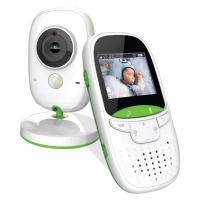
2" Screen Video Baby Monitor with Wireless Remote Camera, Night Vision, Temperature Monitoring and Two-way Talk Work with 2.4 GHz WiFi US Power Plug
2
$61.99
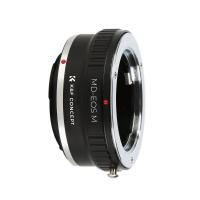
Minolta MD MC Lenses to Canon EOS M Camera Mount Adapter
2
$53.99 $27.99
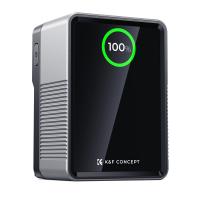
K&F Concept 99Wh V-Mount Battery with PD100W USB-C Fast Charging and Multi-Output Ports, TFT Digital Screen & Emergency Light for Camera, photography light, smartphone, laptop etc.
63
$137.99 $119.99
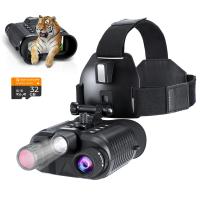
Infrared Night Vision Goggles for Helmet 4K 8X Digital Zoom Flashlight 32GB
13
$284.99 $199.99
40.5mm ND2-ND400 (9 Stops) Variable ND Filter Neutral Density Filter for Camera Lens Ultra-Slim, Multi Coated Nano-Klear
64
$24.99 $21.99
Suspect Trail Cameras
10
$162.99 $106.99
37mm Filter Set (UV, CPL, FLD, ND2, ND4, ND8)
11
$43.99 $21.99
K&F CONCEPT Carrying Case Compatible with DJI Osmo Action 6/3/4/5 Pro, Portable Travel Storage Holder Carry Bag Protective Storage Bag for Action Camera
$16.70
Related articles
How To Get Sound On Screen Recordings?
How Do I Get Sound On Screen Recording?
How To Get Sound In Screen Recording?
How Do You Get Sound In Screen Recording?
How Do You Get Sound With Screen Record?
How To Get Your Voice On Screen Recording?
How To Record Videos Without Sound?
How To Make Recorded Audio Sound Better?
How To Record Video On Screen With Sound?
How Measure Stops Of Nd Filter?
Blog You May Like
How To Record Video While Car Driving?
Solar Panel Where To Buy?
Flip Video Flashing Red Light When Charging?
How Much Is Selfie Stick In Slot?
Smart Watch Can Make Calls?
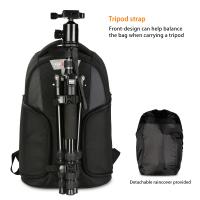
Camera Bag That Can Hold Cameras And Books?
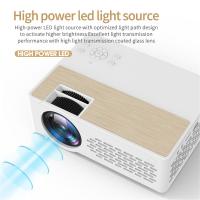
Can You Use A Projector On The Ceiling?
How Big Do Sd Cards Get?
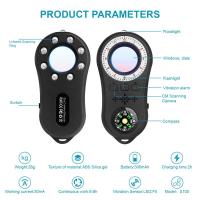
Who Makes Hidden Camera Detector?
How To Get Pink Lighting Video?
Related categories
On-Dash Camera trail camera with screen C mount lens adapter m4/3 adapter Screw-In Filter golf rangefinder Drone Filters Praktica B Mount Lens Adapters
Popular products
light microscope live specimen digital voice recorder with usb handheld digital microscope camera night vision monocular infrared microscope with digital display little microscope for kids educational microscope for kids microscope for home use camera for engine inspection industrial borescope inspection camera
Related searches
Cheap Camera To Record Videos Get Stuck Filter Off Lens Cut To Fit Screen Protector Best Camera For Hunting Videos Recording Camera For Music Videos Video Camera For Family Videos Video Camera For Training Videos Best Camera For Recording Videos Best Camera For Youtube Videos Cameras For Photos And Videos
Related Scenes
Best On Dash Camera Best Action Camera With Screen Best Carry On Camera Bag Best Digital Camera With Flip Screen Best On Camera Light For Video Best Camera To Video Sports Best Camera To Capture Wildlife Best Tripod To Travel With Best Video Camera To Record Sports Best Easy To Use Compact Digital Camera
Blog Category
  • Activities
  • Guide
    • Filter Guide
    • Lens Adapter
    • Product Review
  • News & Reviews
    • Camera Reviews
    • Sample Gallery
    • News
  • Tutorials
    • Solar eclipse photography
    • Photography Basics
    • Landscape Photography
  • Inspiration
    • Travel
    • Travel Stories
Search Article
Latest from the Blog
How Does A Lavalier Microphone Work?
Which Smart Watch Has Blood Pressure Monitor?
How To Reset Earbuds Without Buttons?
What Type Of Battery In Power Bank?
Where To Buy Microphone For Recording?
How To Carry Camera In Backpack?
How To Light Still Life Photography?
How To Build Your Own Security Camera System?
What Are The Most Comfortable In Ear Headphones?
What Camera Does Not Need Wifi?
  • Easy Payment Multilple Payment Options

  • Free Shipping Global WareHouse Shipment

  • No Risk 30-Day No Reason Return

  • Limited Deals Buy More, Save More

  • Tax Free No any surcharges or tax fee

Information
  • About us
  • Contact Us
  • Site Map
  • Blog
  • Video
  • Gallery
  • VIP Membership Rewards
Service
  • Privacy Policy
  • Terms & Conditions
  • Shipping & Delivery
  • Payment Info
  • Warranty, Return & Refund
  • Intellectual Property Rights
  • Ambassador
  • Affiliates
  • Wholesale
Support
  • My account
  • Order History
  • FAQs
  • Extend Warranty
  • Logistics Tracking
Follow us
NewsLetter

Get the latest product, K&F Concept respects your privacy.

Powered By KENTFAITH © 2026