kfconcept

KENTFAITH
K&F Concept    Blog >

Enjoy Your Selected Digital Life

Recently Viewed
  • Recently Viewed
  • Magnifier for reading, 3x luminous magnifier with 12 LED lights, foldable magnifier with 2 power modes, provides evenly illuminated reading area, suitable for reading, low vision and the elderly
    Magnifier for reading, 3x luminous magnifier with 12 LED lights, foldable magnifier with 2 power modes, provides evenly illuminated reading area, suitable for reading, low vision and the elderly
    $29.99
    64G micro SD card U3/V30/A1 with adapter memory card suitable for home surveillance camera hunting camera and driving recorder memory card K&F CONCEPT
    64G micro SD card U3/V30/A1 with adapter memory card suitable for home surveillance camera hunting camera and driving recorder memory card K&F CONCEPT
    $19.99 $16.99
    49mm Shimmer Diffusion 1 Filter Effect Filter Optical Glass 18 Multi-Coated Glimmer Glass Effect Filter for Camera Lens Nano-Klear Series
    49mm Shimmer Diffusion 1 Filter Effect Filter Optical Glass 18 Multi-Coated Glimmer Glass Effect Filter for Camera Lens Nano-Klear Series
    $24.99 $17.99
    62mm Fader ND2-32 (1-5 Stop) Variable ND Lens Filter Neutral Density Filter for Camera Lens NO X Spot Nanotec Ultra-Slim Weather-Sealed
    62mm Fader ND2-32 (1-5 Stop) Variable ND Lens Filter Neutral Density Filter for Camera Lens NO X Spot Nanotec Ultra-Slim Weather-Sealed
    $54.99 $27.99
    49mm ND2-ND400 Variable Filter (1-9 Stop), 24 Layers of Nano-coating, K&F Concept Nano-Dazzle Series
    49mm ND2-ND400 Variable Filter (1-9 Stop), 24 Layers of Nano-coating, K&F Concept Nano-Dazzle Series
    $49.99 $39.99
    82mm CPL Filter 28 Layer Super Slim Circular Polarizing Filter Multi-coated Polarized MRC Filter NANO-X Series
    82mm CPL Filter 28 Layer Super Slim Circular Polarizing Filter Multi-coated Polarized MRC Filter NANO-X Series
    $69.99
    72mm Circular Polarizer Lens Filter with Filter Cap Cleaning Cloth Optical Glass Ultra Slim Polarizing CPL Filter with 28 Multi-Layer Coatings Nano-Xcel Series
    72mm Circular Polarizer Lens Filter with Filter Cap Cleaning Cloth Optical Glass Ultra Slim Polarizing CPL Filter with 28 Multi-Layer Coatings Nano-Xcel Series
    $50.99
    72mm Star Filters 3pcs Set 4+6+8 Points Cross Screen Starburst Filter Special Effect Camera Lens Filter 18 Layer Coating with 3 Cleaning Cloth
    72mm Star Filters 3pcs Set 4+6+8 Points Cross Screen Starburst Filter Special Effect Camera Lens Filter 18 Layer Coating with 3 Cleaning Cloth
    $37.99 $29.99
    55mm Circular Polarizer Lens Filter With Filter Cap Cleaning Cloth Optical Glass Ultra Slim Polarizing CPL Filter with 28 Multi-Layer Coatings Nano-Xcel Series
    55mm Circular Polarizer Lens Filter With Filter Cap Cleaning Cloth Optical Glass Ultra Slim Polarizing CPL Filter with 28 Multi-Layer Coatings Nano-Xcel Series
    $39.99
    52mm Variable ND Filter ND32-512 (5-9 Stops) Neutral Density Lens Filter with 28 Multi-Layer Coatings Hydrophobic/Scratch Resistant Nano-Xcel
    52mm Variable ND Filter ND32-512 (5-9 Stops) Neutral Density Lens Filter with 28 Multi-Layer Coatings Hydrophobic/Scratch Resistant Nano-Xcel
    $53.99 $42.99
Compare (0) 0
  • Compare
  • You have not chosen any products to compare.

  • Compare
Currency: USD
  • Currency
Shop by Scene Shop by Rank

Log Into Your Account

Account

Order History

Wish List

Login

Forgotten Password?

Or connect with

Register Account

Already have an Account?Log In

  • Shopping Cart
  • Your shopping cart is empty!

  • Register/Login to purchase, earn points
  • Favorite
  • Your wish list is empty.

  • Register/Login to like, earn points
  • Activities
  • Guide
    • Filter Guide
    • Lens Adapter
    • Product Review
  • News & Reviews
    • Camera Reviews
    • Sample Gallery
    • News
  • Tutorials
    • Solar eclipse photography
    • Photography Basics
    • Landscape Photography
  • Inspiration
    • Travel
    • Travel Stories
  • Home
  • Blog
  • How To Get Sound On Screen Recordings?

How To Get Sound On Screen Recordings?

Kentfaith 2024-07-31 12:40:13 0 Comments

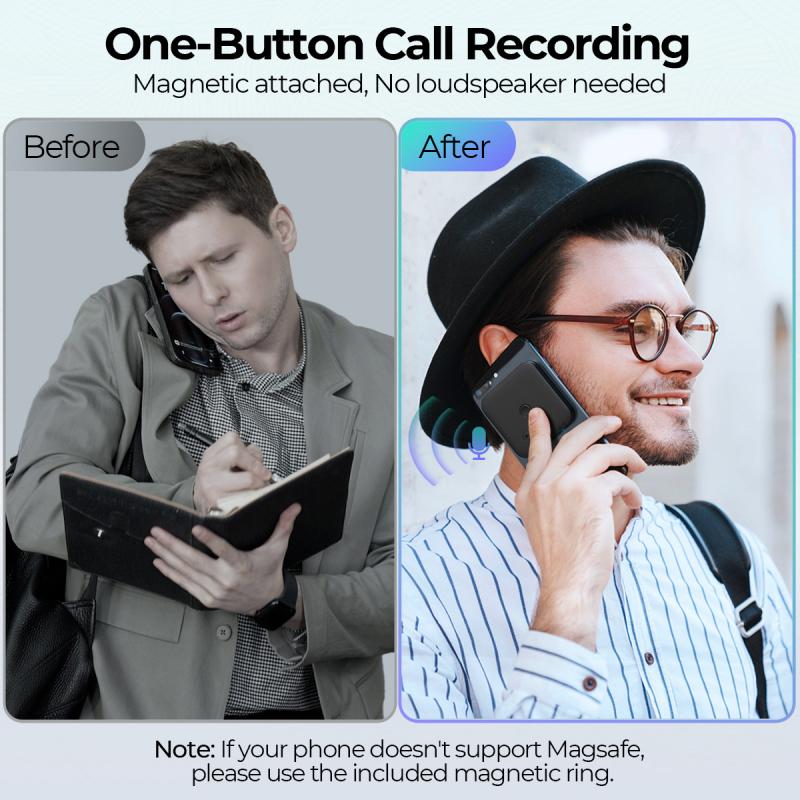
Screen recording has become an essential tool for many professionals, educators, and content creators. Whether you're creating tutorials, recording gameplay, or capturing a video call, having sound in your screen recordings can significantly enhance the viewer's experience. However, many users often face challenges when trying to include audio in their screen recordings. This article will guide you through the various methods and tools available to ensure you get sound on your screen recordings, addressing common issues and providing practical solutions.

Understanding the Basics
how to get sound on screen recordings 1

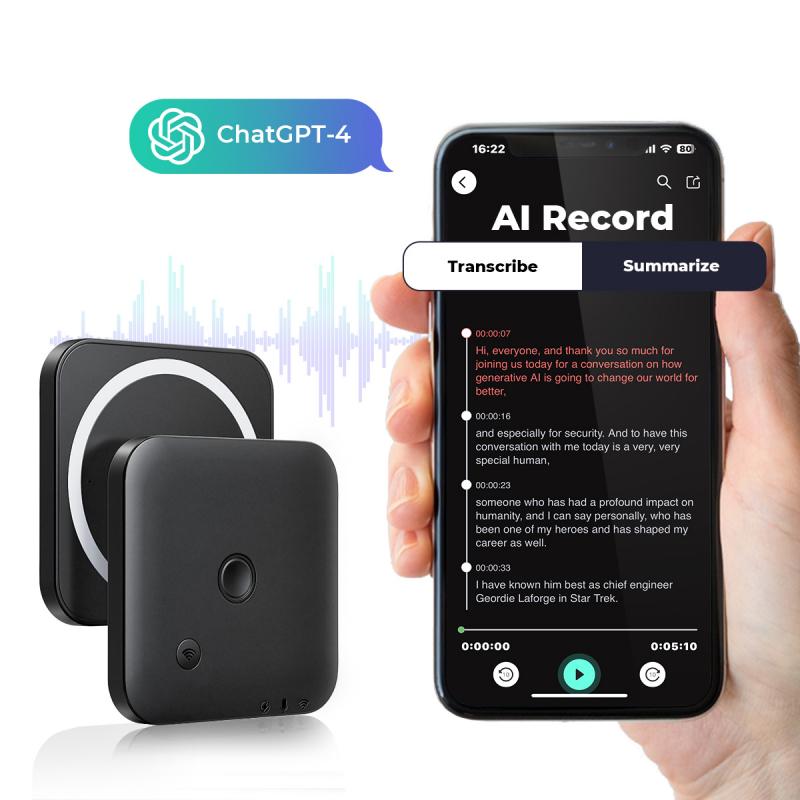
Before diving into the specific methods, it's essential to understand the two primary types of audio you might want to capture:

1. System Audio: This is the sound that comes from your computer, such as music, video audio, or game sounds.

2. Microphone Audio: This is the sound captured from an external or built-in microphone, such as your voice or ambient sounds.

Built-in Tools for Screen Recording with Sound
how to get sound on screen recordings 2

Windows 10 Game Bar

how to get sound on screen recordings 3

Windows 10 comes with a built-in screen recording tool called the Game Bar, which is primarily designed for recording gameplay but can be used for other purposes as well.

1. Activate Game Bar: Press `Win + G` to open the Game Bar.

2. Start Recording: Click on the "Start Recording" button or press `Win + Alt + R`.

3. Enable Audio: Ensure that the microphone icon is enabled if you want to capture your voice. The system audio is captured by default.

macOS Screen Recording

how to get sound on screen recordings 4

macOS also provides a built-in screen recording tool through the QuickTime Player.

1. Open QuickTime Player: Launch QuickTime Player from your Applications folder.

2. New Screen Recording: Go to `File > New Screen Recording`.

3. Select Audio Source: Click the drop-down arrow next to the record button and choose your audio source (internal microphone, external microphone, or system audio).

Third-Party Software

While built-in tools are convenient, they may not always offer the flexibility or features you need. Here are some popular third-party screen recording software options that provide robust audio recording capabilities.

OBS Studio

OBS Studio is a free and open-source software that is highly popular among gamers and streamers.

1. Download and Install OBS Studio: Available for Windows, macOS, and Linux.

2. Set Up Audio Sources: In the `Sources` box, click the `+` button and add `Audio Input Capture` for your microphone and `Audio Output Capture` for system audio.

3. Start Recording: Click on `Start Recording` to begin capturing both video and audio.

Camtasia

Camtasia is a professional-grade screen recording and video editing software.

1. Download and Install Camtasia: Available for both Windows and macOS.

2. New Recording: Open Camtasia and click on `New Recording`.

3. Select Audio Sources: Ensure that both `Microphone` and `System Audio` are selected.

4. Start Recording: Click the `Start Recording` button to capture your screen and audio.

Mobile Screen Recording

iOS Devices

iOS devices come with a built-in screen recording feature that can capture both system audio and microphone audio.

1. Enable Screen Recording: Go to `Settings > Control Center > Customize Controls` and add `Screen Recording`.

2. Start Recording: Open the Control Center and long-press the screen recording button. Toggle on the microphone if you want to capture external audio.

3. Stop Recording: Tap the red status bar at the top of the screen and confirm to stop recording.

Android Devices

Many Android devices also come with built-in screen recording features, but the availability and functionality can vary.

1. Enable Screen Recording: Swipe down to access the Quick Settings panel and look for the screen recording option.

2. Start Recording: Tap the screen recording icon and enable the microphone if you want to capture external audio.

3. Stop Recording: Swipe down again and tap the stop button in the notification panel.

Troubleshooting Common Issues

No Sound in Recordings

If you find that your screen recordings have no sound, here are some common troubleshooting steps:

1. Check Audio Settings: Ensure that the correct audio sources are selected in your screen recording software.

2. Update Drivers: Make sure your audio drivers are up to date.

3. Permissions: Ensure that your screen recording software has the necessary permissions to access your microphone and system audio.

4. Test Audio Devices: Test your microphone and speakers to ensure they are working correctly.

Poor Audio Quality

If the audio quality in your recordings is poor, consider the following tips:

1. Use an External Microphone: Built-in microphones often have lower quality. An external microphone can significantly improve audio clarity.

2. Reduce Background Noise: Record in a quiet environment to minimize background noise.

3. Adjust Audio Levels: Use your recording software to adjust the audio levels and ensure they are not too low or too high.

Advanced Tips

Audio Editing

After recording, you may want to edit your audio to enhance its quality. Software like Audacity (free) or Adobe Audition (paid) can help you remove background noise, adjust levels, and add effects.

Multi-Track Recording

For more advanced users, multi-track recording allows you to record different audio sources on separate tracks. This can be useful for post-production editing. OBS Studio and Camtasia both support multi-track recording.

Getting sound on your screen recordings is crucial for creating engaging and informative content. Whether you use built-in tools or third-party software, the key is to understand your audio sources and configure your settings correctly. By following the steps outlined in this article, you can ensure that your screen recordings have high-quality audio, making them more effective and enjoyable for your audience. Happy recording!

Leave your comment
Cancel reply
Note: HTML is not translated!

Related products
Mini Sound Recorder 128GB 1600H Recording Capacity with 1.4" Screen, Voice Activated Mode Kentfaith
12
$99.99 $79.99
Mini Voice Recorder, Sound-activated & Magnetic, 128GB 1600H Capacity with AI Noise Cancelling Kentfaith
13
$94.99 $53.99
67mm Clip-on CPL Phone Camera Lens Filter Kit Applicable to All Mobile Phone Models
24
$18.99
Children’s Entry-Level Metal Detector, High Sensitivity, With LCD Display and Sound Indication, Suitable for Beginners
144
$64.49 $50.99
67mm Clip-on ND2-32 Phone Camera Lens Filter Kit Applicable to All Mobile Phone Models
24
$37.99
67mm Clip-on Black Mist 1/4 Phone Camera Lens Filter Kit Applicable to All Mobile Phone Models
24
$29.99
52mm Clip-on CPL Phone Camera Lens Filter Kit, Circular Polarizer Polarizing Filter Applicable to All Mobile Phone Models
24
$16.99
67mm Clip-on CPL&Black Mist 1/4 2-in-1 Phone Camera Lens Filter Kit Applicable to All Mobile Phone Models
24
$29.99
Indoor security camera, 2.4Ghz WiFi, infrared night vision, human detection, intelligent motion tracking, sound alarm, two-way talk, monitor for babies, pets, elderly, with 64G Memory Card
$49.99
Variable ND2-32 Filter Compatible with DJI Osmo Action 5 Pro/Osmo Action 4/Osmo Action 3, Snap-on Installation, no need to remove the original filter
$24.99
Products You May Like
M42 Lenses to Canon EF Lens Mount Adapter K&F Concept M10131 Lens Adapter
31
$37.99 $27.99
95mm Solar Filter 20-Stops,ND1000000 Solid Neutral Density Filter Solar Filter For Eclipse With 18 Multi-Layer Coatings Nano-Klear Series
33
$58.99 $29.99
S9 kids digital camera with flip lens, tripod, 1080p, 40 megapixels, best kids camera for boys and girls from 3 years blue
$36.99
95mm Explosive-Proof MCUV Lens Protection Filter 28 Multi-Layer Coatings Ultra-Slim HD Waterproof Scratch Resistant Nano-Xcel Series
58
$69.99 $55.99
58-77mm Step Up Ring Aviation-grade Aluminum Filter Adapter Ring 2-pack with a Cleaning Cloth
99
$6.99
72mm White Pro Mist Filter Cinematic Effect Filter with 18 Multi-Layer Coatings for Portrait and Landscape Photography Nano-K Series
$41.99 $25.99
82mm ND8-ND2000 Lens Filter, (3-11 stop) Variable Neutral Density Filter with Multi-Resistant Coating Nano-Dazzle
69
$71.99 $56.99
Motion Detector Trail Camera
10
$162.99 $106.99
52mm Filter Set (ND2, ND4, ND8)
5
$35.99 $17.99
No Glow Trail Cameras
10
$162.99 $106.99
Related articles
How To Get Sound On Screen Recorded Videos?
How Do I Get Sound On Screen Recording?
How To Get Sound In Screen Recording?
How Do You Get Sound In Screen Recording?
How Do You Get Sound With Screen Record?
How To Improve Sound Voice Recordings?
How To Speed Up Sound Recordings?
How To Search For Sound Recordings?
How To Get Your Voice On Screen Recording?
Backpack That Can Hold Books And Dslr Camera?
Blog You May Like
Why Only One Side Of Earphones Work?
Can Alexa Be A Security Camera?
How To Light Back Background Product Photography?
How To Use Phone As Webcam For Pc?
Camcorder That Can Live Stream?
How To Make An Underwater Wireless Camera?
How To Increase Earphone Volume On Pc?
How To Put Headphones In Pc?
How To Upload Youtube Videos From Digital Camera?
How To Connect Canon Camera To Mac Through Wifi ?
Related categories
On-Dash Camera trail camera with screen C mount lens adapter m4/3 adapter ND8 filter UV lens filter magnetic adapter ring endoscope cameras
Popular products
infrared hd video camera bluetooth stereo earbuds entry level metal detector iphone 15 selfie stick simple golf rangefinder Smart Home Hd Wifi Camera led hidden camera detector Center Pinch Lens Cap fujifilm camera lens cap 67mm camera lens cap
Related searches
Get Stuck Filter Off Lens Digital Camera With Screen On Front Sound Recorder Usb Video Sound Recorder Smart Sound Recorder Tiny Sound Recorder Advanced Sound Recorder Surround Sound Microphone Clear Sound Recorder Mini Sound Recorder
Popular searches
Digital Time Lapse Camera Digital Camera Cable Nikon 18 140 Lens Filter Nikon Cx To Dx Adapter Nikon To Hasseblad 500c Adapters 1 Stop Pro Mist Filter Best Camera Tripod Ball Head Lens Mount For A Canon T3 Magnetic Variable Nd Filter Instax Wide 300 Lens Filter
Blog Category
  • Activities
  • Guide
    • Filter Guide
    • Lens Adapter
    • Product Review
  • News & Reviews
    • Camera Reviews
    • Sample Gallery
    • News
  • Tutorials
    • Solar eclipse photography
    • Photography Basics
    • Landscape Photography
  • Inspiration
    • Travel
    • Travel Stories
Search Article
Latest from the Blog
How Much Storage For Security Camera?
How Does a WiFi Trail Camera Work?
What Does Tripod?
What Is The Best Wireless Outdoor Security Camera?
What Power Binoculars For Long Distance Viewing?
Which Smart Watches Are Waterproof?
Where Can I Find Hidden Cameras?
What To Look For In A Dash Cam?
Which Bluetooth Earphones?
How To Remove Memory Card From Nikon Camera?
  • Easy Payment Multilple Payment Options

  • Free Shipping Global WareHouse Shipment

  • No Risk 30-Day No Reason Return

  • Limited Deals Buy More, Save More

  • Tax Free No any surcharges or tax fee

Information
  • About us
  • Contact Us
  • Site Map
  • Blog
  • Video
  • Gallery
  • VIP Membership Rewards
Service
  • Privacy Policy
  • Terms & Conditions
  • Shipping & Delivery
  • Payment Info
  • Warranty, Return & Refund
  • Intellectual Property Rights
  • Ambassador
  • Affiliates
  • Wholesale
Support
  • My account
  • Order History
  • FAQs
  • Extend Warranty
  • Logistics Tracking
Follow us
NewsLetter

Get the latest product, K&F Concept respects your privacy.

Powered By KENTFAITH © 2025