
kfconcept

KENTFAITH
K&F Concept    Blog >

Enjoy Your Selected Digital Life

Recently Viewed
  • Recently Viewed
  • 67mm True Color Ultra-Low Reflectivity CPL Filter Polarizer Lens Filter Circular Polarizing for Camera Lenses with 28 Multi-Coated Nano-Xcel Series
    67mm True Color Ultra-Low Reflectivity CPL Filter Polarizer Lens Filter Circular Polarizing for Camera Lenses with 28 Multi-Coated Nano-Xcel Series
    $81.99 $58.49
    Wireless CarPlay Adapter for iPhone 5.8GHz Stable Connection Auto Reconnect Support Multi User Kentfaith
    Wireless CarPlay Adapter for iPhone 5.8GHz Stable Connection Auto Reconnect Support Multi User Kentfaith
    $99.99 $79.99
Compare (0) 0
  • Compare
  • You have not chosen any products to compare.

  • Compare
Currency: USD
  • Currency
Shop by Scene Shop by Rank

Log Into Your Account

Account

Order History

Wish List

Login

Forgotten Password?

Or connect with

Register Account

Already have an Account?Log In

  • Shopping Cart
  • Your shopping cart is empty!

  • Register/Login to purchase, earn points
  • Favorite
  • Your wish list is empty.

  • Register/Login to like, earn points
  • Activities
  • Guide
    • Filter Guide
    • Lens Adapter
    • Product Review
  • News & Reviews
    • Camera Reviews
    • Sample Gallery
    • News
  • Tutorials
    • Solar eclipse photography
    • Photography Basics
    • Landscape Photography
  • Inspiration
    • Travel
    • Travel Stories
  • Home
  • Blog
  • How To Find Camera Password?

How To Find Camera Password?

Kentfaith 2024-07-17 01:16:09 0 Comments

In today's digital age, security is paramount, and cameras play a crucial role in ensuring the safety of our homes, offices, and public spaces. However, one common issue that many users face is forgetting or losing the password to their cameras. This can be a frustrating experience, but fortunately, there are several methods to retrieve or reset your camera password. In this article, we will explore various techniques and best practices to help you regain access to your camera.

Understanding the Importance of Camera Passwords

Before diving into the methods of finding or resetting your camera password, it's essential to understand why these passwords are crucial. Camera passwords serve as the first line of defense against unauthorized access. They protect your privacy and ensure that only authorized individuals can view the camera feed or make changes to the camera settings. Therefore, it's vital to keep your camera password secure and to have a reliable method for recovering it if lost.

Common Methods to Find or Reset Camera Passwords

1. Check the Camera Manual or Manufacturer's Website

The first step in finding your camera password is to consult the camera's user manual. Most manufacturers provide detailed instructions on how to reset the password. If you don't have the manual, you can usually find it on the manufacturer's website. Look for a section on troubleshooting or password recovery.

2. Default Passwords

Many cameras come with a default username and password. These are often listed in the user manual or on the manufacturer's website. Common default usernames include "admin" or "user," and passwords might be "admin," "password," or left blank. However, it's crucial to change the default password as soon as possible to enhance security.

3. Reset Button

Most modern cameras have a physical reset button. This button is usually located on the back or bottom of the camera. To reset the camera to its factory settings, press and hold the reset button for about 10-30 seconds. This action will erase all settings, including the password, and restore the default settings. After resetting, you can use the default username and password to log in.

4. Software Tools

Some manufacturers provide software tools that can help you recover or reset your camera password. These tools are typically available for download on the manufacturer's website. Once downloaded, follow the instructions provided to reset the password.

5. Contact Customer Support

If the above methods do not work, your next step should be to contact the manufacturer's customer support. Provide them with the camera model and serial number, and they should be able to guide you through the password recovery process. Some manufacturers may require proof of purchase or other verification to ensure that you are the legitimate owner of the camera.

6. Third-Party Forums and Communities

There are numerous online forums and communities where users share their experiences and solutions to common problems. Websites like Reddit, Stack Exchange, and specialized tech forums can be valuable resources. Search for your camera model and see if other users have encountered and resolved similar issues.

Best Practices for Managing Camera Passwords

Once you have successfully found or reset your camera password, it's essential to implement best practices to prevent future issues. Here are some tips to help you manage your camera passwords effectively:

1. Change Default Passwords Immediately

As mentioned earlier, default passwords are widely known and can be a significant security risk. Change the default password to a strong, unique password as soon as you set up your camera.

2. Use Strong Passwords

A strong password should be at least 12 characters long and include a mix of uppercase and lowercase letters, numbers, and special characters. Avoid using easily guessable information such as birthdays, names, or common words.

3. Enable Two-Factor Authentication (2FA)

If your camera supports two-factor authentication, enable it. 2FA adds an extra layer of security by requiring a second form of verification, such as a code sent to your phone, in addition to your password.

4. Regularly Update Firmware

Manufacturers often release firmware updates to fix security vulnerabilities and improve performance. Regularly check for and install firmware updates to ensure your camera is secure.

5. Keep a Password Manager

A password manager can help you generate, store, and manage strong passwords for all your devices, including your camera. This way, you won't have to worry about forgetting your password.

6. Document Your Passwords Securely

If you prefer not to use a password manager, make sure to document your passwords in a secure location. Avoid writing them down on paper or storing them in easily accessible files on your computer.

Troubleshooting Common Issues

Even with the best practices in place, you may still encounter issues with your camera password. Here are some common problems and their solutions:

1. Forgotten Password

If you forget your password, follow the methods outlined earlier in this article to reset it. Always ensure you have a backup method for password recovery.

2. Locked Out After Multiple Attempts

Some cameras may lock you out after multiple failed login attempts. If this happens, wait for the lockout period to expire, or reset the camera to factory settings if necessary.

3. Firmware Update Issues

If a firmware update causes issues with your camera, contact the manufacturer's customer support for assistance. They may provide a solution or guide you through the process of rolling back the update.

4. Network Connectivity Problems

Ensure that your camera is connected to a stable network. Network issues can sometimes be mistaken for password problems. Check your router settings and ensure that your camera is within range of the Wi-Fi signal.

Forgetting or losing your camera password can be a frustrating experience, but with the right approach, you can quickly regain access to your camera. By following the methods outlined in this article and implementing best practices for password management, you can ensure that your camera remains secure and accessible. Remember to change default passwords, use strong passwords, enable two-factor authentication, and keep your firmware up to date. By taking these steps, you can protect your privacy and maintain the security of your camera system.

Leave your comment
Cancel reply
Note: HTML is not translated!
Related products
Anti-Spy Detector Scan & Disconnect for 24/7 Protection Find Bugs Hidden Cams
15
$89.99 $59.99
Metal Detectors for Adults and Kids, Gold Detector Kit with LCD Display & IP68 Waterproof Search Coil for Find Valuables
285
$215.99 $151.99
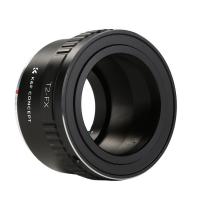
K&F Concept M42 to FX Lens Mount Adapter M42 Lens to Fujifilm X-Series Mirrorless Camera Adapter
6
$56.99 $31.99
Camera Light LED Video Light Panel for Camera Camcorder Lighting in Studio or Outdoors 3200K to 5500K Variable Color Temperature (Only ship to us)
26
$44.99 $39.99
LM to NEX Adapter Compatible with Leica M Lens to Sony Alpha Nex E-Mount Camera Lens Mount Adapter
147
$45.99 $24.99
Lens Mount Adapter FD to NEX Copper Adapter Compatible with Canon FD FL Lens to NEX E-Mount Camera
151
$56.99 $29.99
T2 Mount Lenses to Fuji X Mount Camera Adapter
$49.99 $25.99
Rollei QBM Lenses to Sony E Mount Camera Adapter
146
$53.99 $27.99
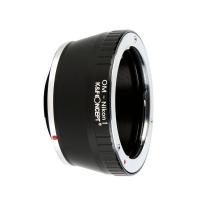
Olympus OM Lenses to Nikon 1 Camera Mount Adapter
69
$53.99 $27.99
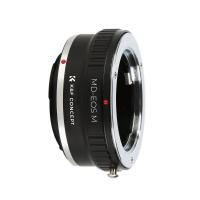
Minolta MD MC Lenses to Canon EOS M Camera Mount Adapter
2
$53.99 $27.99
Products You May Like
37mm Camera Center Pinch Lens Cap with Lens Cap Leash*3+Cleaning Cloth*3+Anti-lost Rope*3 for Canon Nikon Sony Olympus Fujifilm Pentax Panasonic Leica
29
$28.99 $14.99
Minolta MD Lenses to Fuji GFX Mount Camera Lens Adapter K&F Concept M15211 Lens Adapter
10
$81.99 $42.99
72mm Black Mist 1/4 + CPL Filter Set, Dreamy Cinematic Effect Mist CPL Polarising Filter 18 Multi-Layer Coatings Nano-Klear Series
37
$53.99 $42.99
Dual Cam Plumbing Inspection Camera with 360° Rotating Side Camera 7" HD Screen 32ft
13
$959.99 $503.99
37mm UV Lens Filter HD MCUV Ultraviolet 28 Multi-Coated Filters (Nano-Xcel series Toughened Glass)
78
$37.99 $29.99
Wireless Lavalier Microphone for iPhone & Android 48kHz 24bit HiFi Audio Noise Cancelling
16
$134.99 $94.99
trail camera wifi
trail camera wifi
10
$135.99 $106.99
Hc 300m Digital Trail Camera
10
$162.99 $106.99
K&F Concept Canon ES65B bayonet hood, with a vacuum cleaning cloth *1, for RF 50mm F1.8STM lens
$12.99
Industrial Borescope, 1080P Dual Lens Borescope, 5.5mm Snake Borescope Camera with Wire Rope, 4.3' IPS Screen, 8 LED Lights
104
$223.19 $136.99
Related articles
How To Find Camera Wifi Password ?
How To Find Out Your Canon Camera Wifi Password ?
How To Change Canon Camera Wifi Password?
How To Password Protect A Memory Card?
Can You Access A Camera With Wifi Password?
How To Find Camera Model?
How To Find Camera Uid?
How To Find Best Camera?
How To Find Camera In Mac?
How Much Are The Ring Lights?
Blog You May Like
What Filter Effect Can You Use Camera?
How To Get The Camera Filter?
What Fluorescent Light Does To Video?
How To Remove Camera Lens Protector?
What Memory Card Works With Nintendo Switch?
How To Get Good Video Lighting?
How To Allow Access To Camera And Microphone On Android ?
How To Backup Sd Card Android Without Computer?
What Size Screws For Sony Tv Wall Mount?
How To Clean Microphone On Iphone?
Related categories
C mount lens adapter m4/3 adapter Camera Parts | Studio Camera Accessories streaming video camera digital camera for beginner Solar Cellular Trail Camera Non Cellular Trail Camera camera shoulder bag digital camera cases
Popular products
no spy hidden camera detector smart lock office black keyless door lock Gold Detector Kit smart lock keyless home entry fingerprint door lock touch keyless door lock lens adapter for mirrorless camera led light panel photography fujifilm x t2 mount adapter
Related searches
Find Hidden Camera Detector Metal Detector Find Bag Sony Vaio Can't Find Wireless Adapter Microphone To Camera Camera To Capture Wildlife Telescope To Camera Adapter Adapt Projector Lens To Camera Ccd To Camera Lens Adapter Easy To Use Video Camera Trail Camera Bluetooth To Phone
Popular searches
Best Portable Digital Camera Canon To Rms Adapter Sony Rx0 Lens Adapter Streaming Ring Light Professional Endoscope Camera Best Lens Filter For Portraits P900 Kodak Ektanar Lens Adapter Nd Filter For 35mm Lens Memory Card Storage Box Digital Camera Aa Batteries
Blog Category
  • Activities
  • Guide
    • Filter Guide
    • Lens Adapter
    • Product Review
  • News & Reviews
    • Camera Reviews
    • Sample Gallery
    • News
  • Tutorials
    • Solar eclipse photography
    • Photography Basics
    • Landscape Photography
  • Inspiration
    • Travel
    • Travel Stories
Search Article
Latest from the Blog
How To Make Your Eyes Flash On Camera?
Is the Sony A7M5 worth buying?
Can You Save Facebook Videos To Camera Roll?
Where Can I Buy Samsung Camera Battery?
Camera That Can Wifi Photos To Phone?
What Is The Best Wireless Outdoor Security Camera?
What Is A Good Quality Dash Cam?
Where Can I Find Hidden Cameras?
How To Find Camera Roll On Iphone 5s?
How Many Stops Is An Nd 8 Filter?
  • Easy Payment Multilple Payment Options

  • Free Shipping Global WareHouse Shipment

  • No Risk 30-Day No Reason Return

  • Limited Deals Buy More, Save More

  • Tax Free No any surcharges or tax fee

Information
  • About us
  • Contact Us
  • Site Map
  • Blog
  • Video
  • Gallery
  • VIP Membership Rewards
Service
  • Privacy Policy
  • Terms & Conditions
  • Shipping & Delivery
  • Payment Info
  • Warranty, Return & Refund
  • Intellectual Property Rights
  • Ambassador
  • Affiliates
  • Wholesale
Support
  • My account
  • Order History
  • FAQs
  • Extend Warranty
  • Logistics Tracking
Follow us
NewsLetter

Get the latest product, K&F Concept respects your privacy.

Powered By KENTFAITH © 2025