kfconcept

KENTFAITH
K&F Concept    Blog >

Enjoy Your Selected Digital Life

Recently Viewed
  • Recently Viewed
  • Recently Viewed list is empty.

Compare (0) 0
  • Compare
  • You have not chosen any products to compare.

  • Compare
Currency: USD
  • Currency
Shop by Scene Shop by Rank

Log Into Your Account

Account

Order History

Wish List

Login

Forgotten Password?

or connect with

Register Account

Already have an Account?Log In

  • Shopping Cart
  • Your shopping cart is empty!

  • Register/Login to purchase, earn points
  • Favorite
  • Your wish list is empty.

  • Register/Login to like, earn points
  • Activities
  • Guide
    • Filter Guide
    • Lens Adapter
    • Product Review
  • News & Reviews
    • Camera Reviews
    • Sample Gallery
    • News
  • Tutorials
    • Solar eclipse photography
    • Photography Basics
    • Landscape Photography
  • Inspiration
    • Travel
    • Travel Stories
  • Home
  • Blog
  • How To Connect Canon Camera To Mac Through Wifi ?

How To Connect Canon Camera To Mac Through Wifi ?

Kentfaith 2023-07-27 09:30:45 0 Comments

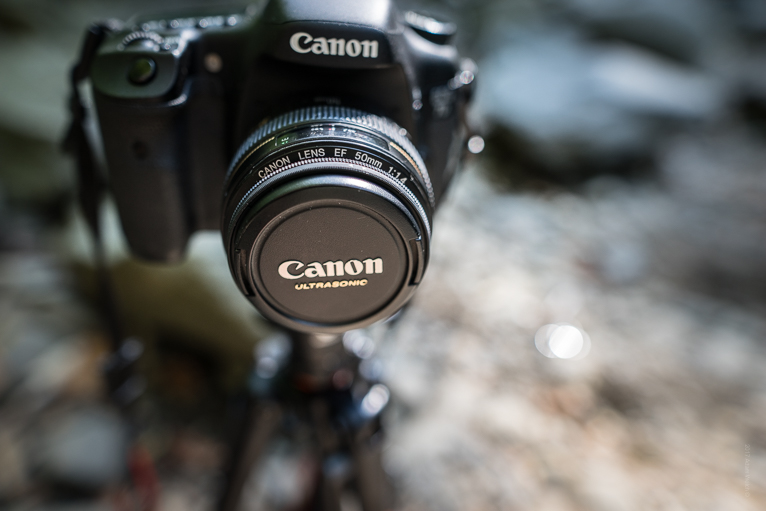
With the development of photography technology, more and more photographers want to transfer camera photos to computer wirelessly. Connecting your Canon camera to Mac via WiFi not only makes it easy to manage and edit photos, but also saves a lot of time. In this article, we will explain in detail how to connect your Canon camera to Mac via WiFi and solve the problems you may encounter during the connection process.

Understand how to connect Canon camera to Mac via WiFi

Connecting your Canon camera to Mac via WiFi can be achieved in several ways:

Use the software that comes with Canon

Step 1: Download and install the EOS Utility software provided by Canon. This software can be downloaded from the Canon website. 

Step 2: Turn on the camera's WiFi function and set it to Access Point Mode or Infrastructure Mode. 

Step 3: Open the EOS Utility software on your Mac and follow the instructions to set up the WiFi connection.

Using Third-Party Software

Step 1: Download and install third-party software that supports WiFi connection for Canon cameras, such as ShutterSnitch.

Step 2: Turn on your camera's WiFi function and set it to Infrastructure mode.

Step 3: Open the third-party software on your Mac and follow the software prompts to set up and connect. 

Using the camera's built-in WiFi function

Step 1: Open the camera's WiFi function and choose to use the camera as a WiFi hotspot or connect to an existing WiFi network. 

Step 2: Connect to the camera's WiFi network on your Mac. 

Step 3: Open the built-in app of your Canon camera and follow the prompts to set up and connect.

Solve Canon Camera and Mac WiFi Connection Failure Problems

During the connection process, you may encounter various problems leading to connection failure. Here are some common problems and their solutions:

Unstable WiFi signal

Check WiFi signal strength: Make sure both the camera and Mac are within the WiFi signal coverage area and the signal strength is good.

Reboot your devices: Reboot your camera and Mac to clear the cache.

Software not updated

Check Software Version: Make sure the EOS Utility or third-party software is the latest version. 

Update Firmware: Check if the camera firmware is the latest version and update it in time.

Network Settings Problems

Check Network Settings: Make sure the network settings of the camera and Mac are correct and the camera is connected to the correct WiFi network. 

Reset Network Settings: If the connection problem is still not solved, you can try to reset the network settings of the camera and Mac.

Third, common troubleshooting of Canon camera and Mac WiFi connection

Even if the connection is successful, sometimes you may encounter some faults affecting the use, the following are common problems and solutions:

Slow transmission speed

Optimise network environment: Make sure no other high-traffic devices are occupying the bandwidth of the WiFi network. 

Use 5GHz band: If the camera and Mac support 5GHz WiFi band, using this band can improve the transmission speed. 

Disconnections 

Check Battery Level: Make sure the camera and Mac have sufficient battery power to avoid disconnection due to low battery.

Maintain device distance: Make sure the distance between the camera and Mac is within the effective range to avoid signal degradation.

File transfer failure

Check the file format: Make sure the file format you are transferring is supported, e.g. JPEG, RAW, etc.

Restart Software: Close and reopen EOS Utility or third-party software and try to transfer files again.

Detailed Steps and Settings for Connecting Canon Camera to Mac via WiFi


Here are the detailed steps and settings to connect your Canon camera to Mac via WiFi:

Preparation

Make sure the camera and Mac are fully charged.

Download and install EOS Utility software or other third-party software.

Switch on the camera WiFi function

Find the WiFi function option in the camera menu to turn on the WiFi function.

Choose to set the camera as a WiFi hotspot or connect to an existing WiFi network.

Setting up on a Mac

Open your Mac's WiFi settings and connect to the camera's WiFi network.

Launch the EOS Utility software or other third-party software and follow the prompts to set up and connect.

Start transferring files

Select the files to be transferred in EOS Utility or third-party software to start the transfer.

After confirming that the file transfer is successful, manage and edit it on your Mac.


Improve the stability and speed of Canon camera and Mac WiFi connection

For a better experience, here are some suggestions to improve connection stability and speed:

Use a high-quality WiFi network

Choose a stable and fast WiFi network and avoid using public WiFi or networks with poor signals.

If possible, use a WiFi network in the 5GHz band to reduce interference and increase speed.

Optimize camera and Mac settings

Turn off unnecessary background apps and features in camera and Mac settings to reduce resource usage.

Regularly check and update your camera and Mac's firmware and software to keep your device performing optimally.

Reduce Interference

Avoid obstacles blocking between the camera and Mac, such as walls and metal objects.

Try to stay away from other electronic devices to reduce signal interference.


In conclusion, connecting your Canon camera to Mac via WiFi can greatly improve the efficiency of photo management and editing. I hope this article can provide practical reference and help for the majority of users to enjoy the convenience and fun brought by smart technology.


 

Leave your comment
Cancel reply
Note: HTML is not translated!
Related products
Camera Sunglasses, HD 1080P, EIS Stabilization, WiFi Connect, Translation, 4H Playtime, Kentfaith
16
$119.99 $95.99
Smart Camera Glasses, HD 1080P, EIS Stabilization, WiFi Connect, Translation, 4H Playtime, Kentfaith
16
$119.99 $95.99
4K Video Camera, 64MP Photos, WiFi Connect, 28X Zoom, Wireless Mic, Full Color NV, Kentfaith
18
$212.49 $169.99
Digital Photo Frame, 10.1 inch Touchscreen, WiFi Transfer from Any Corner, 32GB Storage, Multi-user Connect & Share, Auto Rotation, Kentfaith
17
$187.49 $149.99
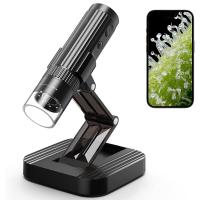
Wireless WiFi Microscope with Foldable Stand, 50X-1000X Magnification, Work with iPhone, iPad, Android, Mac, Windows
11
$47.99
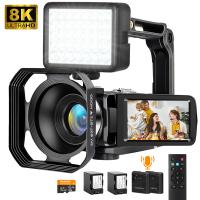
8K Ultra-HD Video Camera, 64MP Video Recorder with SONY CMOS Sensor & Built-in Fill Light, WiFi Connect & Transfer, Microphones, 2 Batteries, Remote Control, 64GB Card, Kentfaith
16
$362.49 $239.99
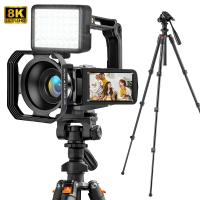
8K Ultra-HD Video Camera, 64MP Video Recorder with SONY CMOS Sensor & Built-in Fill Light, WiFi Connect & Transfer, Tripod, Microphones, 2 Batteries, Remote Control, 64GB Card, Kentfaith
16
$349.99 $279.99
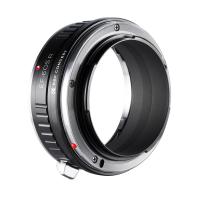
Canon EOS Lens to Canon EOS R Camera Body Lens Mount Adapter
49
$55.99 $31.99
Canon FD FL Lens to Canon EOS R Camera Body Lens Mount Adapter
49
$87.99 $49.99
Lens Mount Adapter FD to NEX Copper Adapter Compatible with Canon FD FL Lens to NEX E-Mount Camera
151
$56.99 $29.99
Products You May Like
32G micro SD card U3/V30/A1 with adapter 2 packs memory card suitable for home surveillance camera hunting camera and driving recorder memory card K&F CONCEPT
$21.99
58mm UV Filter 0.1% Ultra-low Reflection (titanium coating ) with 28 Multi-Layer Coatings Nano-Xcel Series
76
$39.99 $31.99
1080P Projector 120" HD Screen with HiFi Stereo Speakers 50000H Work With TV Sticks Smartphones Tablets HDMI USB VGA AV (EU Standard)
44
$113.99
Outdoor Hunting Camera 1080P 16MP HD Waterproof Infrared Night Vision Triggered with 64G SD Card and Quick Installation Tree Spike
28
$79.99
46mm True Color Variable ND2-400 (1-9 Stops) ND Lens Filter Adjustable Neutral Density Filter with 18 Multi-Layer Coatings for Camera Lens Nano-Klear Series
42
$43.99 $32.99
Bluedio T5 Active Noise Cancelling Bluetooth Headphones - Red
21
$46.99
Sony FDA-EP20 Camera Viewfinder Eyecup*2+Hot Shoe Level*2+Vacuum Cleaning Cloth*1 for Sony A6700, A7C II, A7C R
$8.99
82mm 6-Point Fine-Line Star Effect Filter, Cine & Dreamlike Special Filter 18-Layer Coated Optical Glass with 3 Vacuum Cleaning Cloths - Nano-Klear Series
NEW Arrival
82mm 6-Point Fine-Line Star Effect Filter, Cine & Dreamlike Special Filter 18-Layer Coated Optical Glass with 3 Vacuum Cleaning Cloths - Nano-Klear Series
38
$45.99 $31.99
ZHIYUN 100W RGB Handheld LED Video Light Stick 2700K-6500K CRI 96+ TLCI 98+ with 6 Light Effects
$338.99 $237.99
40.5mm Lens Filter Kit Neutral Density ND8+ND64+CPL Circular Polarizer for Professional Camera Lens with Multiple Layer Nano Coated
12
$69.99 $41.99
Related articles
How To Find My Canon Camera On Mac?
How To Access Iphone Camera Remotely Through Wifi ?
How To Change Canon Camera Wifi Password?
How To Connect A Wifi Smart Camera?
How To Wifi Transfer Videos From Camera Canon?
How To Connect Wifi Camera To Smart Tv ?
How To Connect Wifi Camera To Android Phone ?
How To Connect Geeni Camera To New Wifi?
How To Find Out Your Canon Camera Wifi Password ?
Does Mirrorless Camera Need Lens?
Blog You May Like
Baby Monitor What To Look For?
What Size Lithium Battery For Fish Finder?
What Does Uv Filter Do For Dslr?
What Is The Purpose Of A Camera Filter?
Is the Sony A7M5 worth buying?
What Is The Best Low Light Video Camera?
What Type Of Video Camera Should I Buy?
Leica R To M Adapter What Are Cams?
How To Find The Uv Filter Size?
What's the Best SD Cards for Trail Cameras?
Related categories
C mount lens adapter m4/3 adapter Outdoor Security Camera Wifi Cannon camera battery Wifi Trail Cameras canon ring flash Baby Movement Monitor canon cameras lens canon ef lens mount
Popular products
Camera Glasses With Wifi 8K Camcorder EF To R Lens Adapter baby monitor with screen and app baby monitor 2 cameras best baby monitor with screen and app Canon FD To RF Adapter canon ef eos r adapter lens of canon camera canon leica m adapter
Related searches
Camera Connect With Wifi Smart Watch Connect To Iphone Retro Game Console Connect To Tv Cheap Security Cameras That Connect To Your Phone Lens Filter See Through Clothes Mac Compatible Microscope Mac Compatible Webcam Digital Microscope Mac Security Camera That Connects To Phone Without Wifi Yashica To Canon
Related Scenes
Best Camera To Video Sports Best Camera To Capture Wildlife Best Video Camera To Record Sports Best Batteries For Canon Cameras Best Polarizing Filter For Canon Best Polarizer Filter For Canon Lens Best Outdoor Wifi Camera Best Wifi Surveillance Camera Best Home Camera Wifi Best Battery Wifi Camera
Blog Category
  • Activities
  • Guide
    • Filter Guide
    • Lens Adapter
    • Product Review
  • News & Reviews
    • Camera Reviews
    • Sample Gallery
    • News
  • Tutorials
    • Solar eclipse photography
    • Photography Basics
    • Landscape Photography
  • Inspiration
    • Travel
    • Travel Stories
Search Article
Latest from the Blog
How To Hide A Home Security Camera?
Binoculars That Can See In The Dark?
How To Develop Pictures From A Digital Camera?
How To Allow Camera And Microphone?
How To Use Your Phone As A Microphone?
Which Smartwatch Has Best Sleep Tracking?
How To Clean Cleaning Cloth For Glasses?
How Do You Blind A Security Camera?
How To See Cells In A Microscope?
When Will A Speed Camera Flash?
  • Easy Payment Multilple Payment Options

  • Free Shipping Global WareHouse Shipment

  • No Risk 30-Day No Reason Return

  • Limited Deals Buy More, Save More

  • Tax Free No any surcharges or tax fee

Information
  • About us
  • Contact Us
  • Site Map
  • Blog
  • Video
  • Gallery
  • VIP Membership Rewards
Service
  • Privacy Policy
  • Terms & Conditions
  • Shipping & Delivery
  • Payment Info
  • Warranty, Return & Refund
  • Intellectual Property Rights
  • Ambassador
  • Affiliates
  • Wholesale
Support
  • My account
  • Order History
  • FAQs
  • Extend Warranty
  • Logistics Tracking
Follow us
NewsLetter

Get the latest product, K&F Concept respects your privacy.
Powered By KENTFAITH © 2026